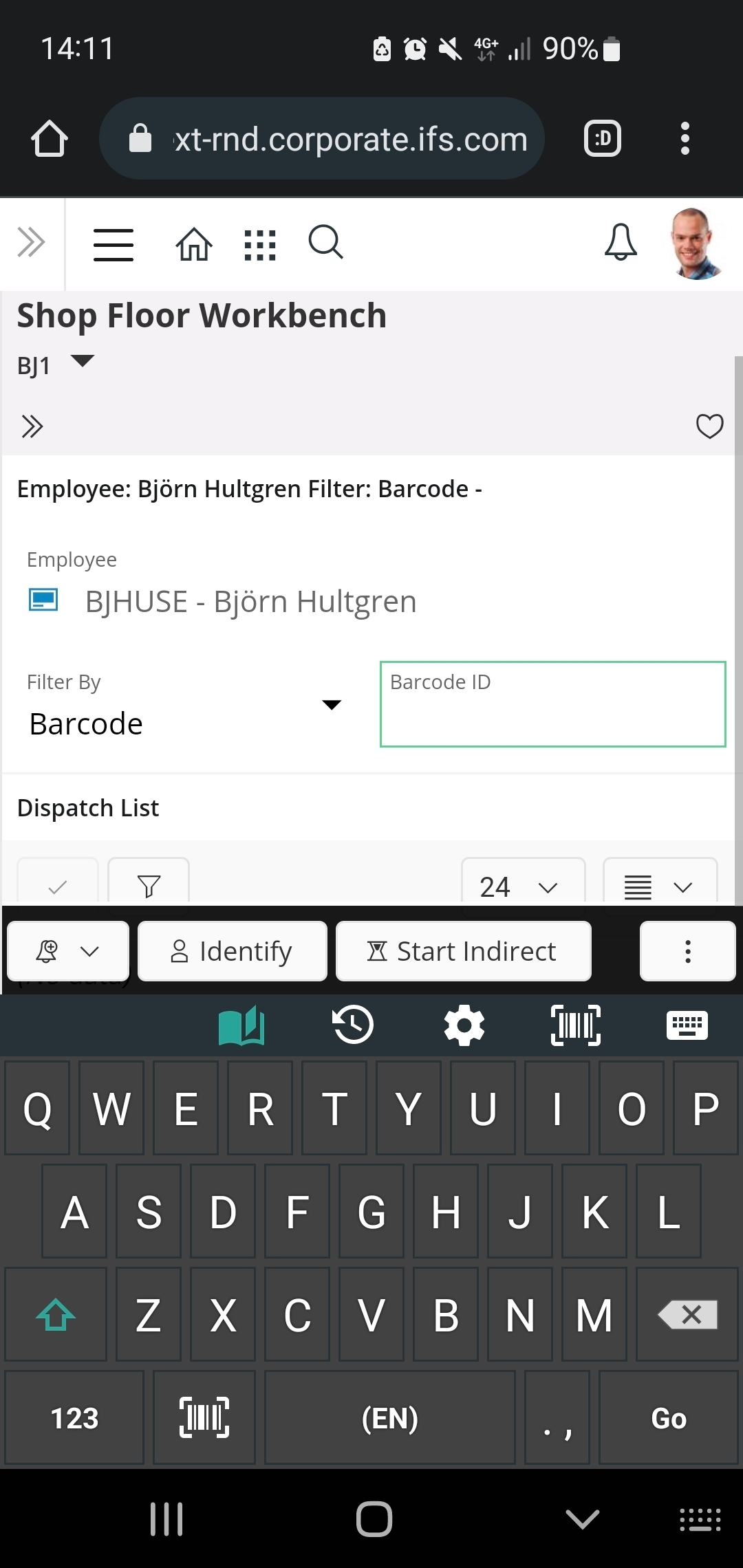
Using the Shop Floor Workbench in Aurena you can filter by barcode.
Is there any specific settings that enables the barcode ID field to allow scanning input from a mobile device (camera) instead of having to manually input the barcode ID?
Appreciated,
Jamie
Best answer by Björn Hultgren
As far as I know it is not possible. But I agree it would be highly valuable. This would however require new framework support to enable a field in Aurena to trigger the camera to scan a barcode and bring the scanned value back to the field. Please consider requesting this in the Idea section!
As far as I know it is not possible. But I agree it would be highly valuable. This would however require new framework support to enable a field in Aurena to trigger the camera to scan a barcode and bring the scanned value back to the field. Please consider requesting this in the Idea section!
I realized this might be possible by using a keyboard with a built in barcode scanner on the mobile device.
I downloaded such keyboard from Google play and selected this as my default keyboard. When clicking the Barcode ID field in Shop Floor Workbench I could click the barcode icon which opened the device camera and could scan the barcode which showed this operation as expected.