Solved

Setup Skip Lot Purchasing Control Plan question

  • April 29, 2026
  • 5 replies
  • 51 views

Forum|alt.badge.img+17

Hello all, 

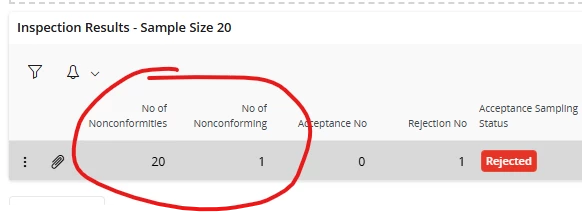
I’ve been testing the Skip Lot on Purchasing Control Plans, and it does appear to be working, but the help is unclear about how some of the setup is applied and what the registration of some results means. I have entered three Purchase Orders of 100 each and I’m attempting to test the Attribute Skip Lot. I believe I have it setup as I’ve been attempting to enter nonconformitites and the sample qty has gone from 13 to 20 on the third PO. However, I’m unsure on the analysis result what the two mandatory fields are actually asking for. The help isn’t clear. 
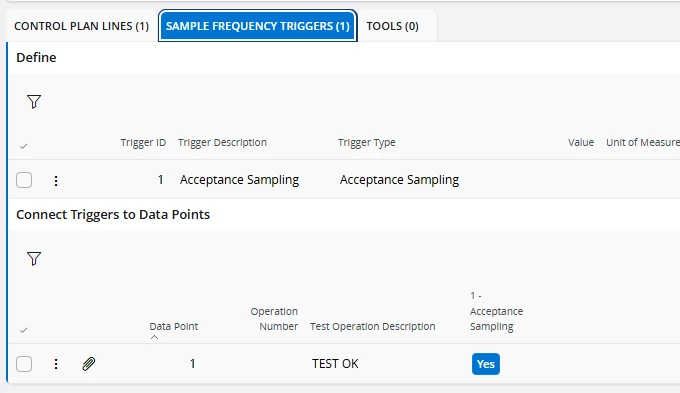
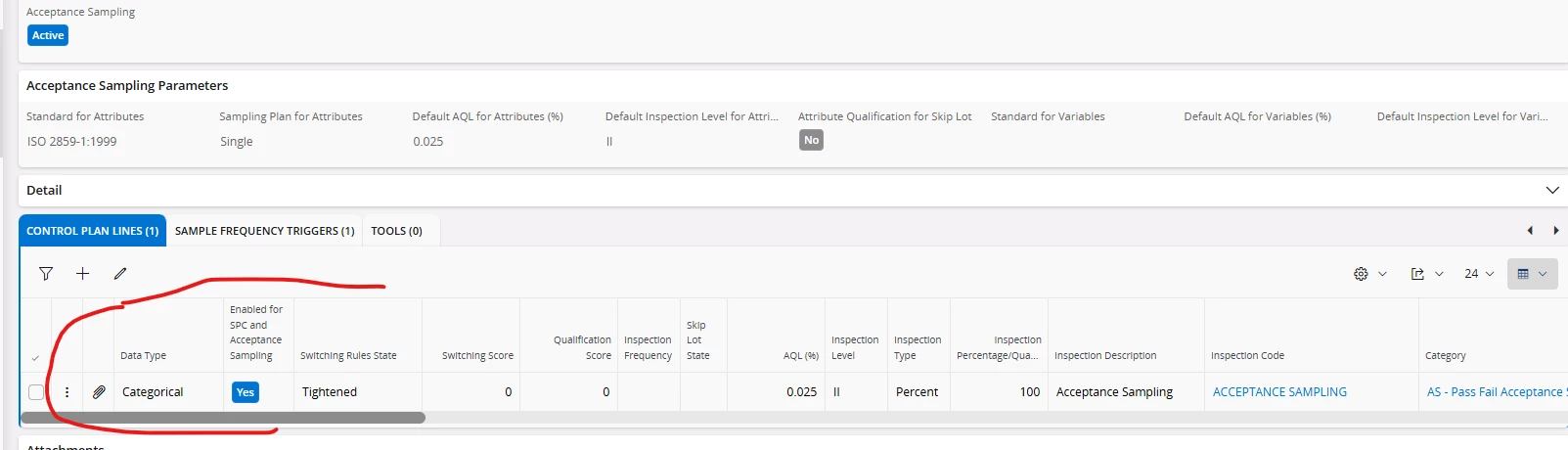
I have the following acceptance sampling setup on the Purch Control Plan and Trigger:

On the SFPP, I have not configured anything for Inspection Info, I’m assuming this is not needed:
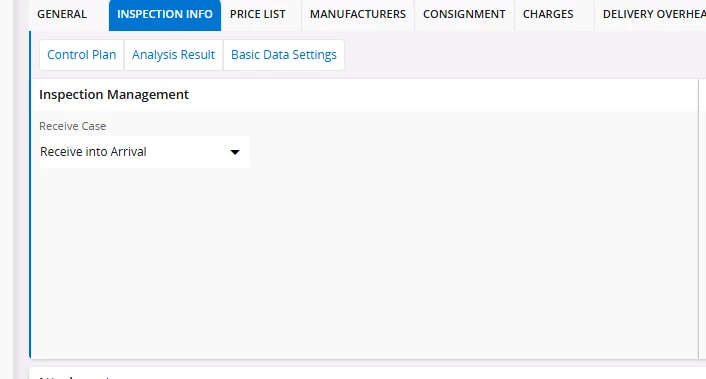
Any guidance on if my current setup is correct, or the proper way to interpret the Skip Lot setup would be greatly appreciated. 
Best answer by Peter Lundgren

In general when using acceptance sampling, the number of items to be inspected will decrease over time if the quality is good and increase if the quality is bad.

When using acceptance sampling, the number of items to be inspected at any given point is calculated automatically by the acceptance sampling logic, as defined by the used standard. You cannot change the inspection frequency or quantity manually in any way.

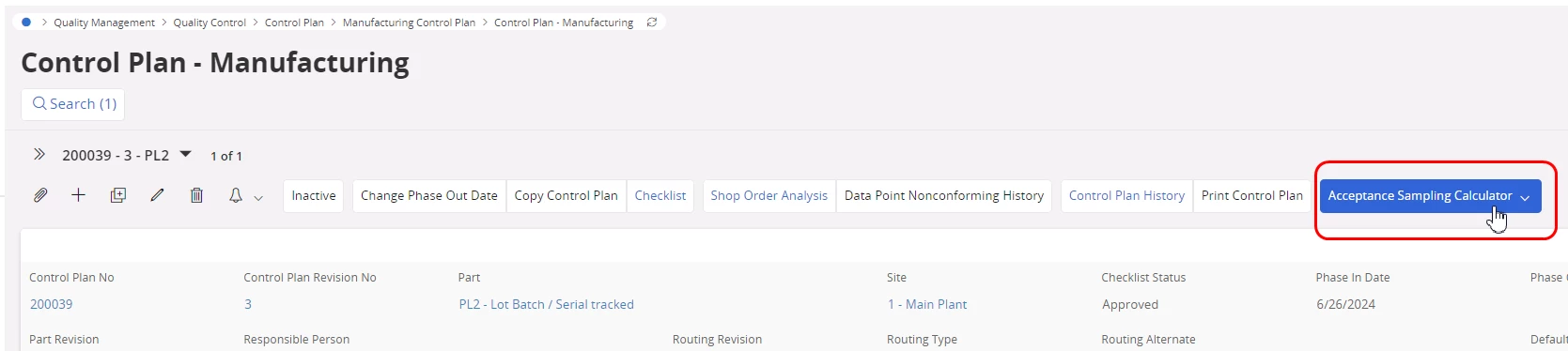
You can use the Acceptance Sampling Calculator in the control plan header to find out what the required sample size to inspect will be, depending on several settings:


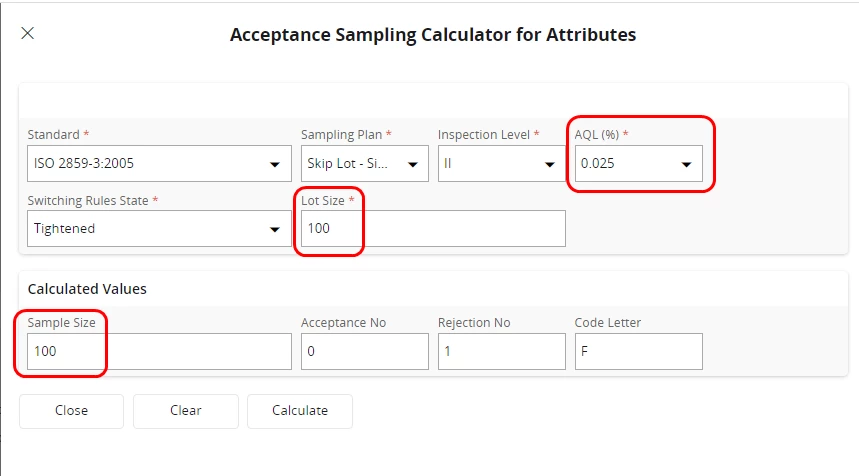
In your example you are using a very low AQL value (0.025%) and the switching rule state is “Tightened”. This will result in a sample size = 100% inspection, if the Lot Size = 100:


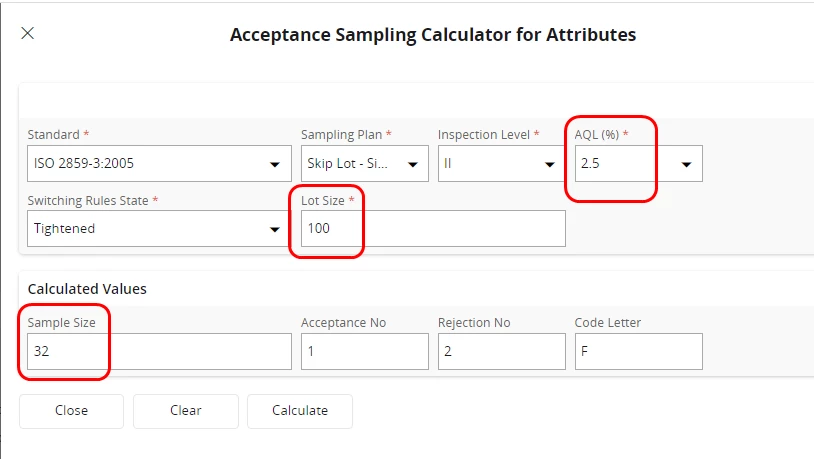
The AQL value used will greatly affect the number of items required to be inspected:


5 replies

Peter Lundgren
Hero (Employee)
Forum|alt.badge.img+7

I you have found a total of 10 scratches on 3 items, then “No of Nonconformities” = 10 and “No of Nonconforming” = 3.

The Attribute Acceptance Sampling logic (according to ISO 2859-3) only consider the “No of Nonconforming” value. The inspected items are either “Ok” or “Not OK”.

I recommend you use categorical instead of attribute data points when using attribute acceptance sampling, since it simplifies the reporting of inspection results.

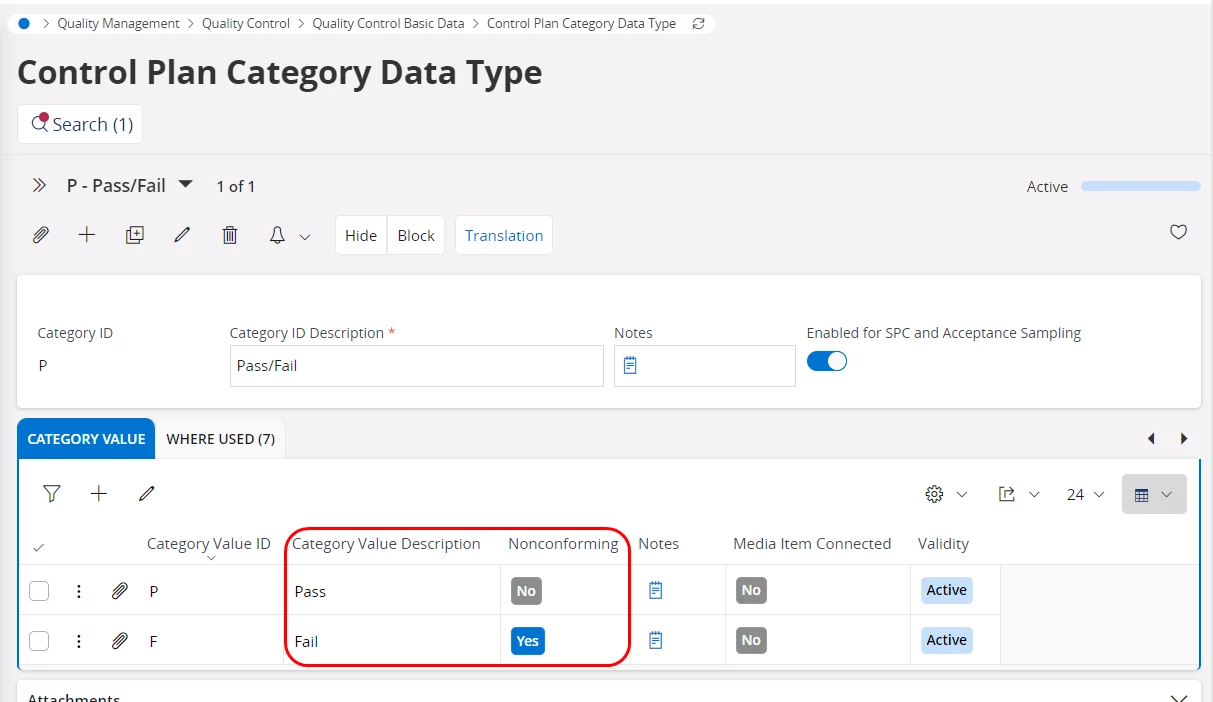
You could use a Category Data Type looking something like this, where the inspected items either Pass or Fail the inspection:


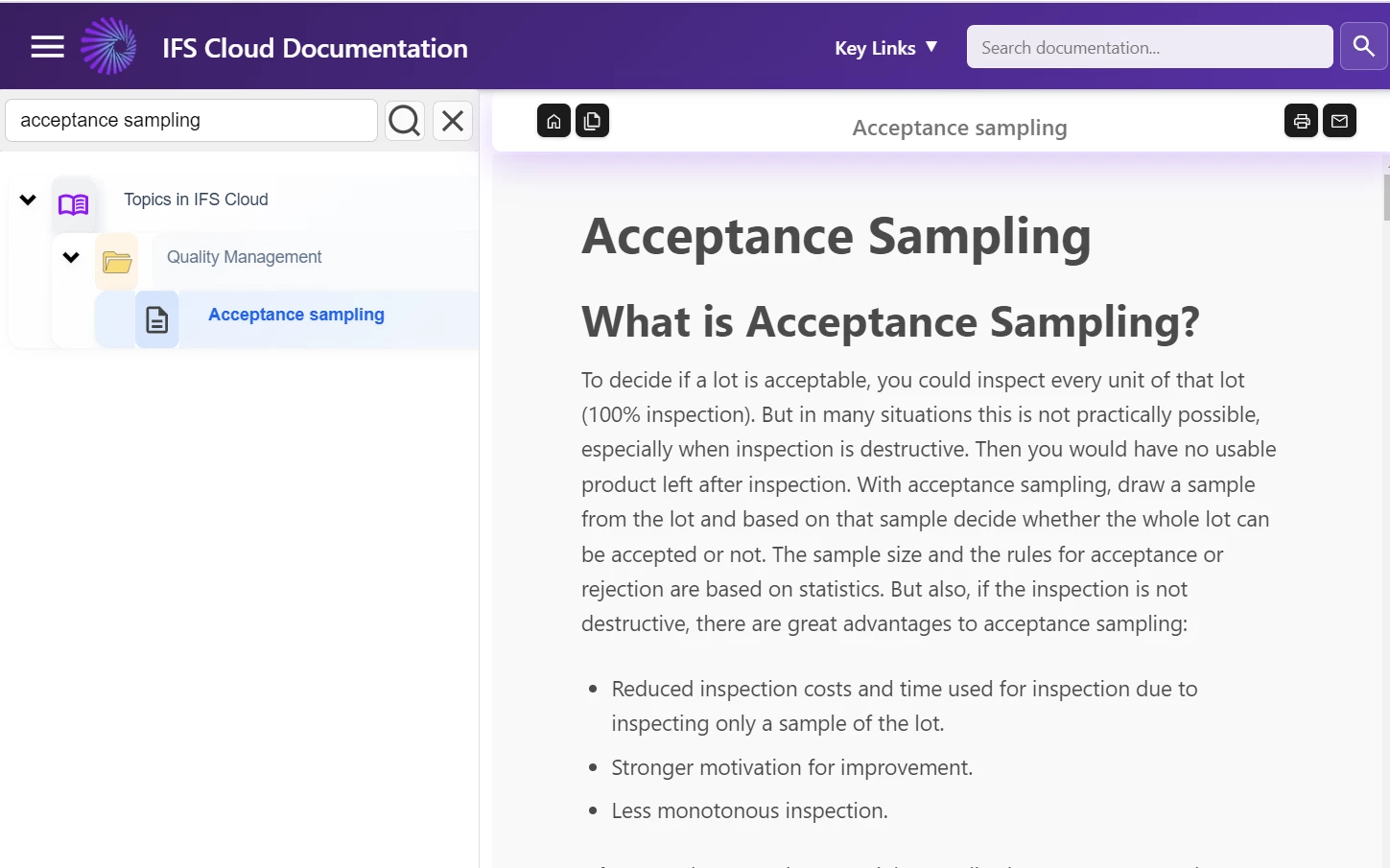
If you want more information about Acceptance Sampling in general, I recommend you look at the Topic description in the Online documentation:


Forum|alt.badge.img+17
  • Author
  • Superhero (Customer)
  • April 30, 2026

Thank you very much for the clarification, ​@Peter Lundgren! I was not aware that Category could be used (I only saw Variable and Attribute). I currently have the Pass Fail already setup, so I will test using your recommendations. 


Forum|alt.badge.img+17
  • Author
  • Superhero (Customer)
  • May 5, 2026

@Peter Lundgren I have completed the setup of a Control Plan template with P/F Categorical and applied it to a purchased part. The setup appears to be working, however the system does not appear to be increasing the inspection requirements if I register results that are nonconforming. I have submitted multiple test POs of 100 qty, and set them all to “FAIL”. The Control is updating to state that the status is “Tightened”, but it continues to require 100% inspection. My assumption was that the qty would be lower, and increased if nonconforming results continued to be submitted. 

I’ve reviewed the help, but it does not indicate why the observed behavior is occurring. My goal now is to ideally lower the amount of pieces that need to be inspected if the quality is good, but increase them if the quality is bad. At this point, it seems to state the status is Tightened, but there is no change to the inspection frequency or qty. Any guidance would be greatly appreciated. Thank you!


Peter Lundgren
Hero (Employee)
Forum|alt.badge.img+7
  • Hero (Employee)
  • Answer
  • May 5, 2026

In general when using acceptance sampling, the number of items to be inspected will decrease over time if the quality is good and increase if the quality is bad.

When using acceptance sampling, the number of items to be inspected at any given point is calculated automatically by the acceptance sampling logic, as defined by the used standard. You cannot change the inspection frequency or quantity manually in any way.

You can use the Acceptance Sampling Calculator in the control plan header to find out what the required sample size to inspect will be, depending on several settings:


In your example you are using a very low AQL value (0.025%) and the switching rule state is “Tightened”. This will result in a sample size = 100% inspection, if the Lot Size = 100:


The AQL value used will greatly affect the number of items required to be inspected:


Forum|alt.badge.img+17
  • Author
  • Superhero (Customer)
  • May 5, 2026

@Peter Lundgren Thank you so much! This filled in the gaps for me. I appreciate the clarification.