Solved

retire configuration specification

  • Aug 3, 2023 9:45 PM UTC
  • 4 replies
  • 161 views

Forum|alt.badge.img+1

How do I retire or park a configuration specification that I no longer want orders to be created for?

Best answer by Richard Owen

Hi,

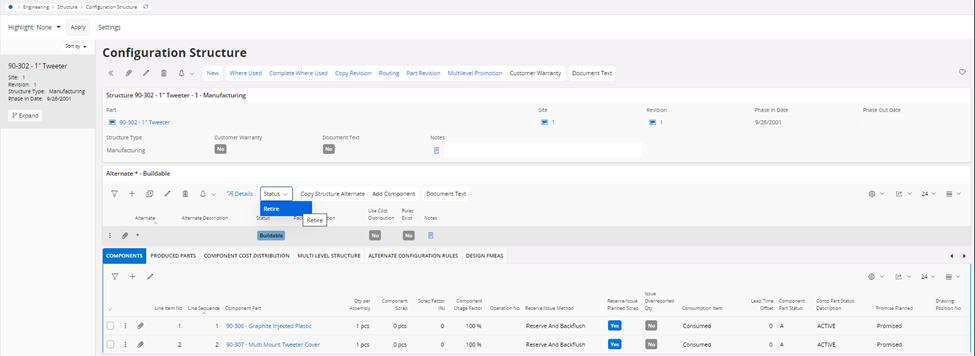
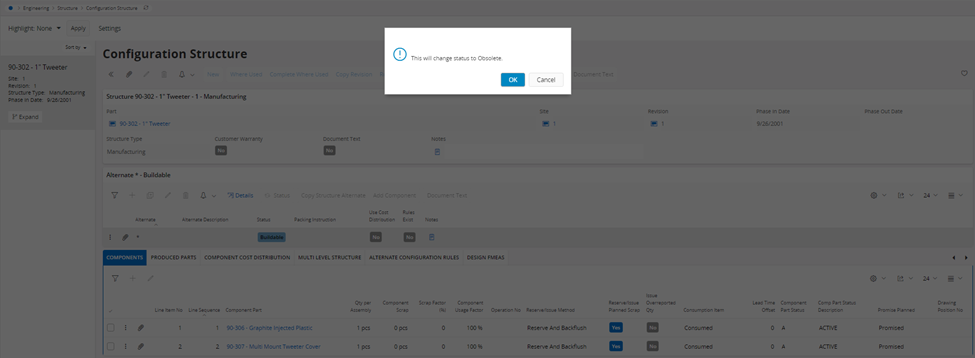
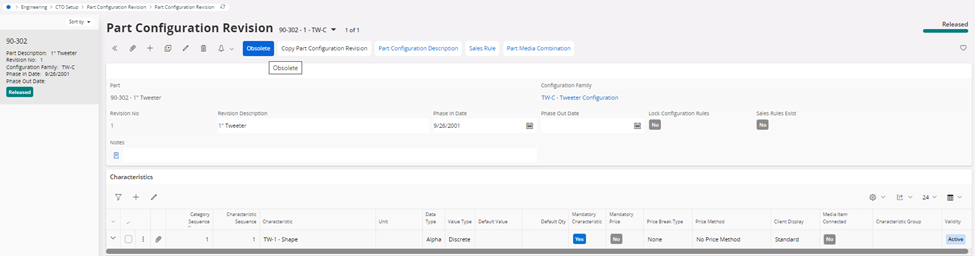
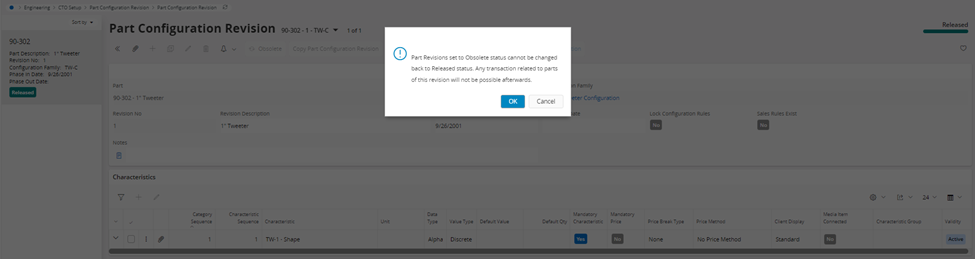
There are two ways to achieve this:

  1. Configuration Structure


  1. Part Configuration Revision


I hope this helps, please give it a try!

View original

4 replies

Richard Owen
Superhero (Employee)
Forum|alt.badge.img+16
  • Superhero (Employee)
  • Answer
  • Aug 4, 2023 7:07 AM UTC

Hi,

There are two ways to achieve this:

  1. Configuration Structure


  1. Part Configuration Revision


I hope this helps, please give it a try!


Forum|alt.badge.img+4
  • Do Gooder (Customer)
  • Sep 21, 2023 1:43 PM UTC

Is there a way to retire one specification without deleting the entire part configuration? We have some part configurations that have MANY specifications within. 


Forum|alt.badge.img+1
  • Author
  • Do Gooder (Customer)
  • Sep 21, 2023 5:43 PM UTC

We have a the same situation and are not able to stop or park just one.  We are using the notes field to notify operations that if an order comes through for the specification that it is in error and to contact customer care to update the order to the correct specification.


Forum|alt.badge.img+4
  • Do Gooder (Customer)
  • Sep 21, 2023 6:32 PM UTC

Thank you! Our team was looking into the same (using notes.)