


Question

Outside Operation Item creation dialog not triggered from Routing

  • September 9, 2026
  • 1 reply
  • 23 views

Forum|alt.badge.img+2

Hi,

When modifying an Outside Operation in Routing, entering a new non-existing Outside Operation Item (OOI) no longer triggers the "Create Outside Operation Item" dialog. Instead, it throws an error.
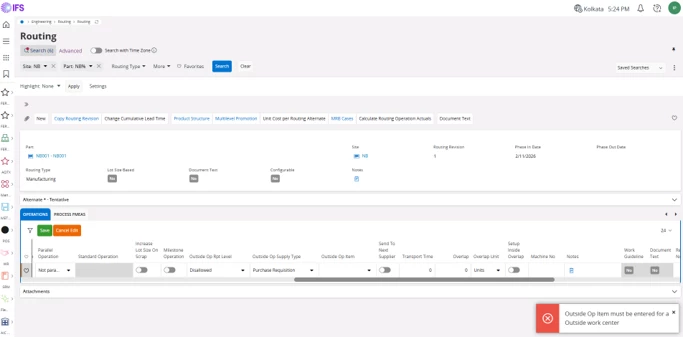
Work around solution as below:

Temporarily change the Work Center from the Outside Operation Work Center to a different Work Center. Close the "Create Outside Operation Item", because the wrong center is selected. Change the Work Center back to the original Outside Operation Work Center. The "Create Outside Operation Item" dialog is then triggered. Continue editing and save the routing.


However, this option was available in APPS10.

Outside Op Item is modified and tried to save. Is there any straightforward method in cloud as well?
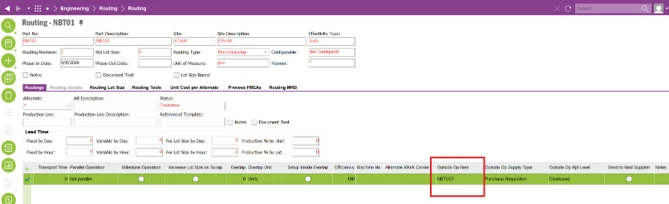
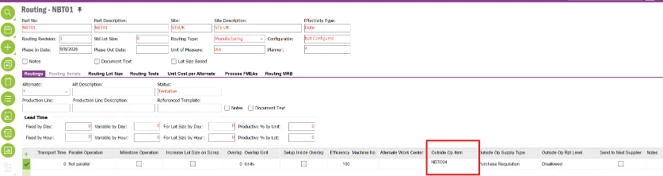
A window will be popped up requesting to create a new Part Number.
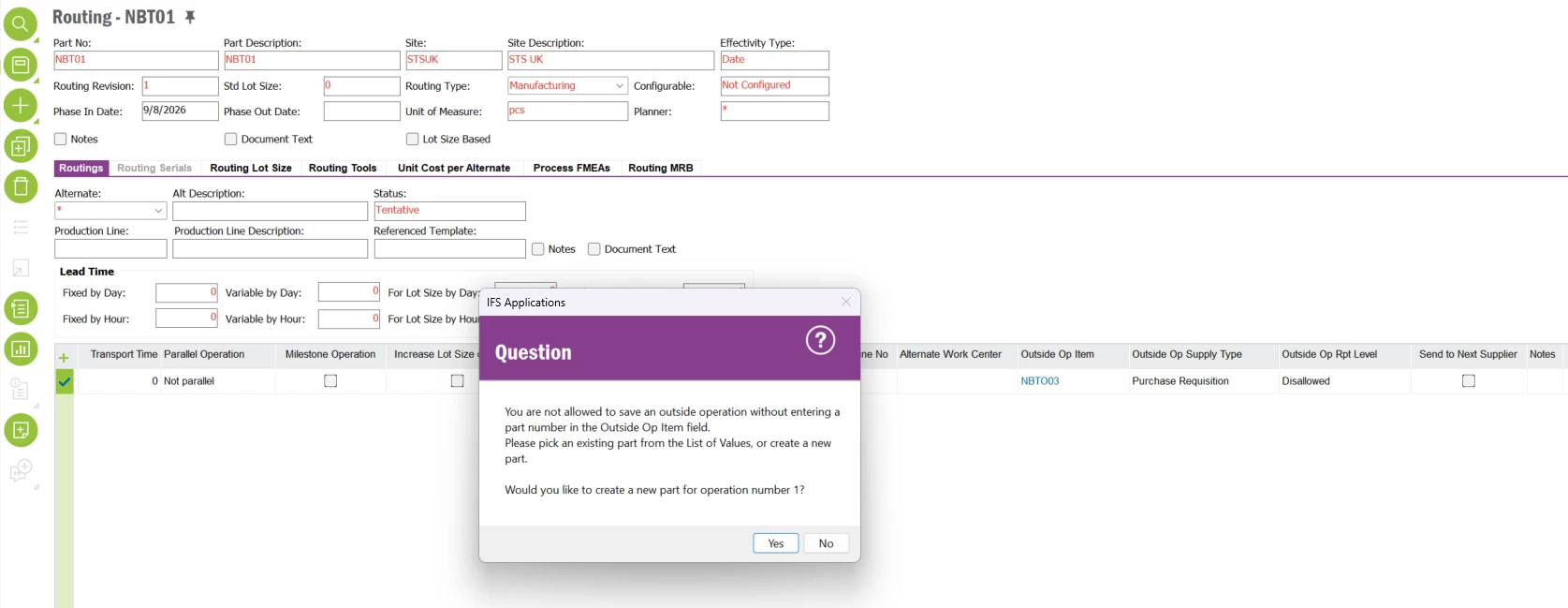

Once proceeded with selecting Yes, it will direct to another window where the user is able to create a new Part.
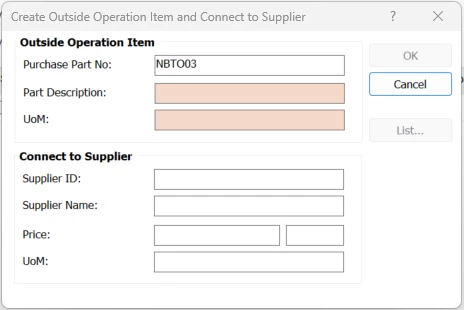
After required data is given, the Outside Op Item will be available in the routing operation.


Thank You.

1 reply

Forum|alt.badge.img+9
  • Hero (Employee)
  • September 10, 2026

Hi.  I did a search on the error message and found the following information - 


Root Cause of the Error

The error "Outside op item must be entered for a outside work center" occurs because of strict backend validation in IFS Cloud governing Outside Operations and Work Centers:

  1. Work Center Type Restriction: An Outside Operation Item (OOI) can only be attached to a Routing Operation line if the assigned Work Center is designated as an Outside Work Center (i.e., Work Center Code is set to Outside).

  2. Validation Sequence in IFS Cloud (Aurena):

    • When you type a new item number into the Outside Operation Item field, Aurena executes server-side field validation immediately.

    • If the operation line currently points to an Internal Work Center (or if the Work Center field is blank/invalid), the system hits the OUTSIDE_WC_REQ validation check first.

    • Because an exception is thrown by the server validation, execution stops immediately, blocking the client flow before it can trigger the "Create Outside Operation Item" dialog/assistant.

How to Fix & Trigger the Creation Dialog

To resolve the error and successfully trigger the Create Outside Operation Item creation dialog, ensure you follow this sequence:

Step 1: Set/Verify the Work Center First

  1. On the Routing Operation line, locate the Work Center field.

  2. Select or enter a Work Center that is configured with Work Center Code = Outside.

  3. Save or tab out of the Work Center field so the line updates to an Outside Work Center context.

Step 2: Enter the New Outside Operation Item

  1. With an Outside Work Center selected on the line, enter your new/non-existing item number into the Outside Operation Item field.

  2. Because the Work Center check now passes, IFS Cloud will recognize that the item does not exist and will open the Create Outside Operation Item dialog/assistant as expected.

Alternative: Pre-Registering Outside Operation Items

If you frequently encounter this when setting up new supplier subcontract parts:

  • You can pre-create the item via Manufacturing > Routing > Outside Operation Item (or Supplier for Purchase Part for non-inventory/service parts).

  • Once the Outside Operation Item is registered for the site and supplier, it will appear directly in the List of Values (LOV) on the Routing Operation line.


I hope this response helps.  Thanks!  Jane
