


Question

inventory part characteristics creation

  • Oct 29, 2026 4:36 PM UTC
  • 1 reply
  • 20 views

Forum|alt.badge.img+4

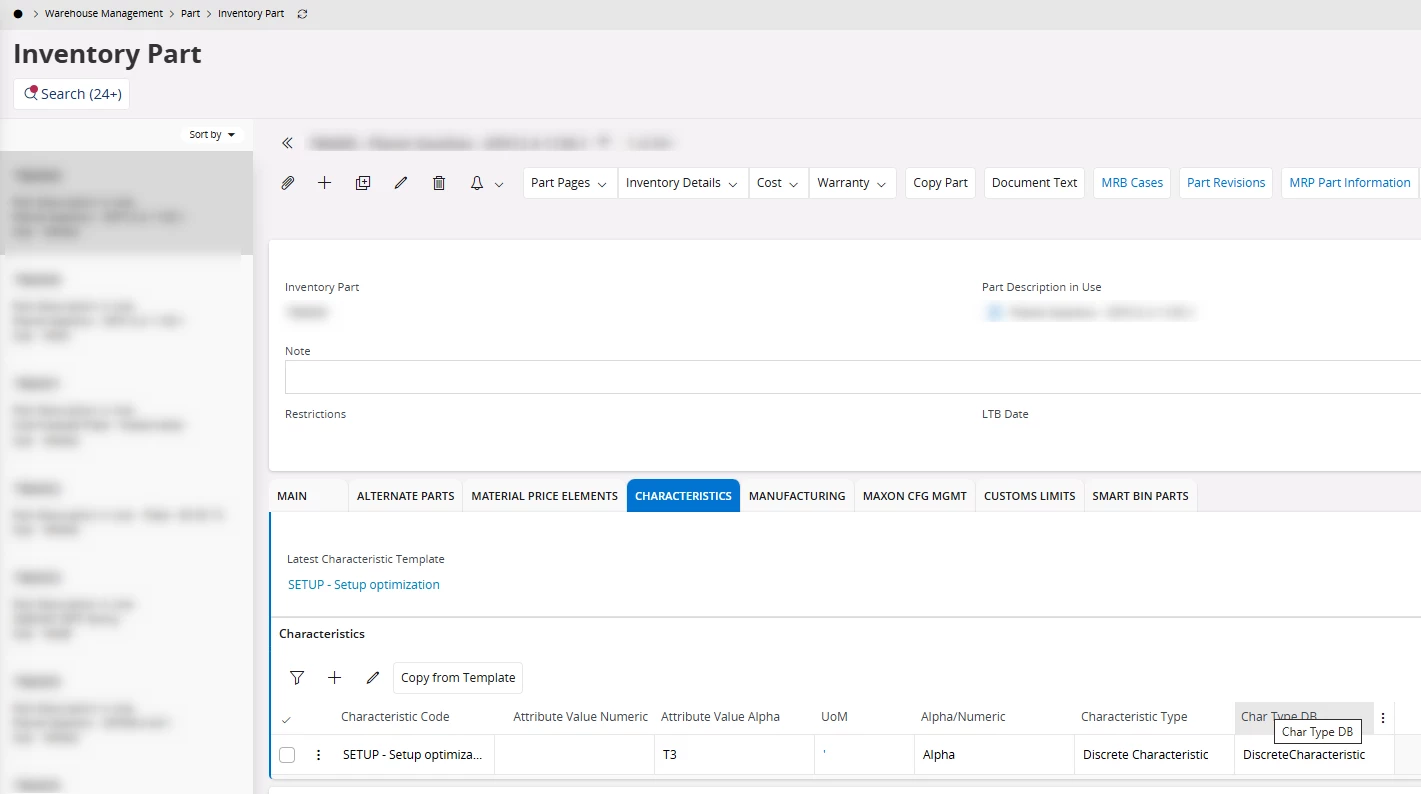
We want to add characteristics to many inventory parts for setup optimization. Now this dialog always wants us to use the action “Copy from Template” which is a really cumbersome and not easily automizable feature.

Does anyone know how we can add information as a batch job to thousands of parts? Is there a way around this template? Why do we have a “+” menu to add lines manually if IFS does not accept it?


1 reply

Abdul
Superhero (Partner)
Forum|alt.badge.img+20
  • Superhero (Partner)
  • Oct 30, 2026 6:37 PM UTC

Hi ​@MWMDAEG,

Characteristic Template is a mandatory information that needs to be updated first before adding any further attributes information. Although, it is applicable for first record only and ‘+’ can be used to add more attributes. 

For existing Inventory Parts record Characteristic Template and Attributes can be update using migration jobs (two separate migration will need to be executed separately, one for updating the Characteristic Template and other for attributes).

Workflow can configure to update Characteristic Template automatically with the creation of Inventory Part record itself and then ‘+’ or single migration job can be used to add attributes.


Regards

Abdul Rehman
