Solved

IFS Cloud - Custom field to "Routings" - tab "OPERATIONS"

  • April 28, 2025
  • 4 replies
  • 95 views

Forum|alt.badge.img+7

Hi all,

I am quite new to IFS Cloud 24R2 and I would like to ask if it is possible to add CF to Routings - OPERATIONS. 
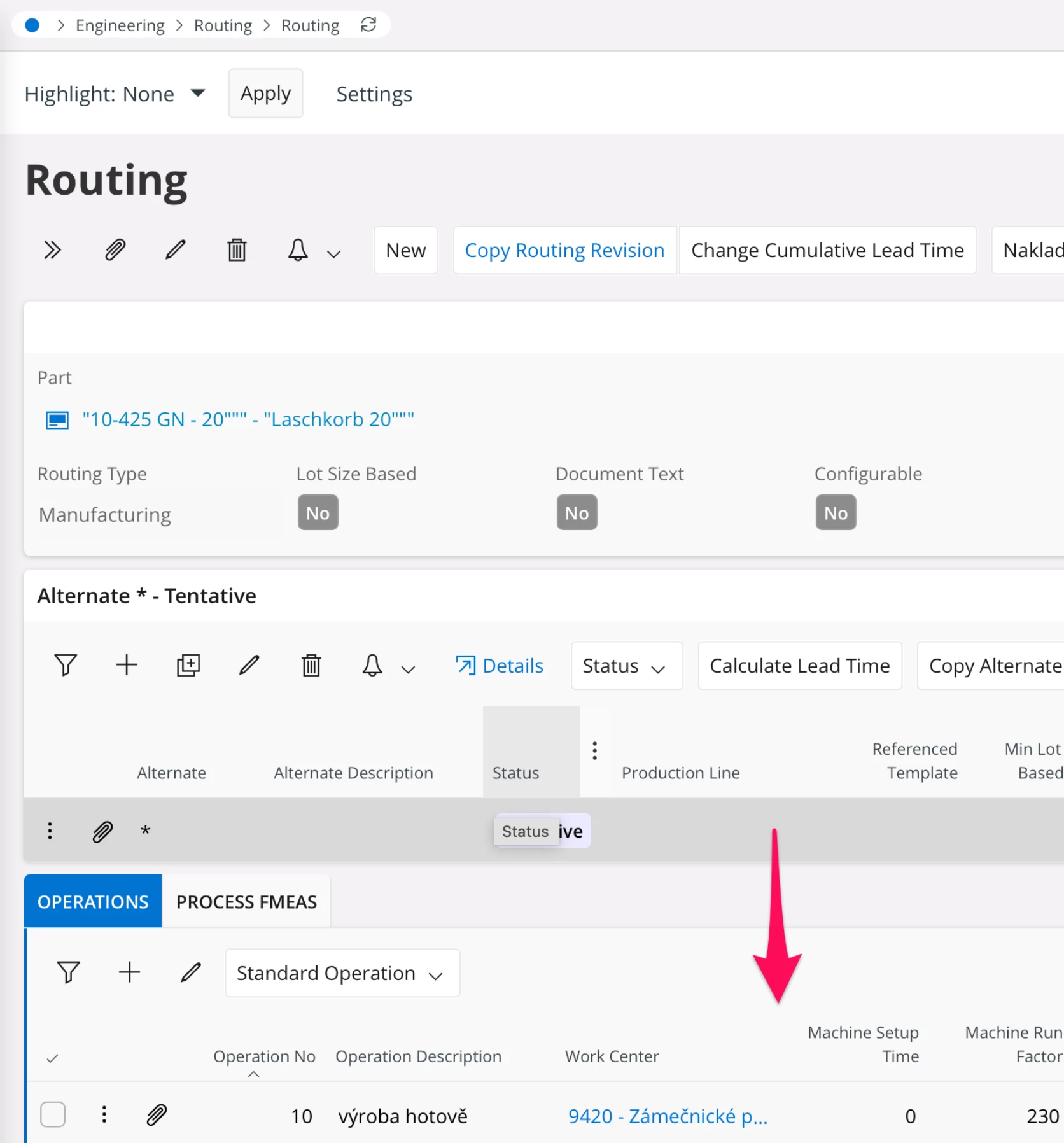
 

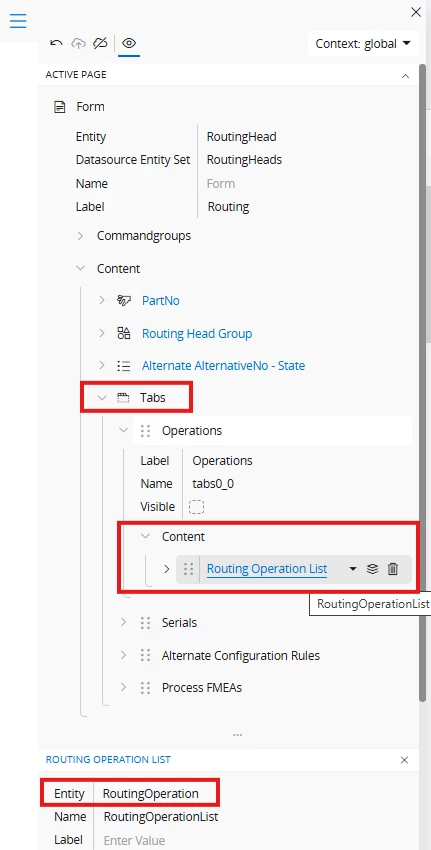
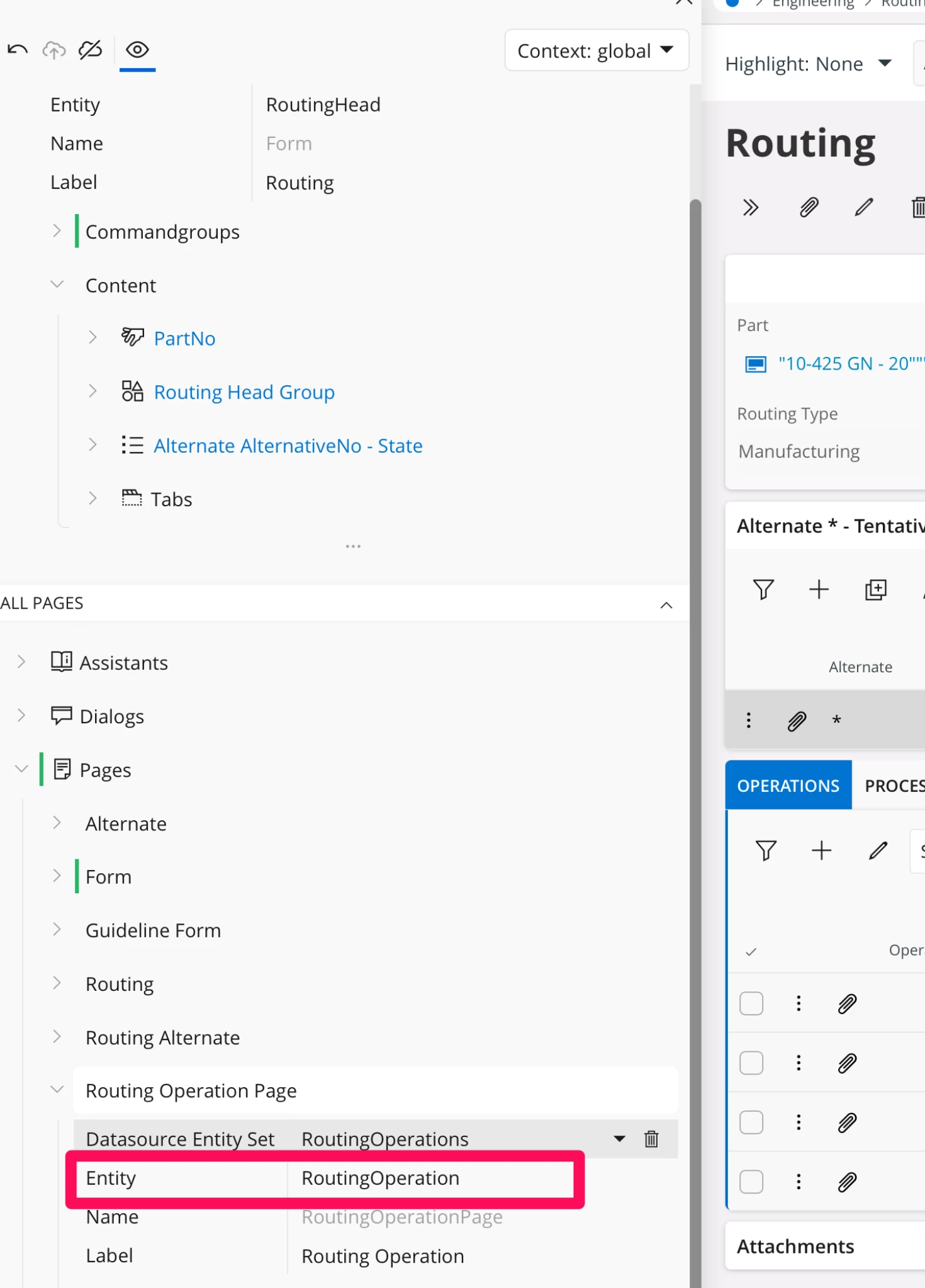
When i run “Page designer” i can see the name of the entity: RoutingOperation.

Am i right???


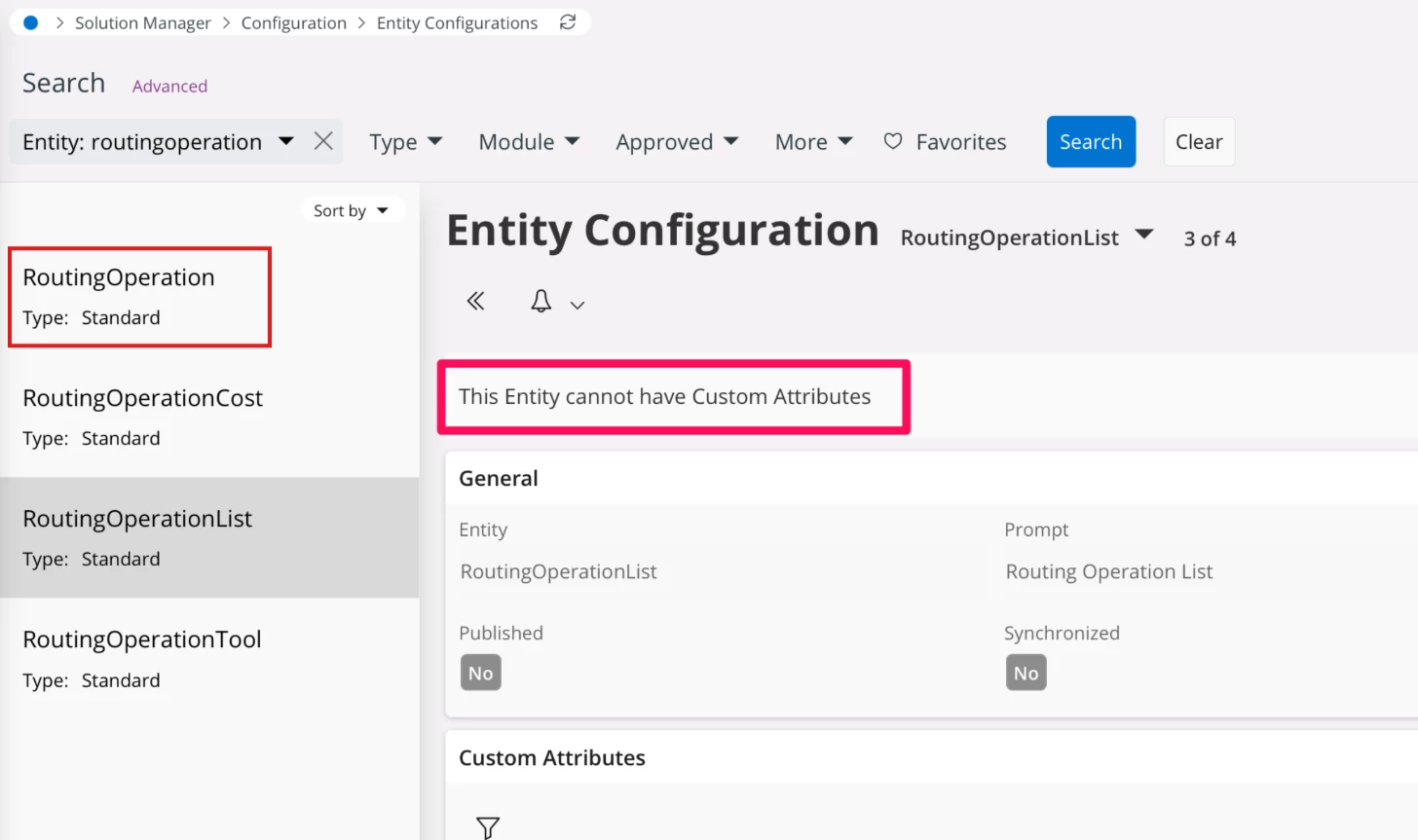
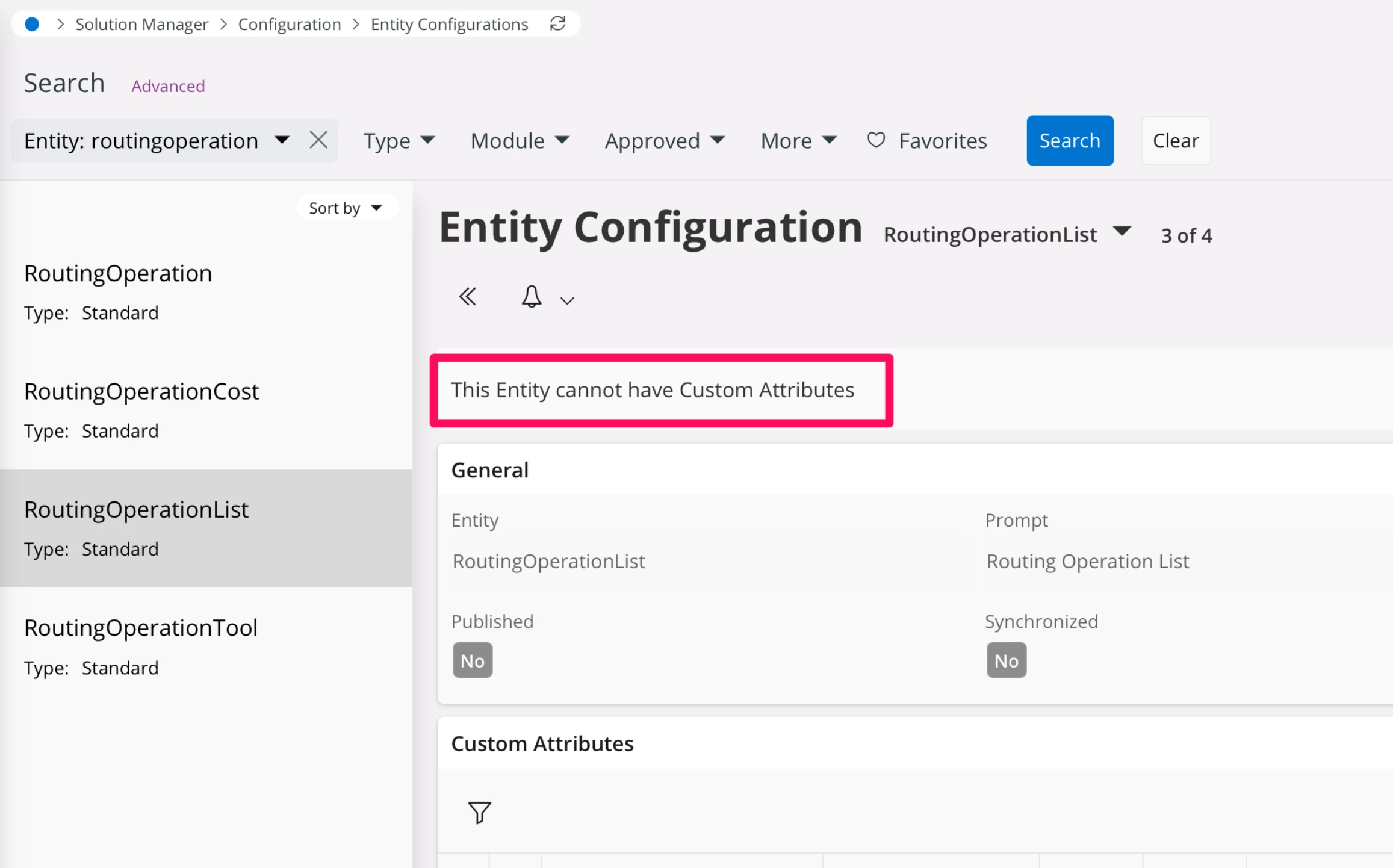
But I am not able to find this entity in “Entity Configuration”.


The only entity simmilar is RoutingOperationList and it says: “This Entity cannot have Custom Attributes”.


Is it really impossible to add CF to “Routing” - “OPERATIONS”??

Thanks

Jan
Best answer by Abdul

Thanks for your answer.


I have tried it before:

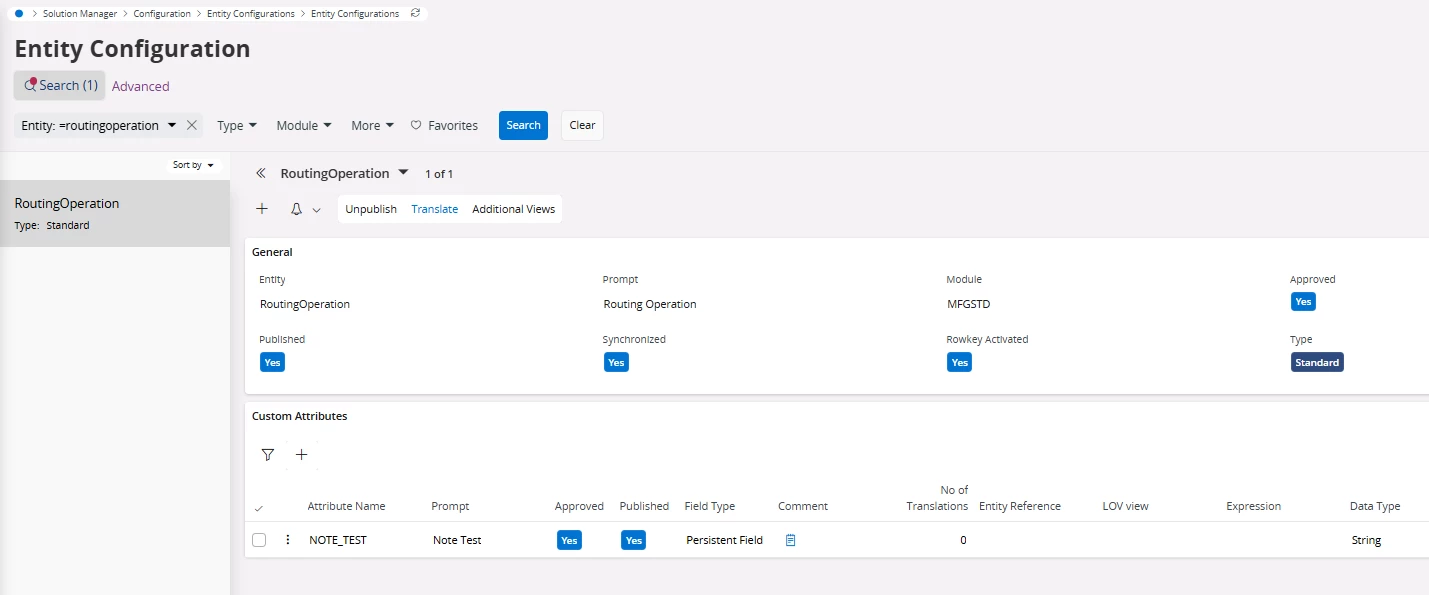
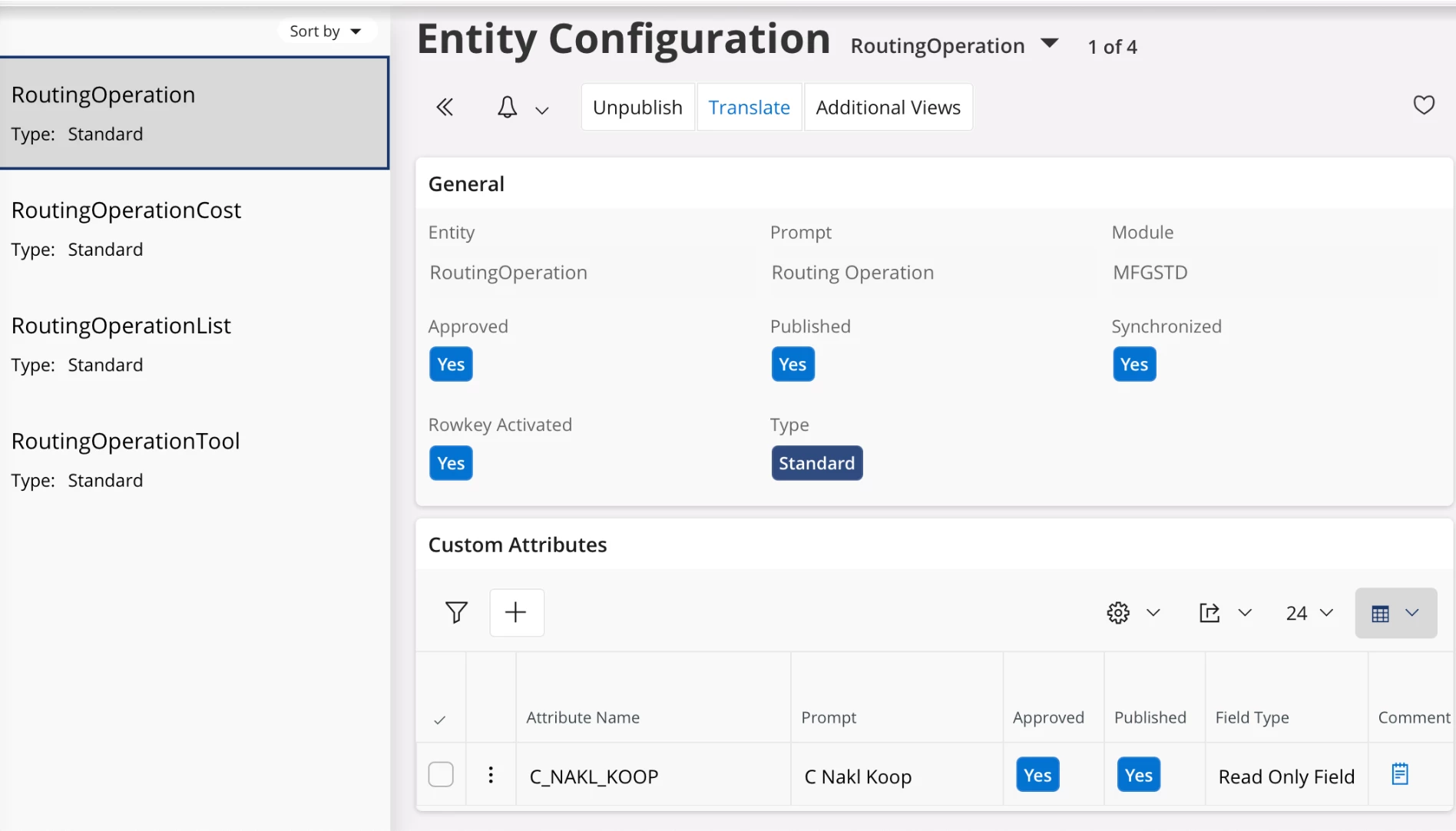
  1. I created the CF in the “RoutingOperation” entity:
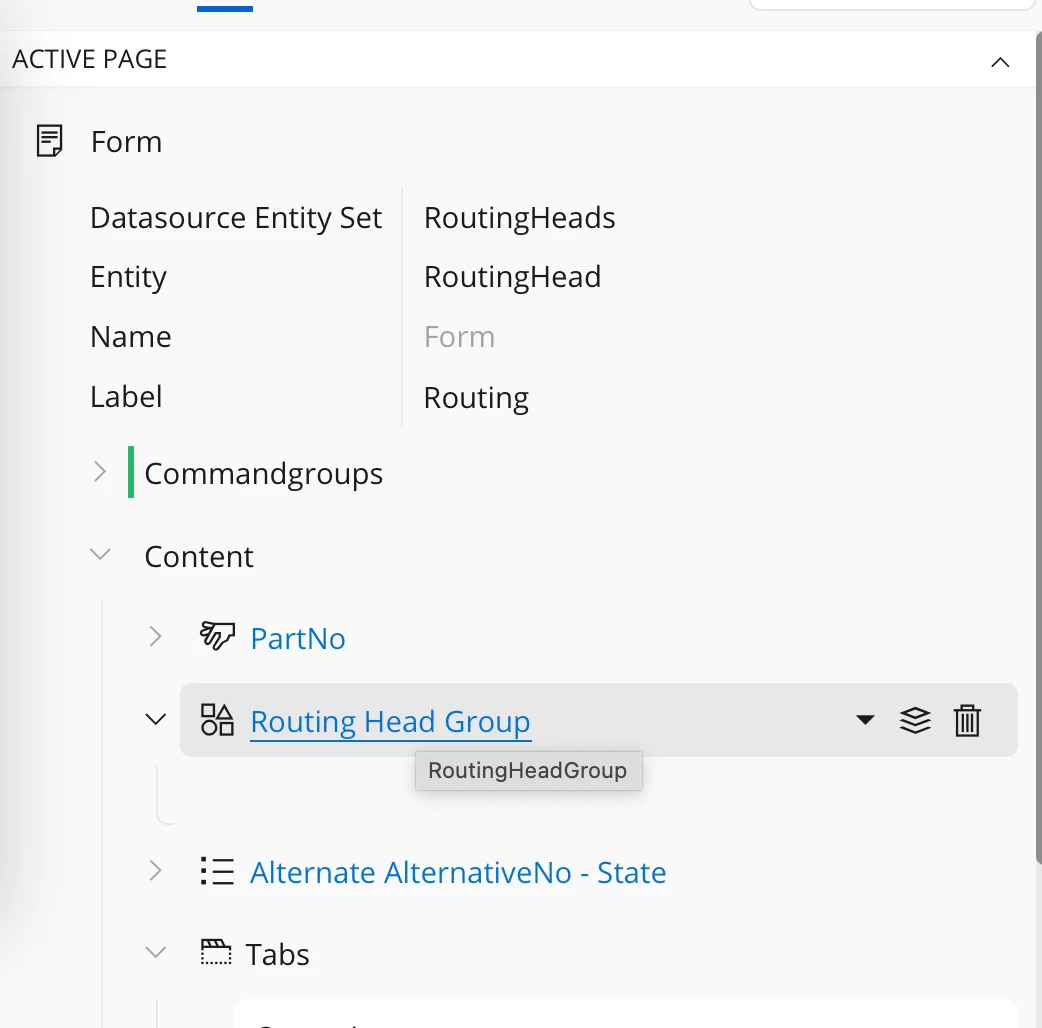
  2. Then I went to the “Routing” Page Designer and clicked “Routing Head Group”:
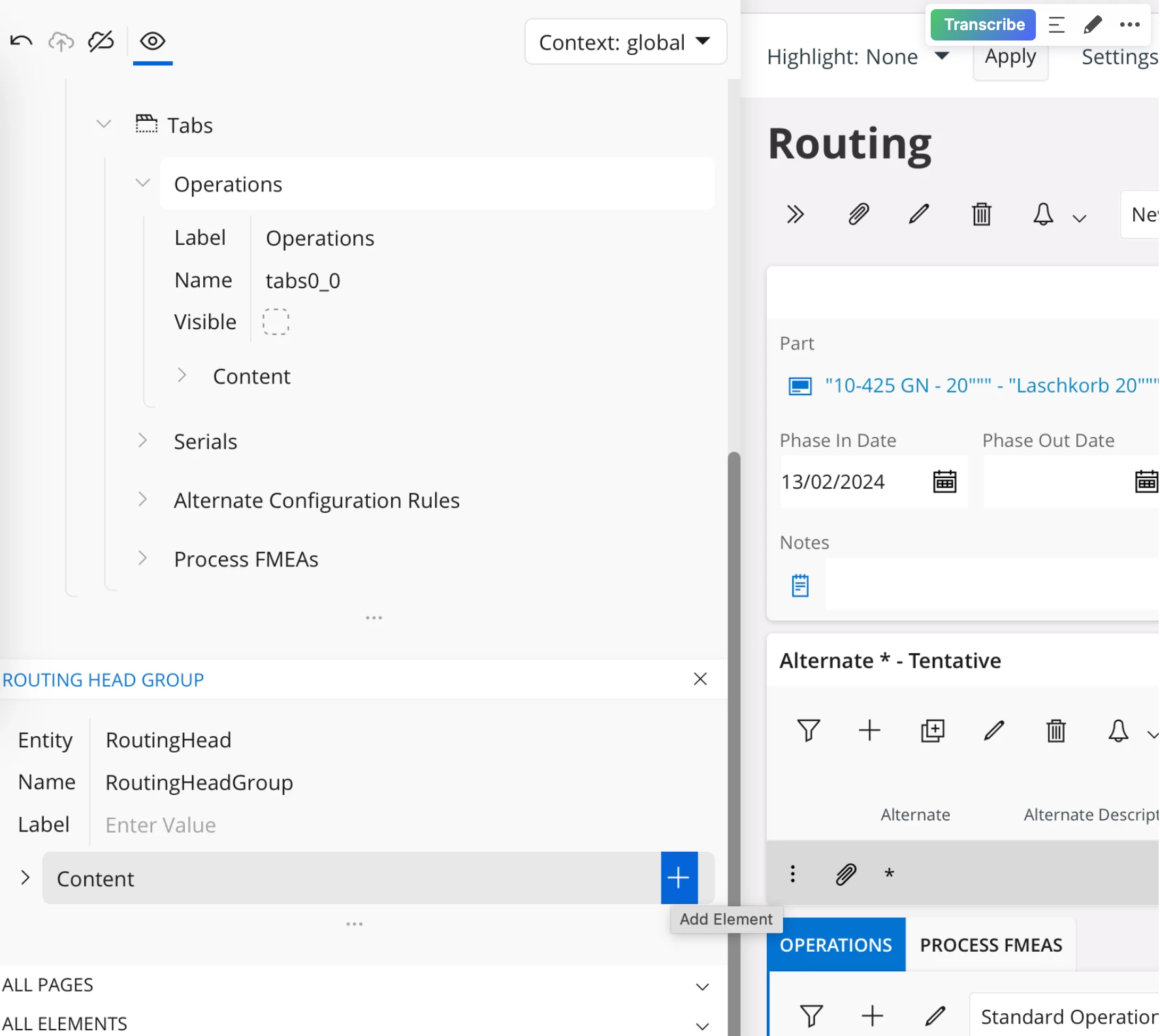
  3. Then clicked + button on “Content”
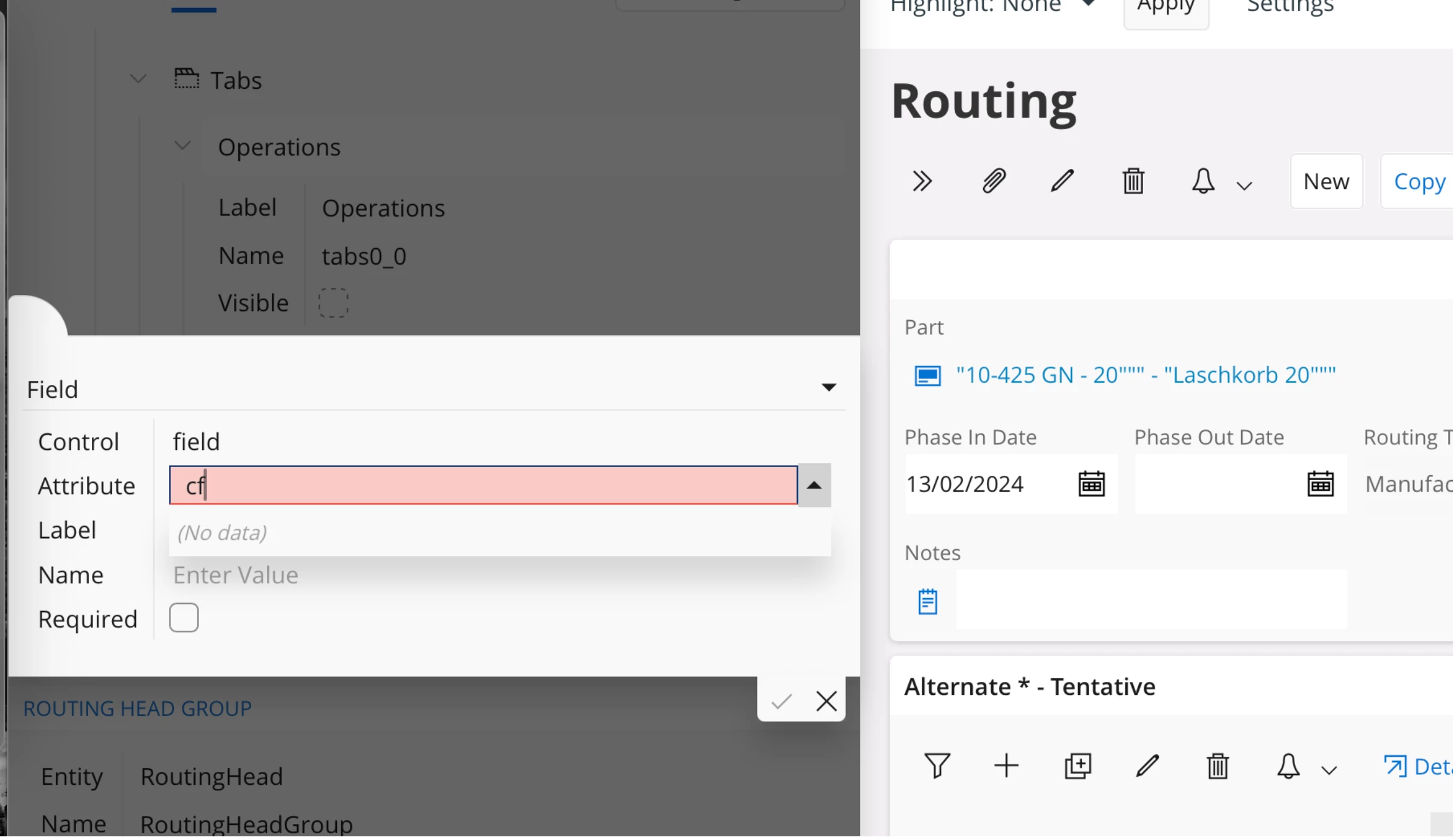
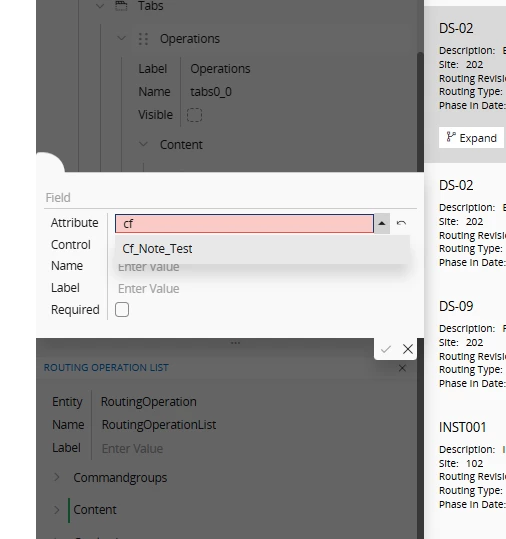
  4. But cannot find my created CF:


what’s wrong??

@westjan, you added custom field in the RoutingOperation entity, and trying to add in the RoutingHead entity. How is it possible?

Please refer to below screenshots.


Regards

Abdul Rehman

4 replies

Abdul
Superhero (Partner)
Forum|alt.badge.img+20
  • Superhero (Partner)
  • April 28, 2025

Hi ​@westjan,

Please use the RoutingOperation entity to add Custom fields in the Operation tab.

Referring to your screenshot, RoutingOperation entity is available in the Entity Configuration screen.


Regards

Abdul Rehman


Forum|alt.badge.img+7
  • Author
  • Do Gooder (Customer)
  • April 28, 2025

Thanks for your answer.


I have tried it before:

  1. I created the CF in the “RoutingOperation” entity:
  2. Then I went to the “Routing” Page Designer and clicked “Routing Head Group”:
  3. then clicked + button on “Content”
  4. But cannot find my created CF:


what’s wrong??


Abdul
Superhero (Partner)
Forum|alt.badge.img+20
  • Superhero (Partner)
  • Answer
  • April 28, 2025

Thanks for your answer.


I have tried it before:

  1. I created the CF in the “RoutingOperation” entity:
  2. Then I went to the “Routing” Page Designer and clicked “Routing Head Group”:
  3. Then clicked + button on “Content”
  4. But cannot find my created CF:


what’s wrong??

@westjan, you added custom field in the RoutingOperation entity, and trying to add in the RoutingHead entity. How is it possible?

Please refer to below screenshots.


Regards

Abdul Rehman


Forum|alt.badge.img+7
  • Author
  • Do Gooder (Customer)
  • April 29, 2025

Finally I got it.

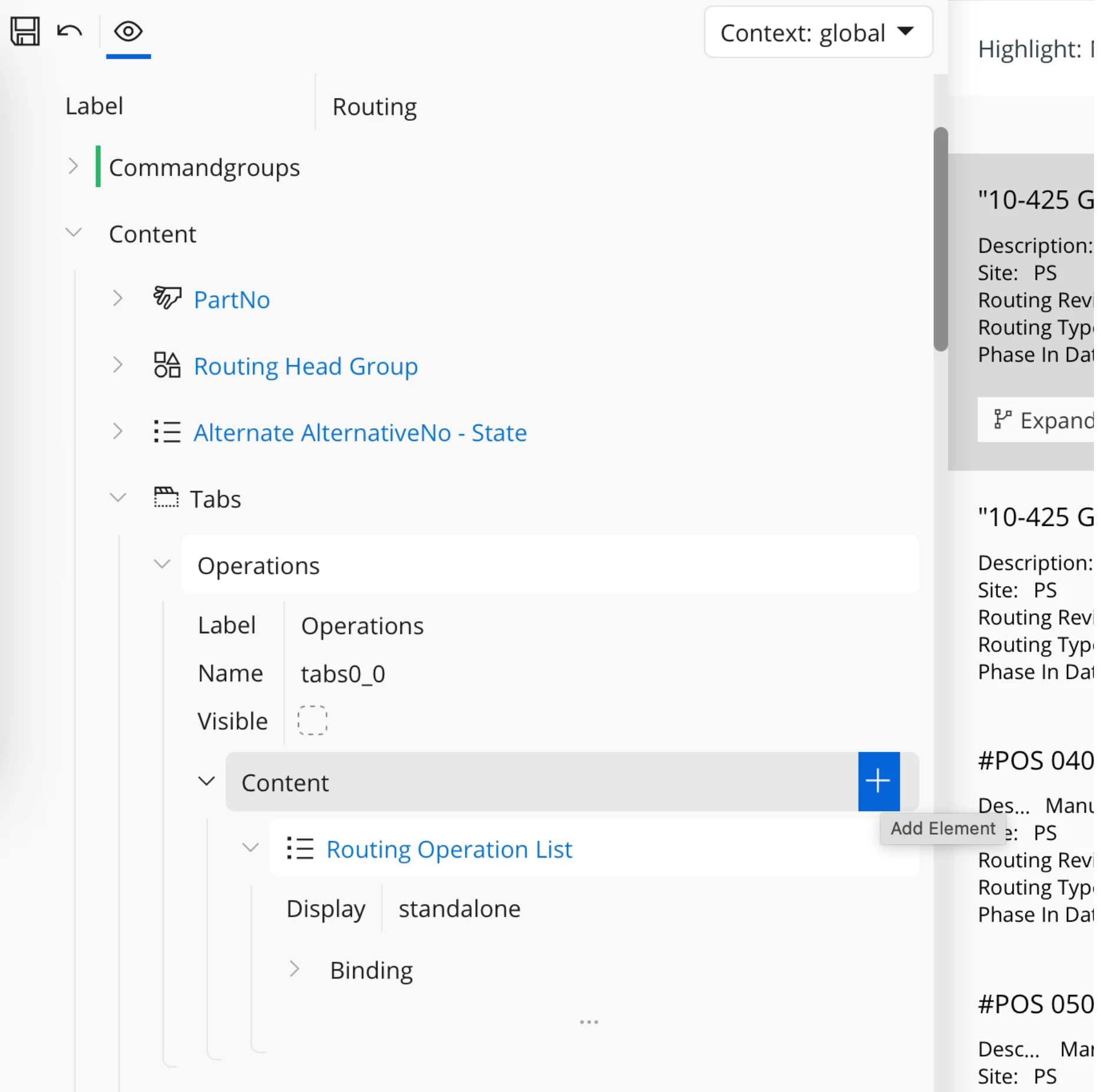
I always clicked on the “+” button on this “Content”:


but you have to click “Routing Operation List” and go down bellow to the right section and find the right “Content”.


Thanks a lot for your help.

H.