


Answer

How to Unreserve Items Reserved to DOP Orders when Items have been Delivered to Parent

  • November 28, 2025
  • 1 reply
  • 49 views

Forum|alt.badge.img+1

Hi All,

I am trying to unreserve items that are reserved to a Customer Order Line which is supplied by DOP. The reservation was made by performing DOP Netting in the DOP Header connected to the customer order line. 

According to the documentation, un-reserving can be done by following steps given below.

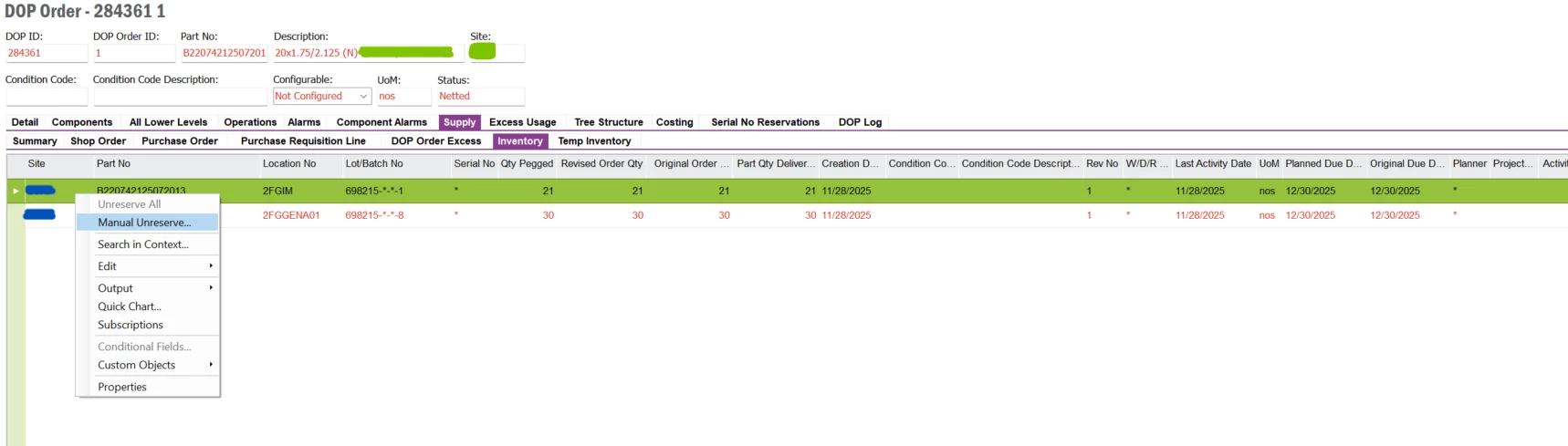
  1. From the Inventory Sub Tab of the Supply Tab in DOP Order, right click the reserved stock line and choose the Manual Unreserve option. 
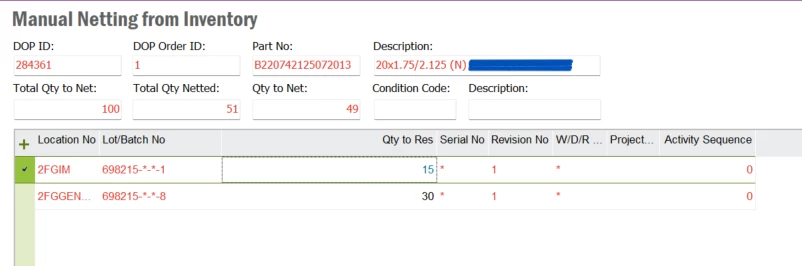
  1. It takes you to Manual Netting from Inventory window. From there Qty Res value can be reduced to unreserve Reserved Quantities. 
 

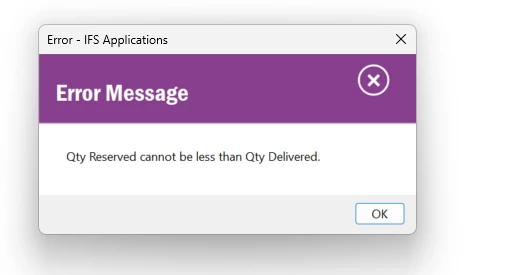
However, I am getting the error Qty Reserved Can’t be Less Than Qty Delivered. 
 

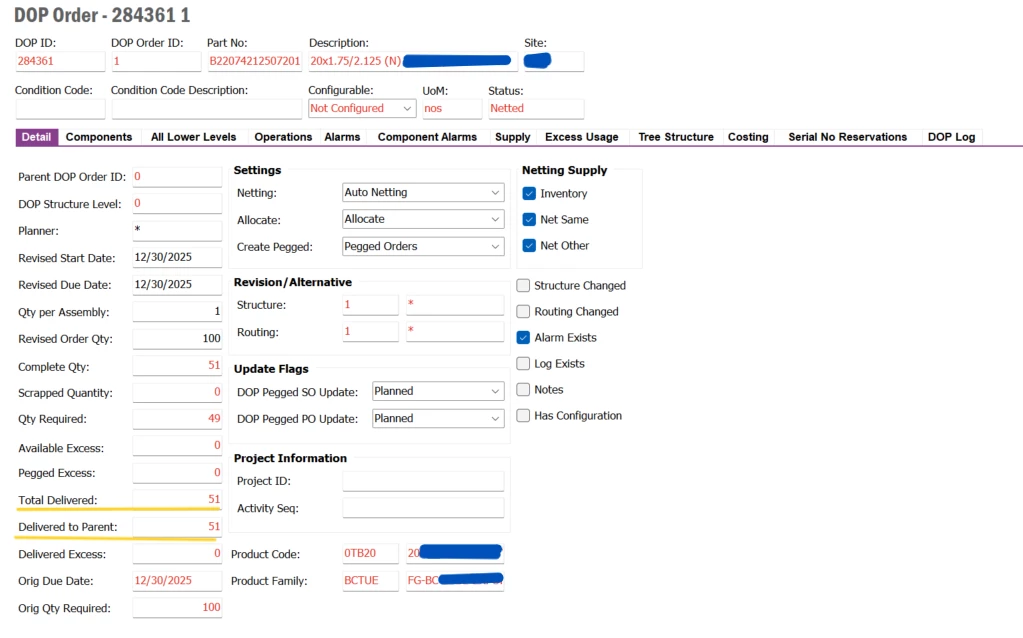
This is due to Reserved Qty being delivered to Parent Order 

Is there any work around that I can use to unreserve these reserved items while the DOP Header/Order is still open? 

Best answer by Björn Hultgren

When you reserve inventory to the top-level DOP order, the reservation is actually delivered directly to the pegged customer order line. In other words, if you review the Inventory Parts in Stock Reservations page, you will see that the parts are reserved to the customer order line rather than to the DOP order itself.

As a result, the reservation can only be removed from the customer order line.

Note that unreserving the customer order line will not transfer the reservation back to the DOP order. Instead, the parts will simply return to available stock. If you still want to supply the customer order line through a DOP structure—for example via a shop order—you will need to either increase the quantity on the existing DOP order or create a new DOP header and peg it to the customer order line.

1 reply

Björn Hultgren
Hero (Employee)
Forum|alt.badge.img+25
  • Hero (Employee)
  • Answer
  • November 28, 2025

When you reserve inventory to the top-level DOP order, the reservation is actually delivered directly to the pegged customer order line. In other words, if you review the Inventory Parts in Stock Reservations page, you will see that the parts are reserved to the customer order line rather than to the DOP order itself.

As a result, the reservation can only be removed from the customer order line.

Note that unreserving the customer order line will not transfer the reservation back to the DOP order. Instead, the parts will simply return to available stock. If you still want to supply the customer order line through a DOP structure—for example via a shop order—you will need to either increase the quantity on the existing DOP order or create a new DOP header and peg it to the customer order line.


