Question

How to enable and populate Sales and Operations Planning Load Analysis?

  • September 16, 2026
  • 3 replies
  • 39 views

Forum|alt.badge.img+2

Hello everyone,

I am currently testing Sales and Operations Planning in IFS Cloud and have successfully configured a basic Product Family and S&OP plan.

So far I have:

  • Created an MS Level 0 Product Family
  • Created the Planning Structure linking MS Level 1 parts
  • Created an S&OP plan
  • Successfully copied forecast and supply data from MS Level 1 using Copy S&OP Family

The S&OP Grid is populated correctly and I can work with forecast and supply data.

My next goal is to evaluate capacity using Sales and Operations Planning Load Analysis, but I am struggling to understand the required setup and prerequisites.

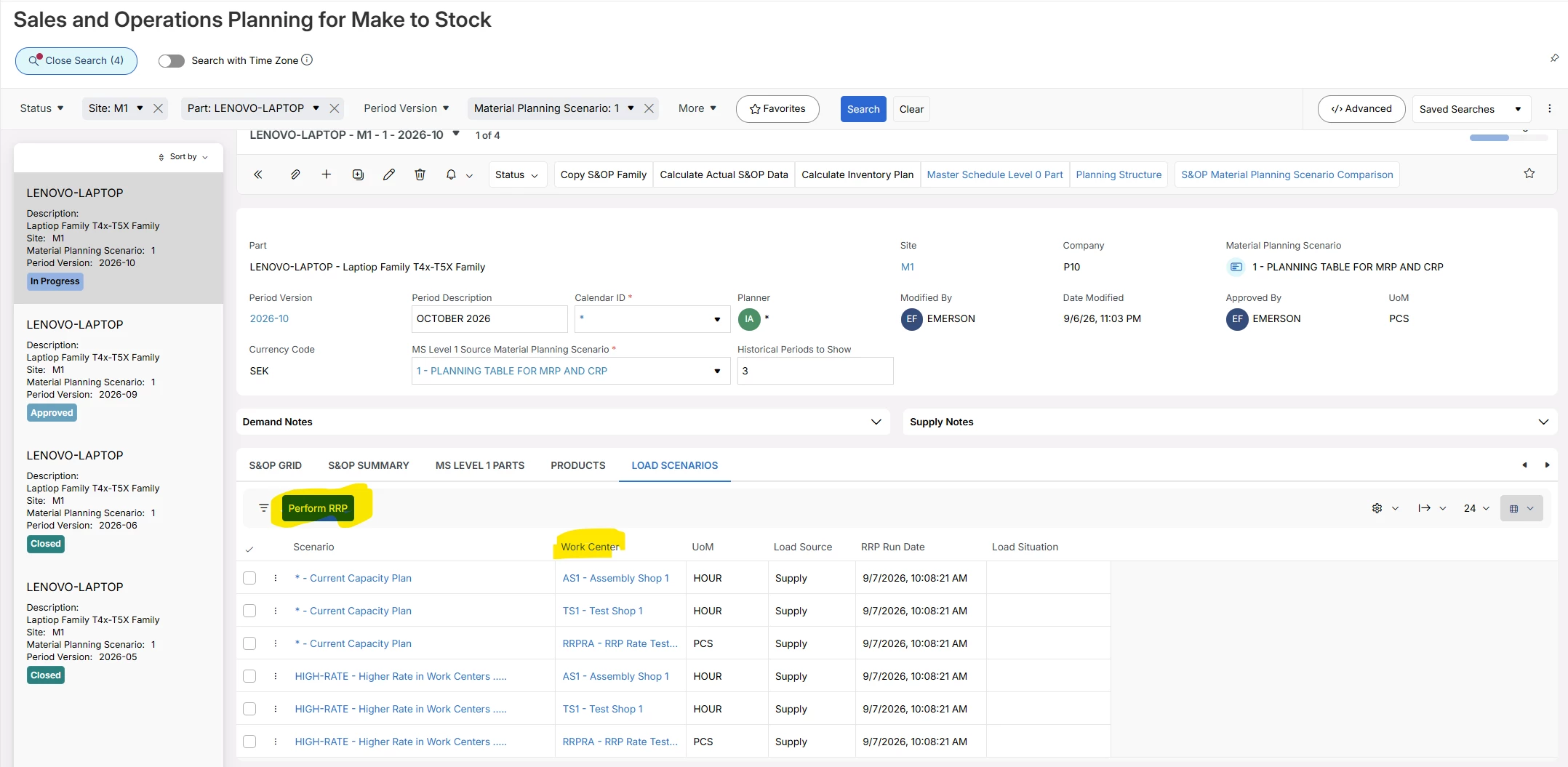
When opening Sales and Operations Planning Load Analysis, the screen remains empty and I am not sure:

  • What setup objects are required before Load Analysis can be used?
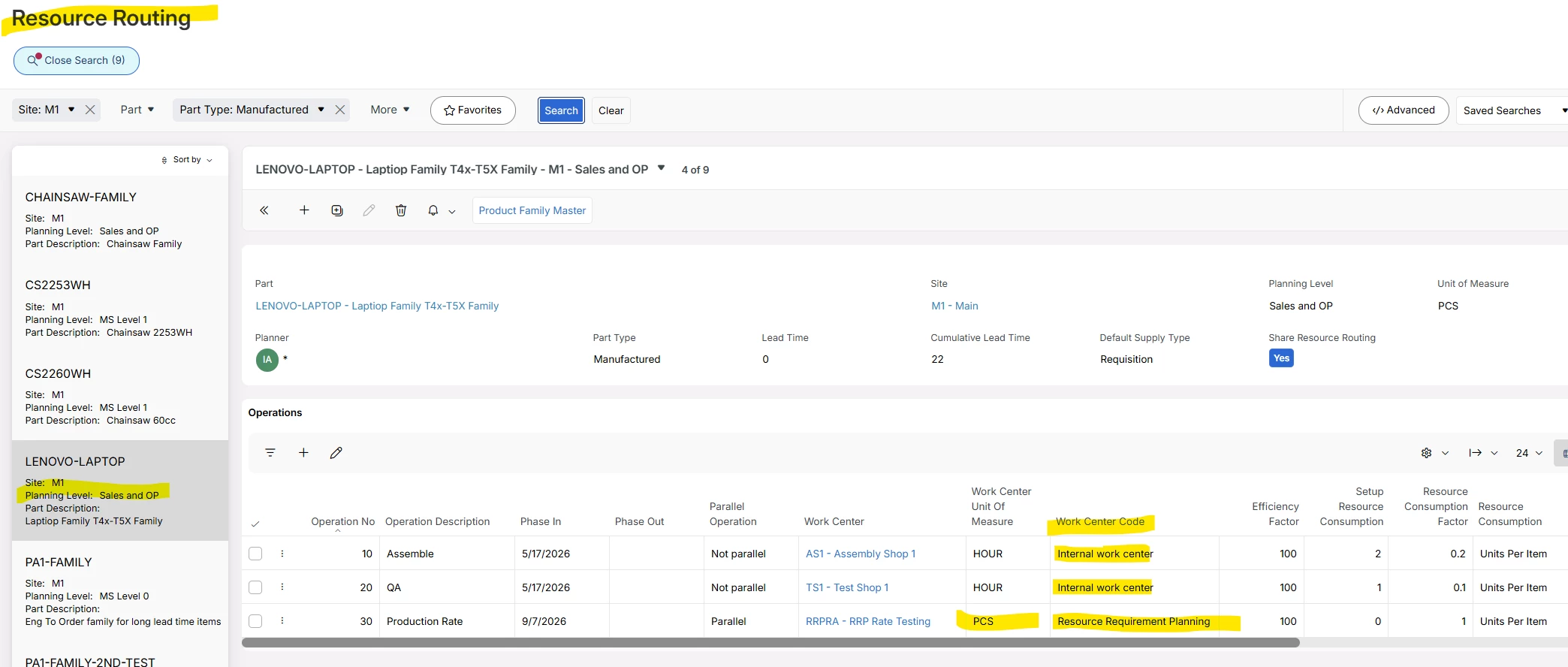
  • Is a Resource Routing required on the Product Family or on the MS Level 1 parts?
  • Does RRP need to be executed before data becomes available?
  • How are Capacity Scenarios created and connected to S&OP?
  • What is the recommended setup to demonstrate Load Analysis in a simple test environment?

Any guidance, setup steps, or examples would be greatly appreciated.

Thank you in advance!
Pavel K.

3 replies

majose
Hero (Employee)
Forum|alt.badge.img+15
  • Hero (Employee)
  • September 16, 2026

Hi Pavel,

I think one or two screen dumps explains a lot here :-)


Let me know if you have more questions.

Good Luck

-Mats


Forum|alt.badge.img+2
  • Author
  • Do Gooder (Partner)
  • September 17, 2026

Hi Pavel,

I think one or two screen dumps explains a lot here :-)


Let me know if you have more questions.

Good Luck

-Mats

Hi Mats,

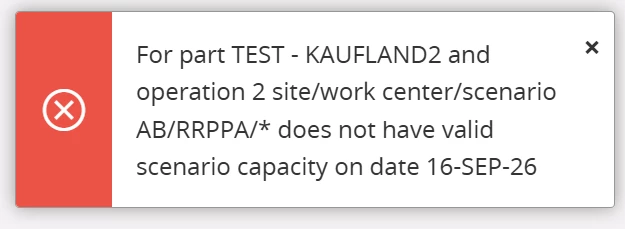
Thank you for your help! This helped a lot, can you advise one more thing? I am getting this error:
 

I tried to create my own work center as well as my own calendar, but nothig helped.

Thank you in advance.


majose
Hero (Employee)
Forum|alt.badge.img+15
  • Hero (Employee)
  • September 18, 2026

Hi Pavel,

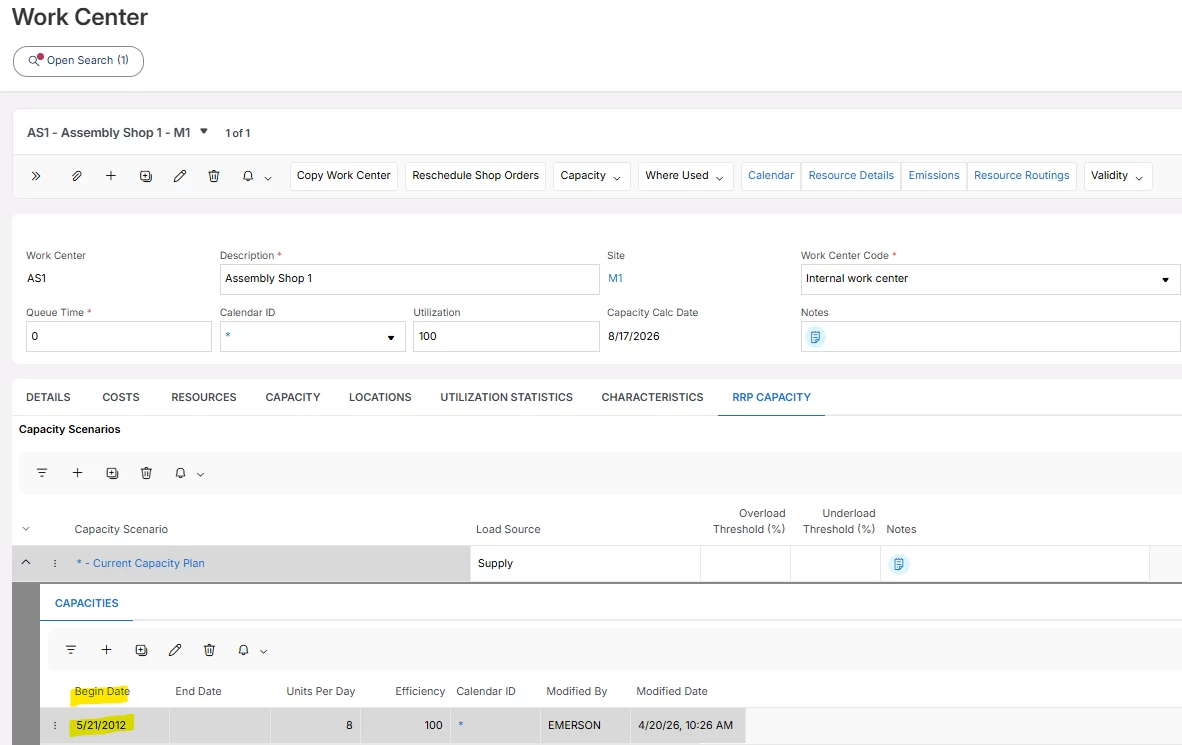
I think you should try to remove and recreate the “Capacity Line” below and then recreate the line BUT with a Begin Date… let say August 1st.

Or increase Units Per Day.

RRP uses more or less the backward scheduling loading logic that we use in Shop Floor scheduling. Not that complex, but similar.

When a part is requiring more than 8 hours for the Production Plan, it start going backwards.

Next Product Family part will also load 8 hours for the same date, and then going backwards.

So each part does not create overload, but the aggregated picture for all parts could create an overload situation.

There are pros and cons of the simple backward scheduling technique we use. Actually in some cases it would be better with even more simple load algorithm.