Hello everyone,
I am currently testing Sales and Operations Planning in IFS Cloud and have successfully configured a basic Product Family and S&OP plan.
So far I have:
- Created an MS Level 0 Product Family
- Created the Planning Structure linking MS Level 1 parts
- Created an S&OP plan
- Successfully copied forecast and supply data from MS Level 1 using Copy S&OP Family
The S&OP Grid is populated correctly and I can work with forecast and supply data.
My next goal is to evaluate capacity using Sales and Operations Planning Load Analysis, but I am struggling to understand the required setup and prerequisites.
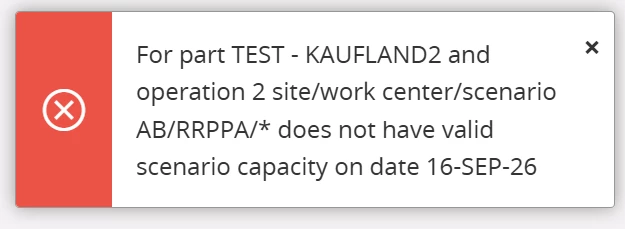
When opening Sales and Operations Planning Load Analysis, the screen remains empty and I am not sure:
- What setup objects are required before Load Analysis can be used?
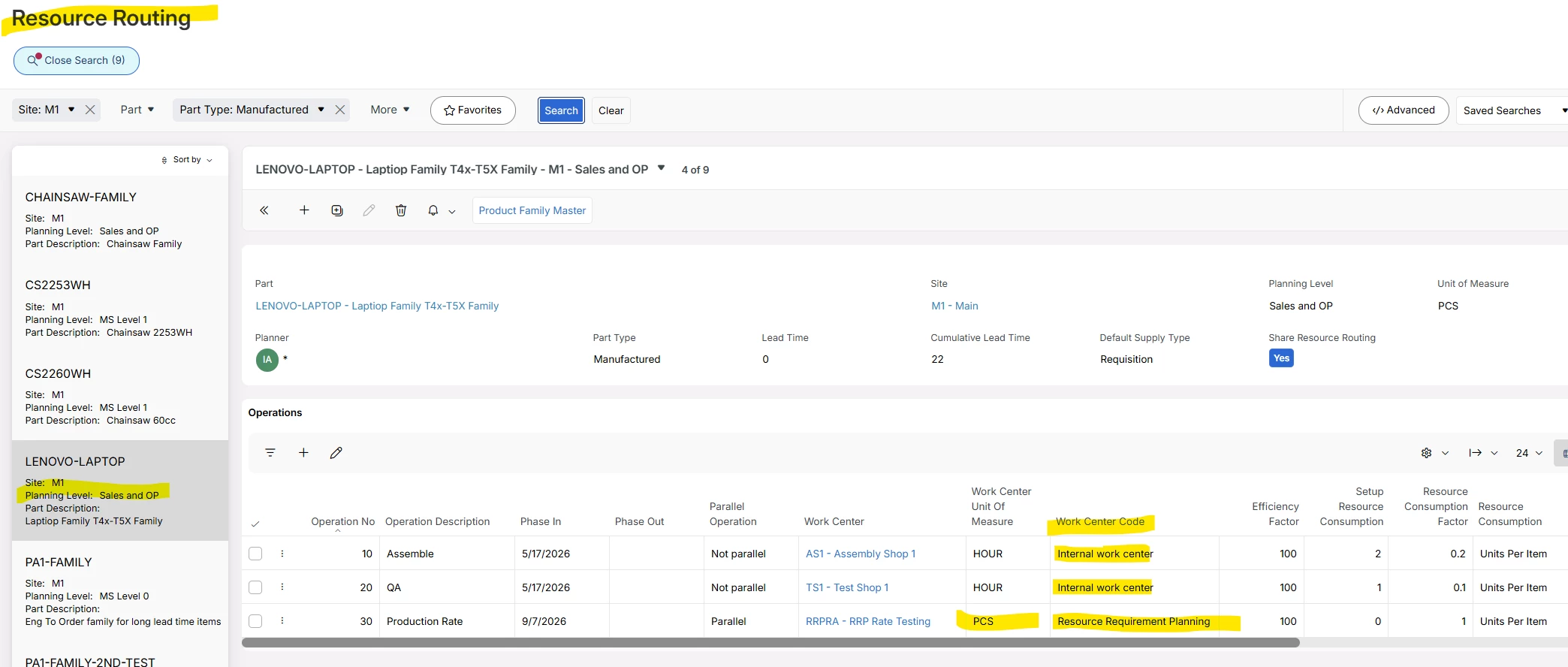
- Is a Resource Routing required on the Product Family or on the MS Level 1 parts?
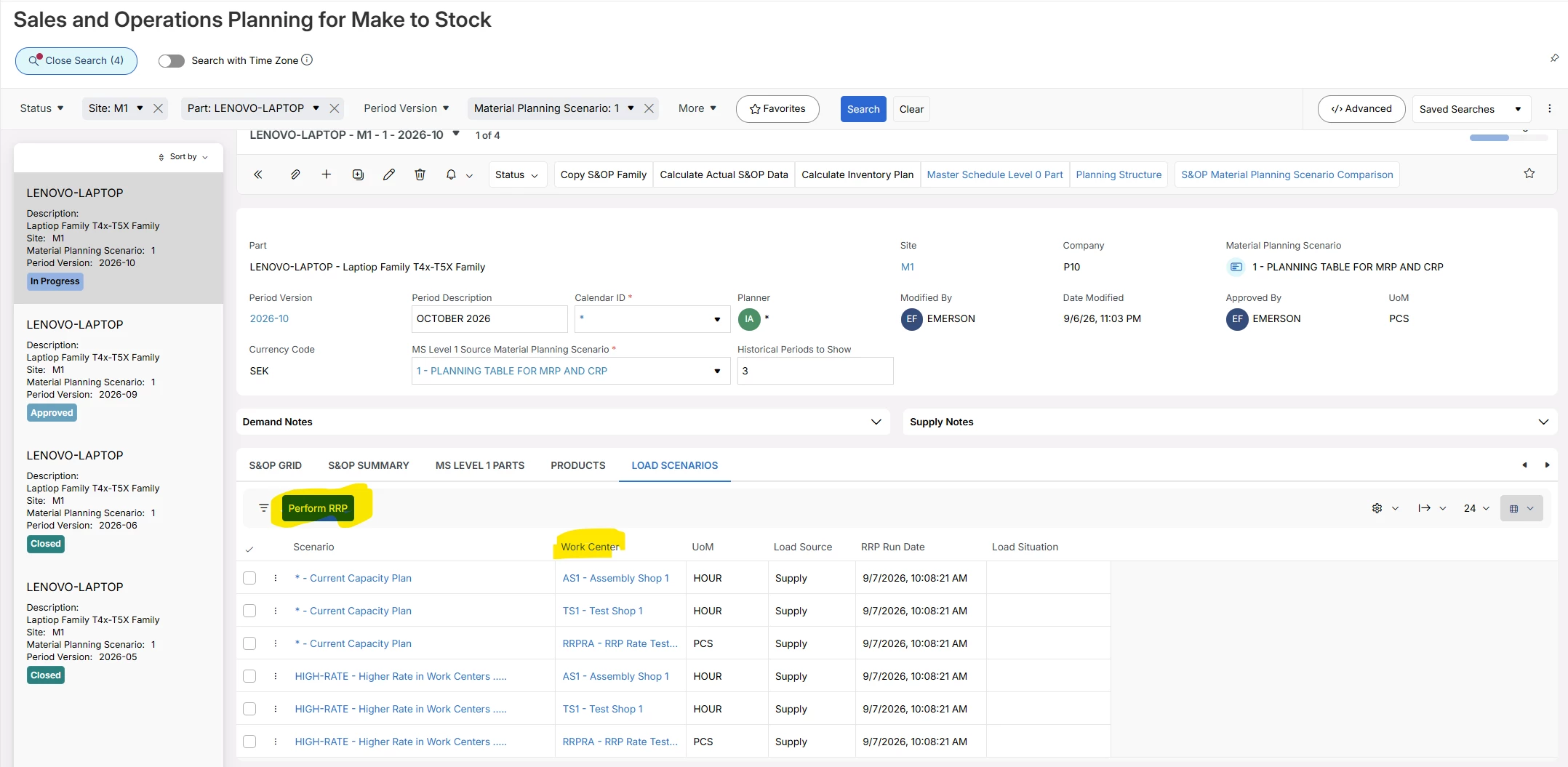
- Does RRP need to be executed before data becomes available?
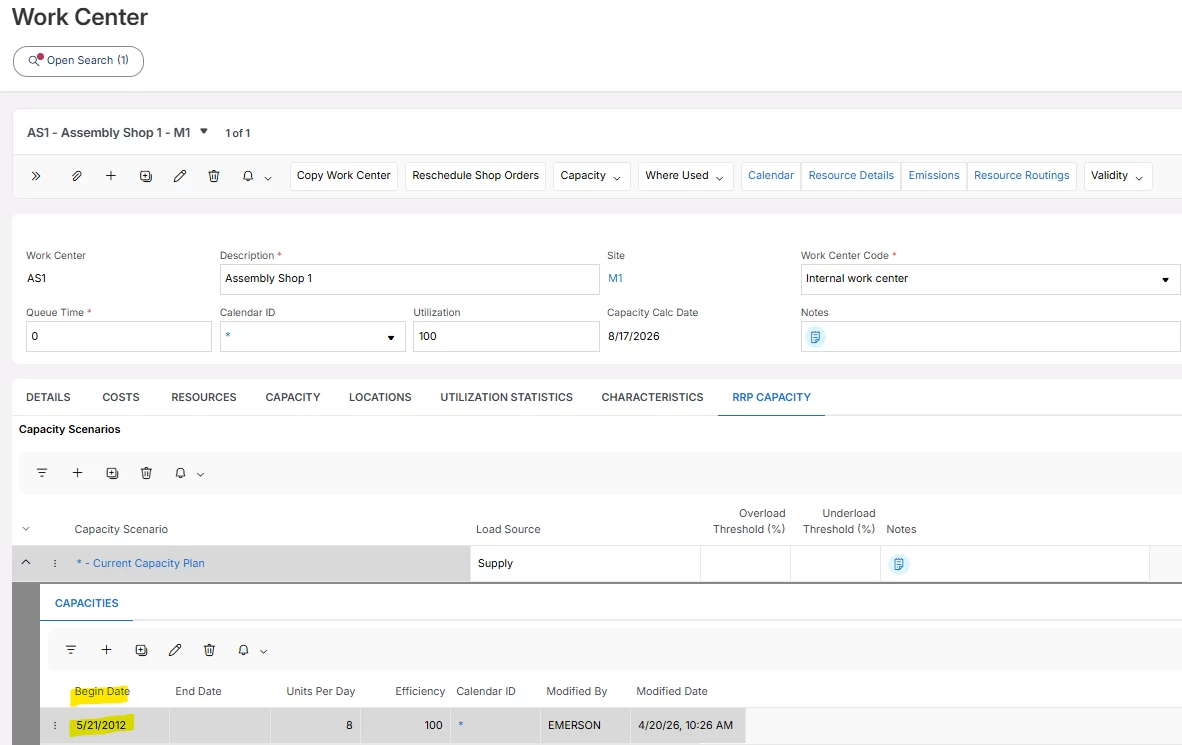
- How are Capacity Scenarios created and connected to S&OP?
- What is the recommended setup to demonstrate Load Analysis in a simple test environment?
Any guidance, setup steps, or examples would be greatly appreciated.
Thank you in advance!
Pavel K.