

Question

Has anyone discovered an easy way to keep MFG Details on Prod Structure when new revision in Transferred?

  • January 31, 2023
  • 4 replies
  • 104 views

ryansharp999
Do Gooder (Customer)
Forum|alt.badge.img+4

Hello All,

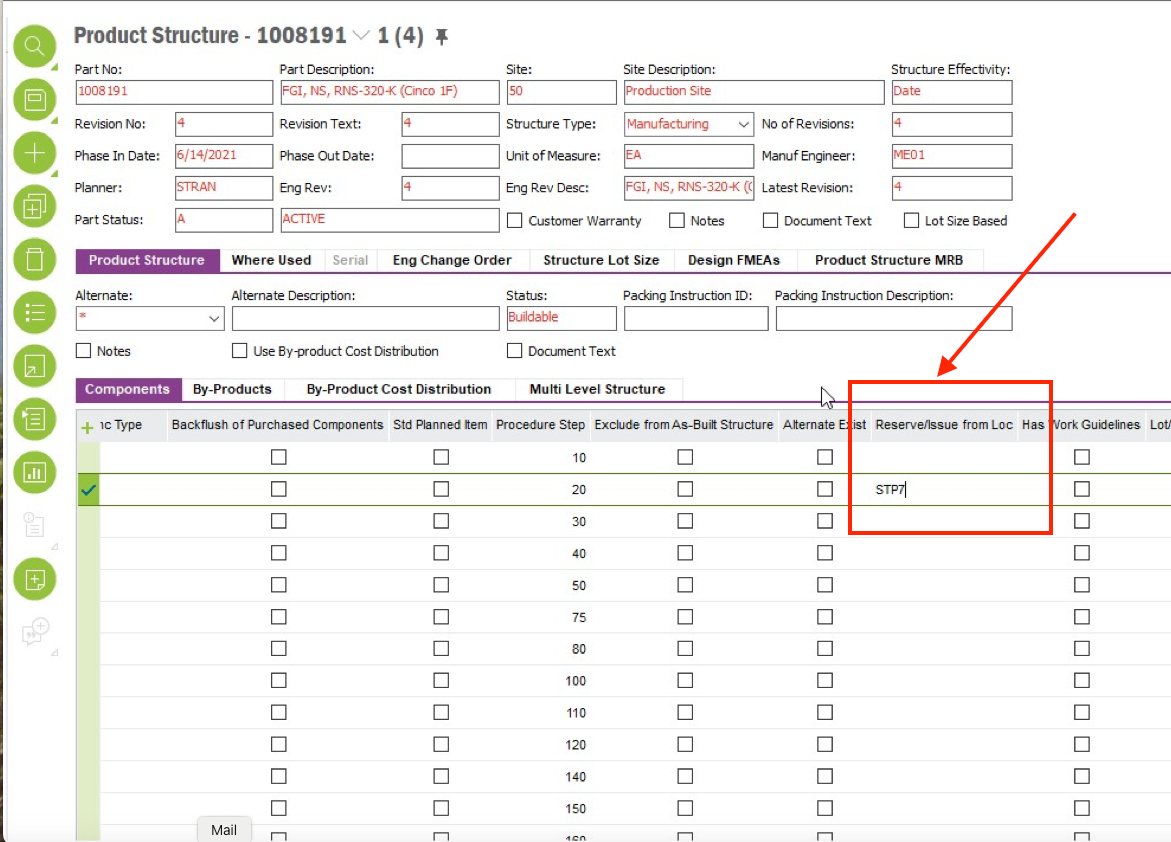
We use Engineering extensively for our Prod Structures creating and new Engineering rev and transferring to MFG with each structure change. When we transfer a new revision site/inventory data such as Reserve/Issue from Loc is not added to the new revision. Has anyone come up with an easy method of replicating this type of data?

TIA

4 replies

Björn Hultgren
Hero (Employee)
Forum|alt.badge.img+25

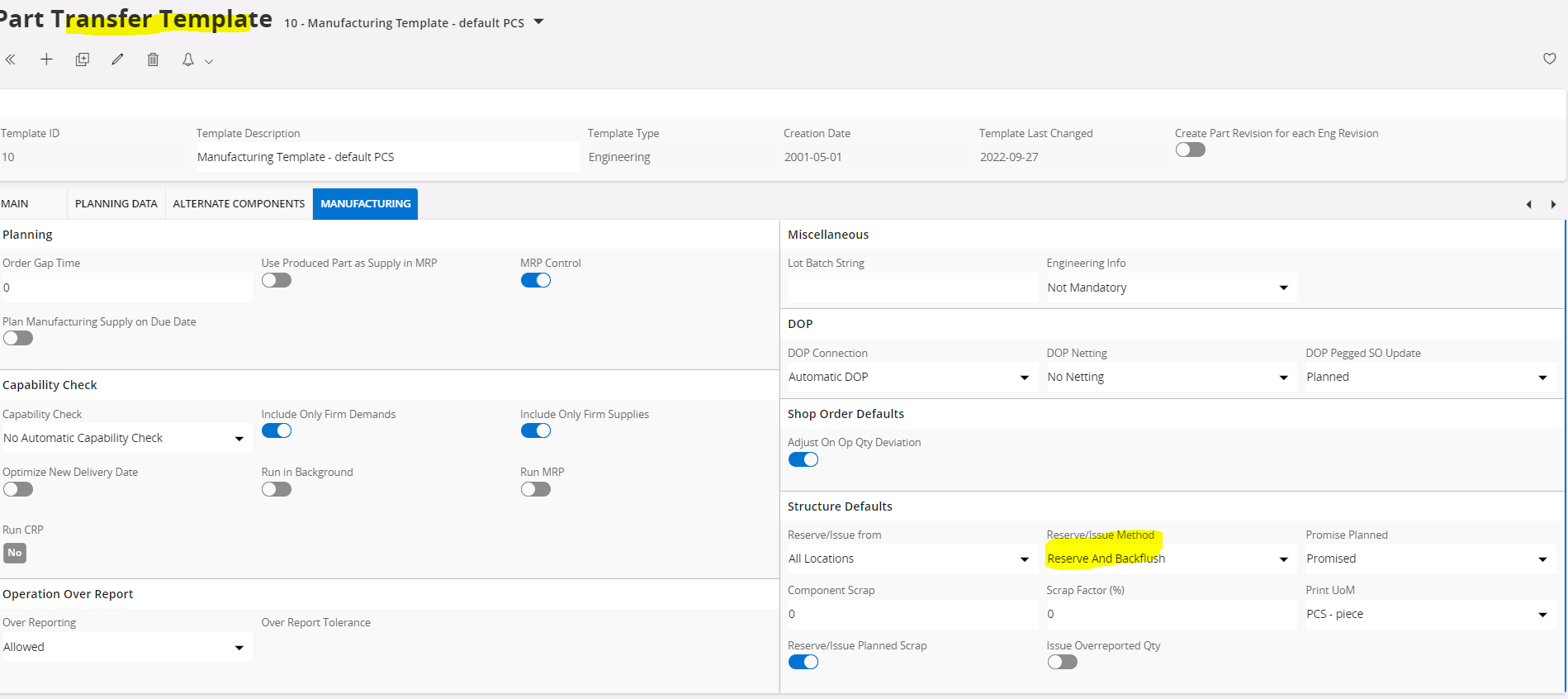
Is it not enough to use a Part Transfer Template with the required settings?


ryansharp999
Do Gooder (Customer)
Forum|alt.badge.img+4
  • Author
  • Do Gooder (Customer)
  • February 1, 2023

Hi Bjorn,

A couple things, thanks for the input. I’m on Apps10, not cloud however that setting is an inventory part master setting. I’m look for the setting Reserve/Issue from Loc on the product structure line. I wasn’t clear before:


Björn Hultgren
Hero (Employee)
Forum|alt.badge.img+25

@ryansharp999  Thanks for the clarification. Unfortunately I’m not aware of any way to set or keep the Reserve/Issue from Loc value. 

Have you tried restricting backflush to inbound locations connected to the work center instead of defining a location for each component line? When such solution is possible it is usually much easier to maintain.


ryansharp999
Do Gooder (Customer)
Forum|alt.badge.img+4
  • Author
  • Do Gooder (Customer)
  • February 3, 2023

@Björn Hultgren Unfortunately not all of our products are stored on the floor, so it can’t be done this way. Thanks for all your ideas!