


Question

Edit Clockings error due to account date

  • December 4, 2025
  • 2 replies
  • 22 views

Forum|alt.badge.img+6

Hi, 

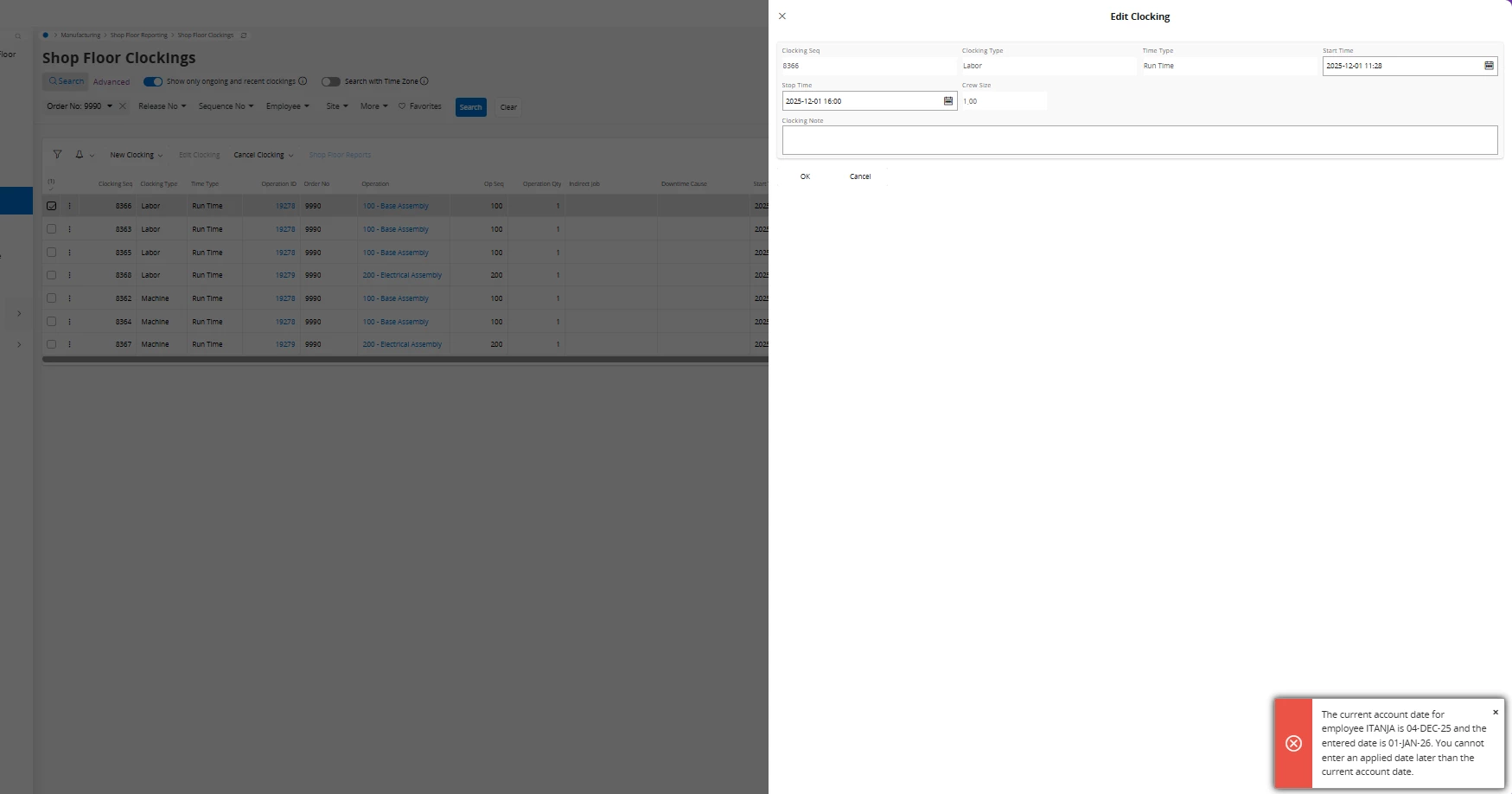
I run Cloud 24R2, it’s not possible to edit a clocking for previous days. What is the setting that prevents that, I get an error. 
What parameter or setting prevent me from edit, create new or cancel clockings in the past?
Second question, can I adjust clocking by set a duration time instead of  start and stop?


2 replies

Björn Hultgren
Hero (Employee)
Forum|alt.badge.img+25

Normally it should be perfectly fine to create, edit and cancel a clocking in the past. If the original accounting period has been closed, the new postings should be booked on the first day on the first open period. The error in your screenshot looks very odd since it indicates that you are trying to book it on 1st of January 2026. I.e., in the future. I haven’t seen that before and don’t know what can cause it. Guessing it’s something with the financial setup.

It is not possible to edit the duration of a clocking manually. It is always calculated from the start-stop interval. Then you have to cancel the clocking and instead just manually enter a time result without a clocking. 


Forum|alt.badge.img+6
  • Author
  • Do Gooder (Customer)
  • December 4, 2025

Hi Björn, 
I request a stop in 2025-12-01 (stop time) but error message relate to account date issue 2026-01-01. 
I will ask Finance for support

