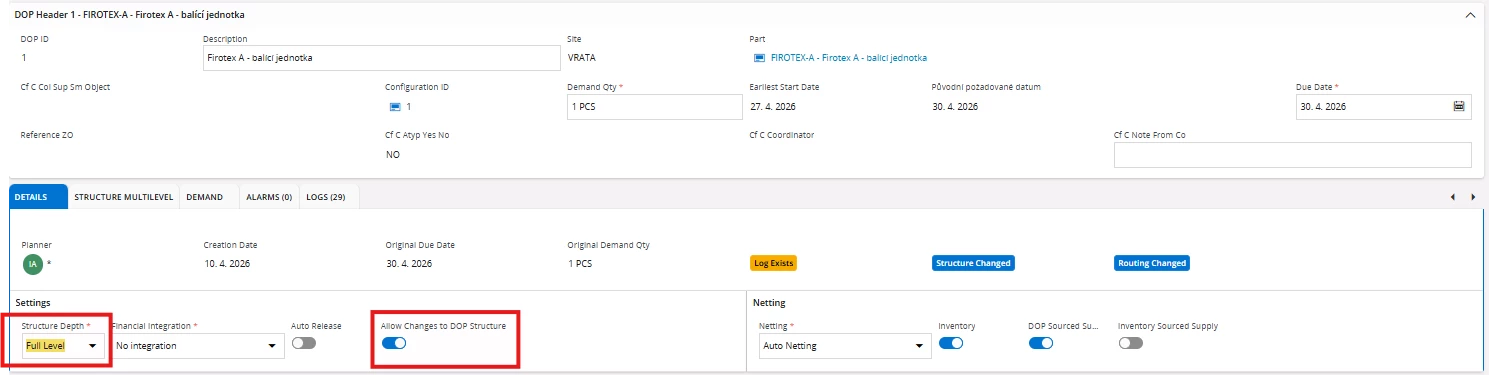
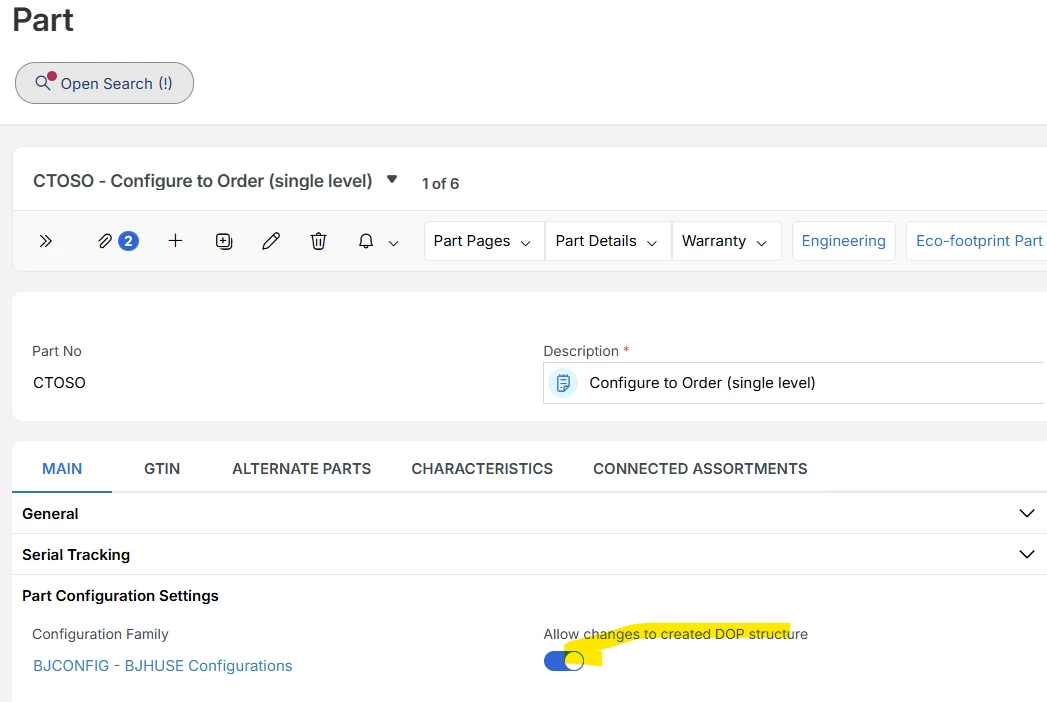
I am wondering whether there is a given set-up on the inventory part, main part or anywhere else, where these parametres can be set.
The point is that we want to have the structure depth: Full level
And the “allow changes to DOP Structure”: ON
Without the necessity to switch it once the DOP is created.
Thank you,
Best Regards
PetaKu
Best answer by Björn Hultgren
Structure Depth would be set to Full Level if you for some reason want to create a DOP structure for the entire BOM level, including also parts that are not set to be supplier by DOP. I don’t know when this would be useful.
Allow Changes to DOP Structure is default disabled for configurable parts to ensure it is built according to the configuration rules. However, you can change the default value on the Part page.
Structure Depth would be set to Full Level if you for some reason want to create a DOP structure for the entire BOM level, including also parts that are not set to be supplier by DOP. I don’t know when this would be useful.
Allow Changes to DOP Structure is default disabled for configurable parts to ensure it is built according to the configuration rules. However, you can change the default value on the Part page.