Question

Backflush for Components under Tracked Structures

  • December 17, 2025
  • 1 reply
  • 30 views

Is there a way to backflush material in a Shop Order without getting the following error?
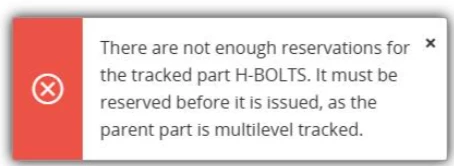
 

Parent part is multilevel tracking enabled and serialized

The error doesn’t appear when the “Manual Reservation” is done. However, even in manual reservation the locations available are all locations and not only the backflushing locations even though they are defined on the component level.


1 reply

Yathartha Karunananda
Hero (Employee)
Forum|alt.badge.img+11

Hi ​@Dasuni Samarkoon,

Hope you are doing fine! 🙂

The error you have received is the typical behavior when it comes to backflushing tracked parts. Unfortunately, there is no way to bypass this logic. Manual reservation explicitly links the component to the shop order. So, it satisfies this condition and no error.

To see only the backflush locations, you need to connect the material line with the operation and define the backflush locations disabling the shared location option in the work center.

Hope this helps!