Question

Automatic Create and Print Shop Order

  • March 18, 2026
  • 2 replies
  • 20 views

Forum|alt.badge.img

Hi community.


In IFS Cloud you can use shop order process types for manufactoring inventory parts for create the shop order, release the shop order and reserve the material from the shop order automatically.

Now I wanna create the shop order report and print it automatically. There is no standard function in IFS Cloud 25R2. Right?


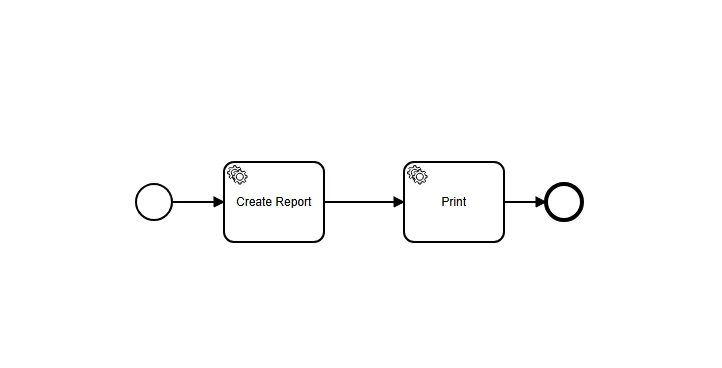
I think I could use a custom event with an action with workflow. I have never worked with workflows in IFS Cloud. I have tried to design it with 2 IFS API tasks. But I have no idea, how to set the parameters.


Maybe there is an easier way.


I hope someone can help me ^^
 

2 replies

jbush0419
Do Gooder (Customer)
Forum|alt.badge.img+3
  • Do Gooder (Customer)
  • March 18, 2026

@maikffb  - I think that you're absolutely right that there's no standard automatic printing function for shop orders.

Your approach with a custom event and workflow is definitely the right direction. Based on similar scenarios I’ve implemented, here are a couple of options to consider:

Option 1: Event Action with Workflow (This is how I would personally do it) 

You can create an event action that triggers when a shop order reaches a specific state (like "Released") and then use a workflow to:

  1. Generate the report using the Shop Order Work Instruction projection
  2. Send to print queue using the Print Job API

For the parameters in your workflow tasks, you'll typically need:

  • Shop Order No, Release No, Sequence No (from the triggering event)
  • Report Layout Name (e.g., 'ShopOrderWorkInstruction.rdl')
  • Print Job parameters (printer destination, copies, etc.)

Option 2: Batch Processing Approach (this might be better since you mentioned that you don’t have the experience with BPA Workflows) 

Since IFS already supports batch printing of work instructions, you could create a scheduled task that:

  • Finds newly released shop orders
  • Batch prints their work instructions and shop order
  • Marks them as processed (using a custom field)

Since you're new to IFS Cloud workflows, I'd suggest:

  1. Start with the Workflow Designer 
  2. Look at existing workflow templates for similar processes - one of the academy course gives you some started workflows.
  3. Use Projection calls rather than direct API calls where possible - they're more reliable and easier for a beginner. 

The key parameters you'll need are usually available from the triggering event context, so the workflow can automatically pick up the shop order details.

I can see from your screenshot that you’re at least starting to play with the workflow designer…  There are some courses on tdhe IFS Academy that might get you started.. a full tutorial here is beyond the scope of the community - although if you’re tech-savvy, you might be able to piece together enough from various posts to get something working. Start with something simple and grow from there. 

Hope that at least gives you enough to get started.


-jason


Forum|alt.badge.img
  • Author
  • Do Gooder (Customer)
  • March 19, 2026

Thanks for your answer :-)