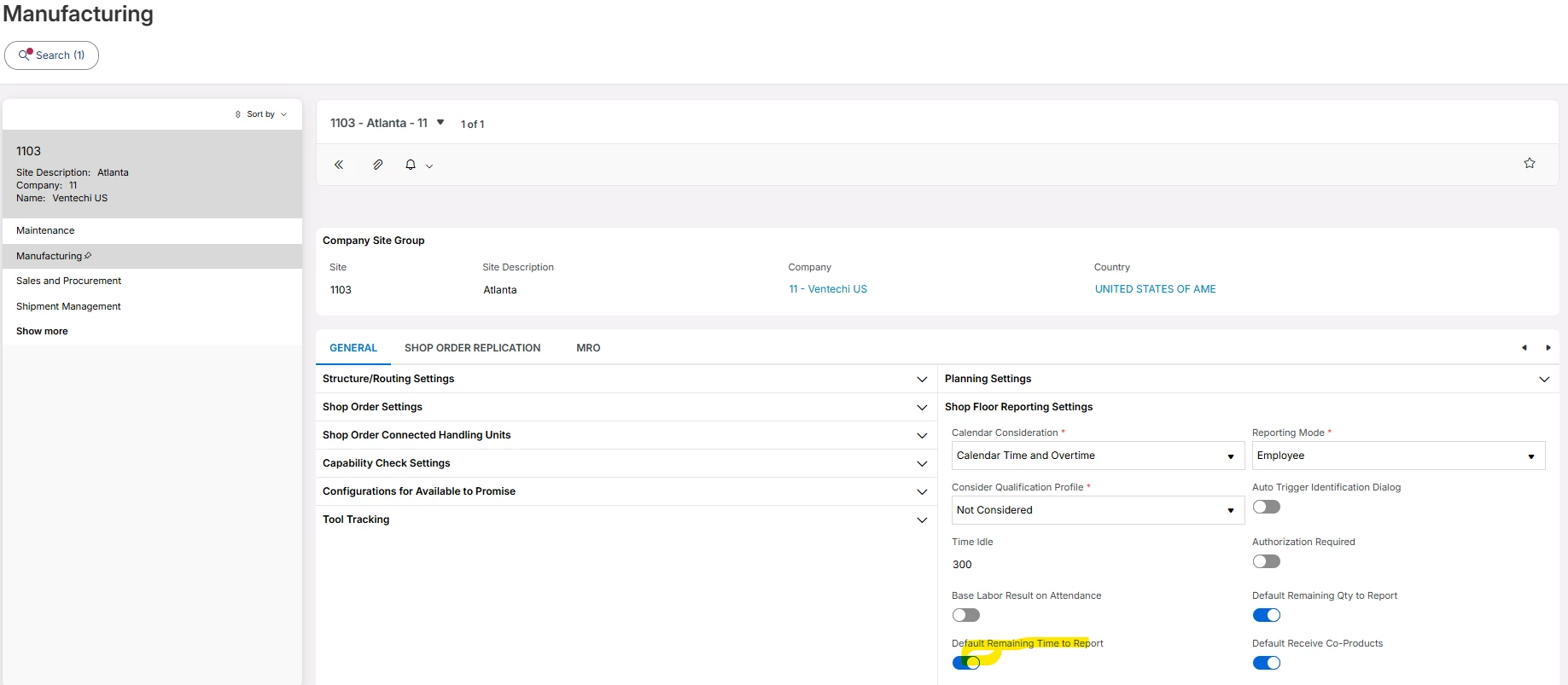
I know there have been questions asked about this setting on the work center and I understand this setting is for the use-case when you receive from an OP and this controls the “Auto Report Operations” switch on the “Receive Shop Order Manually” popup.
However, my request is a little different. What we normally do is start, stop and approve. In this case, a clocking exists and the Report Time is turned OFF when Approve is done. This is not a problem.
But when there is no clocking, the application turns Report Time to ON and the labor factor from the routing is used to report time. This can be a problem where the employee is booked onto an indirect job. Although the Report Time can be turned OFF when they Approve, this gets missed quite often and a labor report is created for the shop order with no employee.
So, it doesn’t affect time card but it does affect shop order costs because the labor time for the business is accounted for by the indirect job. In this case, we do not want to report time on the shop order.
It looks like Cloud is hard-wired to report labor when the OP is approved - either through a clocking or (if that doesn’t exist) by using the routing labor factor. But I don’t think this was any different in 9 or 10.
For us, this is not ideal. On approving the OP, are there any other settings that can stop the Report Time being automatically turned ON when there is no clocking?
Thanks for any input.