Hi,
I'm trying to understand whether the following behavior is standard or not.
- Create an Inventory Part.
- Create two Inventory Control Plan Templates.
- Apply both templates to the Inventory Part.
- Create a Control Plan from the first template and activate it.
- Create another Control Plan from the second template and activate it for the same Inventory Part.
Both Control Plans can be activated successfully. They are active for the same Inventory Part with the same phase-in and phase-out date range.
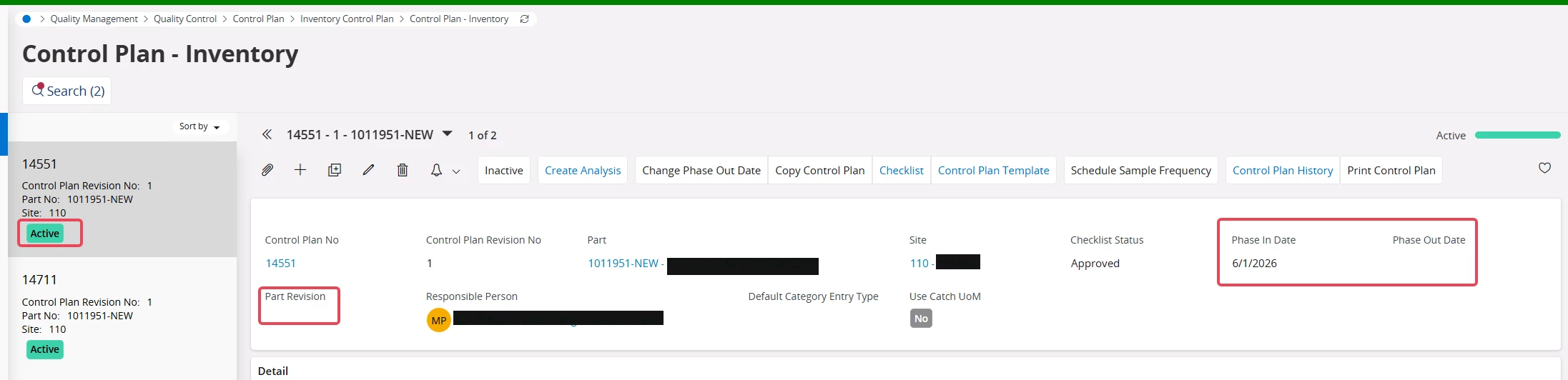
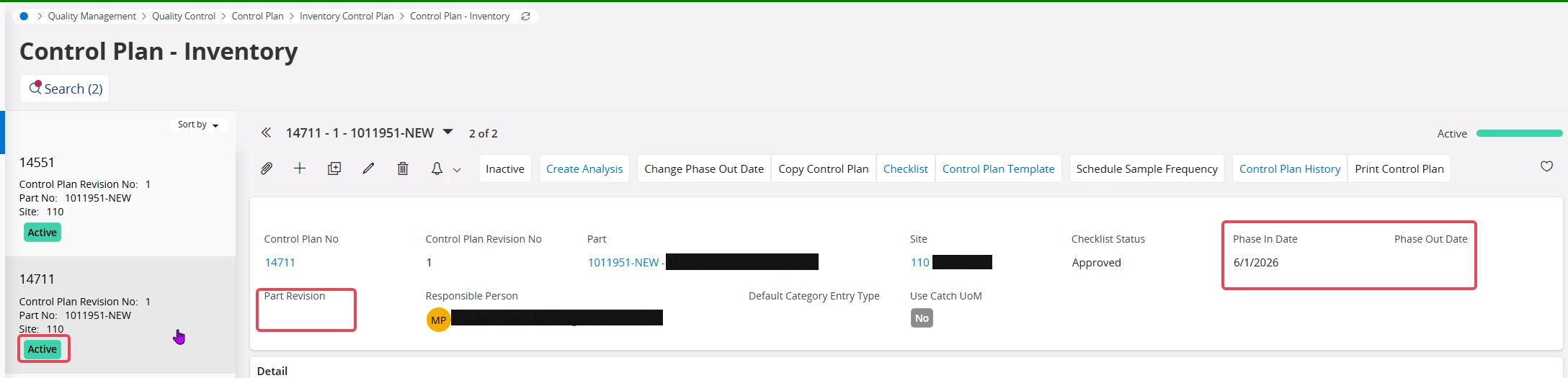
Next, repeat the same process with a new Inventory Part
- Create another Inventory Part.
- Create two Control Plans using the same Inventory Control Plan Templates.
- This time, select a Part Revision in the Control Plan header for both Control Plans.
- Activate the first Control Plan successfully.
- When attempting to activate the second Control Plan, the following error is displayed
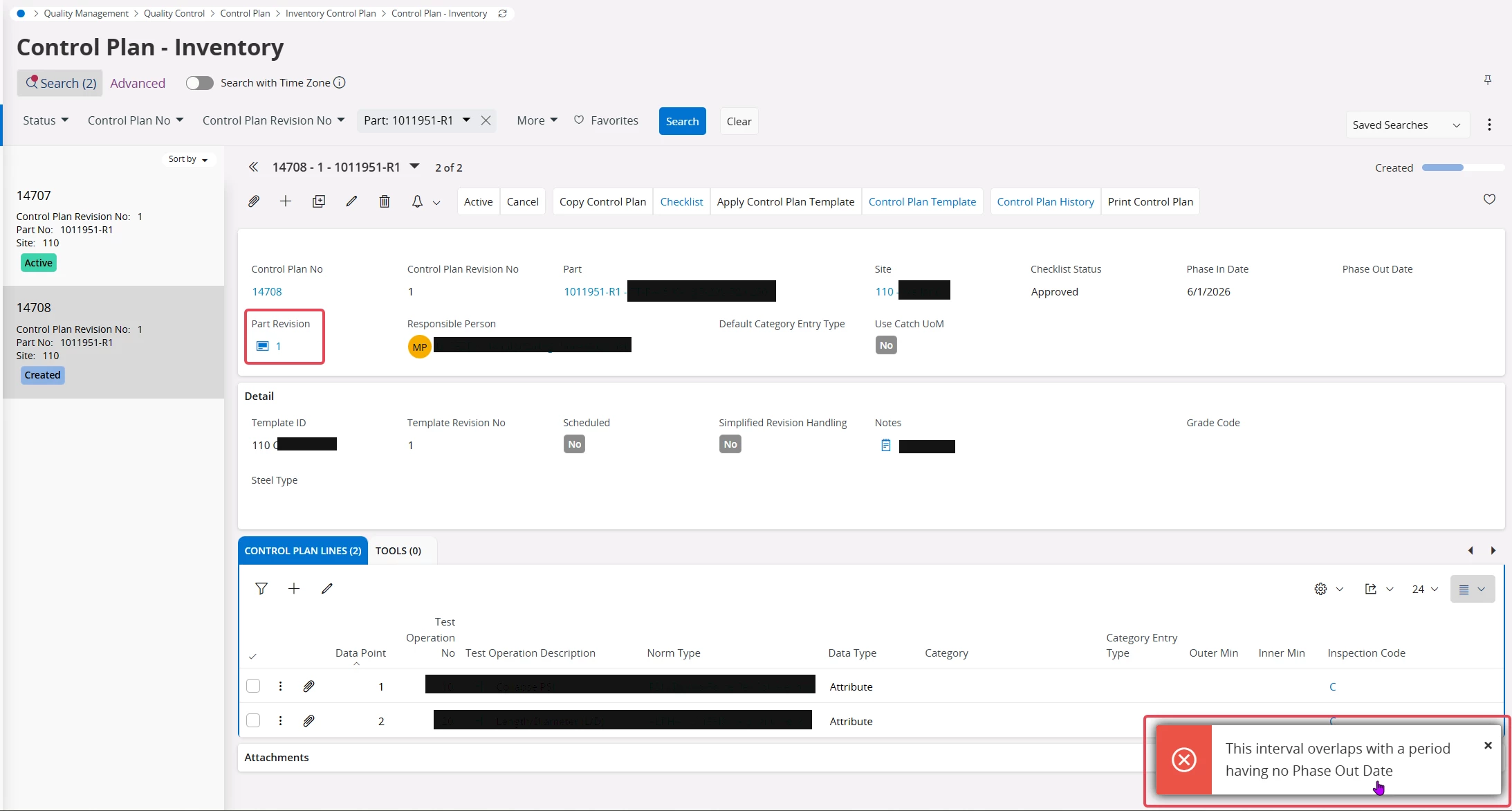
The customer's requirement is to have multiple active Inventory Control Plans for the same Inventory Part that are valid for the same date range. This scenario works when the Part Revision field is left blank, but it fails when a Part Revision is selected.
Is this the intended behavior?