


Hi,
I’m experiencing the following issue with IFS Cloud 25R2 SU3 and was wondering if anyone else has come across something similar.
What I have done was:
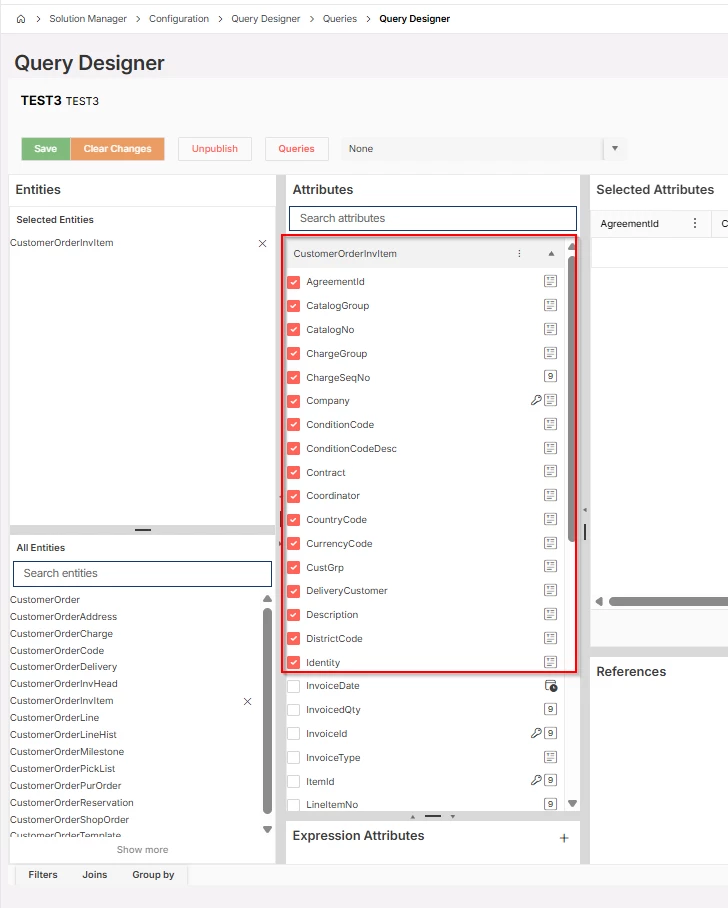
1. Create a Query using the Query Designer window.
2. Add more than 16 columns to the view.
3. Save and publish the Query.
4. Create a Quick Sight report based on the Query.
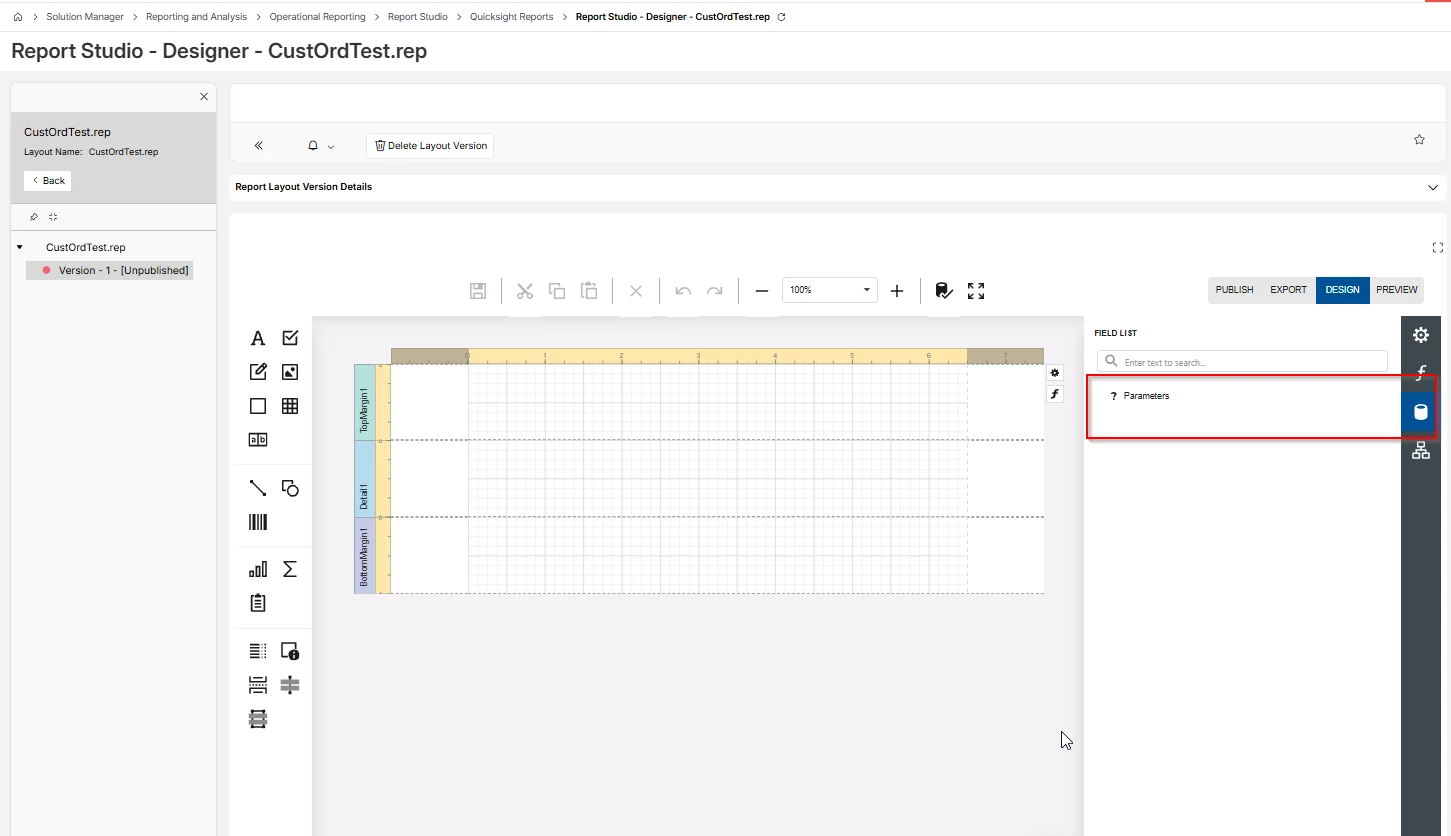
5. Open Report Studio and start creating a layout for the report.
6. The JSONDataSource is not visible/available.
However:
7. Go back to the Query created in Query Designer.
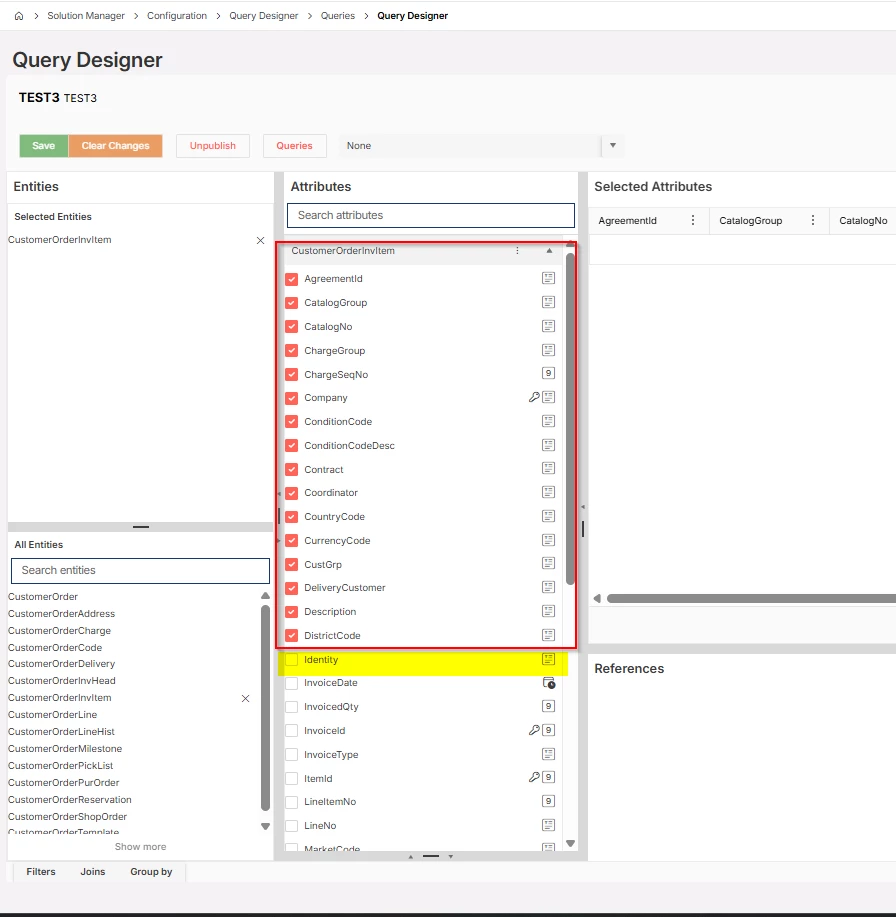
8. Remove the additional columns so that the Query contains a maximum of 16 columns.
9. Save and synchronize the Query.
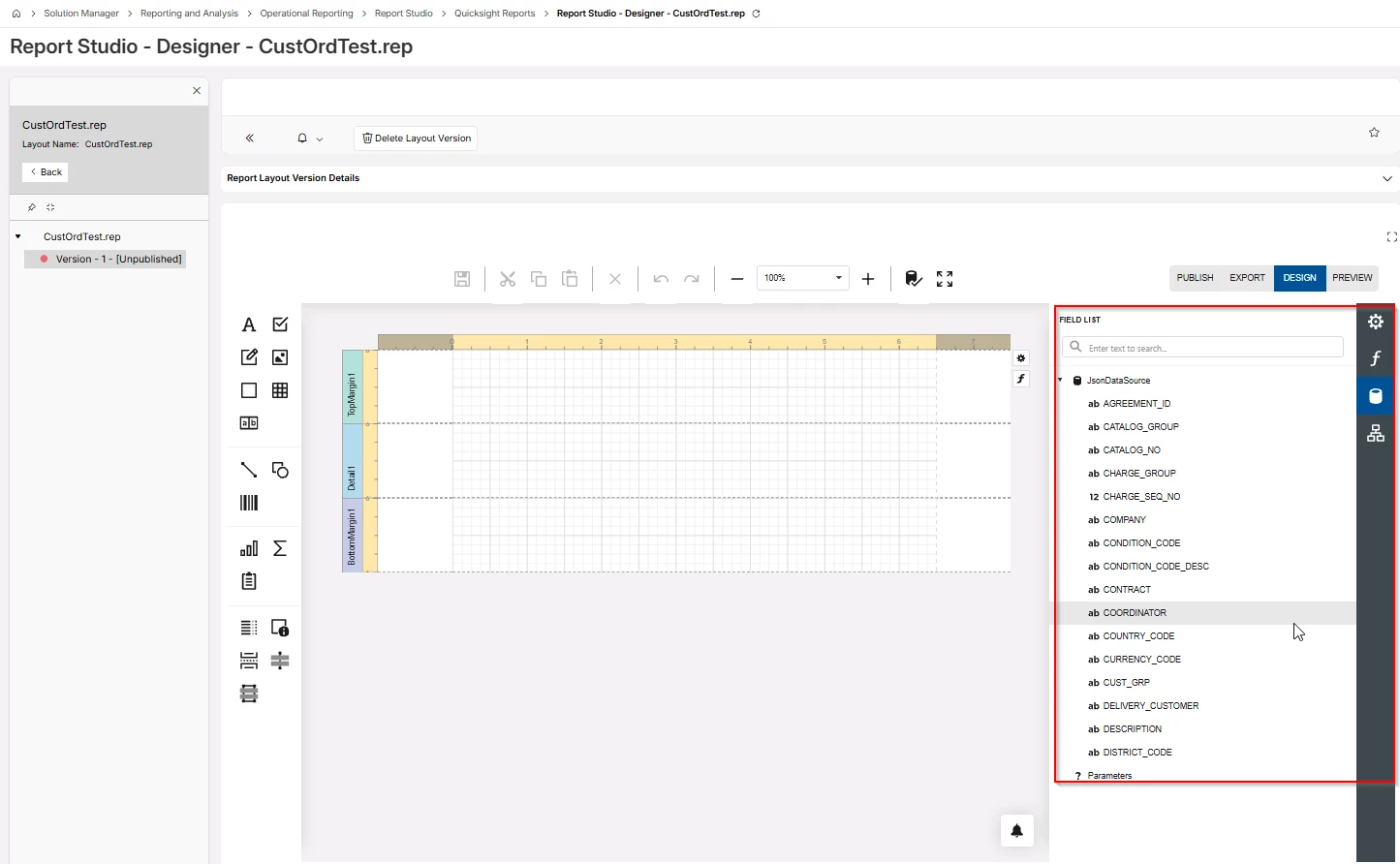
10. Go back to the QuickSight report and open Report Studio again.
11. The JSONDataSource is now visible and available.
Has anyone experienced a similar issue?
Do you know whether this is a bug, a limitation of the tool, or an expected behavior?
Or am I missing a configuration or step somewhere?
Any advice or insights would be greatly appreciated.
Thanks in advance!
Chathuri