IFS BR report samples

  • November 17, 2022
  • 5 replies
  • 257 views

RakeshChangeshpur
Sidekick (Partner)
Forum|alt.badge.img+10

Hello guys,


I am exploring the options on IFS BR reports,


Can anyone share some sample reports or some documents here it will be helpful for me 


Thanks,

Rakesh Changeshpur

5 replies

Forum|alt.badge.img+8
  • Hero (Employee)
  • November 17, 2022

Hi,

Please refer IFS Business Reporter Designers guide. 

https://docs.ifs.com/documents/IFSBusinessReporter-DesignersGuide_22.1.0.pdf 


Best regards,

Voshitha


12Guide_PaulB
Hero (Partner)
Forum|alt.badge.img+9

Hi Rakesh,


There are some finance reports in BR client, provided by IFS. Also the Designer's Guide under Help button is very useful to get you started.


Kind regards, Paul


Forum|alt.badge.img+9
  • Hero (Employee)
  • November 18, 2022

Hi Rakesh,

You can register for the IFS Business Reporter Essentials training program in IFS Academy as well

https://ifs.sabacloud.com/Saba/Web_spf/EU2PRD0185/common/ledetail/cours000000000015060


Best Regards
Shenali


RakeshChangeshpur
Sidekick (Partner)
Forum|alt.badge.img+10

Hi @Voshitha, @12Guide_PaulB, @shwiclk 

Guys,

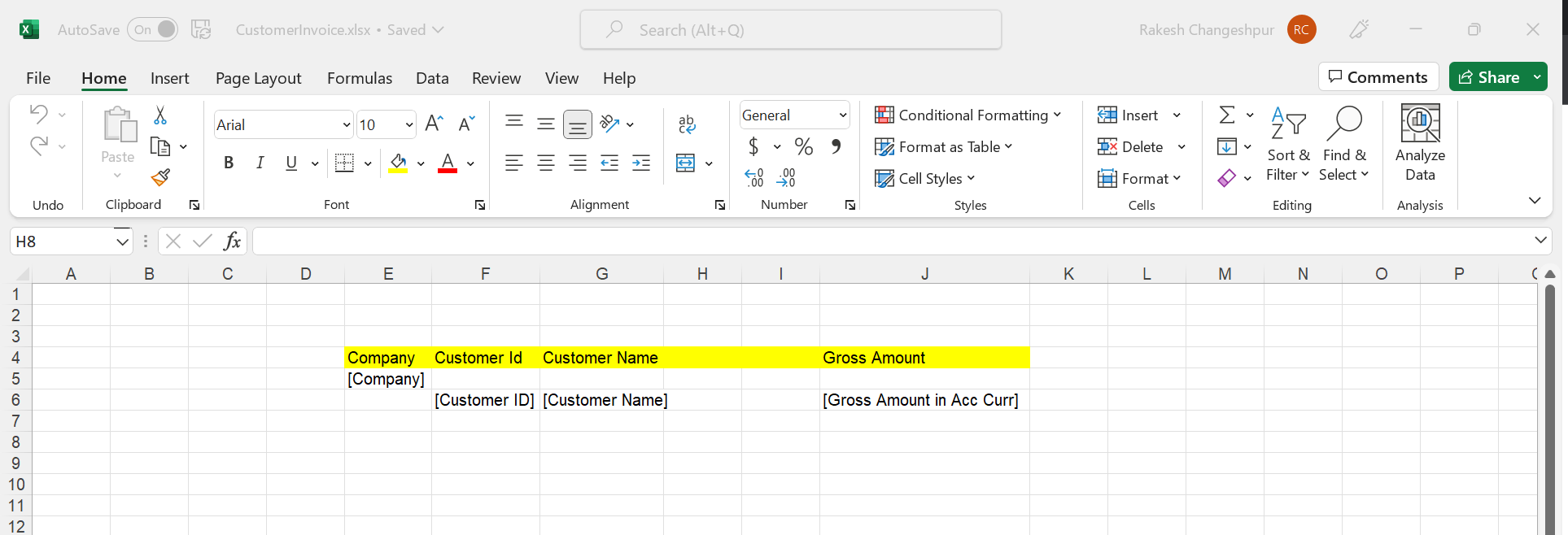
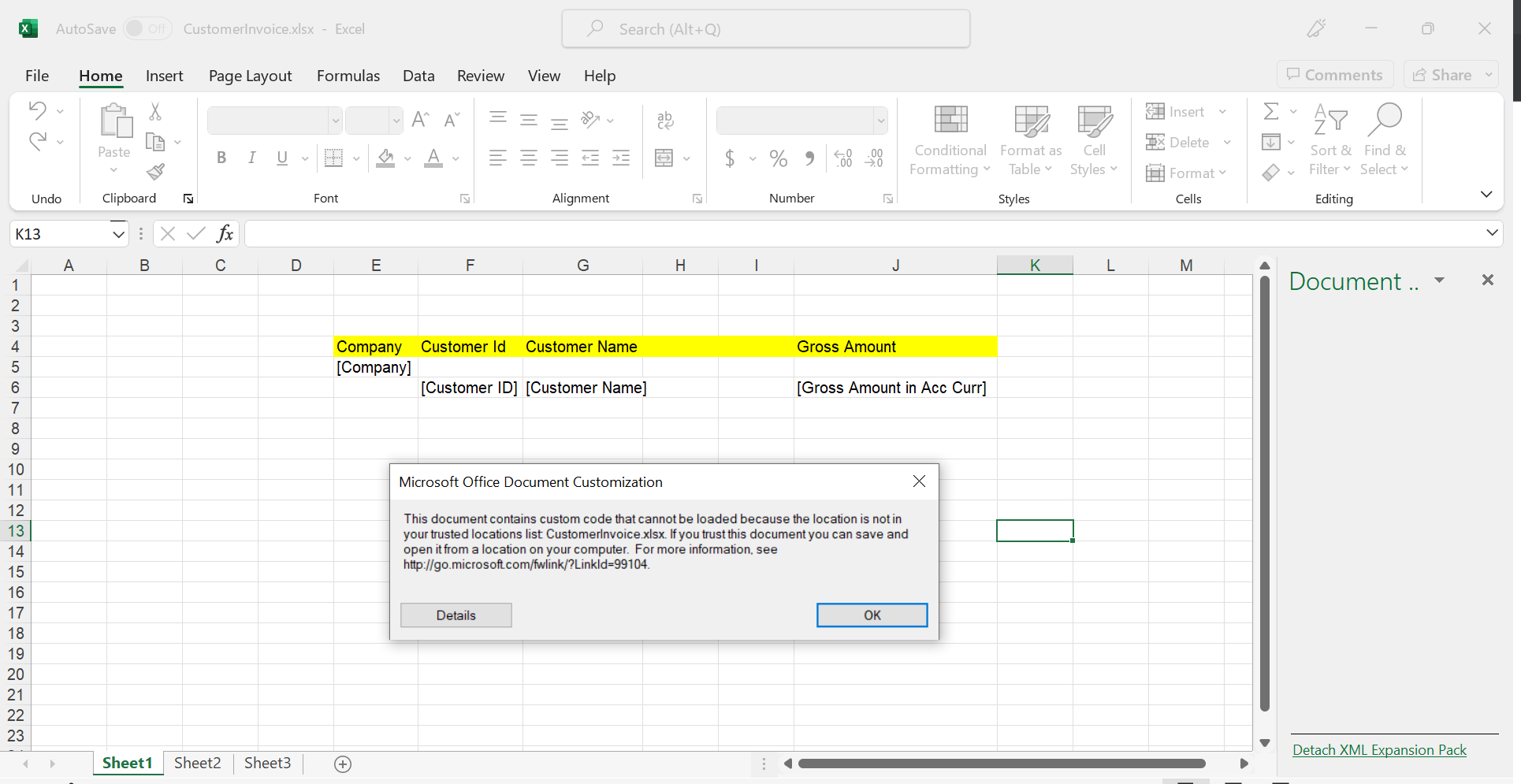
When i try to open my saved IFS BR report (in my case it is Customer Invoice) , Sometimes it doesnt show the IFS business reporter plugin in excel and if i open the IFS BR from start menu and then open the saved report from the file location it throws errors(refer 2nd screenshot)


Please advice on this how i can open the saved IFS BR report 


12Guide_PaulB
Hero (Partner)
Forum|alt.badge.img+9

Hi Rakesh,

The BR's that you save as loca lfiles must be stored in Excel trusted location. You can select a folder in Excel > Options > Trust Center > Trust Center Settings > Trusted Locations.

I prefer to save the reports in the database and create a local copy just as back up. You save in database from BR ribbon in developmen mode.

Kind regards, Paul