Solved

Error in quick expense reporter configuration

  • Mar 14, 2023 9:25 AM UTC
  • 7 replies
  • 282 views

CGMRUNAL
Sidekick (Partner)
Forum|alt.badge.img+8

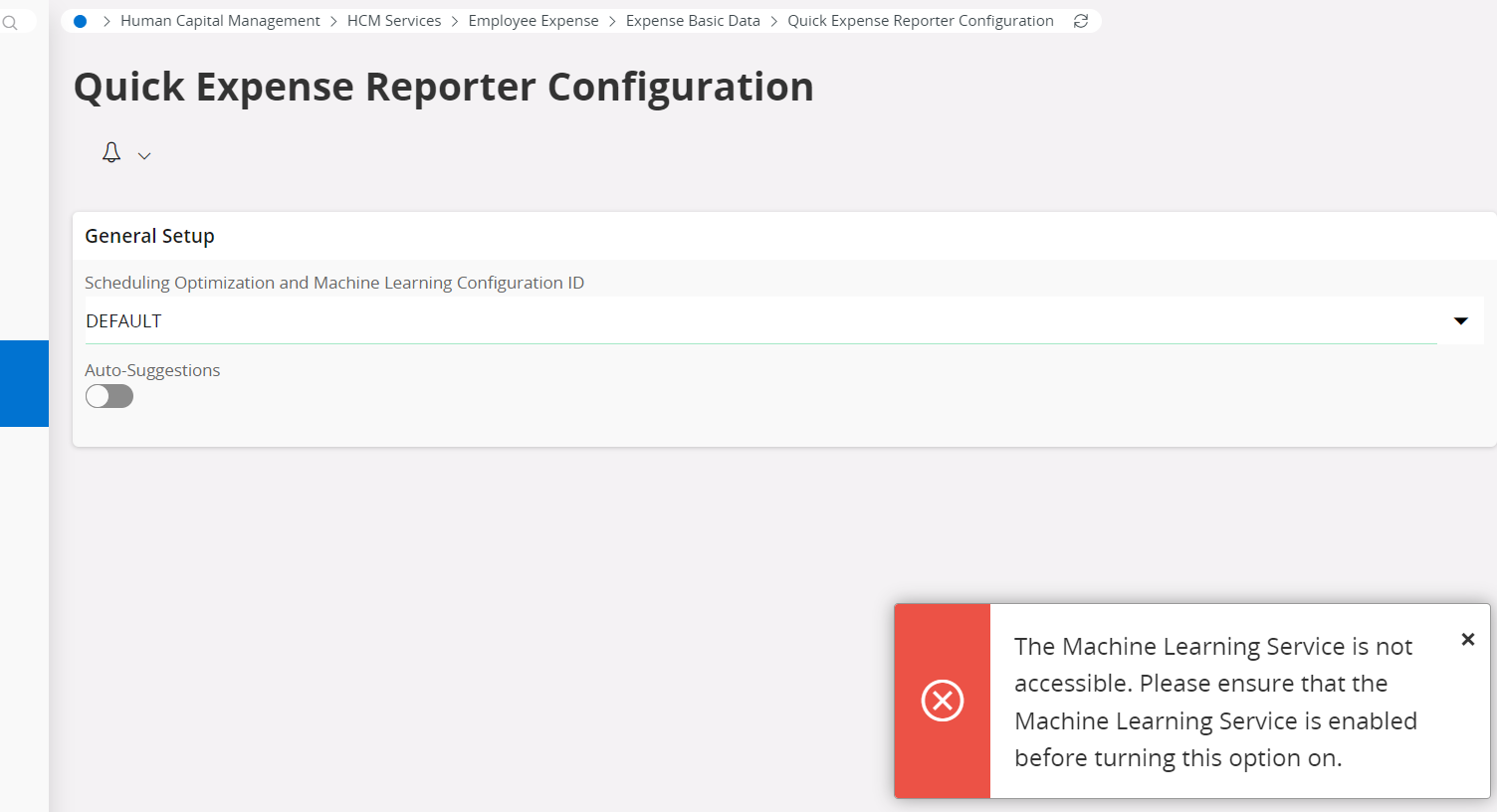
Machine learning service is not accessible. Please ensure that the Machine Learning Service is enabled before turning this option on. What to do , when like this error is coming in Quick expense reporter configuration.

Best answer by CGMRUNAL

How to solve this error?


View original

7 replies

CGMRUNAL
Sidekick (Partner)
Forum|alt.badge.img+8
  • Author
  • Sidekick (Partner)
  • Answer
  • Mar 14, 2023 9:36 AM UTC
How to solve this error?


Forum|alt.badge.img+28
  • Superhero (Customer)
  • Mar 14, 2023 9:52 AM UTC

@CGMRUNAL 

How was this error solved?  Just by turning on the service or something else?


CGMRUNAL
Sidekick (Partner)
Forum|alt.badge.img+8
  • Author
  • Sidekick (Partner)
  • Mar 14, 2023 9:57 AM UTC

@CGMRUNAL

How was this error solved?  Just by turning on the service or something else?

But where we find Machine learning service turn on/off option


Forum|alt.badge.img+28
  • Superhero (Customer)
  • Mar 14, 2023 10:12 AM UTC

It is a separate service that must be started outside of IFS Cloud as part of the various pieces of the application.  Your database administrator would know it, it isn’t a user setting.

I was trying to figure out why you marked your own reply as the best answer if the problem isn’t solved?


CGMRUNAL
Sidekick (Partner)
Forum|alt.badge.img+8
  • Author
  • Sidekick (Partner)
  • Mar 14, 2023 10:15 AM UTC

It is a separate service that must be started outside of IFS Cloud as part of the various pieces of the application.  Your database administrator would know it, it isn’t a user setting.

I was trying to figure out why you marked your own reply as the best answer if the problem isn’t solved?

By mistake I click on best answer 


Sahan Wijerama
Do Gooder (Employee)
Forum|alt.badge.img+6
  • Do Gooder (Employee)
  • Jul 1, 2023 9:21 AM UTC

Machine learning service is not accessible. Please ensure that the Machine Learning Service is enabled before turning this option on. What to do , when like this error is coming in Quick expense reporter configuration.

It is a separate service that must be started outside of IFS Cloud as part of the various pieces of the application.  Your database administrator would know it, it isn’t a user setting.

I was trying to figure out why you marked your own reply as the best answer if the problem isn’t solved?

By mistake I click on best answer 


@CGMRUNAL 
I may be late here but just checking if this issue is sorted or set as resolved by mistake.

@ShawnBerk  You are right, this is not and end user setting but something for the PSO/Machine learning configuration team depending on the IFS Cloud version.
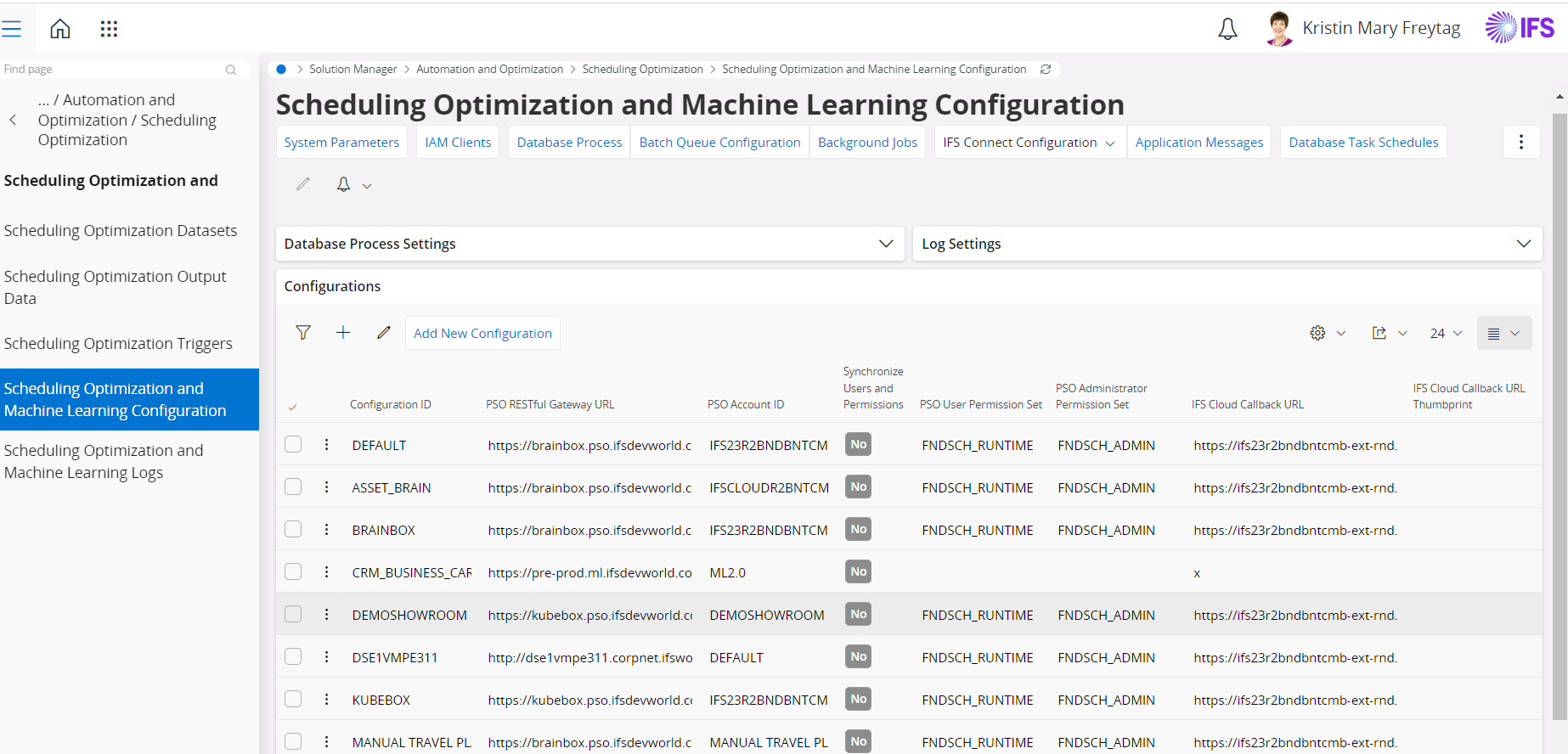
In IFS Cloud 23R1 or prior versions, below is the page that needs to be configured.


Sahan Wijerama
Do Gooder (Employee)
Forum|alt.badge.img+6

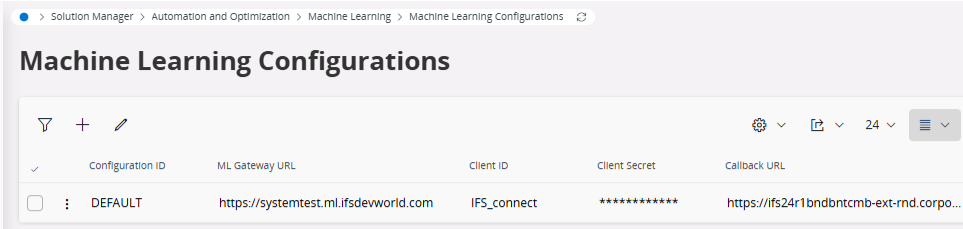
From 23R2 onwards, Instead of “Scheduling optimization and machine learning configuration” page , ML configuration can be done in “Machine Learning Configuration” page.