



Question

Workflow Subprocess Loop Too Much Data

  • March 28, 2025
  • 2 replies
  • 118 views

ryans
Do Gooder (Customer)
Forum|alt.badge.img+4
  • Do Gooder (Customer)

Hi all,


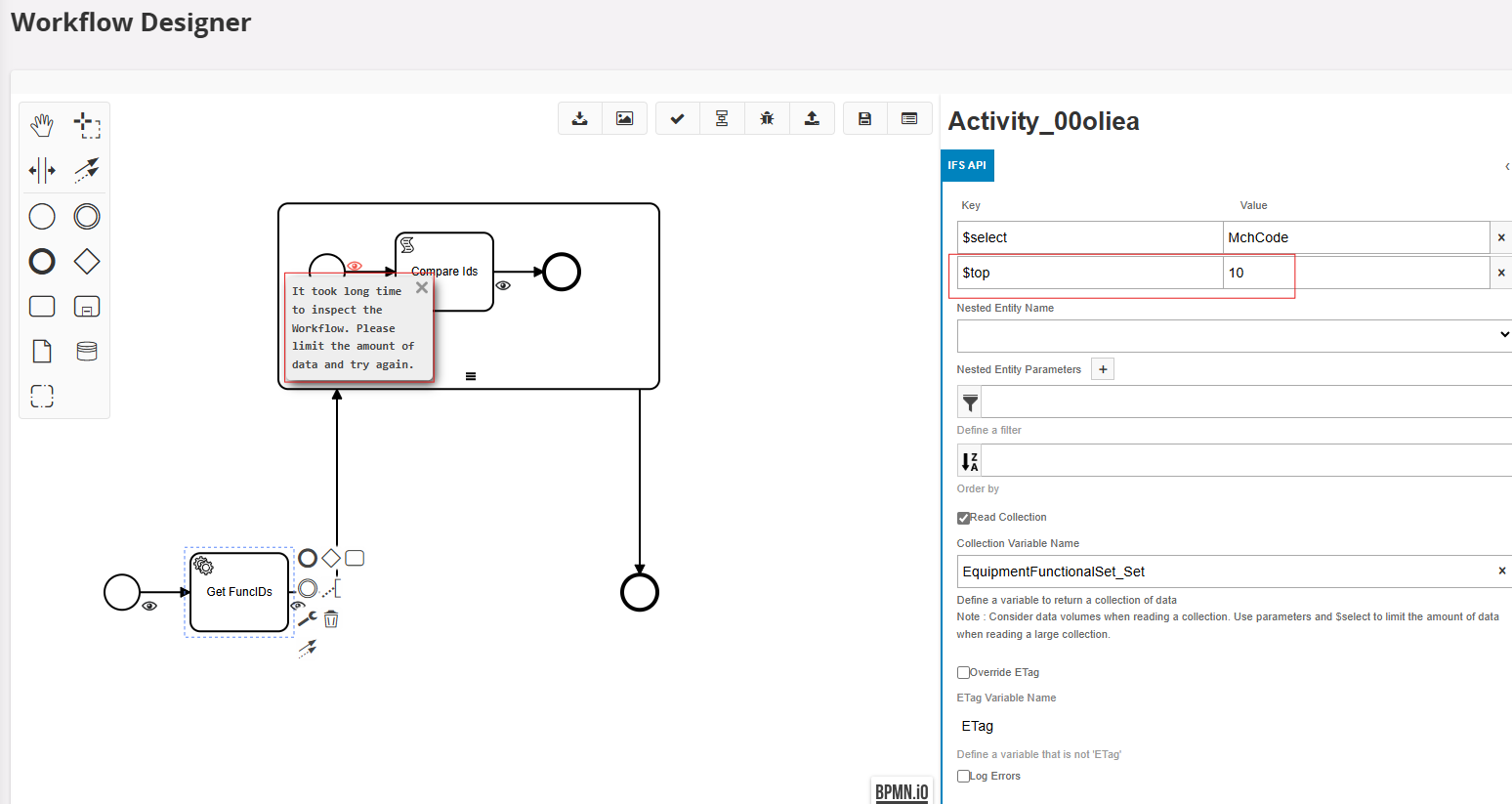
This workflow is supposed to get the function object id numbers. I want to get these so that I can increment on the last used number. Ideally, I would like to gather the top 10 descending values but when attempting the $top filter it doesn’t seem to work still (error below). Do you know how I can do this without encountering this problem?



2 replies

Forum|alt.badge.img+10
  • Hero (Partner)
  • March 30, 2025

The workflow tooling is extremely limited. I think it handles $select, but that’s about it. I recently tried to sort the results from a function call (which you can do when you type in the URL), it only allowed me to sort when querying on entity sets; the sorting option dropped off as soon as I selected a call. I wish there was an option to just type in the URL (sans host and port), but such is.

I’d tempted to put a custom field somewhere (perhaps against the site, entity SiteMscomInfo or something) returning the last used object id.

FYI, if you happen to have a mix of alpha-numerical and numerical object ids, but only are interested in the numerical ones, there’s a nifty function Utility_SYS.String_To_Number(text_value_). It returns null for alpha-numerical values.


Forum|alt.badge.img+6
  • Sidekick (Customer)
  • April 1, 2025

Definitely a missed opportunity that the workflow tool can’t use $top. I’ve had to work around this a ton. In this specific example though couldn’t you just OrderBy MchCode desc and don’t read the collection to return just the most recent value?


