Solved

Purchase Order Print Send Email Default

  • July 4, 2025
  • 4 replies
  • 130 views

Forum|alt.badge.img+10

Hello,

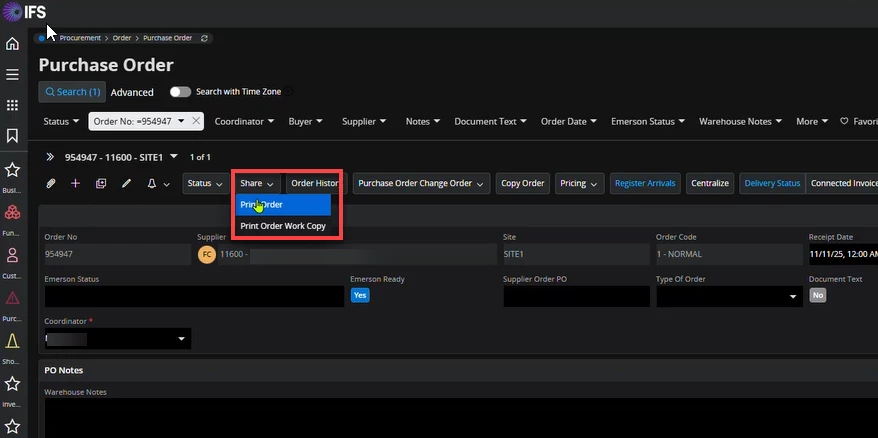
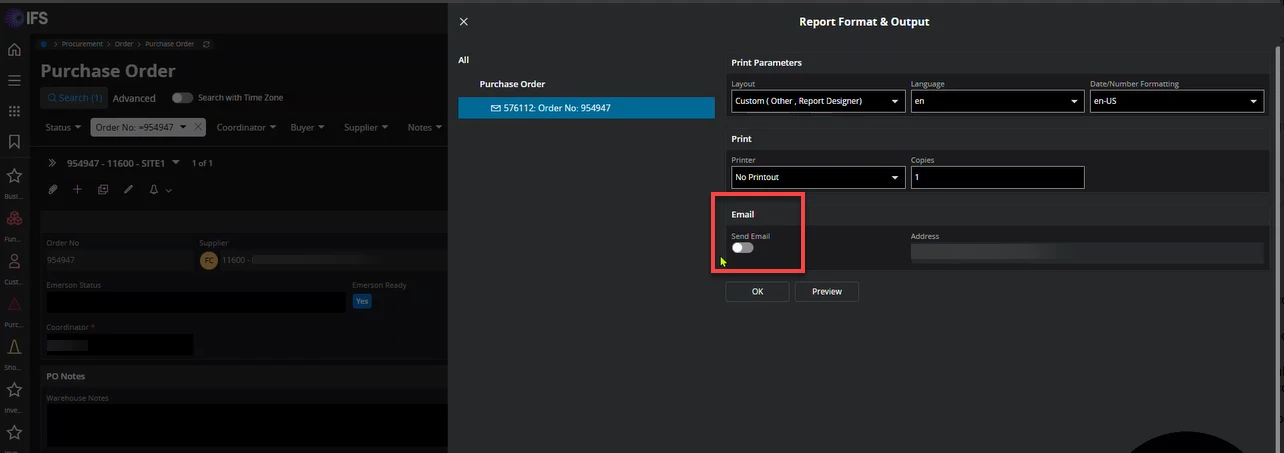
We have just updated to IFS Cloud 24.2.5 and see that the Purchase Order > Share > Print Order >  Send Email option is now a toggle and the default is “off”.  Does anyone know how to set the default to :”on”? We’ve looked in Page Designer but have not found a way to either have it save the previous choice or set it to “on” as the default.


Thank you,

Joann

(4958)

Best answer by Abdul

Hi ​@jtobin,

Please go through the discussion below.


Regards 

Abdul Rehman 

4 replies

Forum|alt.badge.img+2
  • Do Gooder (Customer)
  • July 5, 2025

Hi,


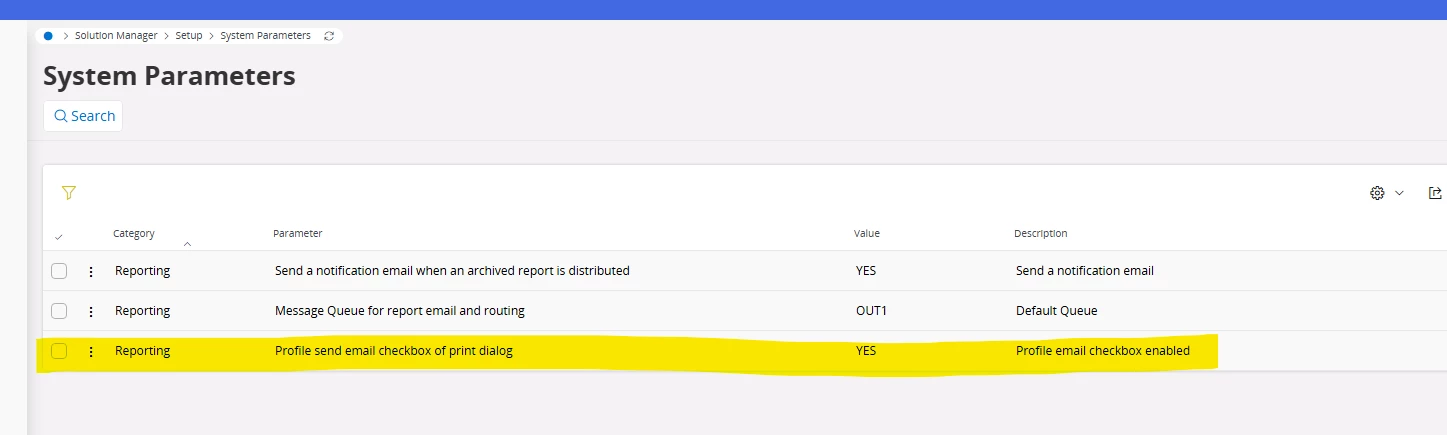
Try This one,


Forum|alt.badge.img+10
  • Author
  • Sidekick (Customer)
  • July 5, 2025

Hello, ​@MKSREDDY 

Thank you for the suggestion.  We do already have that value set to Yes, but the toggle is still defaulted to off.  I tried switching the parameter to No, but that didn’t change the toggle.  

The user still has to click on it each time to enable the email purchase order option.


Joann


Abdul
Superhero (Partner)
Forum|alt.badge.img+20
  • Superhero (Partner)
  • Answer
  • July 6, 2025

Hi ​@jtobin,

Please go through the discussion below.


Regards 

Abdul Rehman 


Forum|alt.badge.img+10
  • Author
  • Sidekick (Customer)
  • July 7, 2025

@Abdul Thank you!  I have forwarded the information to the person requesting it.