Solved

New Column for the View

  • January 22, 2026
  • 4 replies
  • 61 views

Forum|alt.badge.img+1

Hello Everyone,

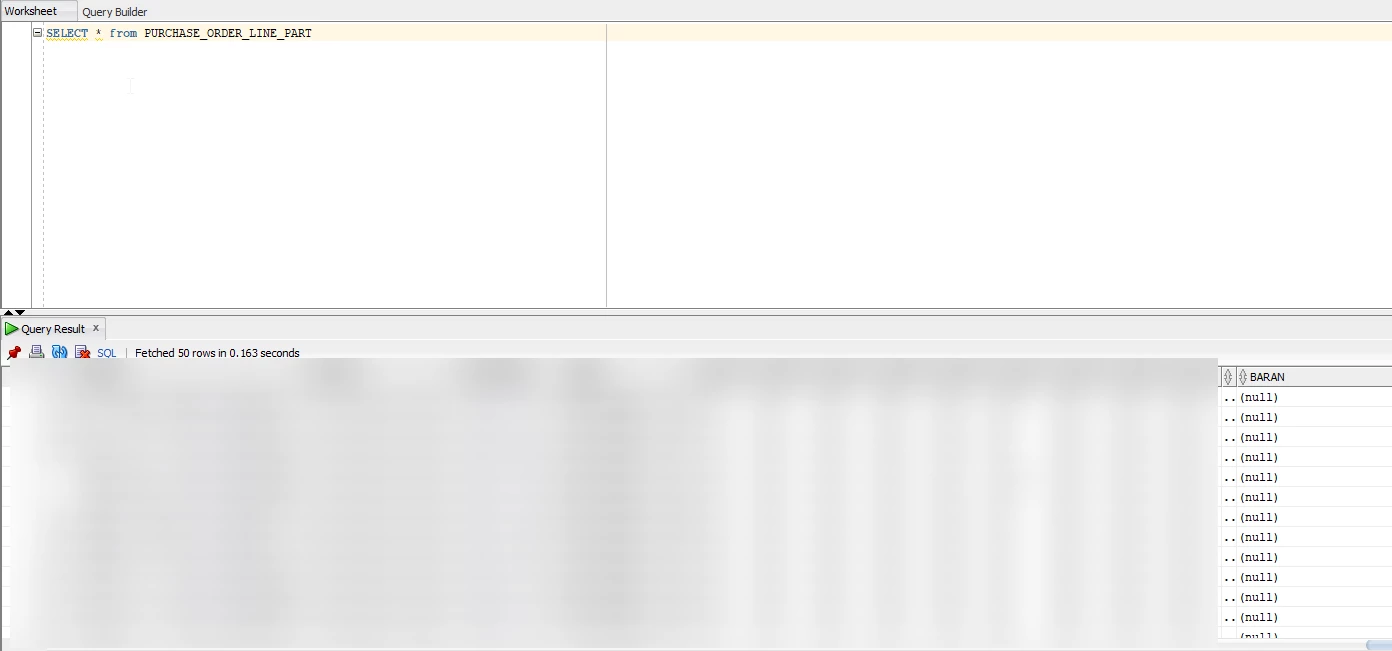
I added a column to database as you can see picture below:
I couldn’t find the column on the page designer of that page:
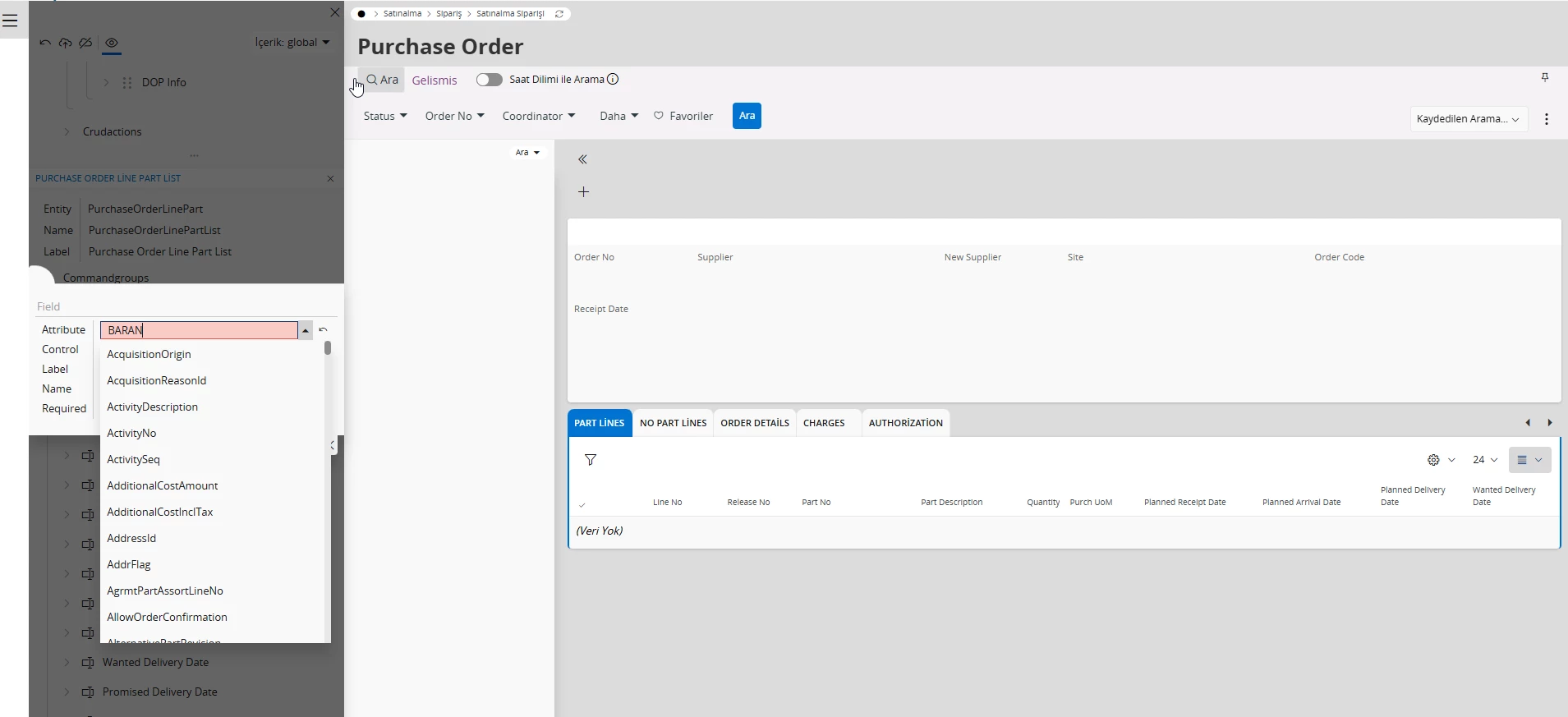
I think i need to do something on IFS Developer Studio. Could you please help me about the steps?

Regards,

Best answer by Edwards

@Baran 

A couple nuances here about custom fields. If you add a custom field to an entity:

  • CFT is the TABLE that stores custom fields not the view (CFT stands for custom field table). This custom field table record is connected to the main entity record via the rowkey. All this table contains is custom fields and the rowkey.
    Contract_num custom field on PurchaseOrderLinePart entity


  • CFV is the VIEW (stands for custom field view). This is where the extended entity view is displayed
    Custom field displaying from view


In your case, you want the field to display in the purchase order form in the purchase order line part section. If you did want to do this via custom fields which is the simplest and recommended approach,

  • table: purchase_order_line_part_cft
  • view: purchase_order_line_part_cfv


But if you are dead set on doing this through the dev studio . . .

  • purchase_order_line_part view is built off of the purchase_order_line_tab table, so you’ll probably want to add the field there
  •  Since you will want to eventually have this in the solution repository, you’ll need to add a cdb file (change database) file that is adding the column into the target table. If you do not do this, when you are building environments prior to creating a delivery it won’t have the column available so the delivery will fail. It wouldn’t be recommended at the test stage, but is a step you will need to worry about later
  • youll need to update the .entity file with the new column definition
  • Youll need to update the .plsql file to add any logic additions youll want for this new field
  • youll need to update the .views files adding the column to any views that will be used on the page(s)
  • Youll need to update the purchase order projection file exposing the column to the projection

So yea won’t be a simple add. if you can get away with just adding it as a custom field I personally recommend that

LEdwards

4 replies

Forum|alt.badge.img+9
  • Sidekick (Employee)
  • January 22, 2026

Hi,

How was the column added?
You can’t simply add it in Oracle, it needs to be a Custom entity in IFS for IFS to know about it.

Did you see the discussion in 

 ?

Is this similar?


Forum|alt.badge.img+1
  • Author
  • Do Gooder
  • January 22, 2026

Hello,

In that discussion, an attempt was made to add the column as CF, but as you know, if you add the column that way, it appears in the CFT view, not the PURCHASE_PART_ORDER_LINE view.

My goal is to add the column to the PURCHASE_PART_ORDER_LINE view and make it shown on page.

Thanks,


PhillBronson
Hero (Customer)
Forum|alt.badge.img+11
  • Hero (Customer)
  • January 22, 2026

Was the field added in the -cust.entity file and that process? If so then you should be following the steps to add something in the-cust.projection and -cust.client file.


I recommend taking the course from ifs academy 


Forum|alt.badge.img+9
  • Hero (Customer)
  • Answer
  • January 22, 2026

@Baran 

A couple nuances here about custom fields. If you add a custom field to an entity:

  • CFT is the TABLE that stores custom fields not the view (CFT stands for custom field table). This custom field table record is connected to the main entity record via the rowkey. All this table contains is custom fields and the rowkey.
    Contract_num custom field on PurchaseOrderLinePart entity


  • CFV is the VIEW (stands for custom field view). This is where the extended entity view is displayed
    Custom field displaying from view


In your case, you want the field to display in the purchase order form in the purchase order line part section. If you did want to do this via custom fields which is the simplest and recommended approach,
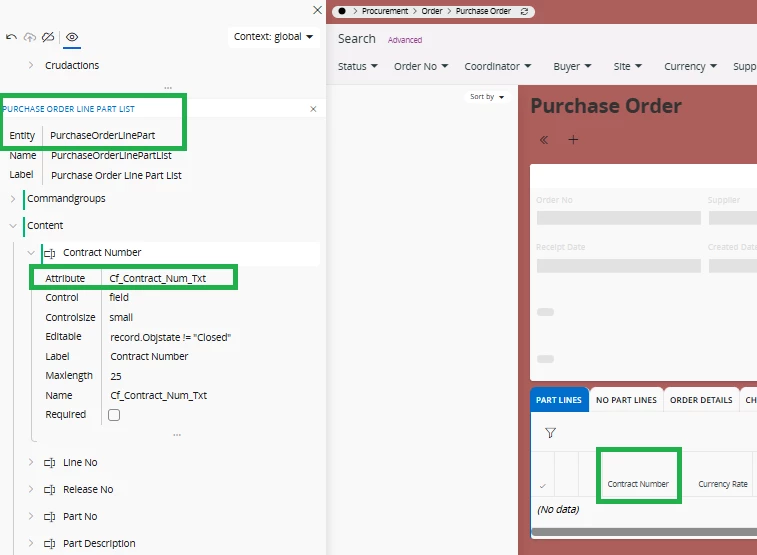
  • table: purchase_order_line_part_cft
  • view: purchase_order_line_part_cfv


But if you are dead set on doing this through the dev studio . . .

  • purchase_order_line_part view is built off of the purchase_order_line_tab table, so you’ll probably want to add the field there
  •  Since you will want to eventually have this in the solution repository, you’ll need to add a cdb file (change database) file that is adding the column into the target table. If you do not do this, when you are building environments prior to creating a delivery it won’t have the column available so the delivery will fail. It wouldn’t be recommended at the test stage, but is a step you will need to worry about later
  • youll need to update the .entity file with the new column definition
  • Youll need to update the .plsql file to add any logic additions youll want for this new field
  • youll need to update the .views files adding the column to any views that will be used on the page(s)
  • Youll need to update the purchase order projection file exposing the column to the projection

So yea won’t be a simple add. if you can get away with just adding it as a custom field I personally recommend that

LEdwards