Question

Lobby Filtering

  • March 5, 2025
  • 6 replies
  • 142 views

Forum|alt.badge.img+10
  • Sidekick (Customer)

Hello,


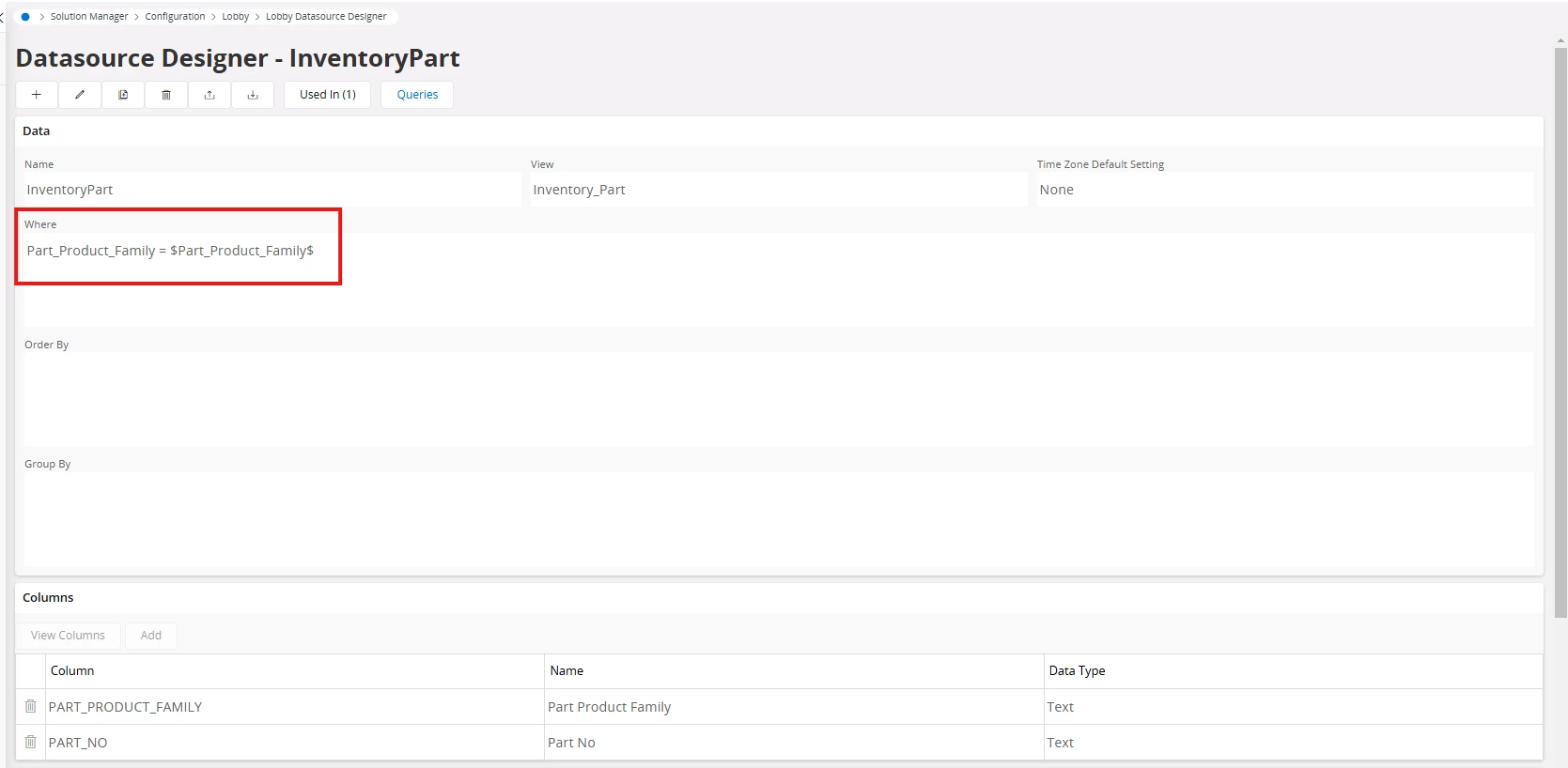
I created Lobby list which filter some items from INVENTORY_PART view based on part_product_family. In list there are valid values, but when I click on this loby, it returns INVENTORY_PART view in IFS cloud withotu this filtration, it is possible to set up this properly? I know there is navigation link but i dont know how can I set up this URL properly. Thanks


 

6 replies

Abdul
Superhero (Partner)
Forum|alt.badge.img+20
  • Superhero (Partner)
  • March 5, 2025

Hi ​@Ed22,

Please check with below navigation link.

page/InventoryPart/Form?$filter=PartProductFamily eq $Part_Product_Family$

Pre-requisite : Product Family should be used as Parameter in Lobby Datasource as well.


Regards

Abdul Rehman


PhillBronson
Hero (Customer)
Forum|alt.badge.img+11
  • Hero (Customer)
  • March 5, 2025

@Ed22 Here’s another post that may help too


Charana Udugama
Superhero (Employee)
Forum|alt.badge.img+12

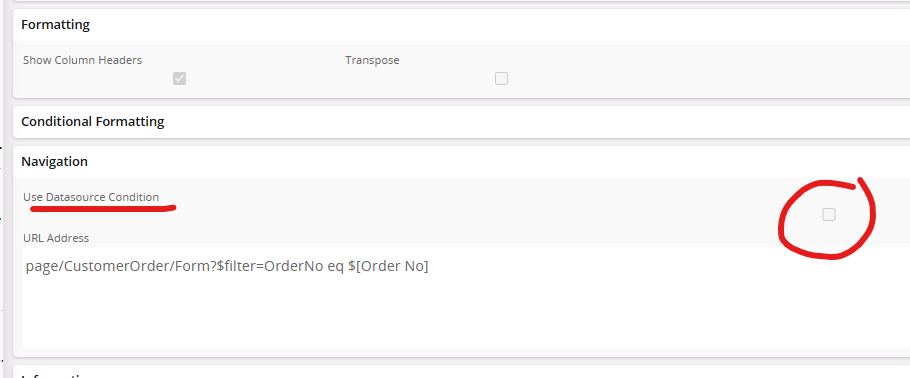
Try using this ‘Datasource Condition’
 

Or

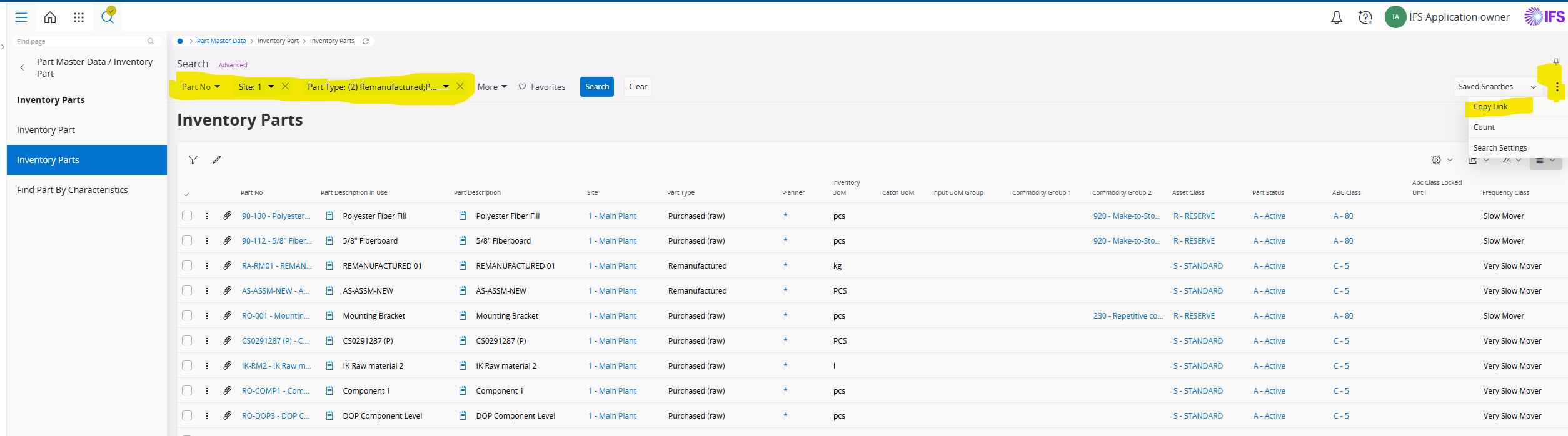
You could use the filters in the window itself and then ‘Copy Link’ and directly use that in the lobby


Here is the copied link

page/InventoryParts/List;$filter=%28Contract%20eq%20%271%27%29%20and%20%28TypeCode%20eq%20IfsApp.InventoryPartsHandling.InventoryPartType%27Remanufactured%27%20or%20TypeCode%20eq%20IfsApp.InventoryPartsHandling.InventoryPartType%27PurchasedRaw%27%29

Doesn’t look that nice, but this works just fine.

Best Regards,
Charana


Forum|alt.badge.img+10
  • Author
  • Sidekick (Customer)
  • April 2, 2025

Hello, It doesnt work, In Page Inventory Part i want filter based on this parameters: BLOCKED_FOR_INVOICING = $BLOCKED_FOR_INVOICING$
AND ORDER_STATE IN ('Rezervované','Uvoľnené','Vydané','Čiastočne dodané')
AND SALE_UNIT_PRICE = '0' Blocked for invoice is Text


Charana Udugama
Superhero (Employee)
Forum|alt.badge.img+12

Consider this when using Order State, 

When using enumeration values in filter conditions, full qualified name must be used, like the advanced search. $filter =Objstate eq IfsApp.ActivityListHandling.ActivityState'Planned'


Forum|alt.badge.img+10
  • Author
  • Sidekick (Customer)
  • August 19, 2025

Hello, how can I setup in OperationStatistic filter only this which has OperStatusCodeDb=86?