Question

IFS Report Node load factor

  • February 25, 2026
  • 2 replies
  • 35 views

Forum|alt.badge.img+11

Hi,

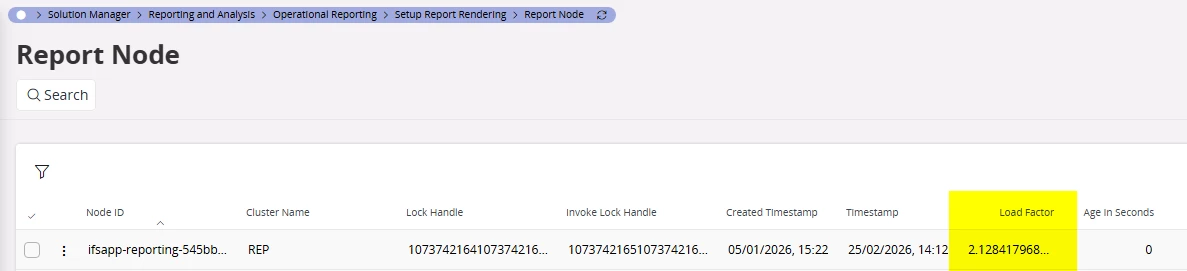
Can anyone kindly explain the figure in the Report Node Load Factor field. When I go and look at the techincal documents it doesn’t clearly define what the numbers mean. 

Image from the technical documents
Image from our system


2 replies

Forum|alt.badge.img+6
  • Hero (Partner)
  • February 25, 2026

Hi,

This is an internal metric used by the reporting framework.

When more than one ifsapp-reporting pods are available, the database has to make a decision to schedule the request to a pod. The decision is made using a calculation based on the load on the pod and the current no of scheduled reports (yet to be processed) to the pod.

This value gives an idea on the load on the pod. Only useful when multiple replicas (pods) are configured.

Sanjaya


Forum|alt.badge.img+11
  • Author
  • Hero (Customer)
  • February 26, 2026

Hi ​@Sanjaya we have 2 pods configured and we are still finding at times printing can be delayed, not by seconds but by minutes, it can be triggered by multiple production prints taking priority (print queue settings), however when these production prints have finished processing the stuck prints can take over 5 minutes to process. I want to understand if we need to increase the pods as they are over loaded or if we need to be looking else where to improve the user experience around printing.

Any help appreciated, Sarah