Solved

How to create a pie chart lobby element with 2 columns of data on it

  • May 3, 2023
  • 8 replies
  • 279 views

Forum|alt.badge.img+6

Hello,

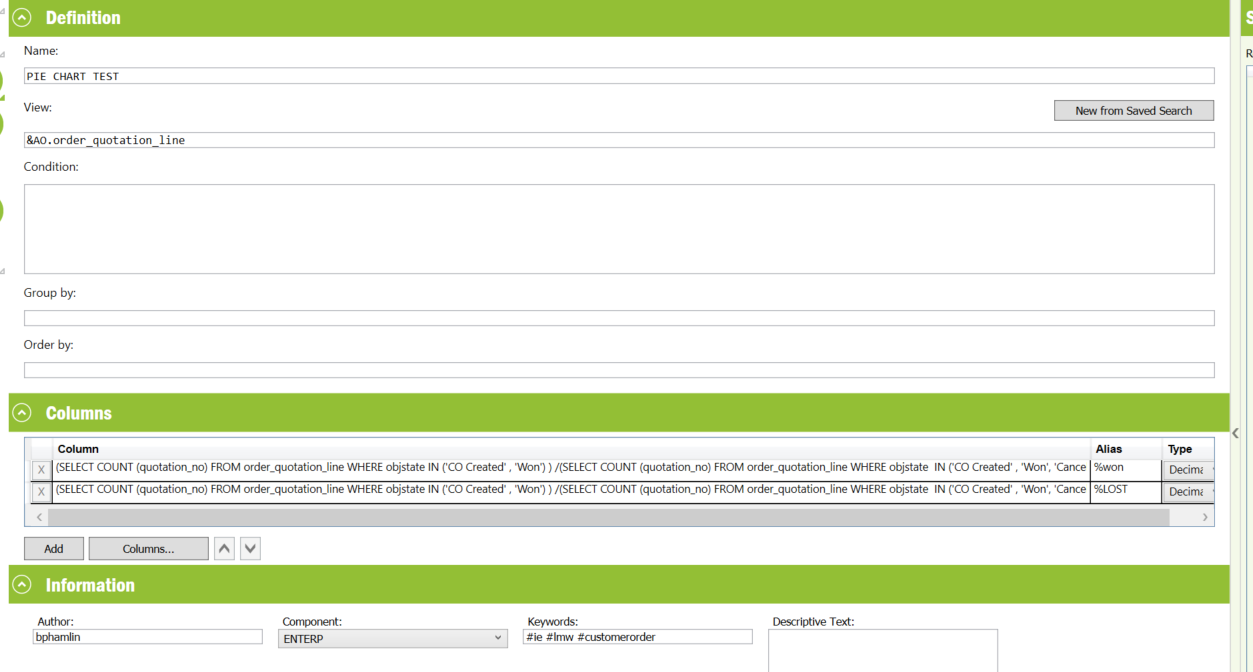
I have 2 columns of data I would like to represent in a pie chart. one value for quotations won% and the other quotations lost%.


(SELECT COUNT (quotation_no) FROM order_quotation_line WHERE objstate IN ('CO Created' , 'Won') ) /(SELECT COUNT (quotation_no) FROM order_quotation_line WHERE objstate  IN ('CO Created' , 'Won', 'Cancelled', 'Lost', 'Planned', 'Released', 'Revised'))*100

(SELECT COUNT (quotation_no) FROM order_quotation_line WHERE objstate IN ('CO Created' , 'Won') ) /(SELECT COUNT (quotation_no) FROM order_quotation_line WHERE objstate  IN ('CO Created' , 'Won', 'Cancelled', 'Lost', 'Planned', 'Released', 'Revised'))*-100+100


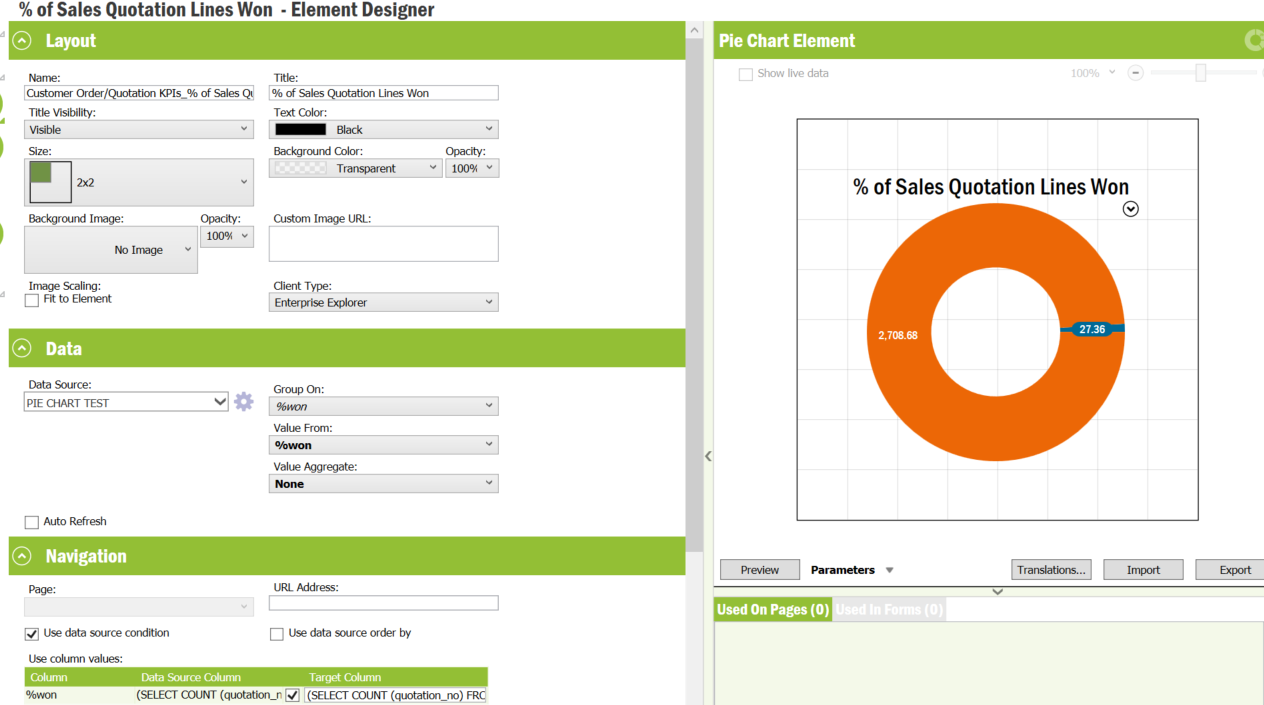
When creating the Pie chart element. I am only able to see the Won% column represented in the pie chart. How do I configure both of these columns to show up on the pie chart?

 

Best answer by Link

Hi @bpamlin 

could you change value aggregrate to count and test it?

8 replies

Link
Superhero (Customer)
Forum|alt.badge.img+23
  • Superhero (Customer)
  • Answer
  • May 3, 2023

Hi @bpamlin 

could you change value aggregrate to count and test it?


Forum|alt.badge.img+6
  • Author
  • Do Gooder (Customer)
  • May 3, 2023

@Link It appears “none” is the only option available from the value aggregate drop down. Thanks,


Link
Superhero (Customer)
Forum|alt.badge.img+23
  • Superhero (Customer)
  • May 3, 2023

Can you provide a screenshot of your data source?


Forum|alt.badge.img+6
  • Author
  • Do Gooder (Customer)
  • May 3, 2023
@Link 


Link
Superhero (Customer)
Forum|alt.badge.img+23
  • Superhero (Customer)
  • May 4, 2023

Hi @bpamlin 

does it work?

I checked your data source and it seems to be OK.


Forum|alt.badge.img+8
  • Hero (Employee)
  • May 4, 2023

Hi,


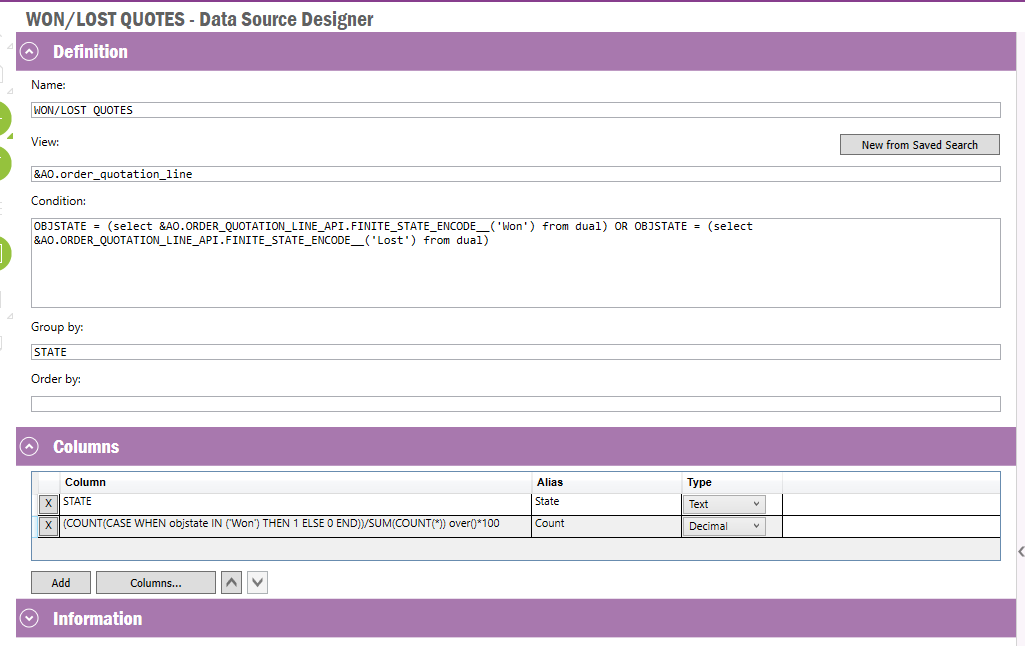
Not sure exactly how you want to handle the statuses for Won/Lost but an option could be to use a data source along the lines of:


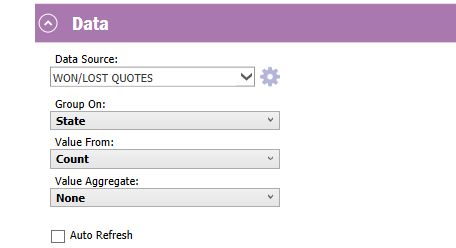
And then using no Aggregation in the element:


Forum|alt.badge.img+6
  • Author
  • Do Gooder (Customer)
  • May 4, 2023

@ajnsse This worked! Thank you!! Is there a way to also include the State ‘CO Created’ In the WON count without grouping the states?

Thanks,


Forum|alt.badge.img+8
  • Hero (Employee)
  • May 4, 2023

@ajnsse This worked! Thank you!! Is there a way to also include the State ‘CO Created’ In the WON count without grouping the states?

Thanks,

Hi,


Great. I think you can add an OR-statement in the first CASE-clause to also include CO Created State. And also to add in that status in the Condition-section of the query.