

Solved

How do i track my IFS.ai Token consumed?

  • December 2, 2025
  • 6 replies
  • 97 views

desilvasachitha
Hero (Partner)
Forum|alt.badge.img+7

Hello Folks,
I have started testing IFS.ai capabilities in IFS Cloud 25R1 and am aware that I have about 2Mn tokens for the first year that came with the original IFS purchasing package. 

I understand that each AI use case will consume a different amount of tokens every time i execute them. e.g., Co-Pilot query will consume 50 tokens every time a user asks a questions via the co-pilot. 

Hence, now I am interested in understanding how we can track the token consumption within IFS. So that we are in a better position to track consumption patterns and forecast the usage where we don’t run out of them and end up needing to top them up (with some additional cost). 

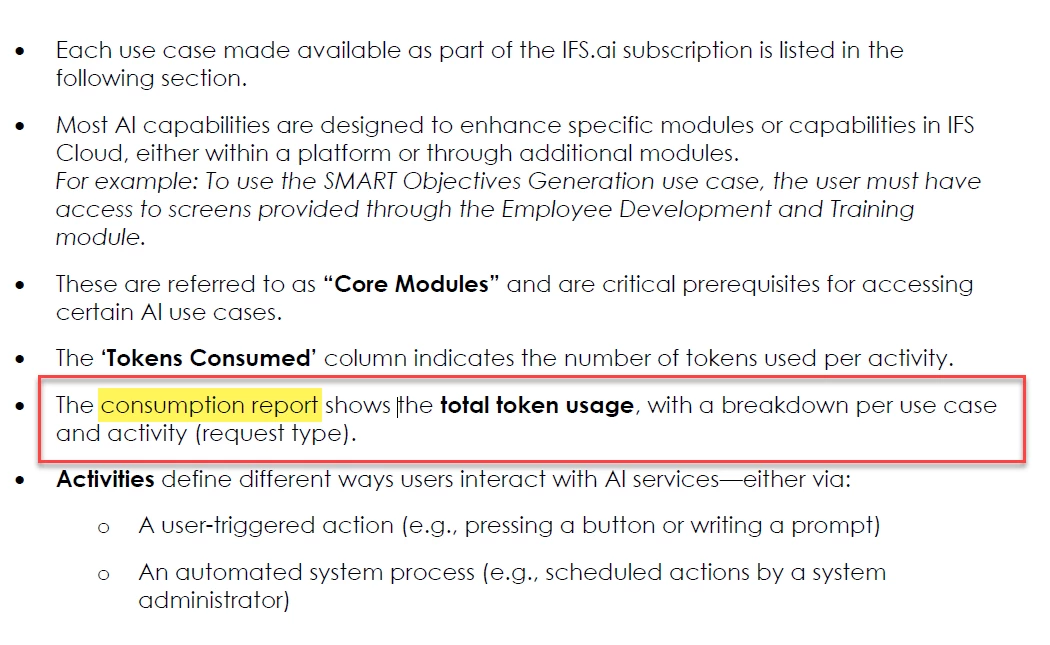
I did find the following on a document called “IFS Cloud - Token Consumption Rate - 25R1”. Where it talks about a “Consumption Report”. 

Please note that I did some digging on my own in the system but couldn’t find anything to this effect. Hence, I'd appreciate if you folks can help me to get answers to the following question. 

how can we track the token consumption within IFS (are there multiple ways, if so what are they)?
 

Thanks! 
Sachitha D

Best answer by martina.carli

Hi ​@desilvasachitha ,

Please find here the documentation to guide you to the Token Consumption Report: https://docs.ifs.com/techdocs/ale/020_lifecycle/090_insight_studio/030_ifs.ai.token_consumption_report/


Please note that if the Insight Studio menu is not available, you can also access the Token Consumption report following these steps:

  1. go to http://lifecycle.ifs.com/
  2. Select Build Studio
  3. On the  My Build Places page, choose a build place and click on "Go to Build Place"
  4. Click on 'Go to Service Insight Studio’
  5. Select the "IFS token consumption report"

Let us know if you have any further questions.

Regards,

Martina Carli, Product Manager. 

6 replies

Grzegorz Byrski
Hero (Employee)
Forum|alt.badge.img+10

Hi Sachitha

Thank you for your question. Tagging ​@Kristina Johansson to see if she could help with your query.

The new revision of Token Consumption Rate is also available, the latest version adds AI use cases across Service Management, Enterprise Asset Management, Supply Chain, and Sustainability, reflecting expanded functionality in release 25R2.


Forum|alt.badge.img+1
  • Do Gooder (Employee)
  • Answer
  • December 2, 2025

Hi ​@desilvasachitha ,

Please find here the documentation to guide you to the Token Consumption Report: https://docs.ifs.com/techdocs/ale/020_lifecycle/090_insight_studio/030_ifs.ai.token_consumption_report/


Please note that if the Insight Studio menu is not available, you can also access the Token Consumption report following these steps:

  1. go to http://lifecycle.ifs.com/
  2. Select Build Studio
  3. On the  My Build Places page, choose a build place and click on "Go to Build Place"
  4. Click on 'Go to Service Insight Studio’
  5. Select the "IFS token consumption report"

Let us know if you have any further questions.

Regards,

Martina Carli, Product Manager. 


desilvasachitha
Hero (Partner)
Forum|alt.badge.img+7
  • Author
  • Hero (Partner)
  • December 2, 2025

Hi Martina,

Thanks for the quick turnaround and steps to access the consumption report.

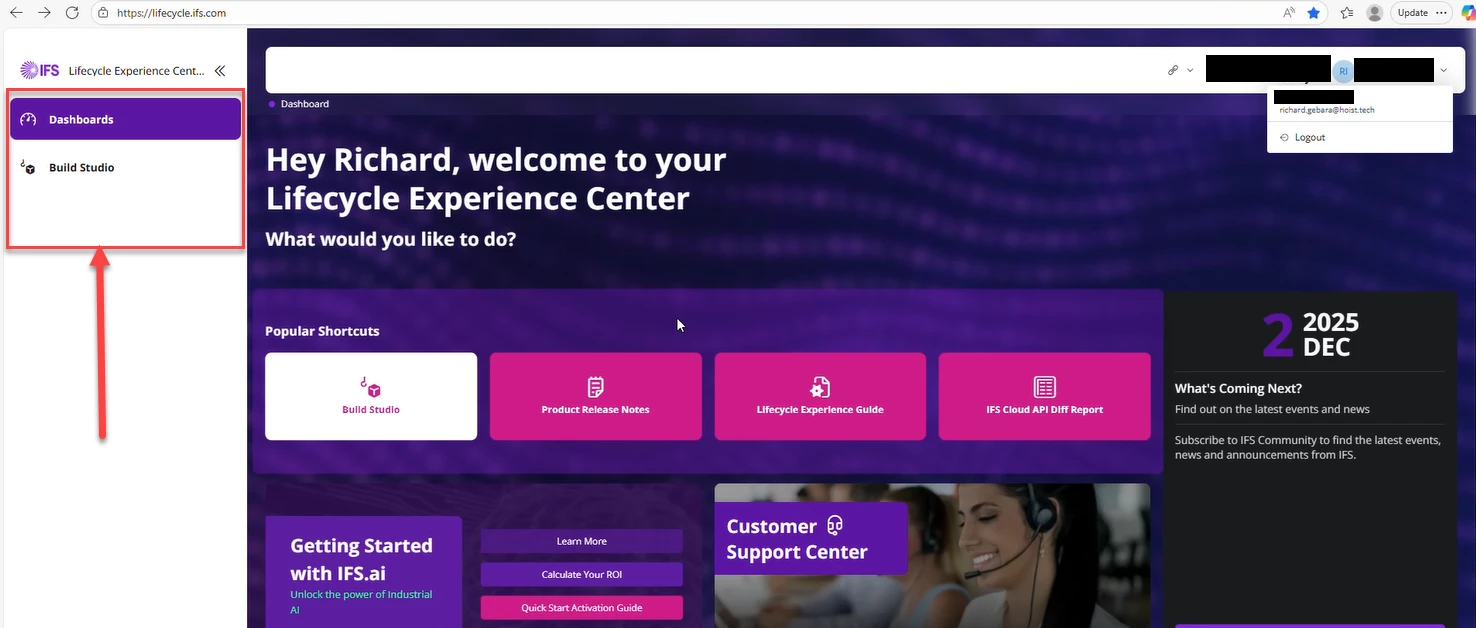
However, I do not see the “Insight Studio” as a tab in “Lifecycle” page.  


Could you please let me know if there are any prerequisites (setups that needs to be configured) that needs to be fulfilled before I access the ‘insight studio’? 

Thanks! 


Forum|alt.badge.img+1
  • Do Gooder (Employee)
  • December 3, 2025

Hi ​@desilvasachitha ,

Insight Studio has just been released with IFS Cloud 25R2, therefore it might not be available in your current version. 

Were you able to view the AI Token Consumption report via Build Studio?

Regards,

Martina Carli


desilvasachitha
Hero (Partner)
Forum|alt.badge.img+7
  • Author
  • Hero (Partner)
  • December 3, 2025

Hello ​@martina.carli,

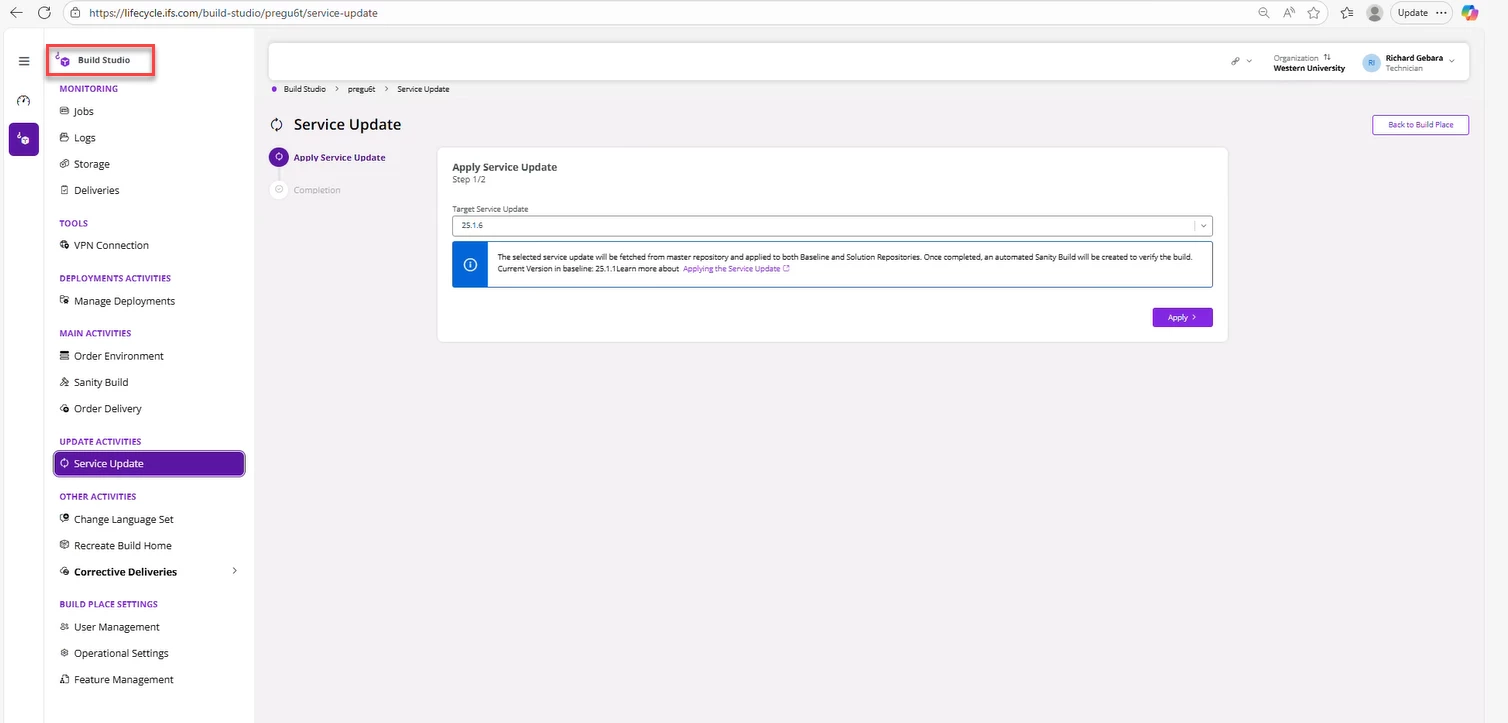
Thanks for the clarification, I did try and see if I can access the “AI Token Consumption report” via Build Studio but i could not find a link that could take me to it. 

I’m not sure if I am missing something, here’s the options i see within the ‘Build Place”. I do not see a option called ‘Go to service Insight studio”. 


Could you please share few screenshot that shows how to get to this report via the build place, so that i can follow along and see if I've missed a step. 

Thanks for your time and effort to help me out. 

Cheers!
Sachitha D


desilvasachitha
Hero (Partner)
Forum|alt.badge.img+7
  • Author
  • Hero (Partner)
  • December 15, 2025

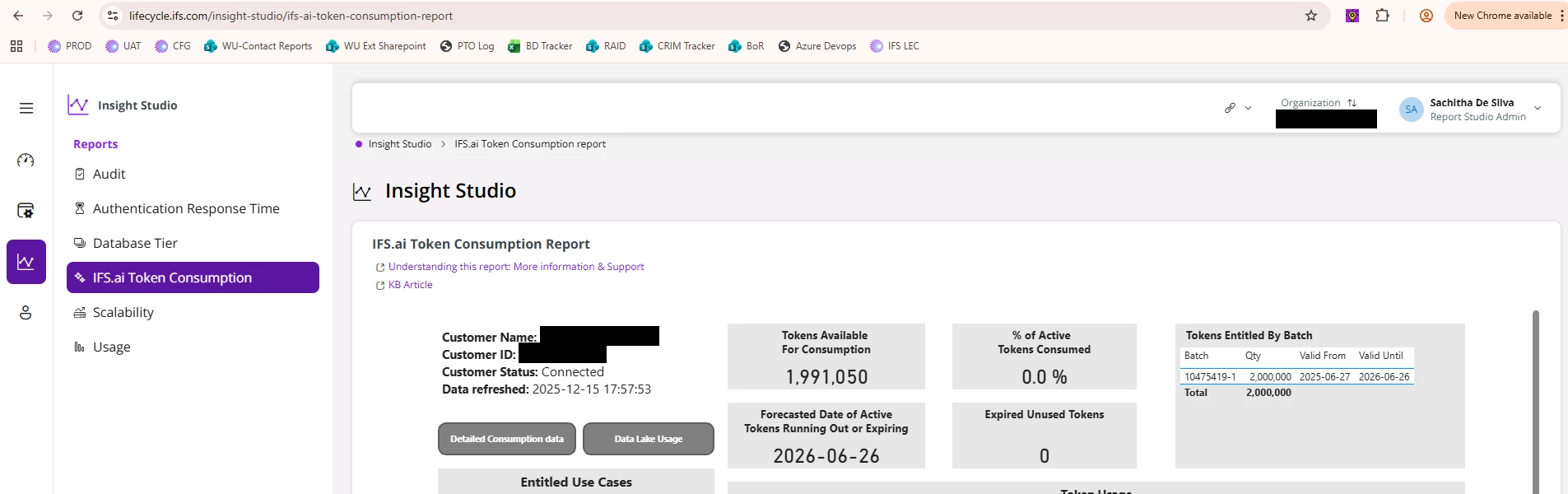
For anyone following this thread, please note that “Insight Studio” is available in 25R1 as well. See below where I have been able to access the “Insight Studio” (with Report Studio Admin access) via the LEC and got to the ‘IFS.ai token consumption report’ as well.