Solved

Event Action on Project Create Invoice

  • January 13, 2026
  • 10 replies
  • 121 views

Forum|alt.badge.img+2
  • Do Gooder (Customer)

Hello,


Over the past few months, I have created several custom events and their action events on an IFS CLOUD environment.
I use the background job system very regularly.
I have a problem with how IFS works that I find perplexing.

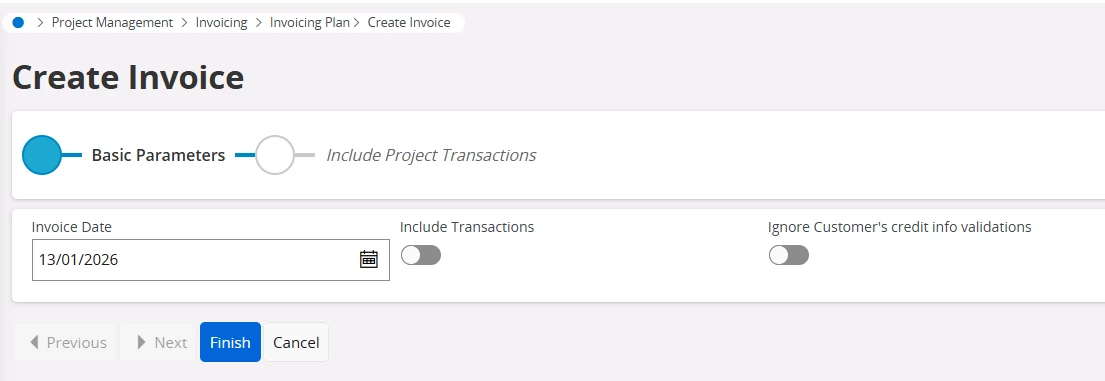
When creating an invoice on a billing plan:
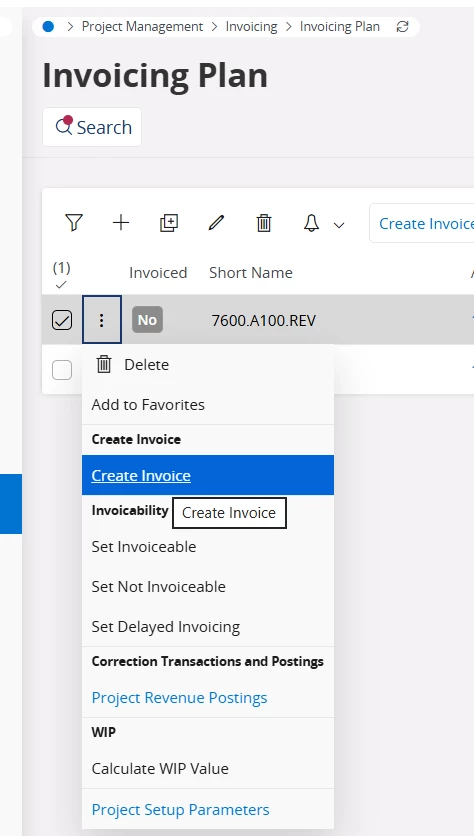
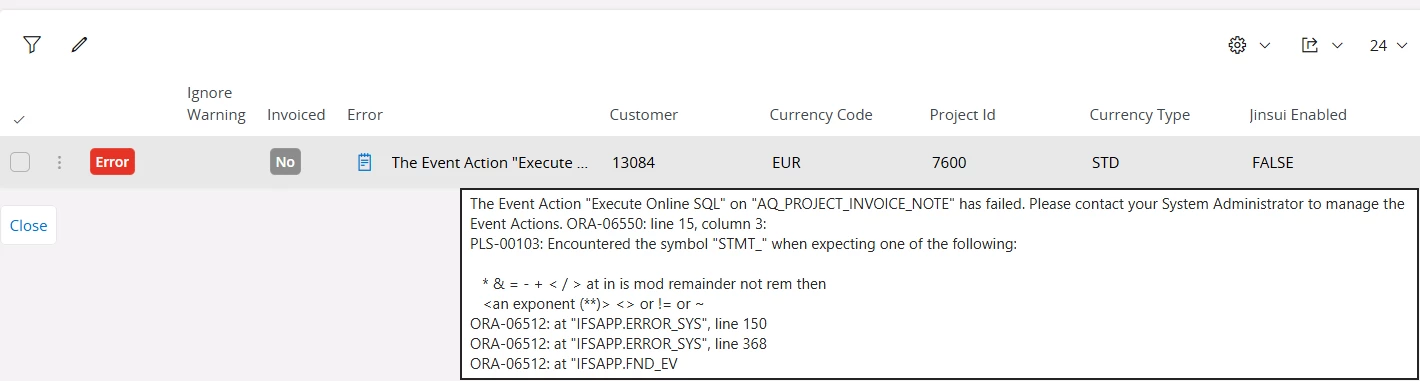
I arrive at a page where I am going to validate my action:
On the next page, I see my line in error, containing part of the event action code in the error block :
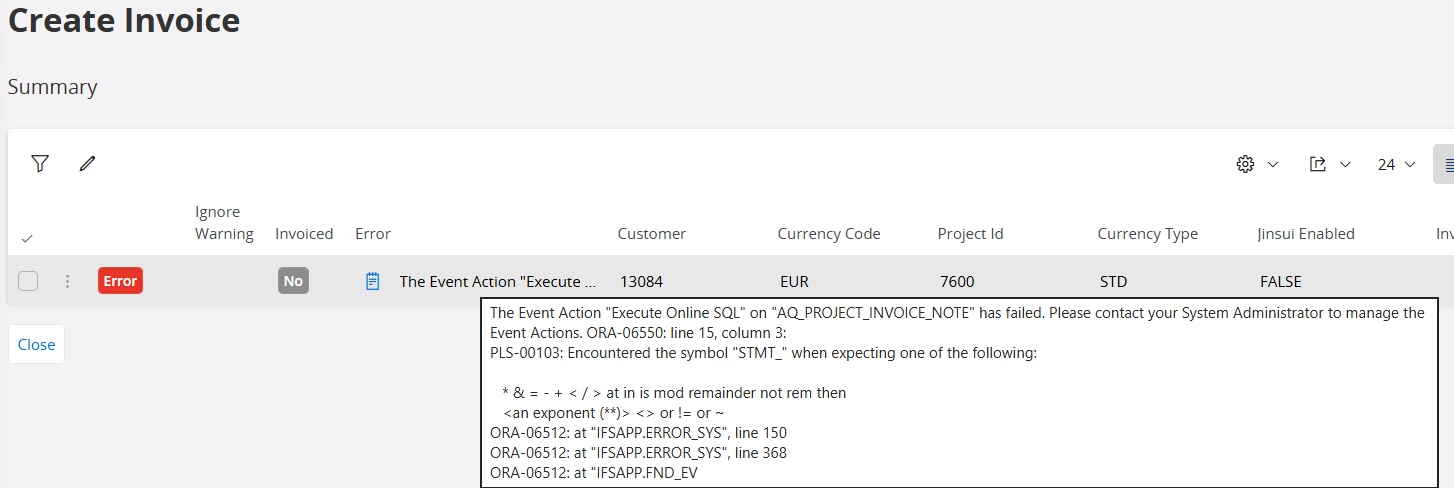
 

My problem is as follows:
- this is not the standard behavior for executing an event action
- functional code becomes invalid
- if i try a RAISE_APPLICATION_ERROR(), it's displayed not in the validation window to block the progress but in the error message on the last page.

How can I ensure that the event action is executed normally on this page?
Is there a specific setting for this?
Should the event action be launched somewhere other than on the Invoice entity and the INVOICE_TAB table?


Best regards,


Barth
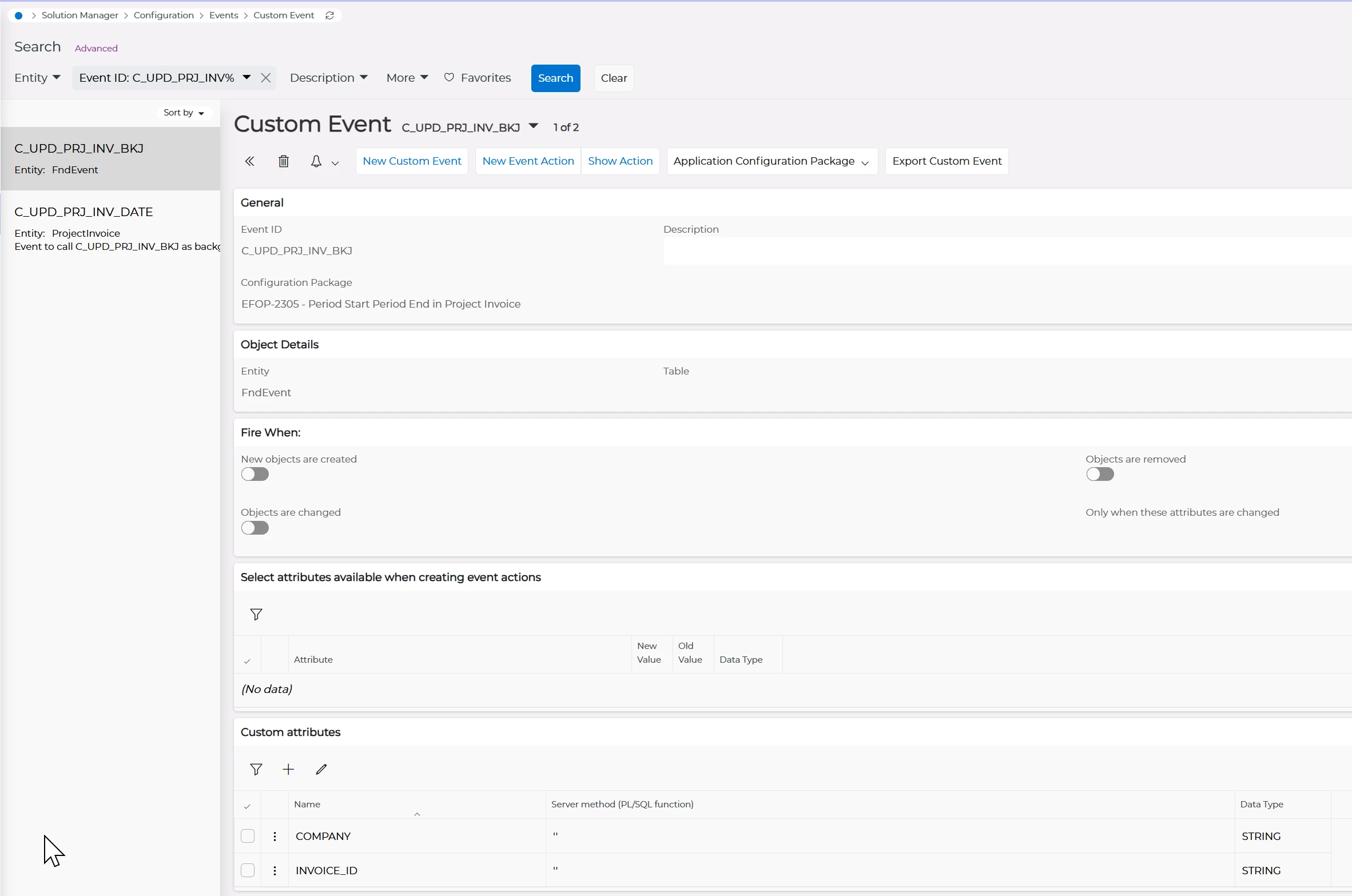
Best answer by Marcel.Ausan

@Barth here is the other event:

declare
objid_ varchar2(3200);
objversion_ varchar2(3200);
attr_ varchar2(3200);
info_ varchar2(3200);

cursor getObjid is
select objid,objversion
from project_invoice
where invoice_id='&INVOICE_ID'
and company='&COMPANY';

cursor getDates is
select CF$_C_INVOICE_PERIOD_START,CF$_C_INVOICE_PERIOD_END
from invoicing_plan_cfv
where invoice_id ='&INVOICE_ID';

strt_dt_ date;
end_dt_ date;

begin
open getObjid ;
fetch getObjid into objid_,objversion_;
close getObjid ;

open getDates ;
fetch getDates into strt_dt_ ,end_dt_ ;
close getDates ;

Client_Sys.Clear_Attr(attr_);
Client_Sys.Add_To_Attr('INVOICE_PERIOD_START',strt_dt_ ,ATTR_);
Client_Sys.Add_To_Attr('INVOICE_PERIOD_END',end_dt_ ,ATTR_);

PROJECT_INVOICE_API.Modify__(info_, objid_, objversion_, attr_, 'DO' );

END;


What is C_INV_PLAN_DATE ? Just the name of the message ?

  • yes, just the id of the message


and just for my knoledge why did you replace part of attribut here : 

attr_ := Replace(attr_, chr(31) || chr(31), chr(31));

  • I can’t remember. I did this 3 yrs ago. Probably somehow there were 2 unit separators in the attr_ and the code was not working.

10 replies

Forum|alt.badge.img+10
  • Hero (Partner)
  • January 13, 2026

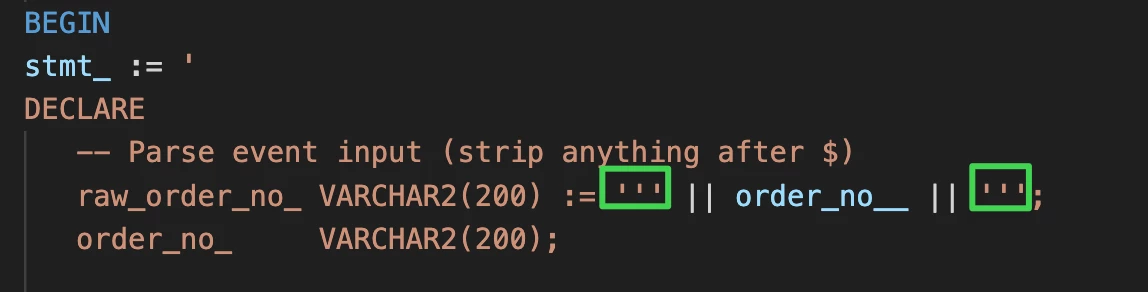
@Barth  The problem is that your event is incorrect. As you want to run it in the background using a stmt_ you will have to make sure you did not make a mistake in your event. 

99% of the time its due to wrongly escaping a string or variable (as you have to build up your statement as a string you have to make sure you correctly use the accents in your code so the system tries to run the transaction, it hits your custom event and it fails because there is an error in your event. 

Could you paste your full event here? otherewise just strip it to the bare minimum and then work your way back adding piece by piece to see when it fails and on which line. 

easiest is to open it in a vs code editor and check the formatting that could give you an idea.


Forum|alt.badge.img+2
  • Author
  • Do Gooder (Customer)
  • January 13, 2026

Thank you for the quick feedback.


There is another test.

The code in the event action : 

DECLARE
ATTR_ VARCHAR2(32000);
SQL_MSG_ VARCHAR2(32000);
STMT_ VARCHAR2(32000);
JOB_ID_ NUMBER;
ERROR_TEXT_ VARCHAR2(2000);
count_ NUMBER;
vCompany VARCHAR2(100) := '&NEW:COMPANY';
vIdentity VARCHAR2(100) := '&NEW:IDENTITY';
vProjecId VARCHAR2(100) := '&NEW:PROJECT_ID';
vInvoiceId VARCHAR2(100) := '&NEW:INVOICE_ID';
BEGIN

STMT_ := 'General_SYS.Init_Method(''CUSTOMEVENT'', ''INVOICE_TAB'', ''AQ_PROJECT_INVOICE_TXTFACT '');';

SQL_MSG_ := MESSAGE_SYS.CONSTRUCT('UPD');
MESSAGE_SYS.ADD_ATTRIBUTE(SQL_MSG_,'SQL',STMT_);
CLIENT_SYS.CLEAR_ATTR(ATTR_);
CLIENT_SYS.ADD_TO_ATTR('SQL_DATA_',SQL_MSG_,ATTR_);
CLIENT_SYS.ADD_TO_ATTR('MSG_','',ATTR_);

-- Déclenchement post-commit dans une queue rapide
TRANSACTION_SYS.DEFERRED_CALL(
id_ => job_id_,
procedure_name_ => 'Fnd_Event_Action_API.Action_Executeonlinesql',
argument_type_db_ => 'PARAMETER',
arguments_ => attr_,
description_ => 'AQ_PROJECT_INVOICE_TXTFACT',
posted_date_ => SYSDATE,
lang_indep_ => 'TRUE',
queue_id_ => 20,
total_work_ => NULL,
stream_msg_on_completion_ => 'FALSE',
stream_notes_ => NULL
);

END;

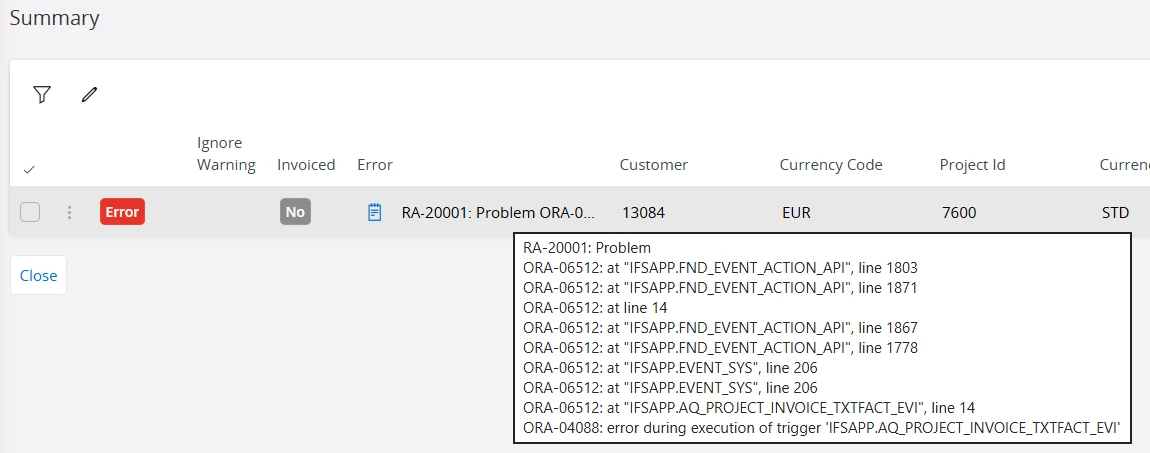
The return :


Forum|alt.badge.img+2
  • Author
  • Do Gooder (Customer)
  • January 13, 2026

Here is another exemple more explicit : 

DECLARE
    ATTR_             VARCHAR2(32000);
    SQL_MSG_          VARCHAR2(32000);
    STMT_             VARCHAR2(32000);
    JOB_ID_           NUMBER;
    ERROR_TEXT_       VARCHAR2(2000);
    count_            NUMBER;
    vCompany         VARCHAR2(100) := '&NEW:COMPANY';
    vIdentity         VARCHAR2(100) := '&NEW:IDENTITY';
    vProjecId         VARCHAR2(100) := '&NEW:PROJECT_ID';
    vInvoiceId         VARCHAR2(100) := '&NEW:INVOICE_ID';
BEGIN
    
    RAISE_APPLICATION_ERROR(-20001, 'Problem');

END;


The raise should be launch on the previous window, not show as a recap on an error field in a table.


Marcel.Ausan
Ultimate Hero (Partner)
Forum|alt.badge.img+22
  • Ultimate Hero (Partner)
  • January 13, 2026

@Barth the project invoice creation process is quite different compared to other invoice type creation process. I don’t understand what is your issue here. You would expect to get the error when you click Finish? I’m afraid this is not possible for project invoice.


Forum|alt.badge.img+2
  • Author
  • Do Gooder (Customer)
  • January 13, 2026

That's exactly what I'm trying to do.


If this is not possible, what would be the solution for executing an SQL statement after the action?

Even if it takes some time.

The RAISE_APPLICATION_ERROR function is only there to illustrate my point of view on this system; I do not need to display a message during my actual action.

I want to update PROJECT_INVOICE with PROJECT_INVOICE_API.MODIFY__.


Marcel.Ausan
Ultimate Hero (Partner)
Forum|alt.badge.img+22
  • Ultimate Hero (Partner)
  • January 13, 2026

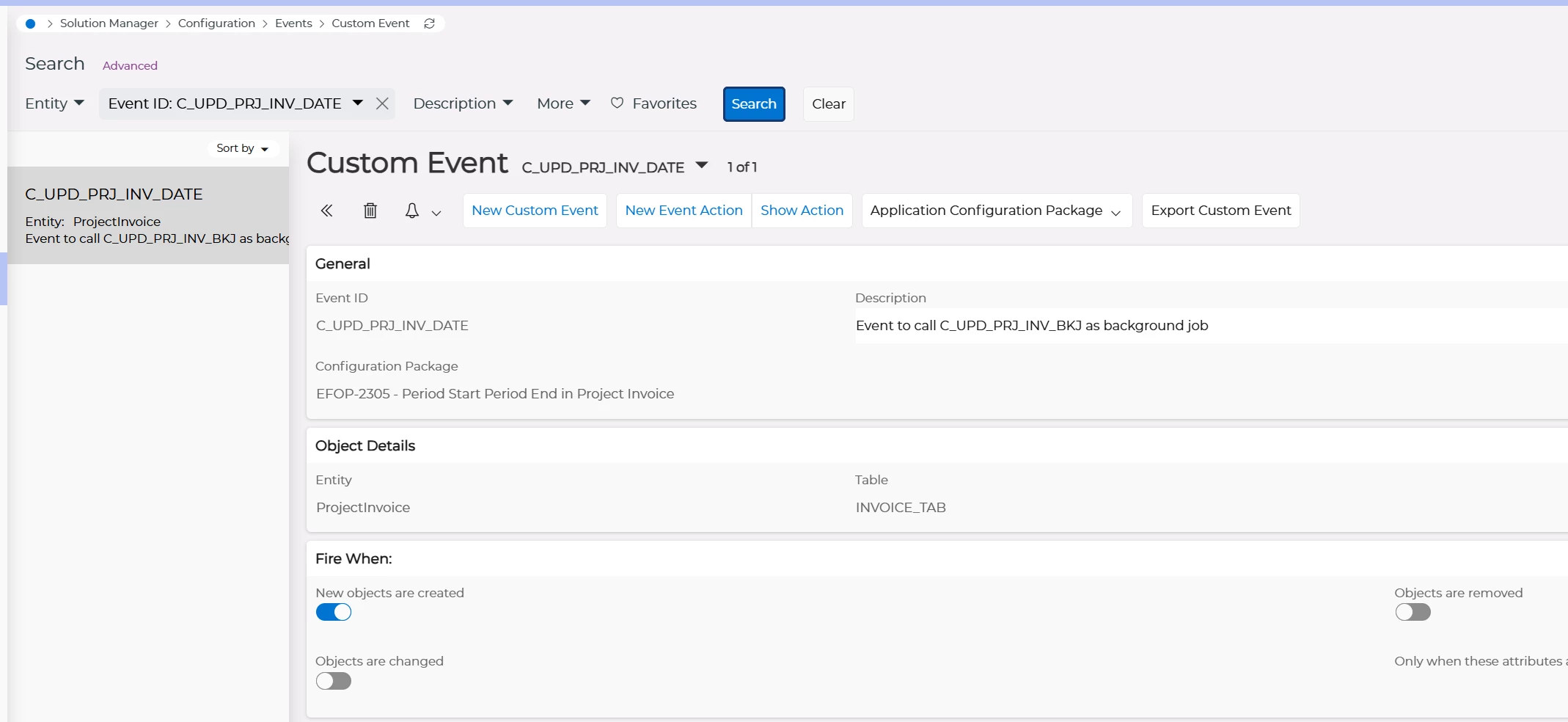
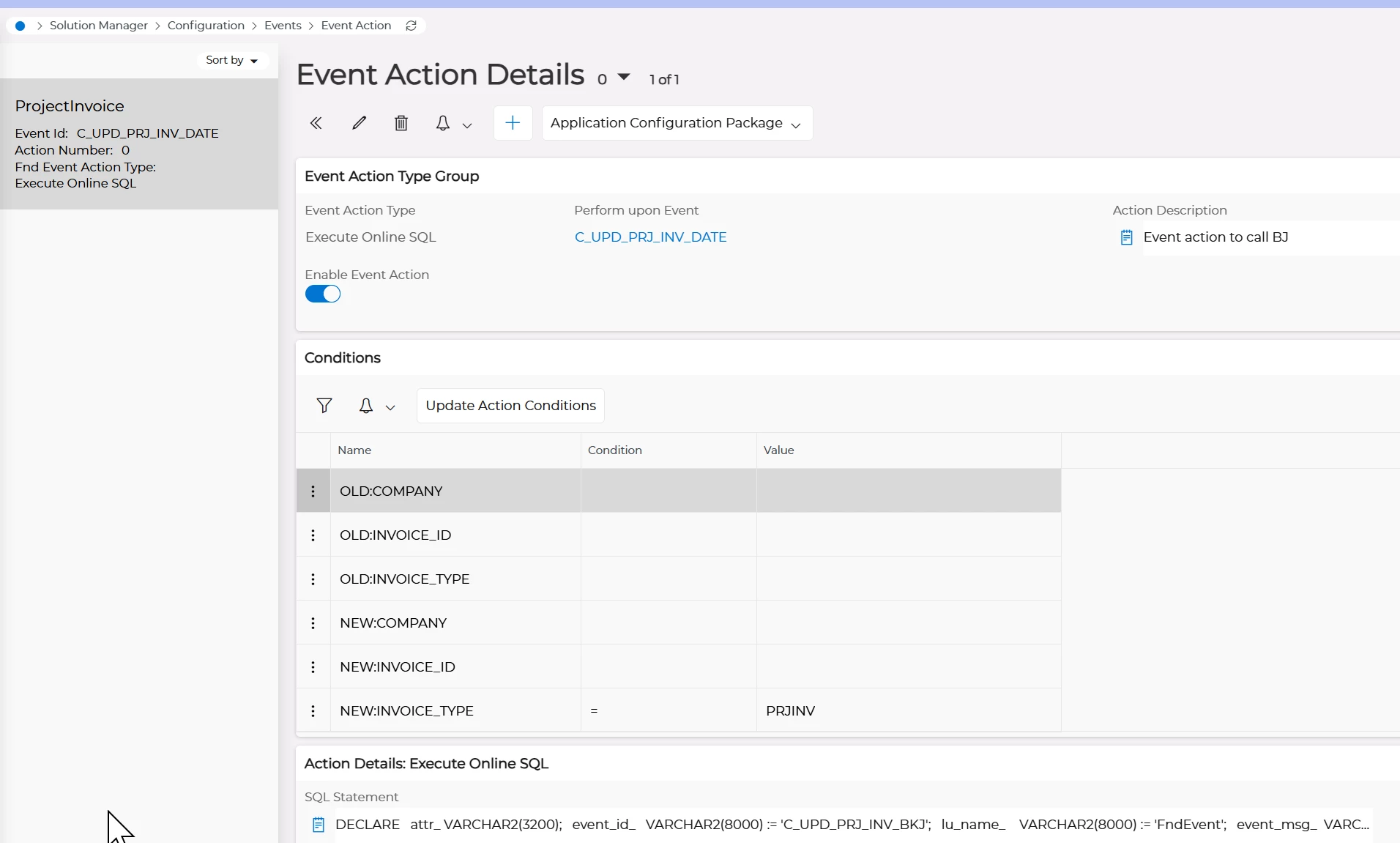
@Barth I have such an event created that runs a bckg job when project invoice is created.

I leave below the details. Maybe it’s helpful:


DECLARE
attr_ VARCHAR2(3200);
event_id_ VARCHAR2(8000) := 'C_UPD_PRJ_INV_BKJ';
lu_name_ VARCHAR2(8000) := 'FndEvent';
event_msg_ VARCHAR2(8000);

BEGIN
event_msg_ := Message_sys.Construct('C_INV_PLAN_DATE');
Message_sys.Add_Attribute(event_msg_, 'INVOICE_ID', '&NEW:INVOICE_ID');
Message_sys.Add_Attribute(event_msg_, 'COMPANY', '&NEW:COMPANY');
client_sys.Clear_Attr(attr_);
Client_SYS.Add_To_Attr('EVENT_DATA_', event_msg_, attr_);
Client_SYS.Add_To_Attr('EVENT_ID_', event_id_, attr_);
Client_SYS.Add_To_Attr('EVENT_LU_NAME_', lu_name_, attr_);
attr_ := Replace(attr_, chr(31) || chr(31), chr(31));

Transaction_Sys.Deferred_Call('Event_sys.Event_Execute','PARAMETER', attr_, 'Event C_UPD_PRJ_INV_DATE: Update invoice dates');

END;


Forum|alt.badge.img+2
  • Author
  • Do Gooder (Customer)
  • January 13, 2026

I'm going to test this method and I'll come back to give feedback on how it works.


Forum|alt.badge.img+2
  • Author
  • Do Gooder (Customer)
  • January 13, 2026

Could you share a part of the code of C_UPD_PRJ_INV_BKJ, just to see how you pass the attribute to the BKJ event please ?

Also could you explain me what the goal of this line :

event_msg_ := Message_sys.Construct('C_INV_PLAN_DATE');

What is C_INV_PLAN_DATE ? Just the name of the message ?


and just for my knoledge why did you replace part of attribut here : 

attr_ := Replace(attr_, chr(31) || chr(31), chr(31));


Thanks


Marcel.Ausan
Ultimate Hero (Partner)
Forum|alt.badge.img+22
  • Ultimate Hero (Partner)
  • Answer
  • January 14, 2026

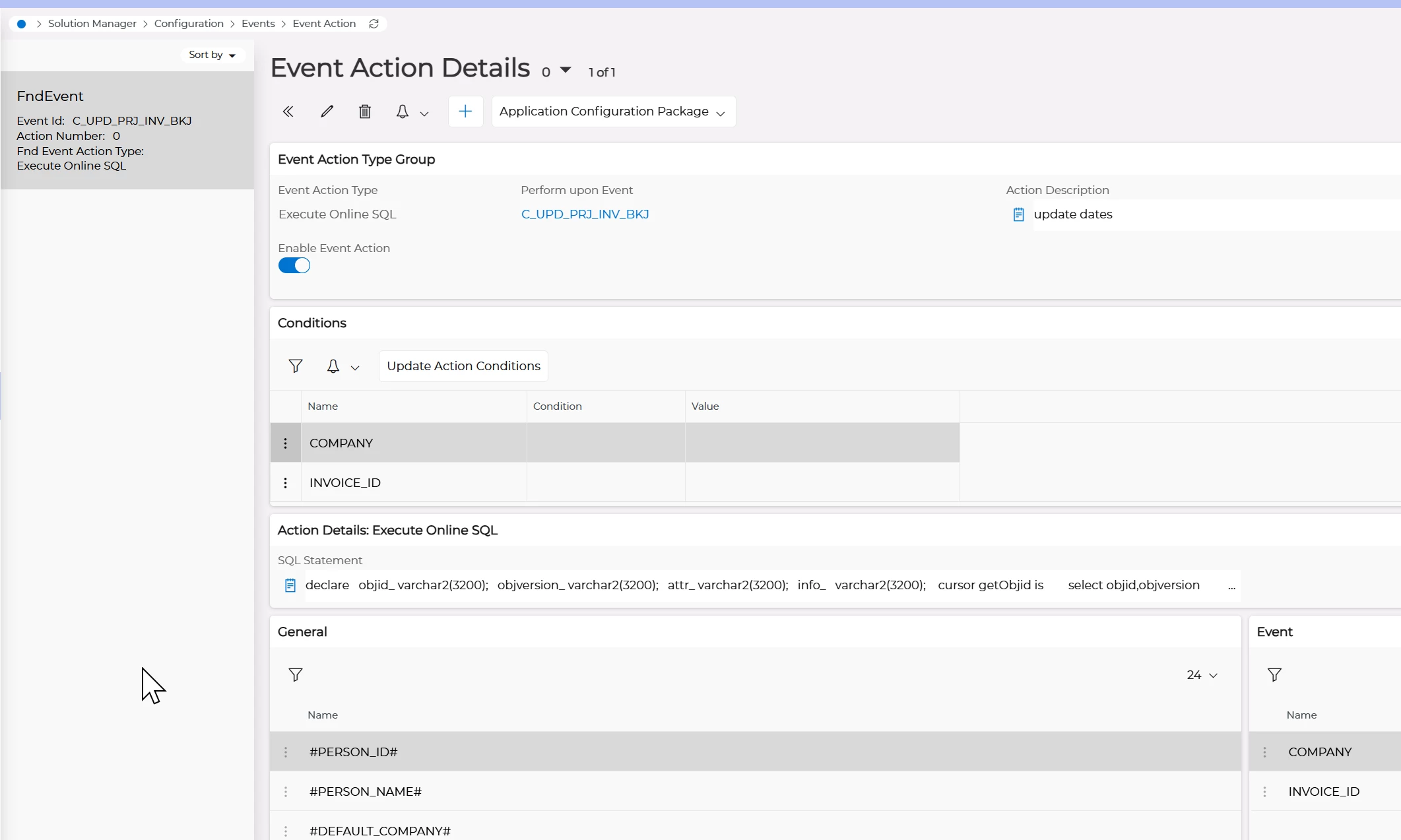
@Barth here is the other event:

declare
objid_ varchar2(3200);
objversion_ varchar2(3200);
attr_ varchar2(3200);
info_ varchar2(3200);

cursor getObjid is
select objid,objversion
from project_invoice
where invoice_id='&INVOICE_ID'
and company='&COMPANY';

cursor getDates is
select CF$_C_INVOICE_PERIOD_START,CF$_C_INVOICE_PERIOD_END
from invoicing_plan_cfv
where invoice_id ='&INVOICE_ID';

strt_dt_ date;
end_dt_ date;

begin
open getObjid ;
fetch getObjid into objid_,objversion_;
close getObjid ;

open getDates ;
fetch getDates into strt_dt_ ,end_dt_ ;
close getDates ;

Client_Sys.Clear_Attr(attr_);
Client_Sys.Add_To_Attr('INVOICE_PERIOD_START',strt_dt_ ,ATTR_);
Client_Sys.Add_To_Attr('INVOICE_PERIOD_END',end_dt_ ,ATTR_);

PROJECT_INVOICE_API.Modify__(info_, objid_, objversion_, attr_, 'DO' );

END;


What is C_INV_PLAN_DATE ? Just the name of the message ?

  • yes, just the id of the message


and just for my knoledge why did you replace part of attribut here : 

attr_ := Replace(attr_, chr(31) || chr(31), chr(31));

  • I can’t remember. I did this 3 yrs ago. Probably somehow there were 2 unit separators in the attr_ and the code was not working.

Forum|alt.badge.img+2
  • Author
  • Do Gooder (Customer)
  • January 15, 2026

Honestly, thank you, it works perfectly. 
It's still very complex to do very little, but at least it takes a weight off my mind.

I owe you a beer ! 😁