We are in the process of switching from IFS10 to Cloud. I am confused by the filtering. In Apps10, if I wanted to exclude certain customer names I would use this filter: <>%barrday%;%subcontractor%;%jason%;%michael%;%richard%
Now in Cloud, this filter is not working. How would I type out the same thing in Cloud to ensure that the above are excluded? Also, does the % not hold the same purpose in Cloud?
Best answer by PhillBronson
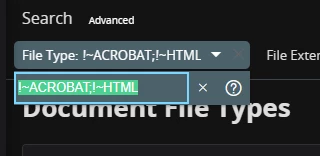
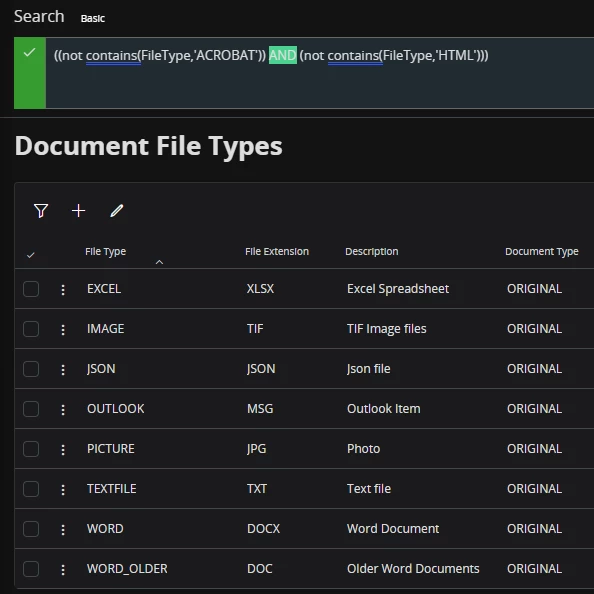
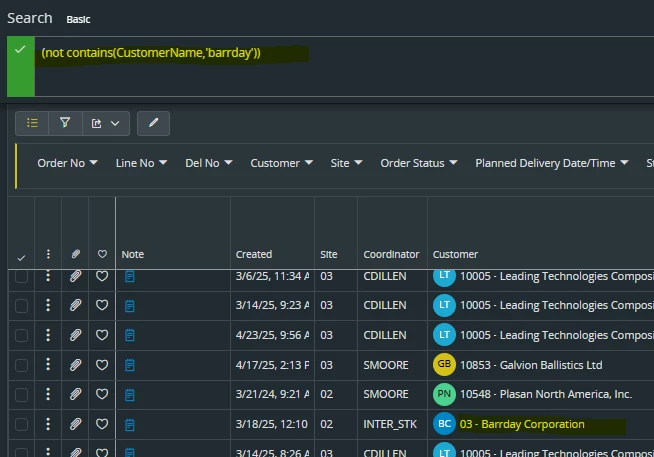
@smoore10 once you have search criteria specified use the ‘Advanced’ link to see what Odata query your search is returning.
I think the ‘<>’ operator in IEE applied to the entire line. In cloud each item in your OR clause the default search for those items is used unless a different one is specified for each item
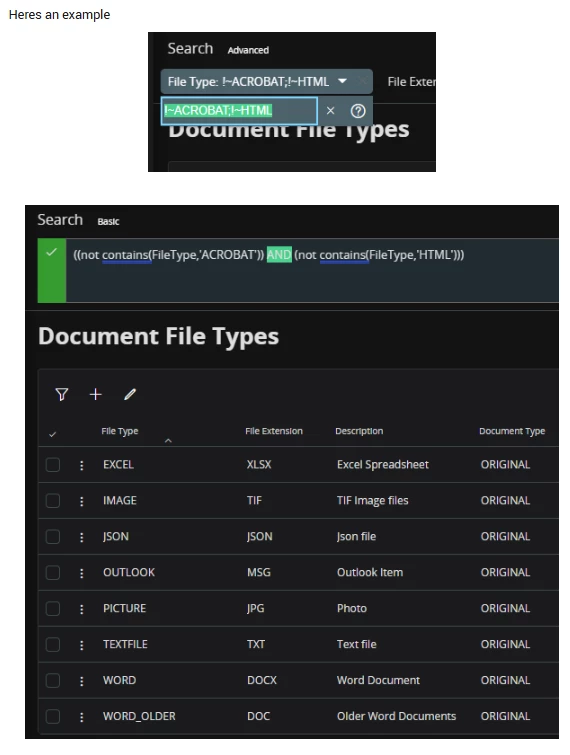
To get your search to work for all of those, you will need to alter the advance search to change OR to AND
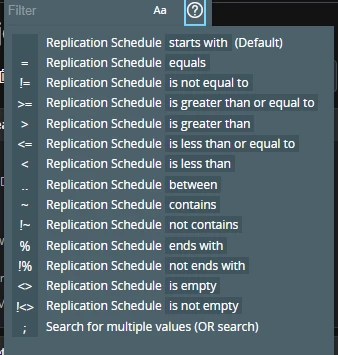
!~ would only be used for does not contain filter, and there is no need to use % sign with it.
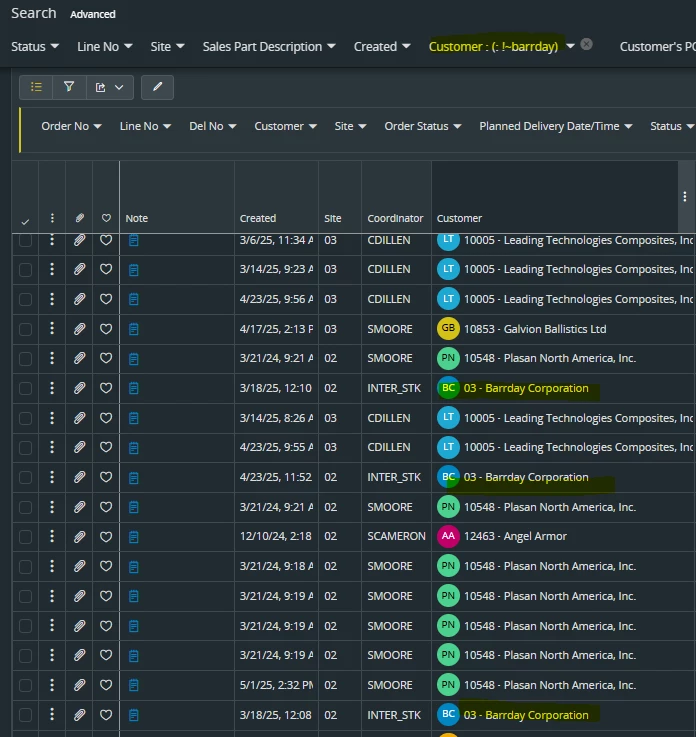
for example, Business users want to query all Customer records excluding barrday, then in that case, they simply need to enter !~barrday onlyin the name filter. Please check like this.
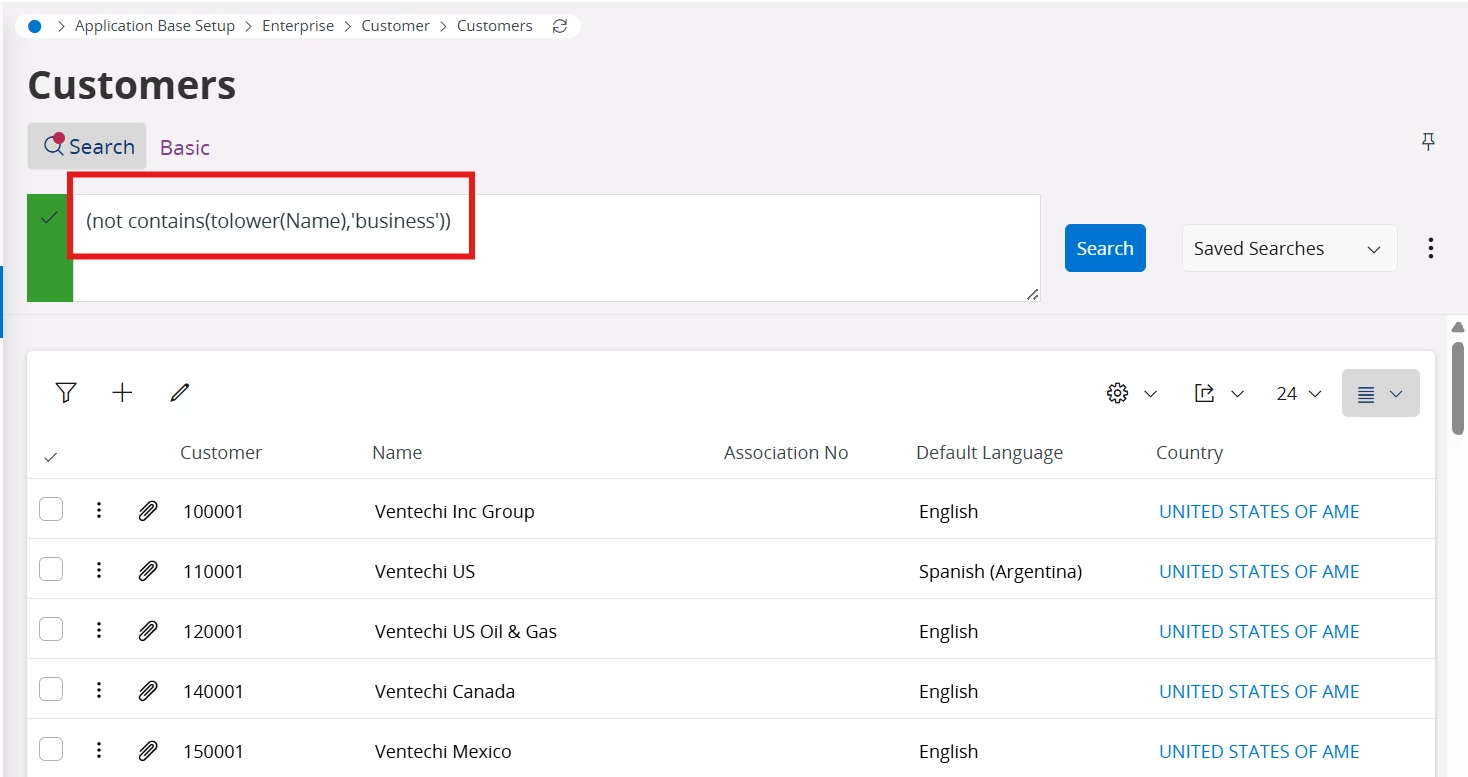
You can use Advanced search as well if the above suggestion does not work. Please refer to the screenshot below.
@smoore10 once you have search criteria specified use the ‘Advanced’ link to see what Odata query your search is returning.
I think the ‘<>’ operator in IEE applied to the entire line. In cloud each item in your OR clause the default search for those items is used unless a different one is specified for each item
To get your search to work for all of those, you will need to alter the advance search to change OR to AND
if i want to filter for a customer, but do not want to type their full name, example: ‘Barrday’ instead of ‘Barrday Corporation’, how would i do that in Cloud. In 10 you would use the % so signify anything that has these letters or numbers, but it doesnt seem like that is the case anymore.
I think you have Match Case enabled (I can tell from the result returned in your Advanced Search...it is not homogenizing the text with the use of ‘tolower’)
@COVJAMIEB yes, apparently you have to go into the Advanced filters, and where it has “OR”, you have to delete it and write “AND”, which seems like a one time solution, but not a long term solution to filtering multiple things at once.
@PhillBronson I do not have match case one anymore, and I am able to filter using the “OR”/”AND” correction in the advanced filter, but… is this really the solution to filtering multiple things at once? I am assuming that “;” means “OR”, do we know what “AND” is represented by in basic filters?