Hi,
I have an issue with a Quick Report in IFS Cloud and I would appreciate any advice.
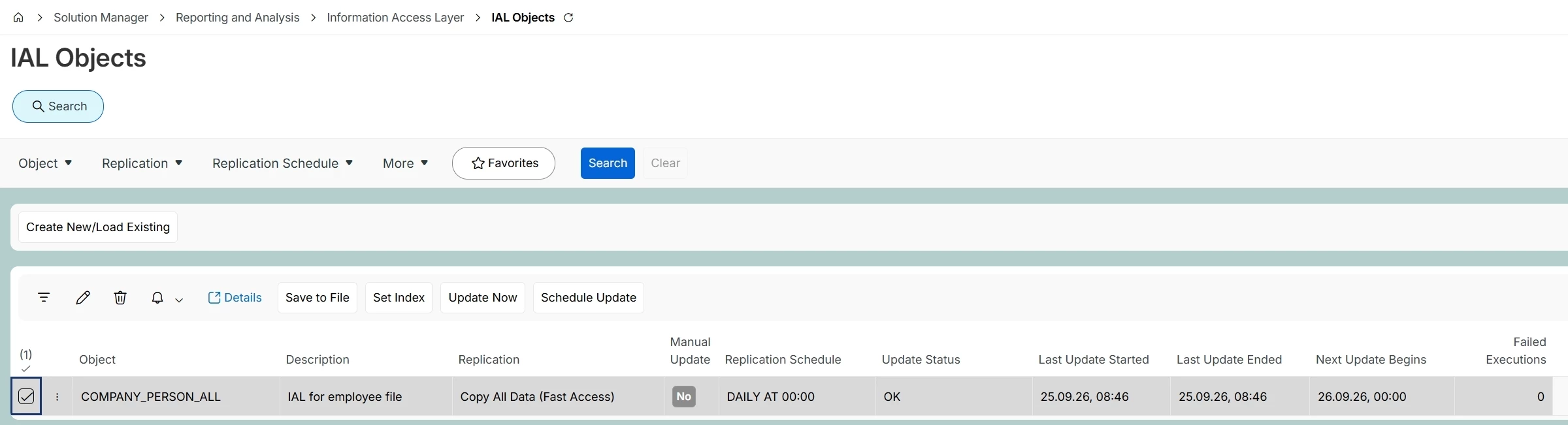
I created a Quick Report that retrieves data from the COMPANY_PERSON_ALL view. The data comes from the following area:
Employee File / Properties / Free Fields
The report is generated correctly, but when a regular user runs it, they cannot see the data in one specific column. The column that contains data from the COMPANY_PERSON_ALL view.
What is strange is that I, as an administrator, can see all the data in the report, including this column.
I have already granted the user permissions to Free Fields, but this did not solve the problem.
Has anyone experienced a similar issue? Could there be an additional permission, security setting, or access right required for users to see data from this particular view/column in a Quick Report?
I would appreciate any suggestions on how to troubleshoot and resolve this issue.
Thank you!