Solved

Terminate Employment process

  • Aug 12, 2026 9:29 AM UTC
  • 8 replies
  • 79 views

Link
Superhero (Customer)
Forum|alt.badge.img+23
  • Superhero (Customer)

Hello community,

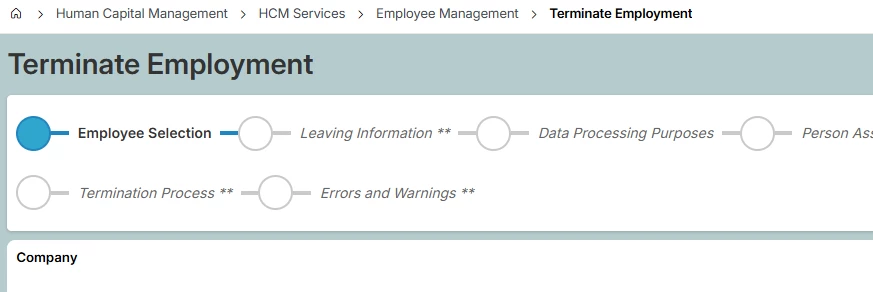
If I process the "Terminate Employment" assistant, what does it do at the end?

I mean, what data does it change?
 

Thank you.

Best answer by a_riiga

Hi ​@Link ,


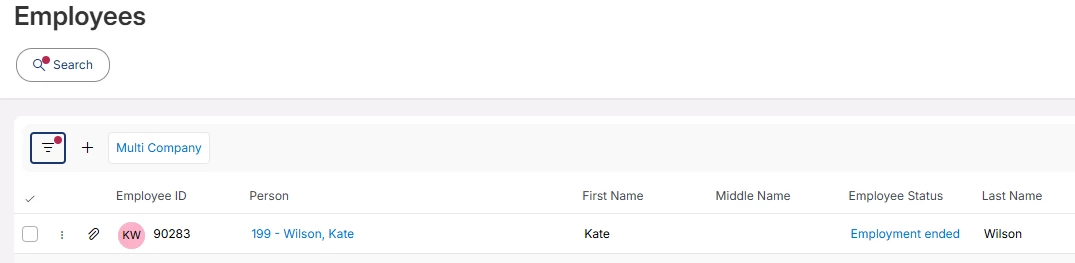
You will be able to view the Employee Status under overview pages such as Employees or Employee Analysis, or Employee File.

Example Employees list view:

View: COMPANY_PERSON

Element name: EmployeeList

Employee Status is referred as ‘EmployeeStatus’ in the actual table.
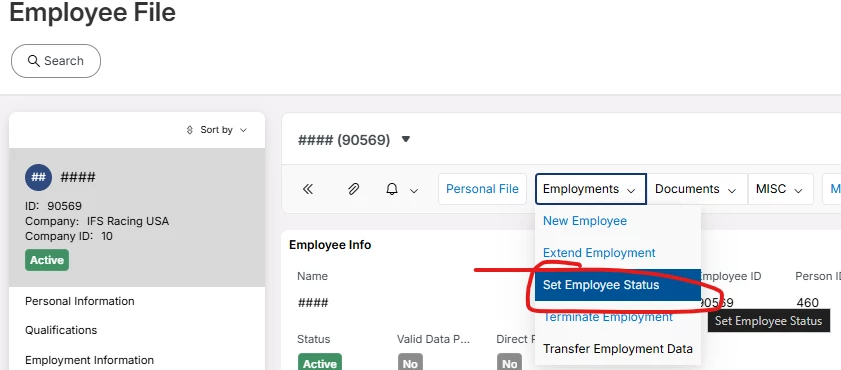
Its also possible to change Employee Status directly in Employee File → Set Employee Status


Note that we always recommend to use terminate employment assistant when an employee is terminated. This is to make sure all employee related objects are considered in the termination of employment.

View original

8 replies

Forum|alt.badge.img+5
  • Sidekick (Partner)
  • Aug 12, 2026 1:30 PM UTC

Hello, It terminates the employment of the employee and all related object of the employee. Fields are visible in the assistant


Link
Superhero (Customer)
Forum|alt.badge.img+23
  • Author
  • Superhero (Customer)
  • Aug 13, 2026 5:46 AM UTC

Hi ​@lucie.granier 

does that mean it changes an employee's status from 'Active' to 'Inactive' in the 'Employee File' screen?

Thank you.


Forum|alt.badge.img+4
  • Do Gooder (Employee)
  • Aug 14, 2026 9:28 AM UTC

Hi ​@Link 

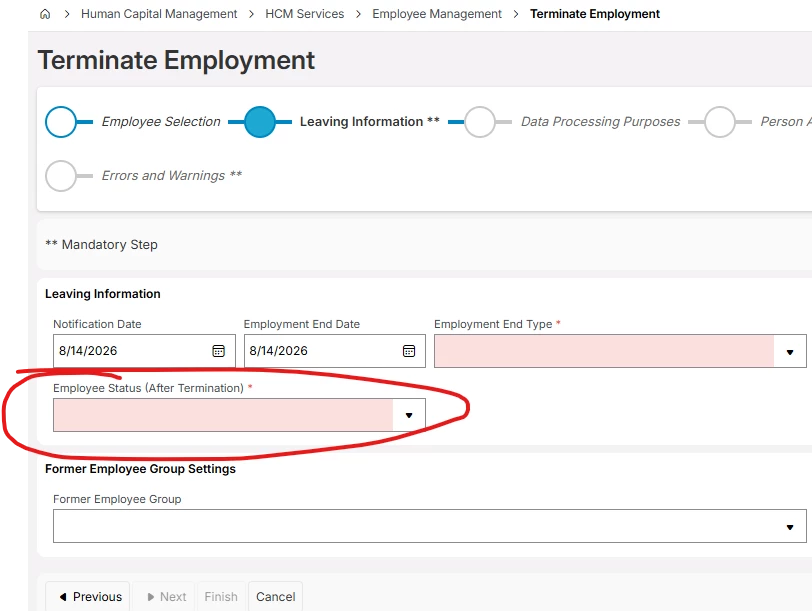
You must choose what status the employee should have after termination. This is done under the assistant step “Leaving Information”.


Best Regards,

Alexander


Link
Superhero (Customer)
Forum|alt.badge.img+23
  • Author
  • Superhero (Customer)
  • Aug 14, 2026 9:35 AM UTC

Hi ​@a_riiga 

do you know which table the status will be changed in?

Thank you in advance.


Forum|alt.badge.img+4
  • Do Gooder (Employee)
  • Answer
  • Aug 14, 2026 11:03 AM UTC

Hi ​@Link ,


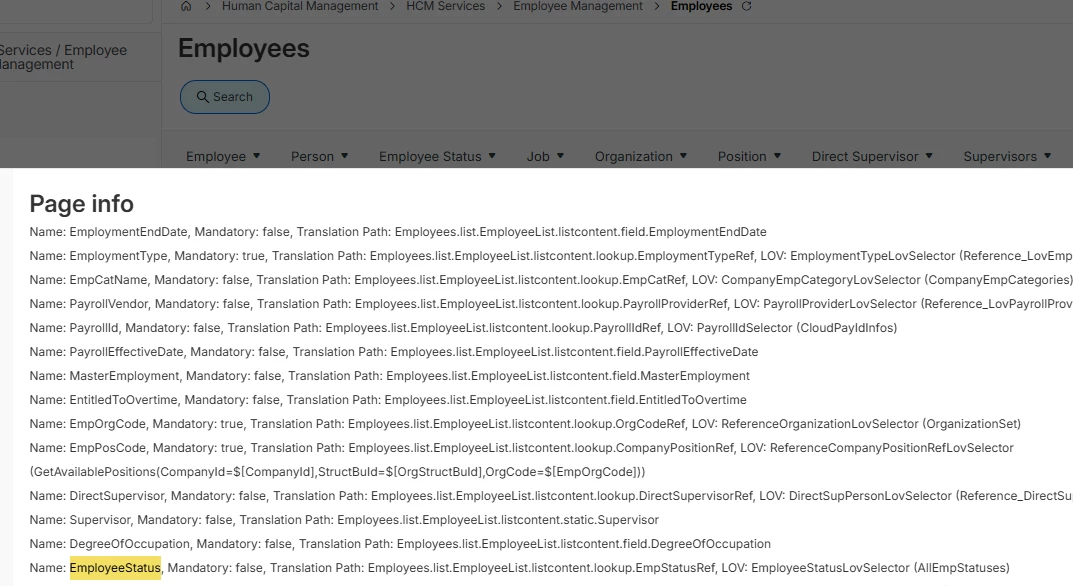
You will be able to view the Employee Status under overview pages such as Employees or Employee Analysis, or Employee File.

Example Employees list view:

View: COMPANY_PERSON

Element name: EmployeeList

Employee Status is referred as ‘EmployeeStatus’ in the actual table.
Its also possible to change Employee Status directly in Employee File → Set Employee Status
 

Note that we always recommend to use terminate employment assistant when an employee is terminated. This is to make sure all employee related objects are considered in the termination of employment.


Link
Superhero (Customer)
Forum|alt.badge.img+23
  • Author
  • Superhero (Customer)
  • Aug 17, 2026 5:27 AM UTC

Thank you ​@a_riiga 👍🏽 


Forum|alt.badge.img+11
  • Hero (Partner)
  • Aug 28, 2026 8:53 AM UTC

Please note that the Termination workflow also supports the concept of ‘offboarding’ if you build actions associated with the type of reason for leaving.

You can also change the dates that will be set as per the leaving date of the employee to support closing off earlier than the leave date or extending activities for the leaver.

For example you will find that if the client is using expenses then the dates associated with expenses will need to be extended to after the leave date to be able to process expenses through IFS after the employee has left.


Link
Superhero (Customer)
Forum|alt.badge.img+23
  • Author
  • Superhero (Customer)
  • Aug 28, 2026 9:26 AM UTC

Thank you ​@R Lum Wai . 👍🏽