Question

Payment Information templates in HCM Module

  • March 31, 2026
  • 3 replies
  • 36 views

Shehan Almeida
Superhero (Partner)
Forum|alt.badge.img+18

Hi,

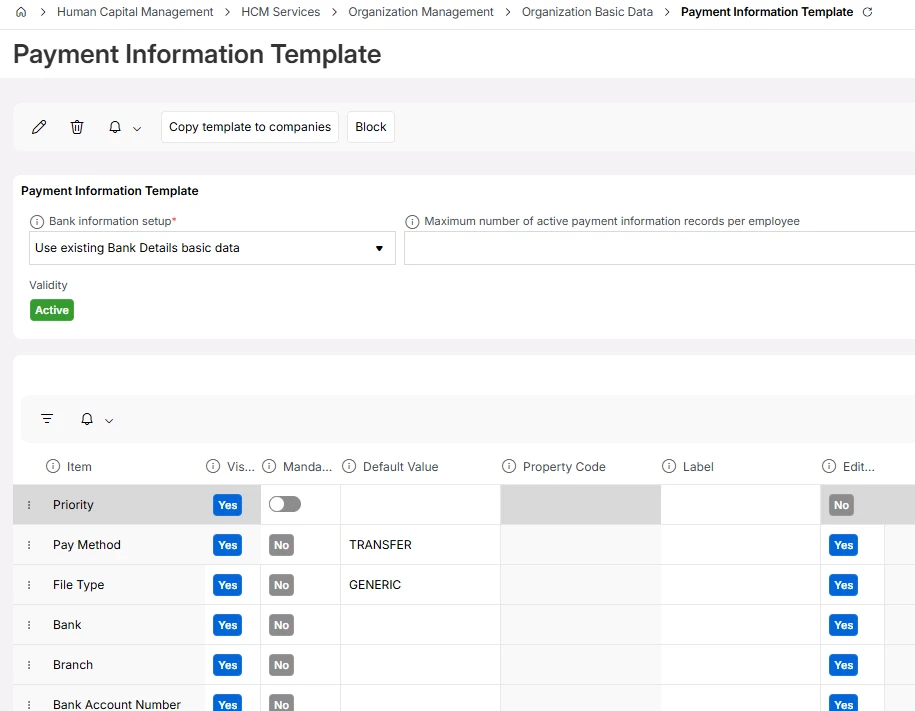
Does anyone know how this basic data works. Does this control the data in Employee payment files? E.g.  if we make the address details not visible will that create employee payments without address details?



3 replies

Forum|alt.badge.img+4
  • Do Gooder (Employee)
  • April 2, 2026

Hi Shehan!

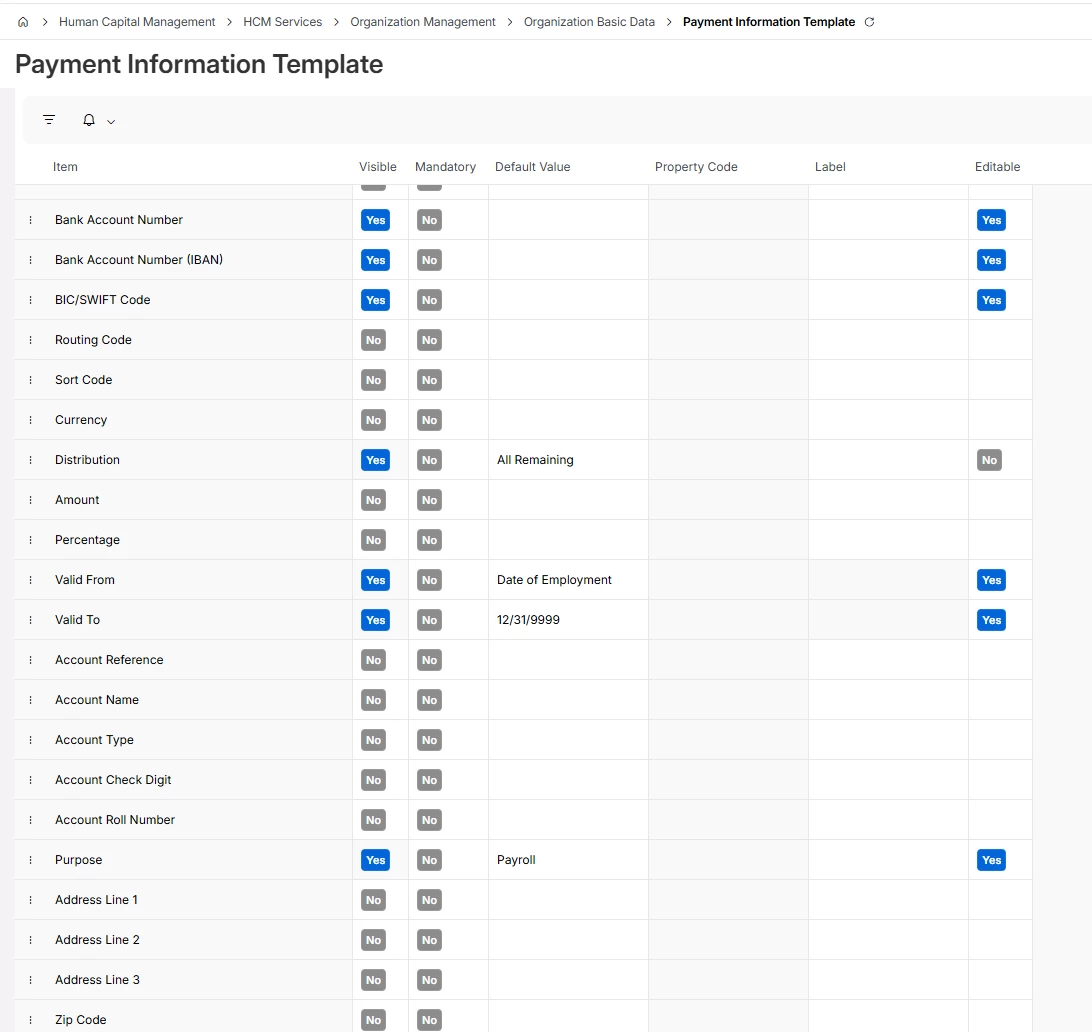
Payment Information Template can be used to create company specific payment information rules. It’s optional and incase this is not defined, users will be shown all the fields when entering payment information.

Yes, you can hide address details amongst other items tailoring the payment information to meet specific company or country requirements. 

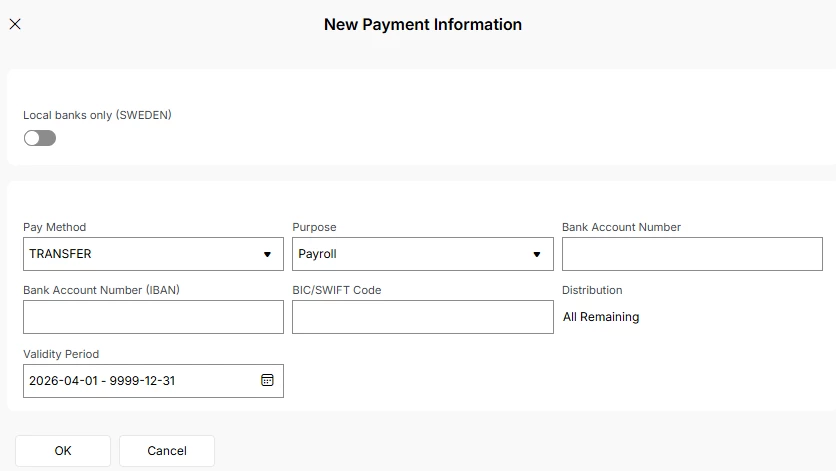
Below is just an example to illustrate. I’ve hidden address details and a few other fields to meet a customer specific requirement.

Payment Information Template example:


Entering New Payment Information in Employee File - Compensation - Payment Information:


Shehan Almeida
Superhero (Partner)
Forum|alt.badge.img+18
  • Author
  • Superhero (Partner)
  • April 21, 2026

Hi Alexander, 


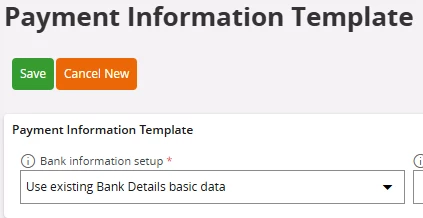
Thank you for your answer. However, we did not manage to control the details of the output file. Can you please show what is the option you have used for ‘Bank Information setup’. What does this filed exactly does?


Thank you,

Shehan Almeida.


Forum|alt.badge.img+4
  • Do Gooder (Employee)
  • April 22, 2026

Hi Shehan,

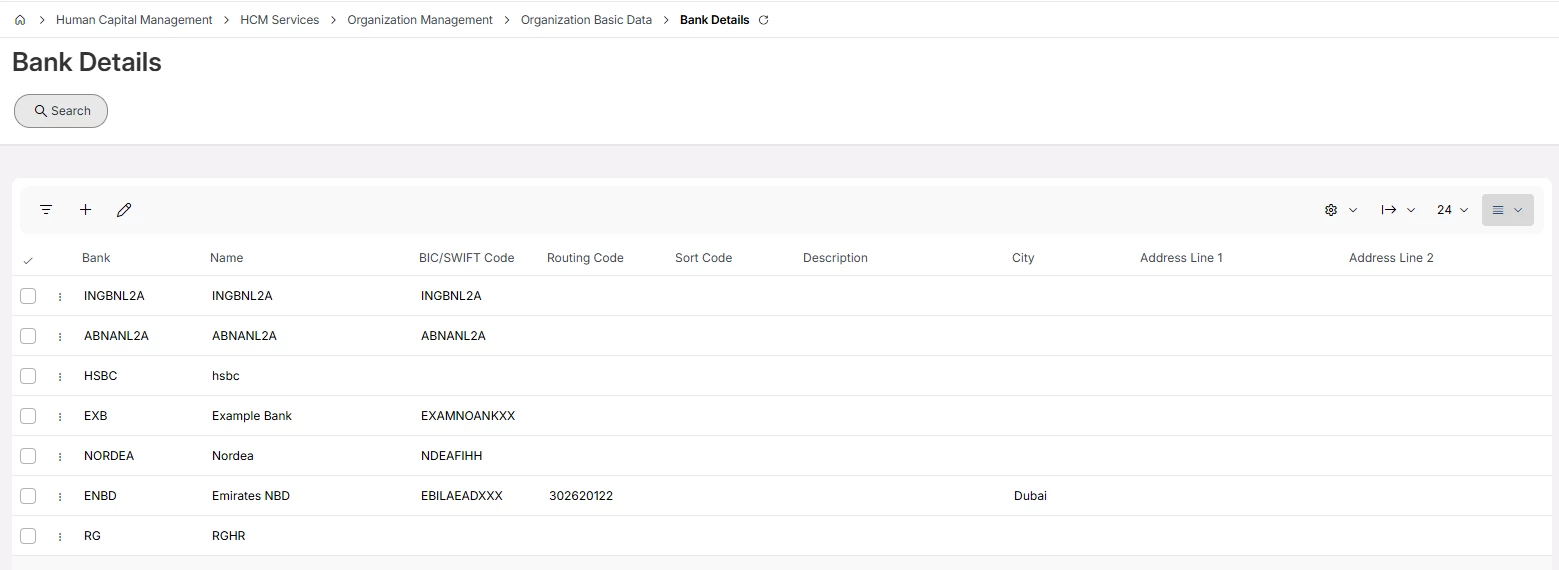
Bank Information setup controls whether bank details are sourced from the Bank Details basic data or entered freely by users in Employee Payment Information.

Bank Details basic data page:

It does not control how the output file is structured or formatted.
To change the output file, the payroll integration mapping (e.g. REST API) must be reviewed.