Question

Expense Code in Quick Expense Reporter Configuration

  • September 9, 2026
  • 2 replies
  • 15 views

Link
Superhero (Customer)
Forum|alt.badge.img+23
  • Superhero (Customer)

Hello all,

I am trying to understand the “Quick Expense Reporter Configuration” in IFS Cloud.

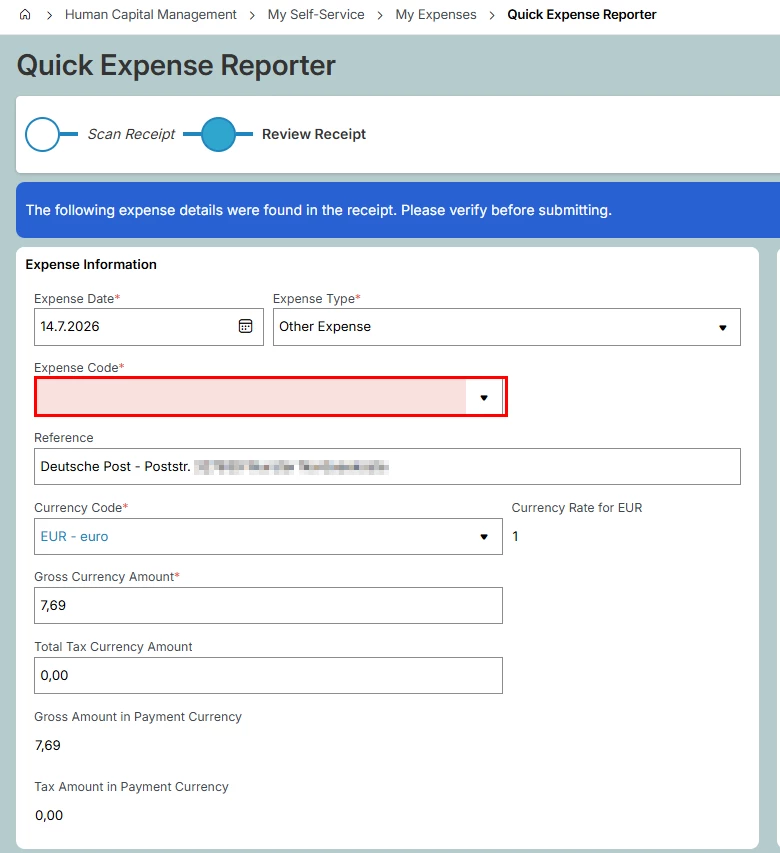
I read an expense receipt for delivery a package. All values are correct. However, it doesn't retrieve the expense code.


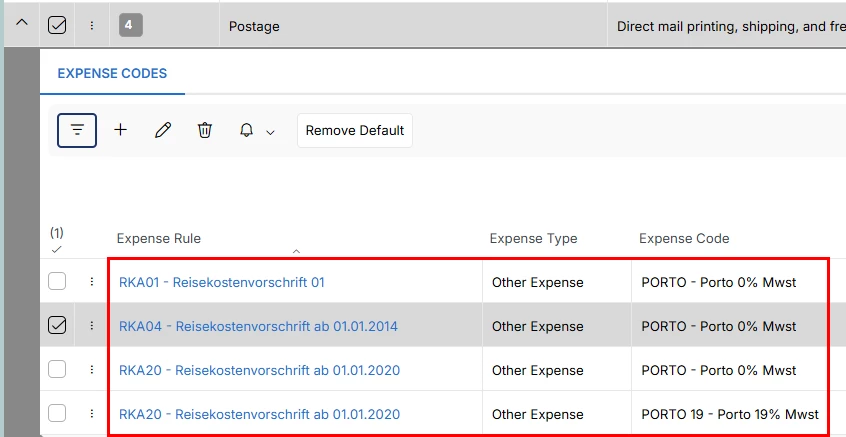
I usually expect one of the following codes in “Quick Expense Reporter”:
 

How does it work?

2 replies

Forum|alt.badge.img+2
  • Do Gooder (Employee)
  • September 9, 2026

Hi ​@Link,

I think the expense code isn't read off the receipt. The model puts each receipt into one of the ~26 built-in AI classifiers (Postage, Parking, Meals…), and then IFS pulls the expense code you mapped to that classifier in Quick Expense Reporter Configuration. No mapping hit would cause empty Expense Code, even when everything else scans correctly.

Things worth checking:

Which classifier did it hit? A parcel/delivery receipt won't always land on "Postage". If it went to a different classifier, that's the one that needs codes mapped.
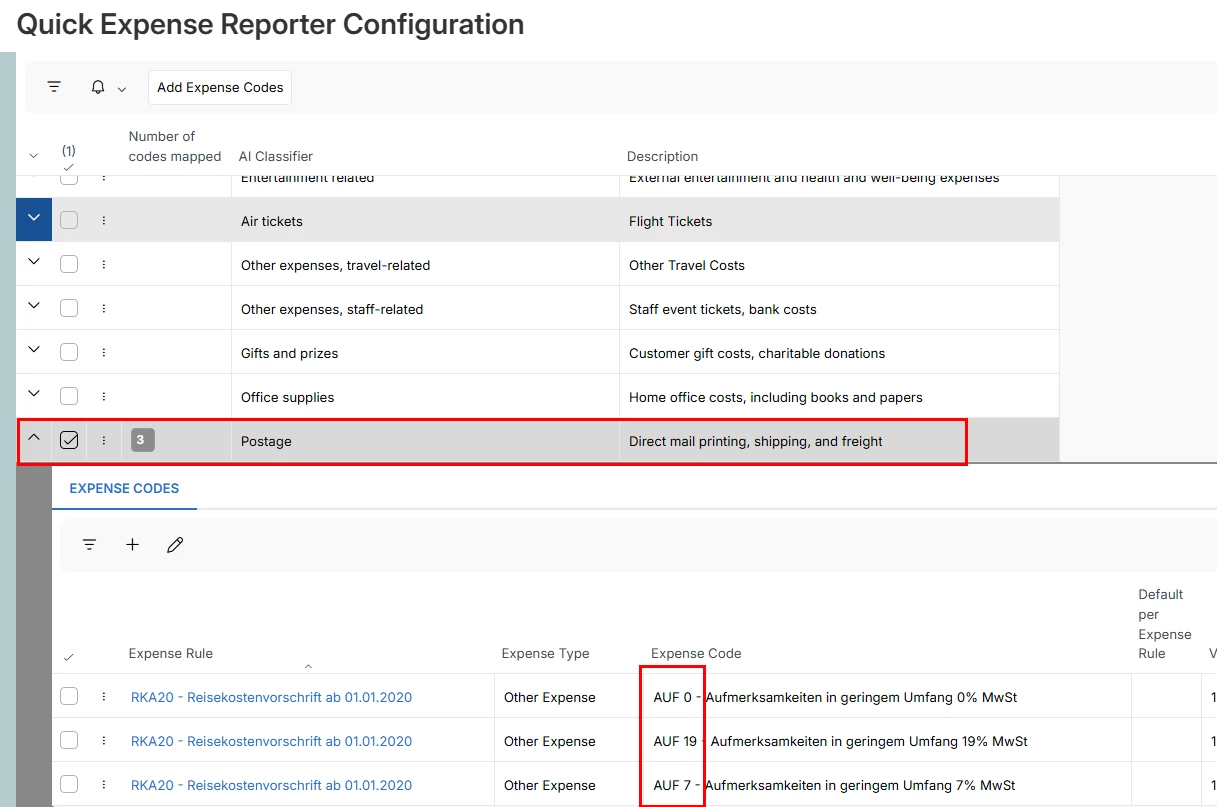
Is the mapping for the right expense rule? Codes are mapped per expense rule. In your screenshot the Postage codes all sit under RKA20 if the employee is on a different rule, nothing is available to pick. (Side note: those AUF codes are "Aufmerksamkeiten", which reads more like gifts than postage.)
Set a default. One expense code per Entertainment Expense Type and per Other Expense Type can be flagged as default per expense rule, and those get priority when a receipt is uploaded. With three codes mapped and no default, there's nothing to prioritize.
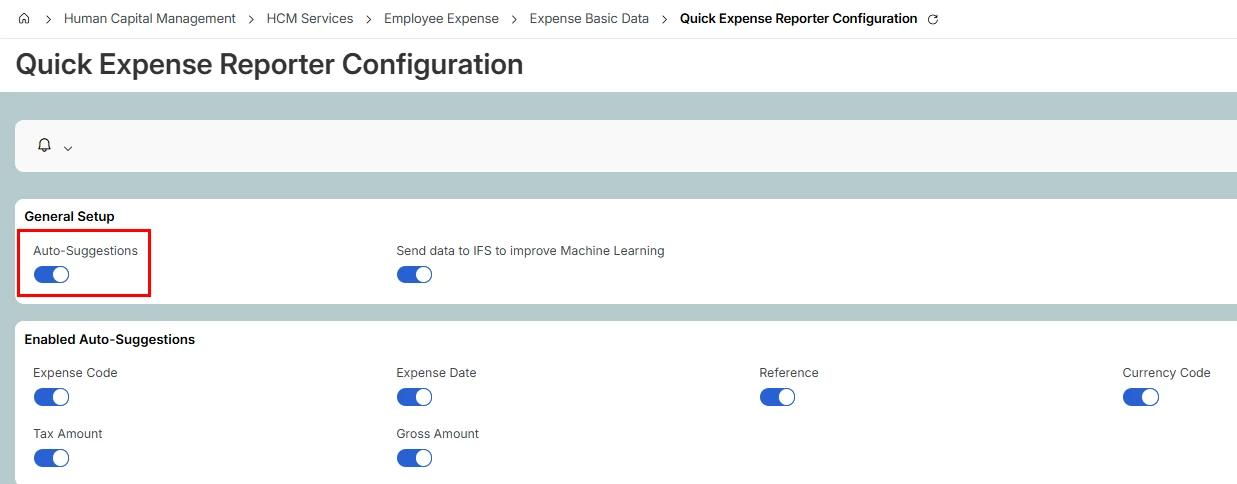
Check Predictions. In the config's Predictions section, Expense Code has to be enabled — if it's off, the field stays empty by design.

--
I've found this related document:
https://docs.ifs.com/ifsclouddocs/25r2/ExpenseAdministration/ActivityMapAIClassifiers.htm

If you don't have access to the doc here what it contains:

*Map AI Classifiers with Expense Codes
-Explanation
During the training of the “Machine Learning” model, a considerable number of receipts were uploaded. Based on their content, the receipts were grouped into 26 categories (e.g., Parking, Meals, etc.). These categories are referred to as the AI classifiers.
This section is used to link the Expense Codes of various Expense Rules to the appropriate AI classifier where a match is identified. Receipts uploaded through the Quick Expense Reporter with AI will be categorized based on these AI classifiers. When an expense line is created for these receipts, the Expense Code will be automatically retrieved from the corresponding mapped AI classifier
One Expense Code from each Entertainment Expense Type and Other Expense Type can be set as default per Expense Rule. Those codes will be prioritized when a receipt is uploaded.
To connect these predictions to the Companies; configuration needs to be connected to the required companies. Receipt scanning and prediction capabilities are available only to companies associated with the configuration.

-Prerequisites
Prediction must be enabled
Expense Rules and Expense Codes should be created.

-System Effects
The Expense Codes for expense lines in the Quick Expense Reporter will be determined based on the mappings configured in this section.

-Pages
Expense Rule
Quick Expense Reporter Configuration

-Activity Diagrams
BDR for Quick Expense Reporter

--


Kind regards,
Gleb


Link
Superhero (Customer)
Forum|alt.badge.img+23
  • Author
  • Superhero (Customer)
  • September 10, 2026

Dear ​@gleb.batov 

I agree with you; AUF is for gifts. But this was just for testing.

I corrected it now. But it's the same result.

The marked one is the default expense code.

How can I find out which classifier it hit?


The expense code is activated:


Thank you for supporting.