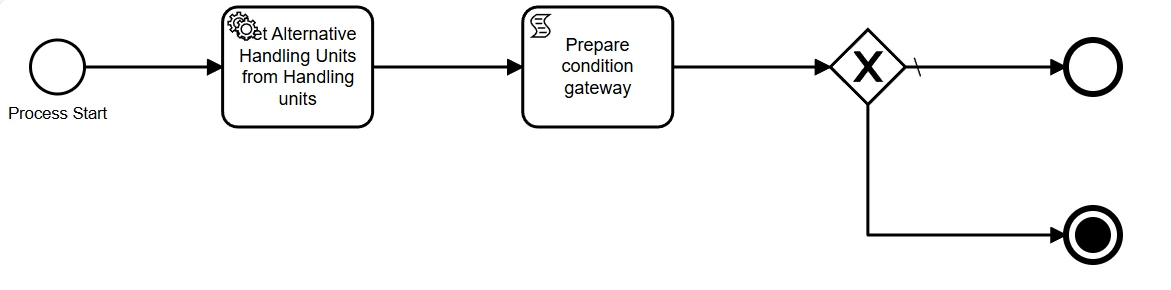
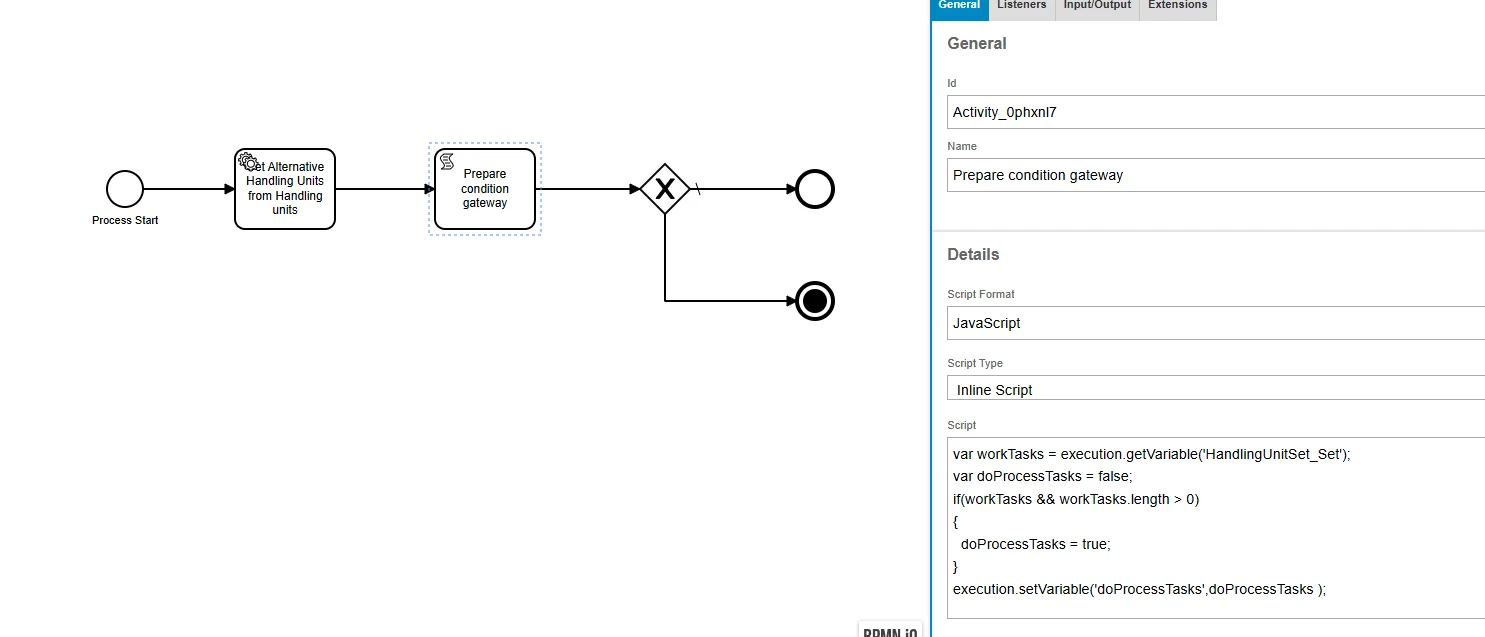
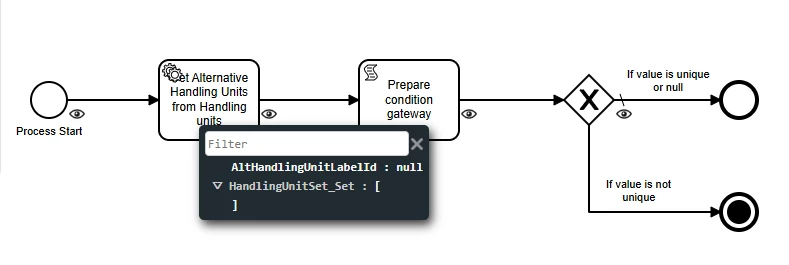
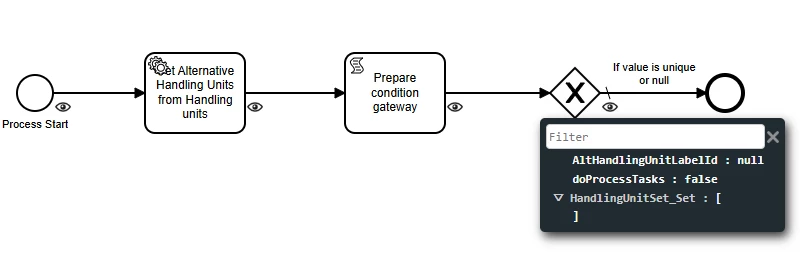
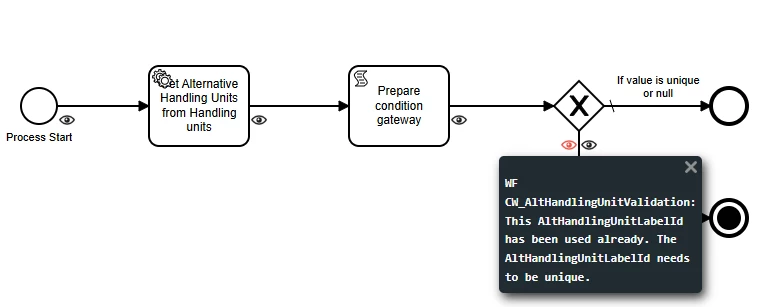
I created a workflow to validate the field “Alt Handling Unit Label ID” on Handling Units page. The idea is to not let the user enter a value that has been already used.
The workflow seems to be validating correctly, but when the user try to remove any added value and leave it as null the operation is timing out.
Any idea on what can it be?
Thank you!
Kind regards,
Evelyn
Best answer by SNIRLK
Hi @eneris ,
Welcome to IFS. 😊 Hope you are doing good.
Following your quarry;
This behavior usually happens when the workflow logic doesn’t properly handle null values during validation. Here’s why:
Possible Cause
Your workflow likely checks if the entered value exists in the database (to prevent duplicates).
When the user clears the field (sets it to null), the workflow still runs the validation query.
If the query is written as WHERE Alt_Handling_Unit_Label_ID = :value, and :value is null, the database may interpret this incorrectly or perform a full table scan, causing a timeout.
How to Fix
You need to add a condition in your workflow to skip validation when the field is empty or null. For example:
Condition before validation step:
IF Alt_Handling_Unit_Label_ID IS NOT NULL THEN
    -- Perform duplicate check
ELSE
    -- Skip validation
END IF
Best Practice
Always handle null or empty values explicitly in workflow conditions.
If using an SQL query in the workflow, ensure it uses IS NOT NULL checks before running the duplicate validation logic.
Hope this clarifies your quarry. Let me know the outcome.
This behavior usually happens when the workflow logic doesn’t properly handle null values during validation. Here’s why:
Possible Cause
Your workflow likely checks if the entered value exists in the database (to prevent duplicates).
When the user clears the field (sets it to null), the workflow still runs the validation query.
If the query is written as WHERE Alt_Handling_Unit_Label_ID = :value, and :value is null, the database may interpret this incorrectly or perform a full table scan, causing a timeout.
How to Fix
You need to add a condition in your workflow to skip validation when the field is empty or null. For example:
Condition before validation step:
IF Alt_Handling_Unit_Label_ID IS NOT NULL THEN
    -- Perform duplicate check
ELSE
    -- Skip validation
END IF
Best Practice
Always handle null or empty values explicitly in workflow conditions.
If using an SQL query in the workflow, ensure it uses IS NOT NULL checks before running the duplicate validation logic.
Hope this clarifies your quarry. Let me know the outcome.