


Question

Visual Capacity Requirements Planning - Car Page Designer

  • March 30, 2026
  • 2 replies
  • 25 views

Forum|alt.badge.img+10

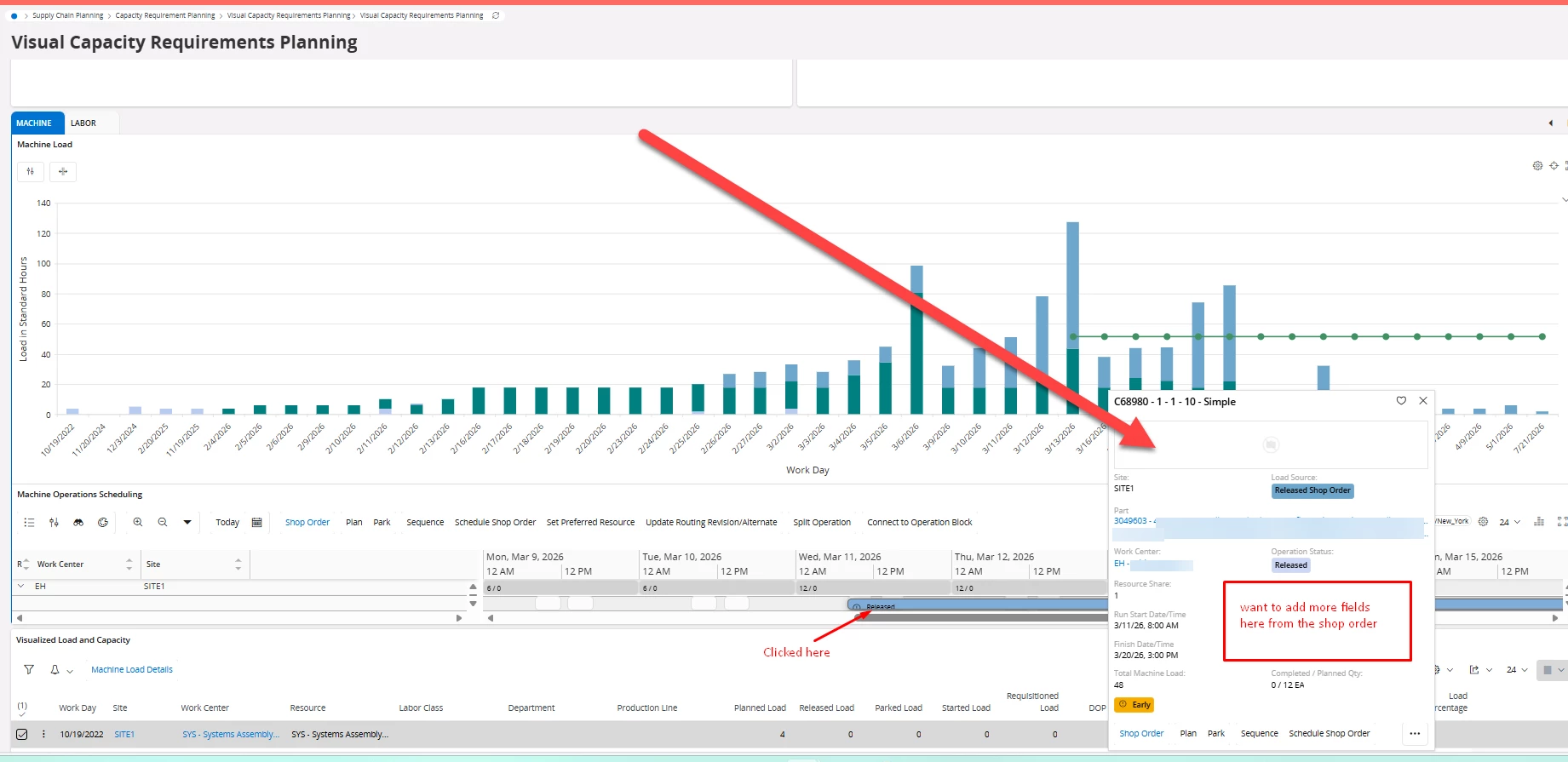
One of our users has been looking to add a couple of extra fields to the Operation Card on the Visual Capacity Requirements Planning in order to see more data, but not been able to make it work. We are using Cloud 25.1.3

Does anyone know if there is a way to add more fields from the shop order so they are visible in the card?
 

Reference JT 6896

2 replies

Forum|alt.badge.img+8
  • Do Gooder (Partner)
  • March 31, 2026

Hi ​@jtobin ,

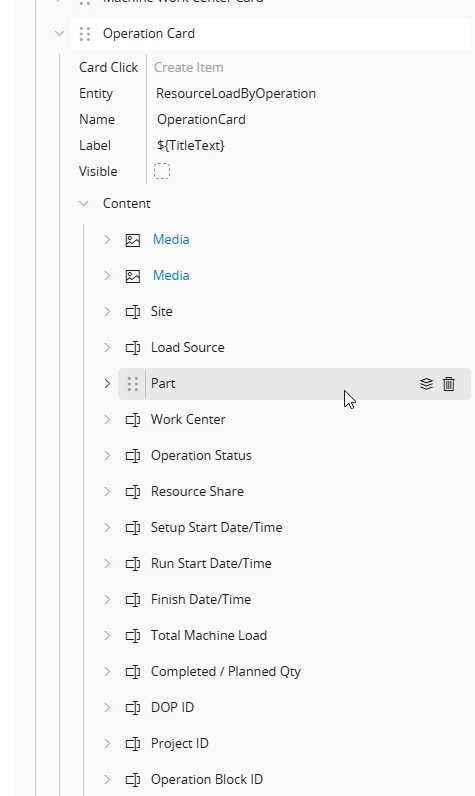
In IFS Cloud (25.1.x), the Operation Card in Visual Capacity Requirements Planning is based on the projection/entity:

 ResourceLoadByOperation

So the key limitation is:

❗ You can only display fields that are available in that projection

 Why your current approach isn’t working

From your screenshot:

  • You are correctly editing the Operation Card layout
  • However, the available fields (like Part, Work Center, etc.) are coming from:
     ResourceLoadByOperation

 Shop Order fields are NOT directly exposed here

So even if you try to add fields:

  • They won’t appear unless they exist in that projection

The Operation Card in Visual Capacity Planning is based on the ResourceLoadByOperation projection. You can only add fields that are exposed in that projection.

To include additional Shop Order fields, you need to extend the projection and expose those fields from the backend (e.g., via joins to Shop Order or Shop Order Operation). Once added to the projection, they will become available in the Aurena page designer.


Forum|alt.badge.img+10
  • Author
  • Sidekick (Customer)
  • March 31, 2026

Hello ​@Lingesan08  

Thank you so much for the information. We will try it and update this conversation with the results.

Joann
