Question

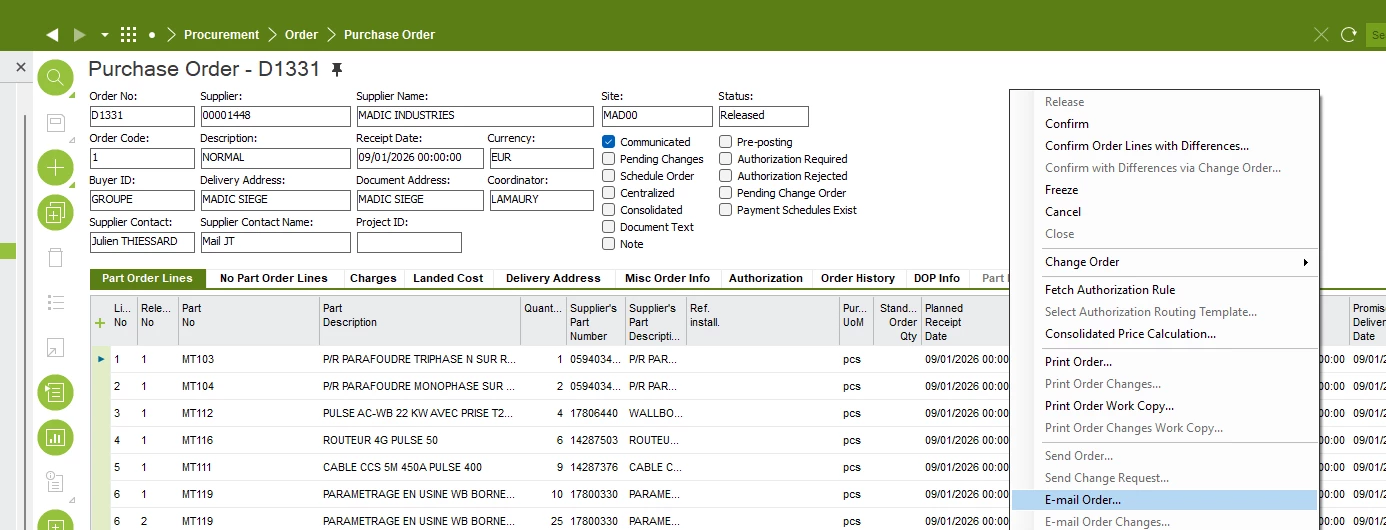
Send purchase order by contextual menu "Send email"

  • February 20, 2026
  • 4 replies
  • 23 views

Forum|alt.badge.img+5

Hello, 

I don’t understand why when I try to send a purchase order by the conxtextual menu “Send email” I don’t receive the mail.

Where can I see the reason why ?

Thank’s.

Julien.

 

4 replies

Nikila Dis
Superhero (Employee)
Forum|alt.badge.img+14
  • Superhero (Employee)
  • February 20, 2026

Hi ​@Julien T.,

I think you can first check Solution Manager > Message Processing > Application Messages. Search for the relevant Purchase Order message and review its status. If the status is Failed, open the message to see the detailed error description. If it is Waiting, the message may still be in queue, and if it is Sent, IFS has successfully handed it over to the mail server, meaning the issue could be on the mail server side. You should also check Solution Manager > Background Jobs to see whether the report generation or email job has failed, and review the job log for errors.

In addition, please refer to the attached document as well

Regards,

Nikila Dissanayake


Forum|alt.badge.img+5
  • Author
  • Sidekick (Customer)
  • February 20, 2026

When I use the option “Email order”, i don’t receive the mail.


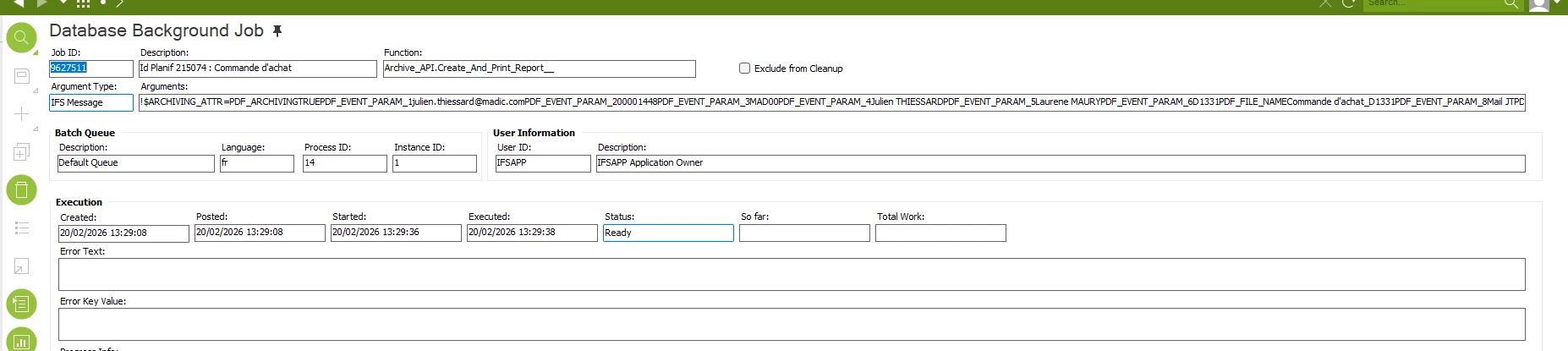
I don’t see anything the background jobs:


Nikila Dis
Superhero (Employee)
Forum|alt.badge.img+14
  • Superhero (Employee)
  • February 20, 2026

Hi ​@Julien T.,

Is this happening only for this particular supplier or site?

Please ensure that all basic data is correctly set up, including verifying the supplier email and the report layout. Start by printing the PO report to confirm that it generates successfully. Once the report is confirmed, retry the “Email Order” function. After sending, check the Application Messages for any notifications or errors instead of relying on background jobs.

Regards,

Nikila Dissanayake


Forum|alt.badge.img+5
  • Author
  • Sidekick (Customer)
  • February 20, 2026

I forgot to put an event action to be able to send a email by this way. It works now.


Last question: is there a way not activate the event action to send an email  when I normally print a purchase order ?