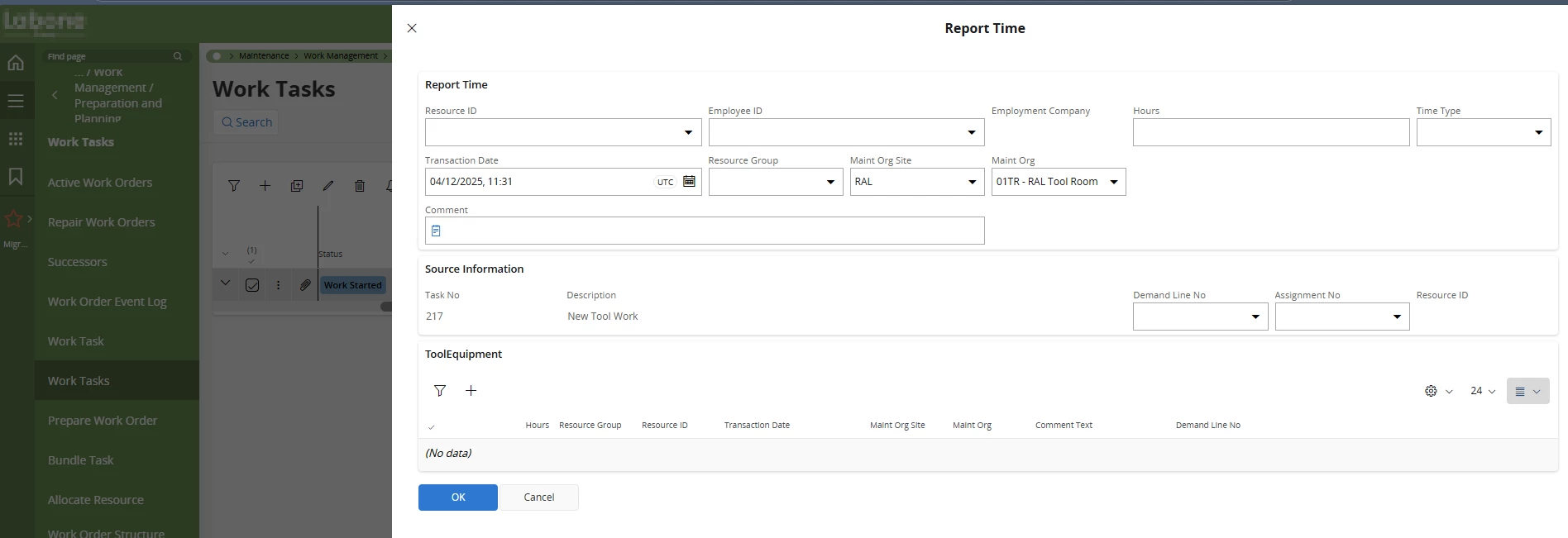
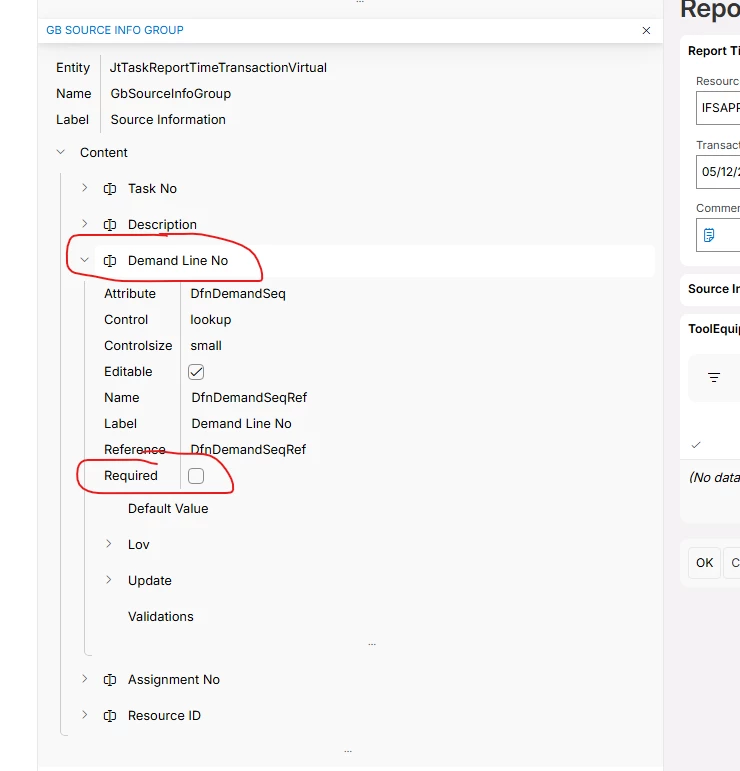
How can I use the page designer to make the Demand Line No field here mandatory so user stop forgetting to fill it in? When I open page designer I cannot see a way to edit this at all, can’t see it in Assistants or Dialog or Pages - help very much appreciated.
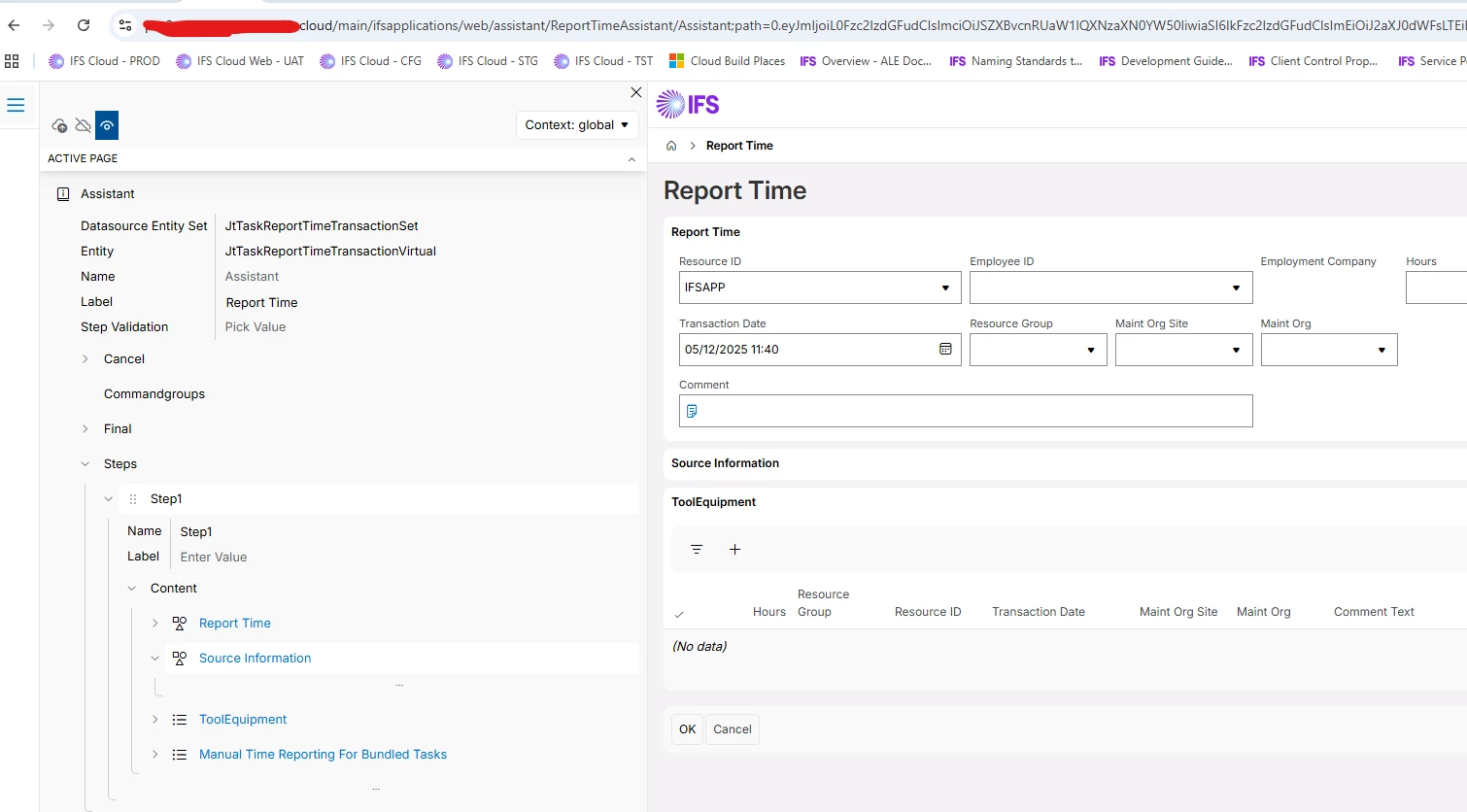
Trivial to modify in Studio Developer. To modify in Page Designer, you need to first reach the assistant as it does not belong “natively” in the WorkTasks screen.
@sholmes This is typical a request that I think can be resolved with a Workflow. So if you have that module in place, follow the DemoAddCustomerPONoExample as provided in the standard installation. It is a bit overwhelming, but the prompting part is included in the step 'User Enter Customer PO Number’.
@eqbstal thank you for your reply at least I’m not missing something, are you able to help me find out the details of the projections etc to be able to create this workflow as I can not open up debug - page details when in the pop out window.
I’ve ran the debug network and it is stating that is using the ReportTimeAssistantHandling projection but I can not seem to get the MAINT_ORG value to pass from this projection, is there anyway to see what projection sets are assocaited and the fields without the page?
Ideally here I’d like to not have a validation workflow but a process enrichment as the value in the Demand Line No field should always be 1 but only if it is a specific maintenance org. Any help here is much appreciated, Sarah
Trivial to modify in Studio Developer. To modify in Page Designer, you need to first reach the assistant as it does not belong “natively” in the WorkTasks screen.
Oh, and if you want to use a workflow for enrichment, the Projection to catch the trigger would be ReportTimeAssistantHandling, and the Action would likely be CRUD_Create as this is what gets called to populate the Virtual that is then read from to display the values in the assistant when it gets first opened