Question

Lobby pages permission denied

  • February 28, 2025
  • 5 replies
  • 224 views

Forum|alt.badge.img+7

Hello,


When I try to acces a Lobby pages, IFS gives following error:

Cannot load Page

You do not have permission to access this lobby page


What are the settings needed so my user can acces the lobby.


When connected as IFSAPP, I have full acces 

Thanks

 

5 replies

Forum|alt.badge.img+17
  • Superhero (Partner)
  • February 28, 2025

Hi


Each lobby is granted separately to the specific permission set. You can do it using “Permission set” page


Forum|alt.badge.img+2
  • Do Gooder (Customer)
  • February 28, 2025

Hi,

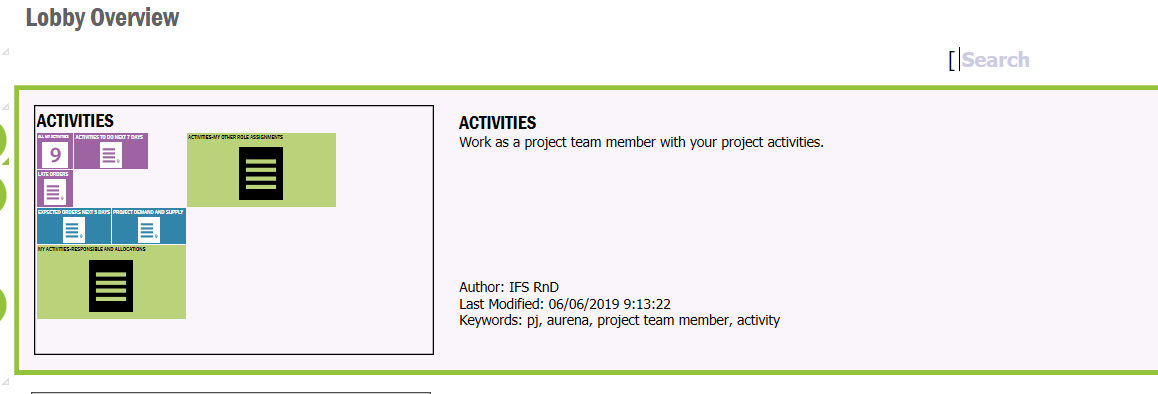
1)Find the lobby u want to grant for users


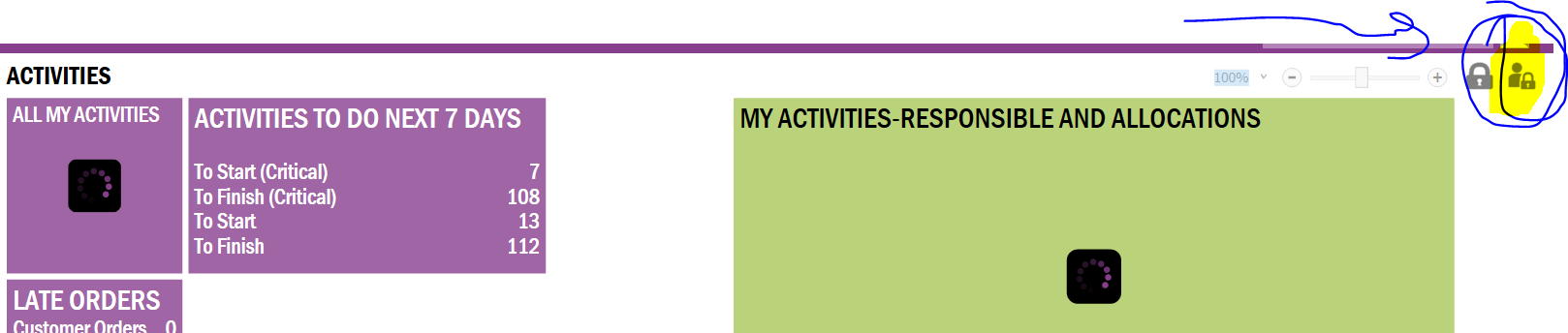
2)Click here


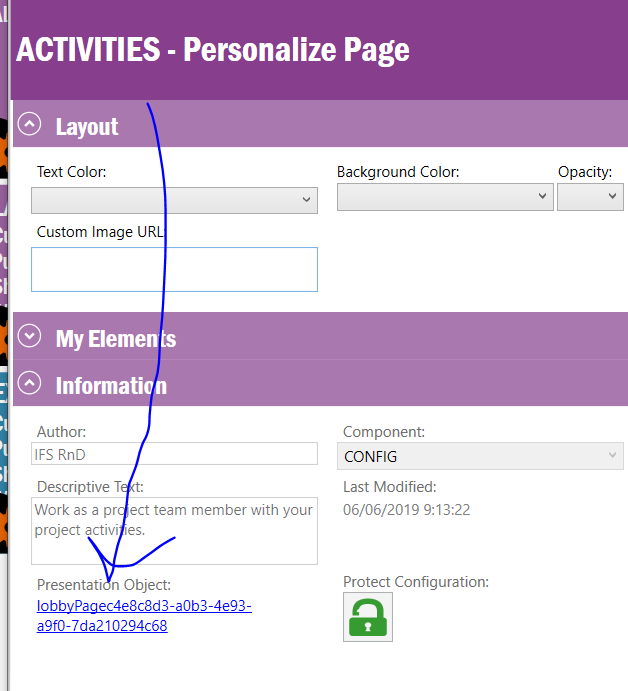
3)Click here

4)Click here


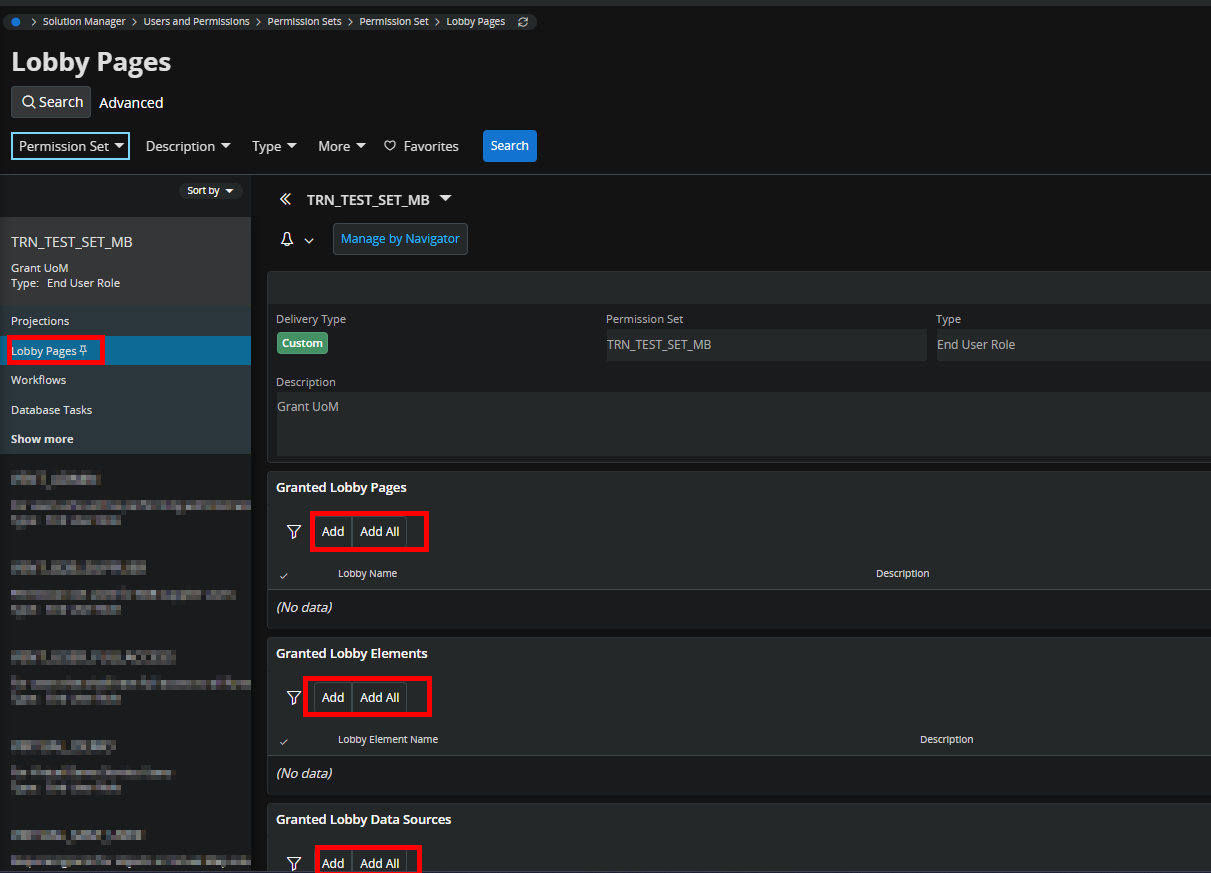
and the opening page give permissions for permission sets


COVJAMIEB
Hero (Partner)
Forum|alt.badge.img+11
  • Hero (Partner)
  • February 28, 2025

You have to grant access for the lobby pages against the permission sets.


Forum|alt.badge.img+7
  • Author
  • Sidekick (Customer)
  • February 28, 2025

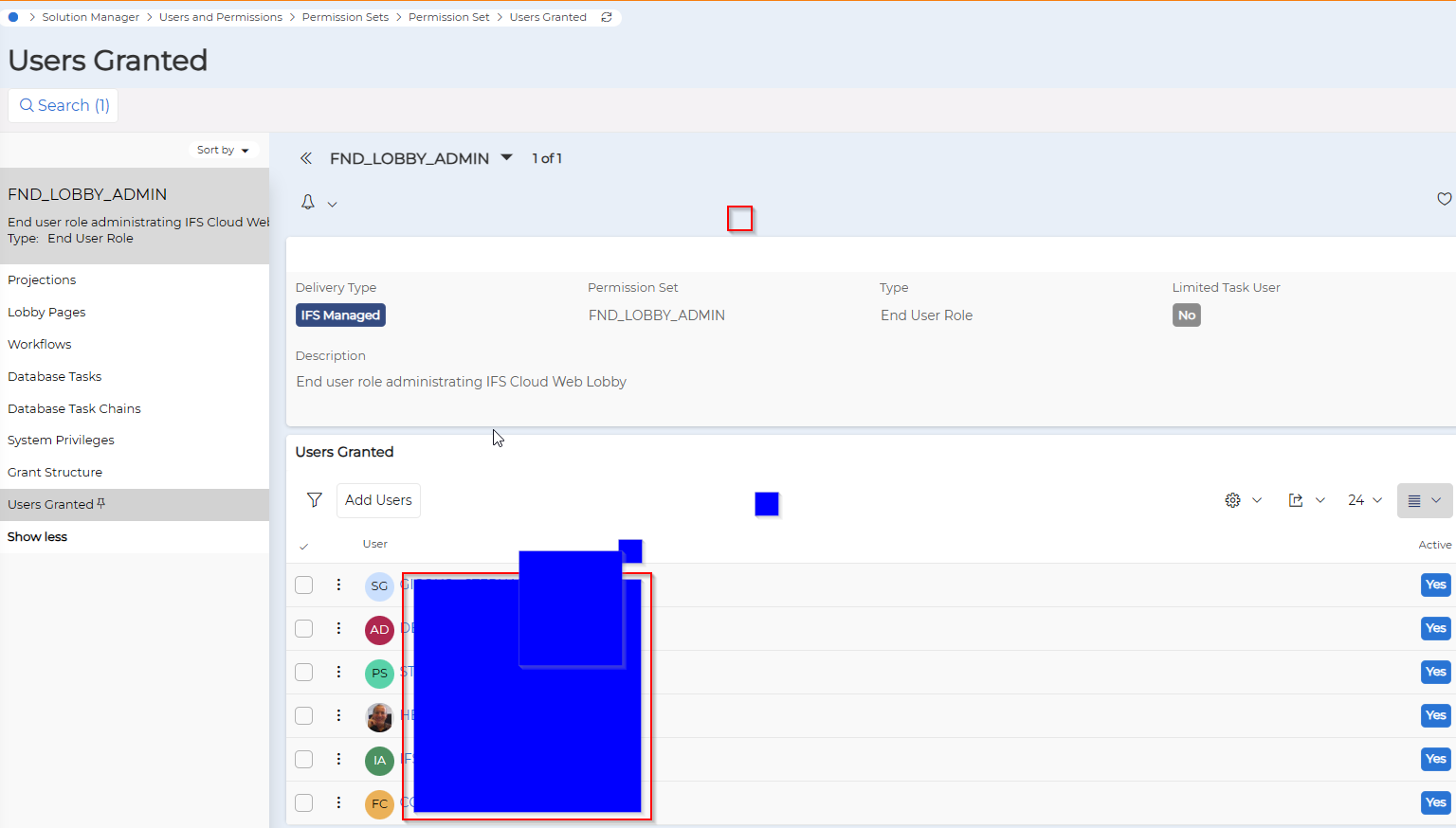
All the concerned users are in the FND_LOBBY_ADMIN permission set

Is there something more to do ?


Forum|alt.badge.img+10
  • Hero (Partner)
  • March 2, 2025

The FND_LOBBY_ADMIN permission set gives you access to edit lobbies, i.e., it gives you access to click the edit button (spanner icon) on a lobby page, as well as the lobby element and data source designer windows, but:

  1. That is probably not something you want end users to be able to.
  2. You -- and end users -- still need access to the individual lobbies. That’s granted from the Lobby Pages sub-page of the Permission Set page as per screen cap from COVJAMIEB in previous post.

On a side note, you can also get the same type of error if you add an element to a lobby page but don’t have access to that element. Instead of hunting around for the element in question to add it to Granted Lobby Elements, I sometimes find it as easy to just revoke the lobby page, then grant it again.