Solved

Create Shop Order Using Safety Stock

  • June 13, 2024
  • 11 replies
  • 148 views

Forum|alt.badge.img+8

Hello Community,

We are using IFS APPS 8.

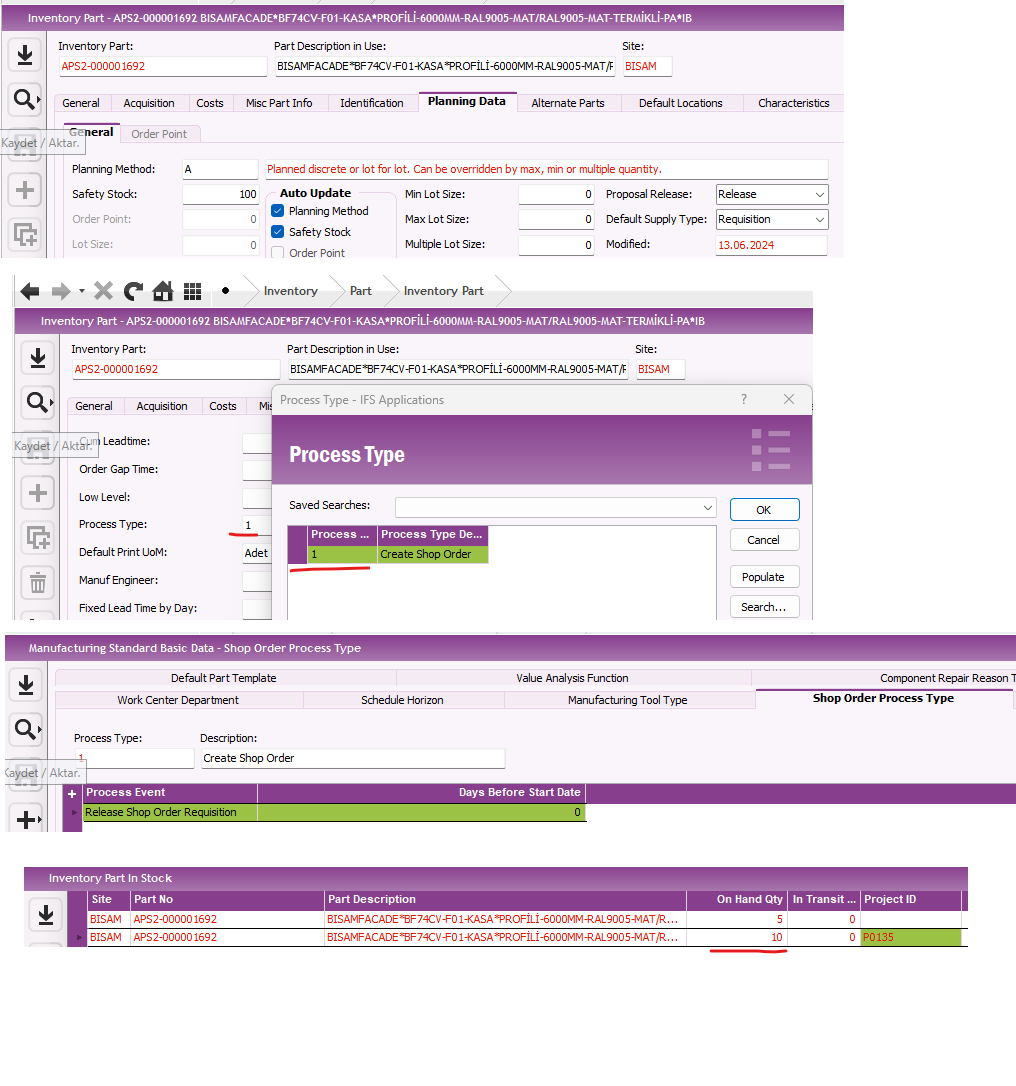
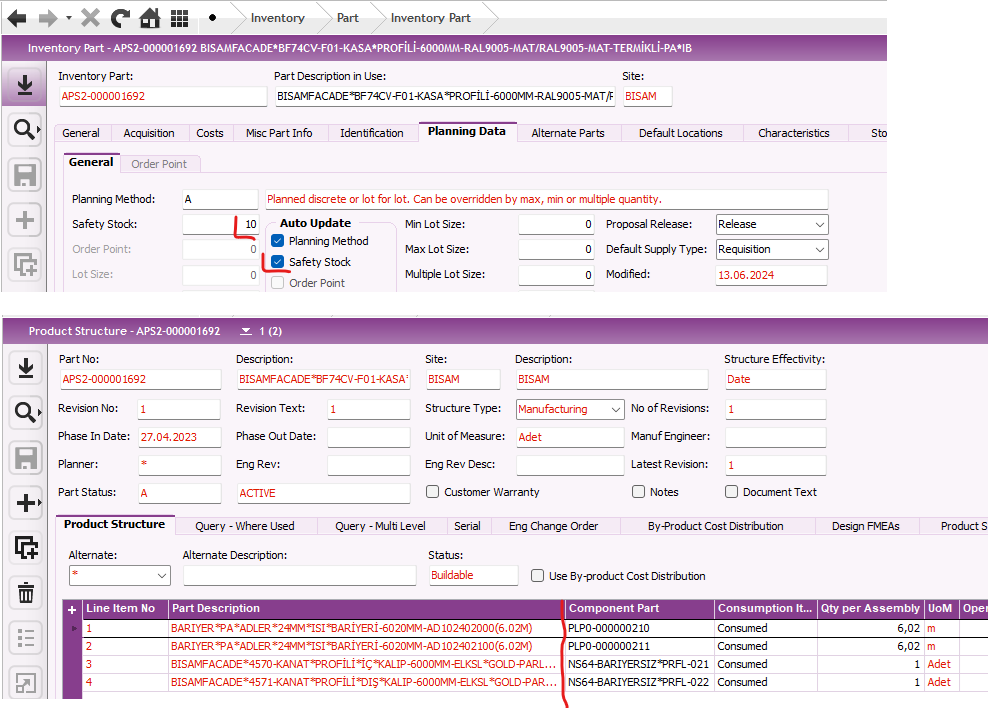
We have inventory part name =APS2-000001692, it has component parts in Product Structure as you see in picture below.

We need to create shop order when the on Hand stock is less than safety stock.

Is something like this possible or how can we use the safety stock amount. Could you share a document on the correct use of safety stock?
 

Best answer by COVJAMIEB

You will need to execute or schedule this job


11 replies

COVJAMIEB
Hero (Partner)
Forum|alt.badge.img+11
  • Hero (Partner)
  • June 13, 2024

Hi @sahango you wont be able to automatically create a Shop Order, a Shop Order Requisition is possible. This will then need to be picked up by the process owner and convert to a Shop Order.

When MRP runs for this part and the components, if the projected on hand qty for the parts fall below the safety stock, then a shop order requisition should be created.


Björn Hultgren
Hero (Employee)
Forum|alt.badge.img+25

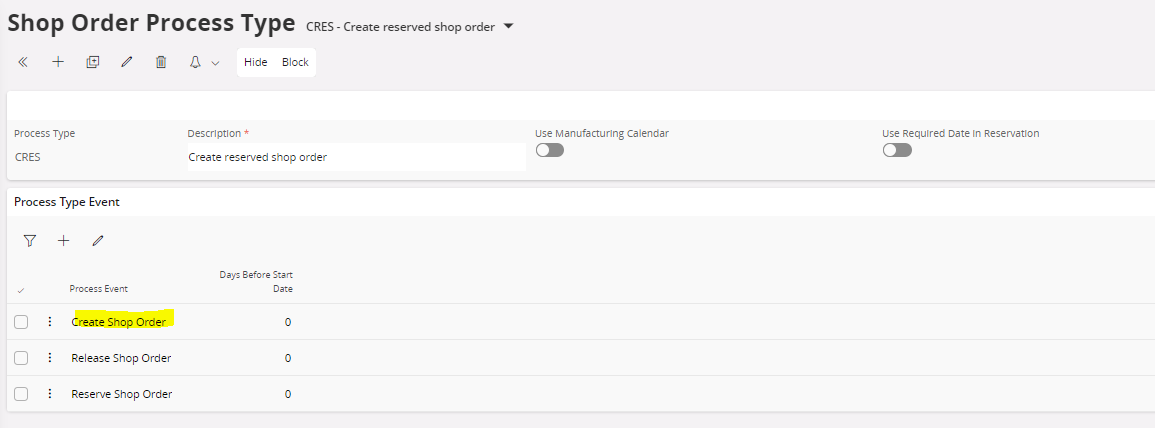
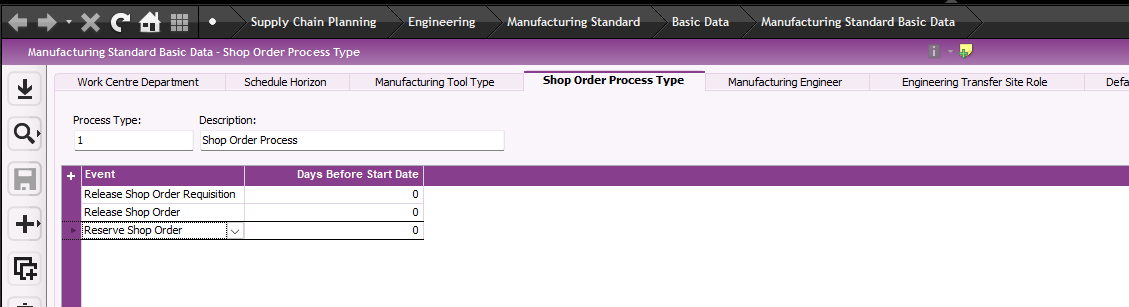
You can define a Shop Order Process Type and connect it to the part to automatically convert the shop order requisition into a shop order.


Forum|alt.badge.img+8
  • Author
  • Sidekick (Customer)
  • June 13, 2024

You can define a Shop Order Process Type and connect it to the part to automatically convert the shop order requisition into a shop order.


Thanx for reply. I'm a little new to these things.Where can I go to the screen you quoted?


COVJAMIEB
Hero (Partner)
Forum|alt.badge.img+11
  • Hero (Partner)
  • June 13, 2024

This is the screen shot from Apps 8


Forum|alt.badge.img+8
  • Author
  • Sidekick (Customer)
  • June 13, 2024

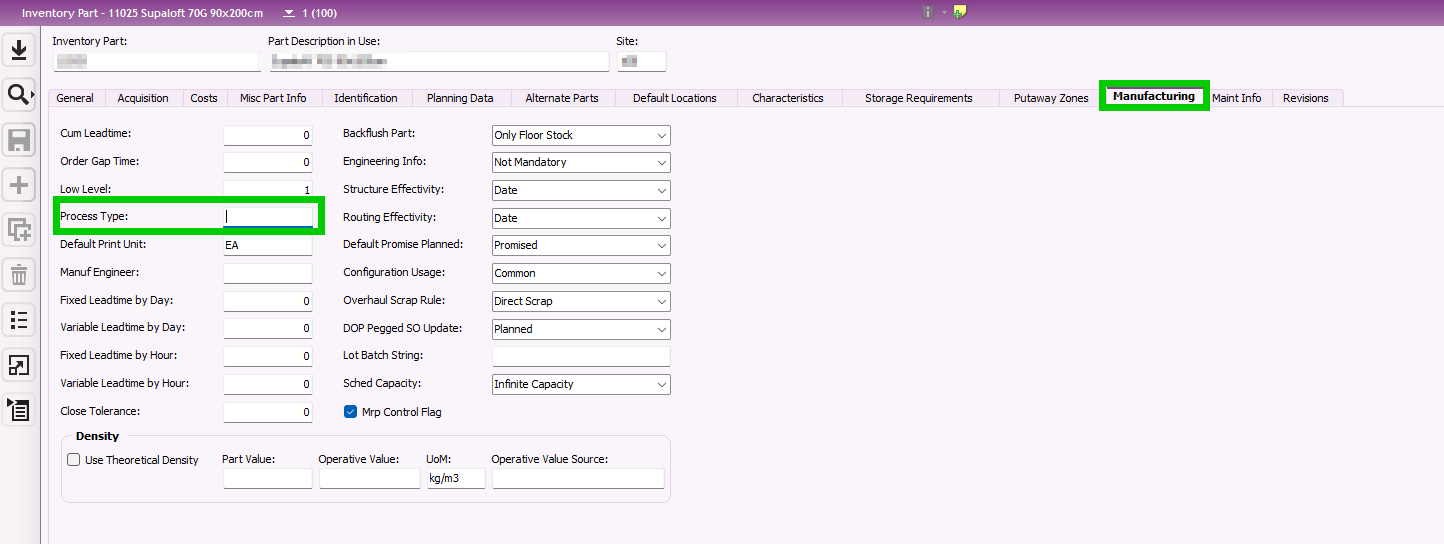
@COVJAMIEB Many thanx again. I created Event but how can i connect it to part.


COVJAMIEB
Hero (Partner)
Forum|alt.badge.img+11
  • Hero (Partner)
  • June 13, 2024

You can add it to the Inventory Part> Manufacturing Tab>Process Type


Forum|alt.badge.img+8
  • Author
  • Sidekick (Customer)
  • June 13, 2024

@COVJAMIEB  For trying I set the stock amount 100, Qty-On Hand (except project) = 5. A added prosess. Do I need to take any other actions? When will this action be triggered?


COVJAMIEB
Hero (Partner)
Forum|alt.badge.img+11
  • Hero (Partner)
  • Answer
  • June 13, 2024

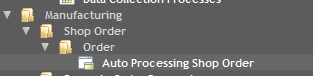
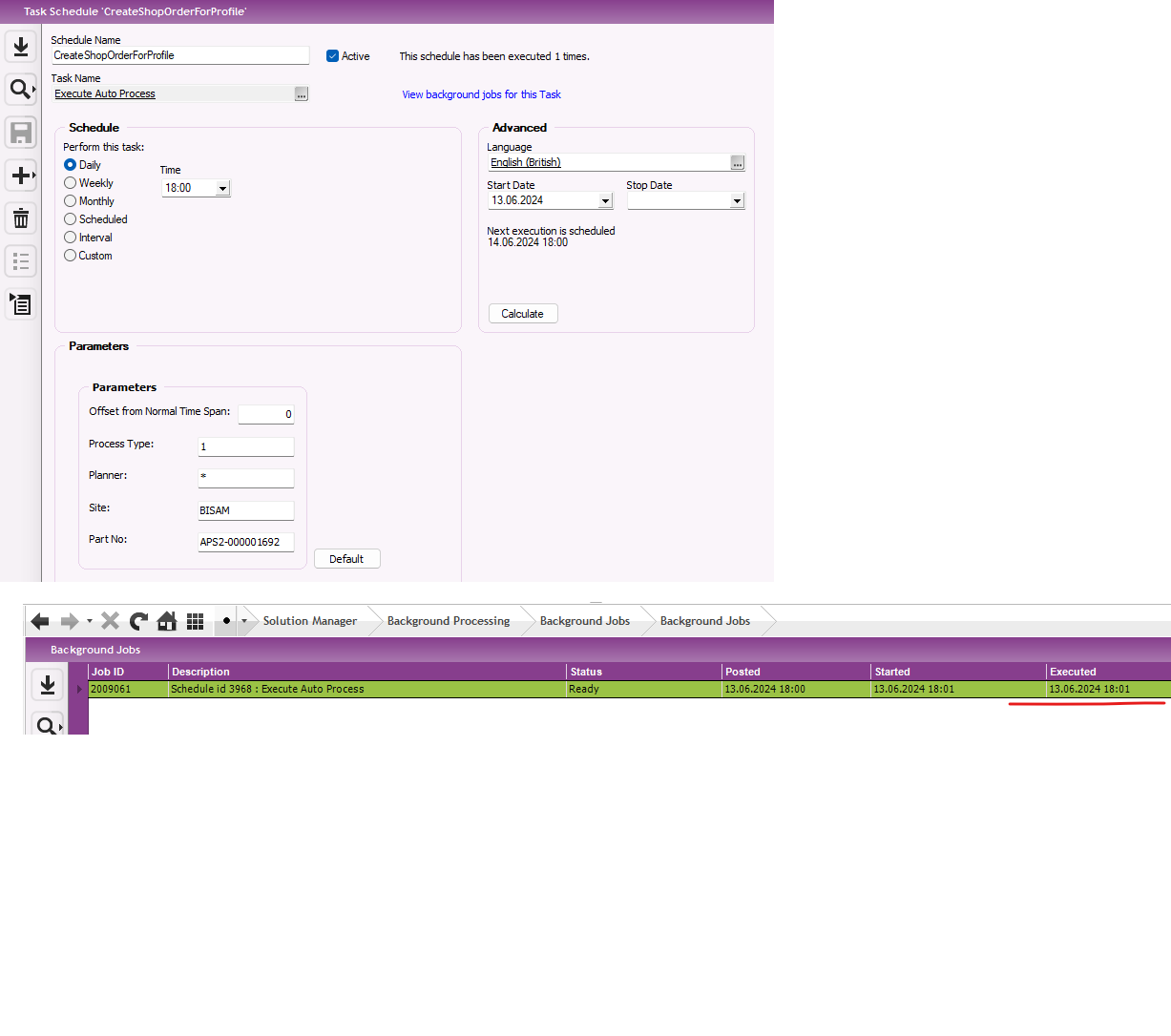
You will need to execute or schedule this job


Björn Hultgren
Hero (Employee)
Forum|alt.badge.img+25

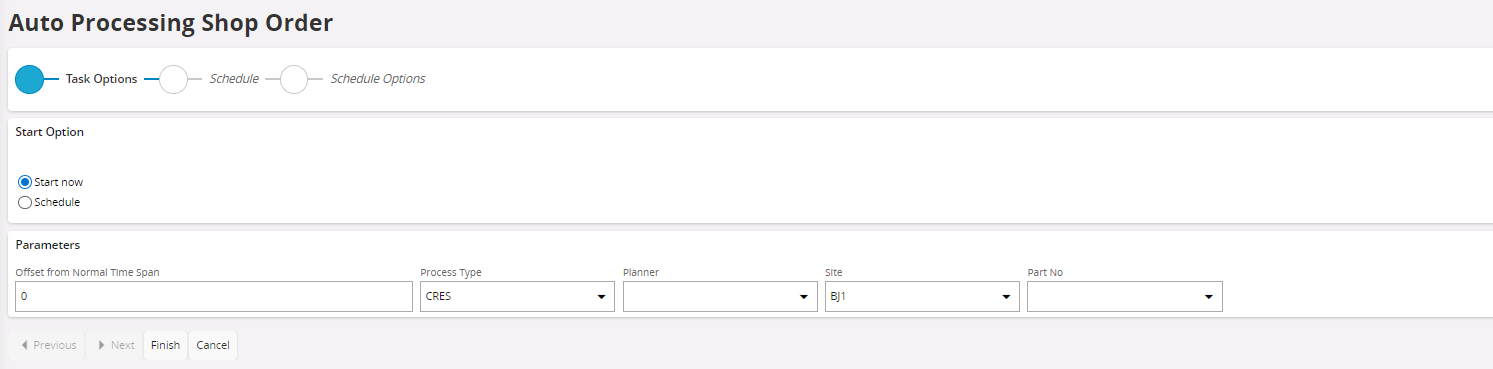
After you have connected the Process Type to the part, it will be inherited to shop order requisitions created for this part. Then you can schedule the job Auto Processing Shop Order to run on a frequent basis. This will identify the requisition and automatically convert it into a shop order.


Forum|alt.badge.img+8
  • Author
  • Sidekick (Customer)
  • June 13, 2024

I execute this action but where will I see what changes have occurred? Shop Order or Shop Order Requisitions. I checked the shop orders, there were no changes.


Buddhika Kurera
Superhero (Employee)
Forum|alt.badge.img+15

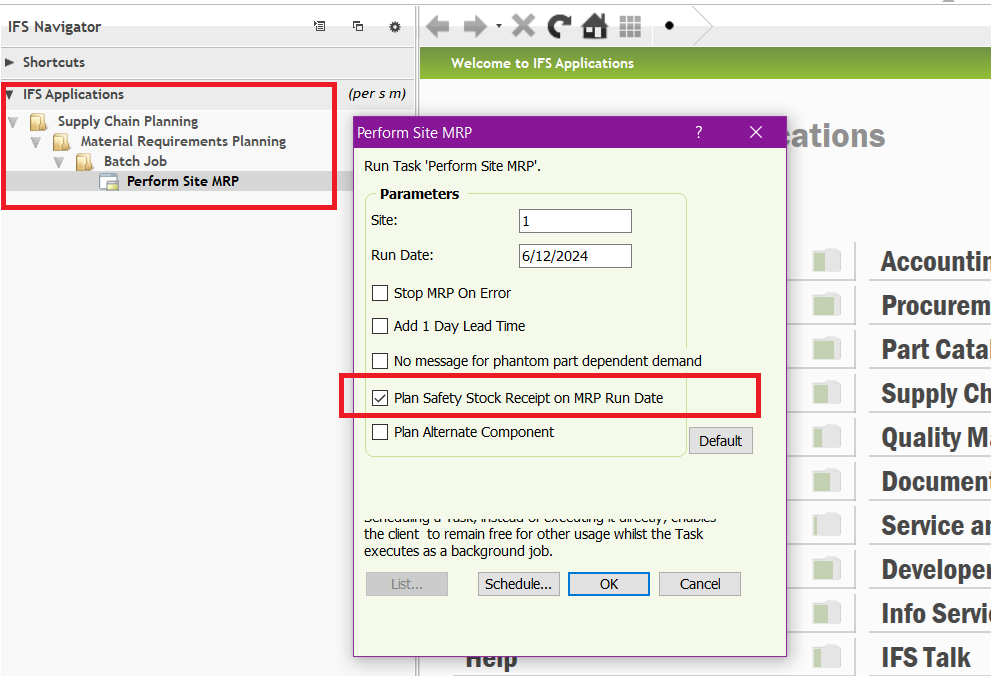
@sahango Did you run MRP with “Plan Safety Stock Receipt on MRP Date” on ?