Solved

Can we have global variables in report designer?

  • Jul 9, 2025 4:09 AM UTC
  • 7 replies
  • 185 views

Forum|alt.badge.img+6

Do we need to add custom fields to each LU individually in order to include company-related data in standard reports? For example, if we want to display the company's web address on both the Purchase Order and Customer Invoice reports, do we have to add it separately to the PurchaseOrder LU and the CustomerInvoice LU?

Alternatively, can we use the Company LU and access the data in both reports?

Is there also a way to define a global variable for such data?

Best answer by Manulak

As I know, you have the API support with only the all-new IFS Report Designer Studio.

If you want to use dynamic values in the footer, you have only the possibility of getting the values via modified RDF. Custom Field might also be an easy solution if you have a limited number of report modifications required.


View original

7 replies

Forum|alt.badge.img+12
  • Hero (Partner)
  • Jul 9, 2025 8:47 AM UTC

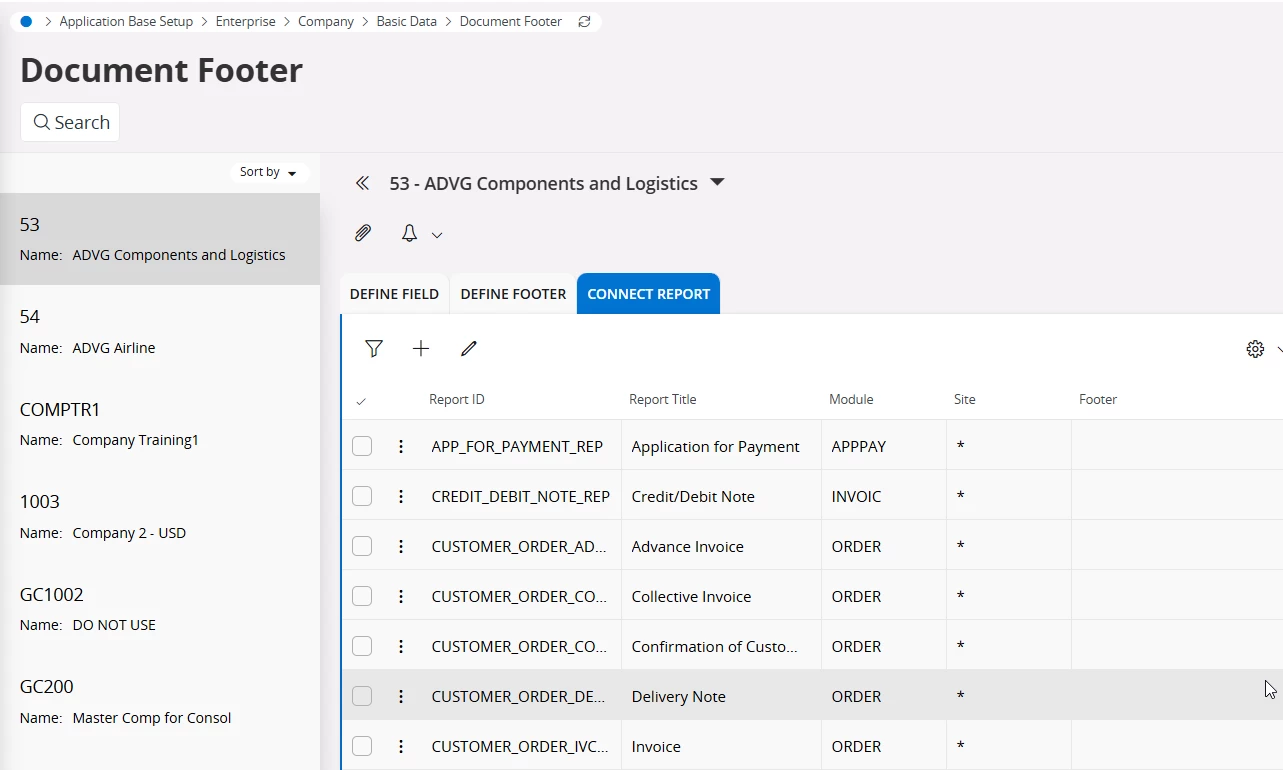
As far as I am aware Document Footer is the way to go.
You can define a footer to be used, and then connect it to all relevant documents.


Forum|alt.badge.img+6
  • Author
  • Sidekick (Partner)
  • Jul 9, 2025 8:54 AM UTC

Thank you for the response. However, is it possible to fetch data using API methods in the document footer without hardcoding the values?


Manulak
Hero (Customer)
Forum|alt.badge.img+8
  • Hero (Customer)
  • Jul 9, 2025 9:08 AM UTC

​@Nethmi98 in my opinion, the easiest would be to use a report site text.

https://docs.ifs.com/techdocs/foundation1/040_administration/250_operational_reporting/100_report_site_texts/default.htm

You can then easily import this field into the RDL using Report Designer.

/Manulak


Forum|alt.badge.img+6
  • Author
  • Sidekick (Partner)
  • Jul 9, 2025 1:51 PM UTC

​@Manulak Thank you for the response. In the Report site text, values can be hardcoded, but data cannot be fetched using API methods. Is there a way to fetch values using API methods?


Manulak
Hero (Customer)
Forum|alt.badge.img+8
  • Hero (Customer)
  • Answer
  • Jul 9, 2025 2:09 PM UTC

As I know, you have the API support with only the all-new IFS Report Designer Studio.

If you want to use dynamic values in the footer, you have only the possibility of getting the values via modified RDF. Custom Field might also be an easy solution if you have a limited number of report modifications required.


  • Do Gooder (Partner)
  • Aug 27, 2025 5:21 AM UTC

​@Manulak -  I too am looking for similar option where I need to fetch dynamic data into the Report Footer. I was told that it can’t be achieved in IFS Report Designer Studio!

For the same reason of non-availability of the feature, we were told to use Crystal report. 

As I see, you mentioned that it can be achieved by modifying the RDF. Is it possible to share further details on how it can be achieved? It will be really helpful if you can share me the sample RDF.


Manulak
Hero (Customer)
Forum|alt.badge.img+8
  • Hero (Customer)
  • Aug 27, 2025 8:26 AM UTC

Hello ​@Xitmanjur 

A quick response: just treat it as every other field on the RDF. In fact, there’s no specific setup for only headers or footers. Once you’ve added your field into a RDF properly, it will bring the data into the data XML, as well as on the schema, i.e. it will start showing up in the Report Designer too.

Then, you can add that to the footer\header as your wish.

Please try it. If that doesn't work, please get back.