Solved

Workflow BPA triggered threw Batch API CALL

  • May 12, 2026
  • 6 replies
  • 18 views

Forum|alt.badge.img+9

I’m having trouble triggering a workflow from a projection call.


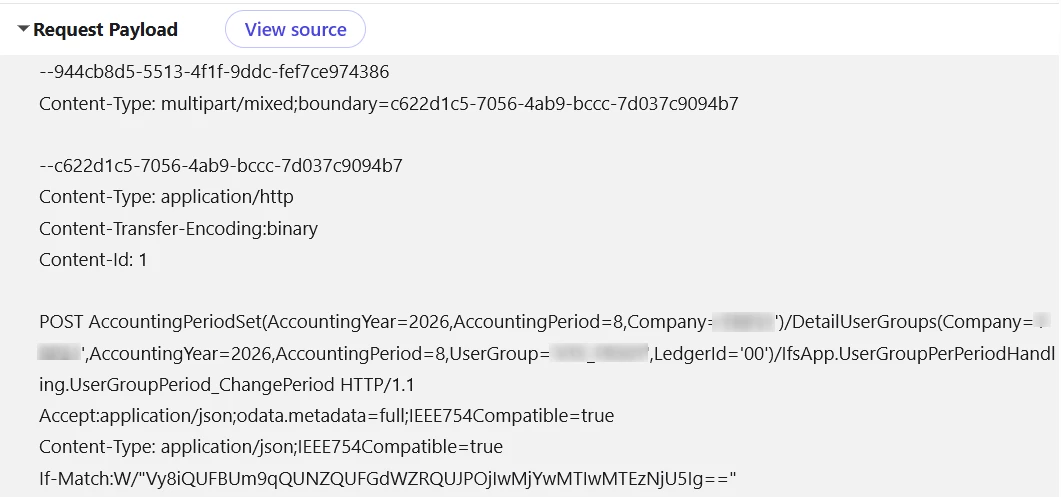
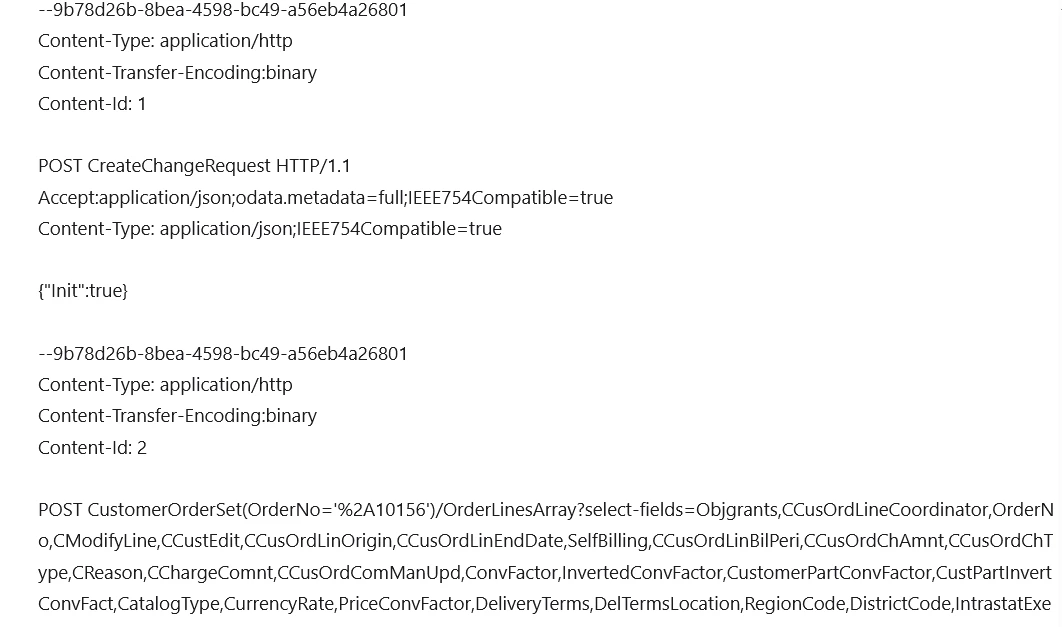
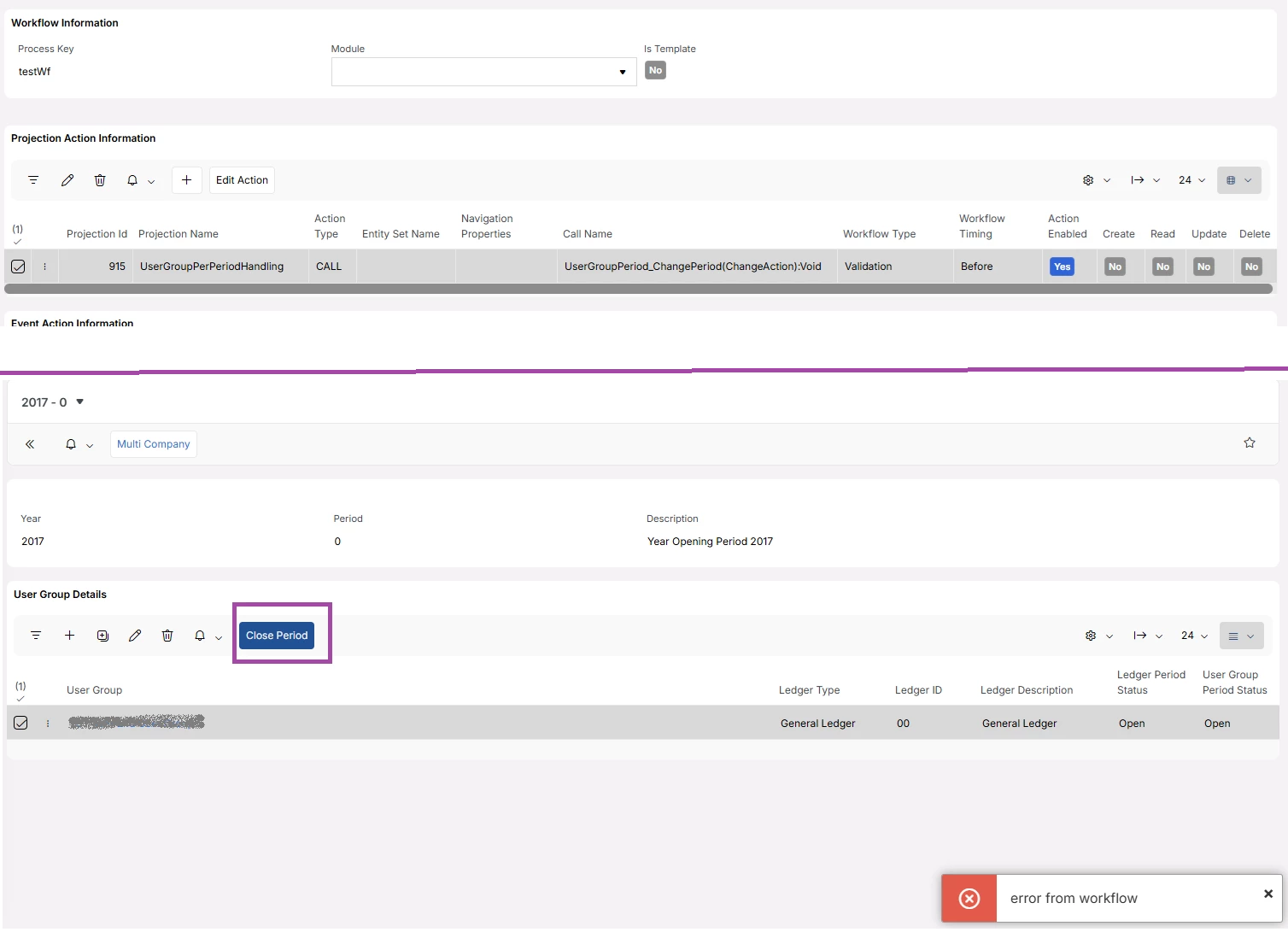
When a button is clicked in Aurena, it launches an API call in batch mode — for example, when creating a customer order line or closing a period.




However, I can’t find the specific call within the batch process to link it to my workflow.
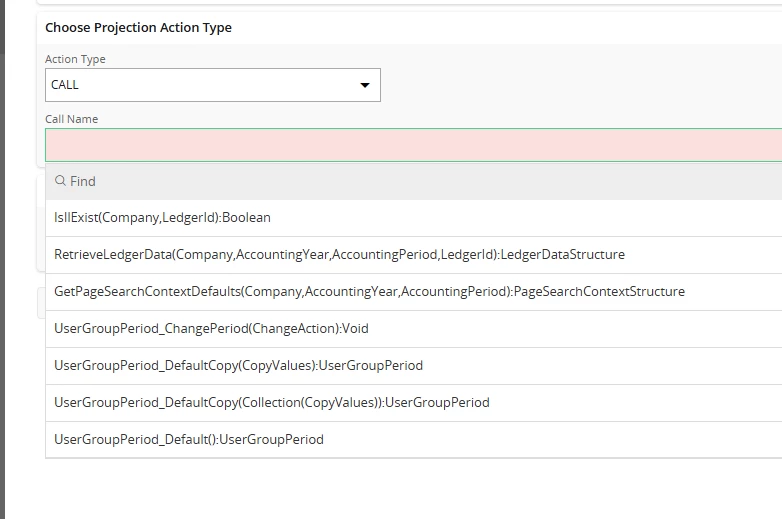
 

Does anyone have any ideas or guidance on this?


Same issue when creating a customer order line.


Thank you for your help.
 

@kamnlk ​@dsj any help would be appretiated :)

Best answer by kamnlk

@N.GEORGI 

I tried the same scenario, and it seem to work as expected (i checked in an 25r2 release version)

what is the ifs version you are using ? 

check if the projection action is enabled? 

6 replies

Forum|alt.badge.img+9
  • Hero (Employee)
  • May 12, 2026

Hi ​@N.GEORGI 

We cannot set the workflow to trigger for a $batch request but rather only to the individual calls within the batch. 

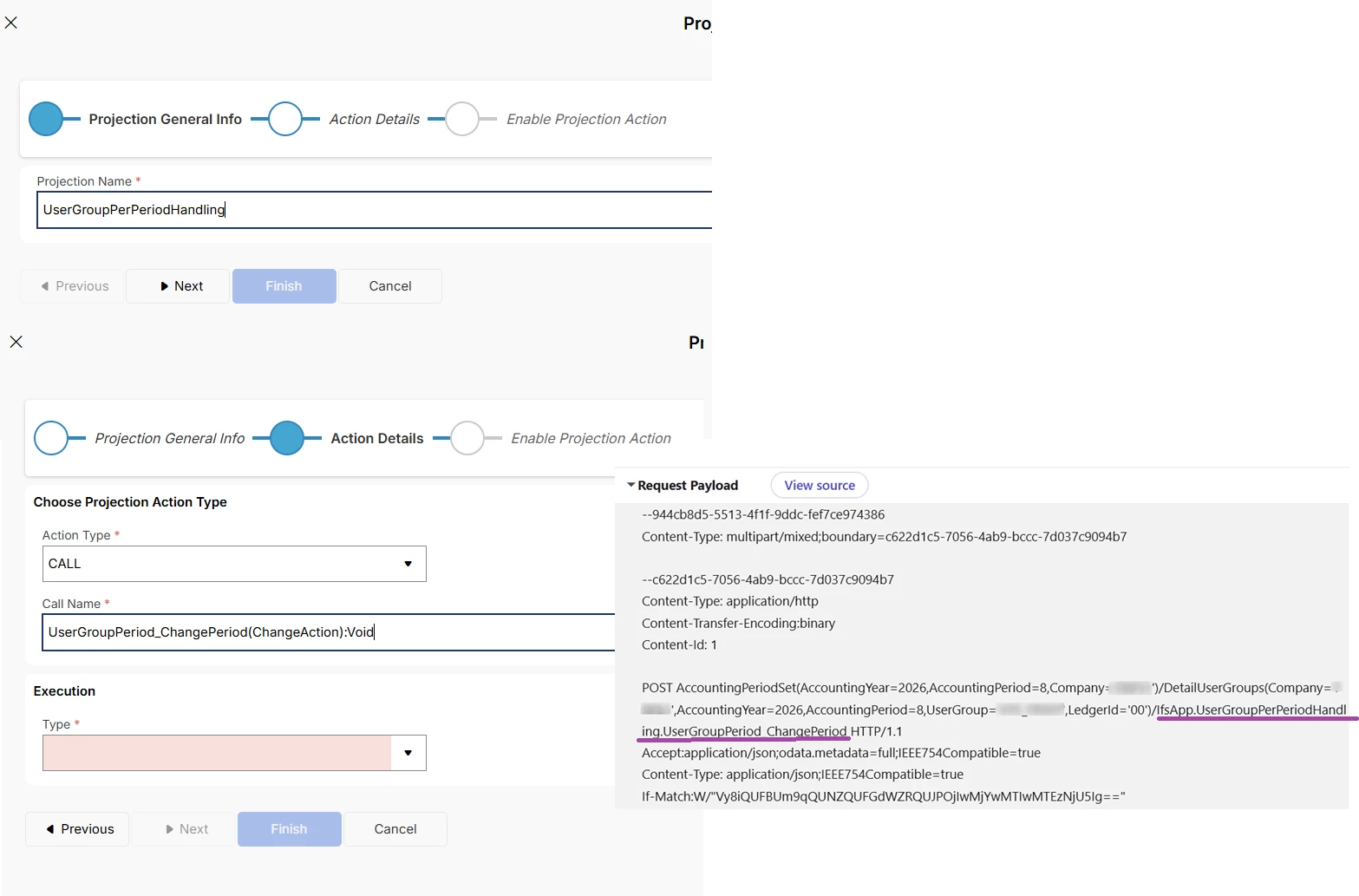
we can simply select the action we want the workflow to trigger and select that in the projection action wizard 


Forum|alt.badge.img+9
  • Author
  • Hero (Customer)
  • May 12, 2026

@kamnlk thank you for your update.

I have already created a workflow based on that call, (validation workflow, on before event)

But when monitoring the workflow we have no log generated and no validation message.


Forum|alt.badge.img+9
  • Author
  • Hero (Customer)
  • May 12, 2026

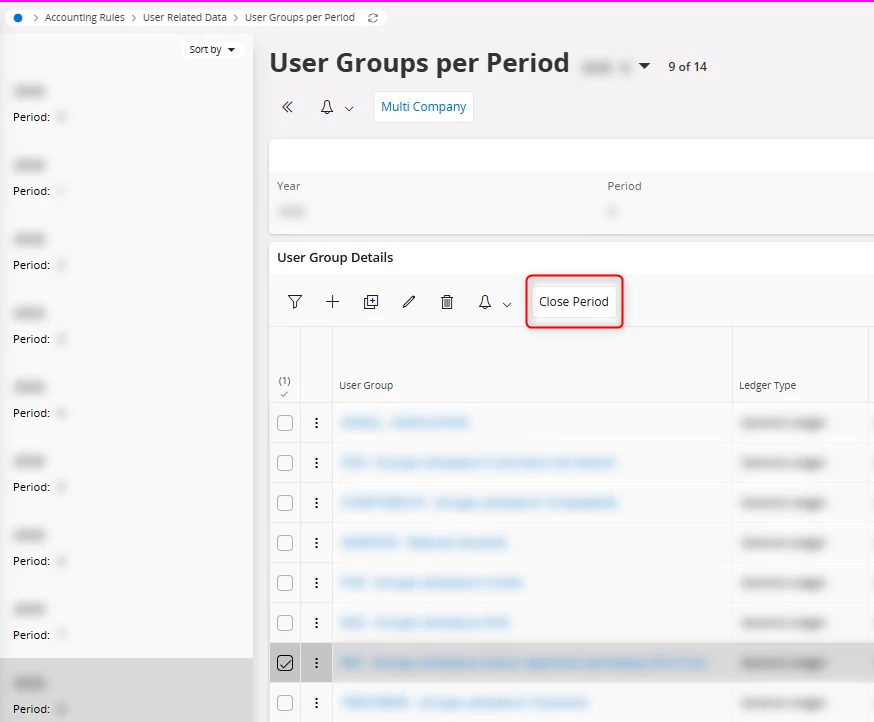
The button is pressed from the following page :


Forum|alt.badge.img+9
  • Hero (Employee)
  • Answer
  • May 12, 2026

@N.GEORGI 

I tried the same scenario, and it seem to work as expected (i checked in an 25r2 release version)

what is the ifs version you are using ? 

check if the projection action is enabled? 


Forum|alt.badge.img+9
  • Author
  • Hero (Customer)
  • May 12, 2026

It was the projection action that was not enabled.


Thank you.


Forum|alt.badge.img+9
  • Author
  • Hero (Customer)
  • May 12, 2026

It was the projection action that was not enabled.


Thank you.