Where do you change the invoice number sequence year? The invoice numbers are still using last year 2025 and they should be 2026? thety are 2025125773 and it should be 2026011234. How do I change to new year?

Solved
Where do you change the invoice number sequence year?


 +14
+14Best answer by Nikila Dis
Hi
In IFS Cloud, the invoice number year does NOT change automatically just because the calendar year changed.It is controlled by Invoice Series / Number Series and company financial setup.
Navigate to,
- Financials > Supplier Invoice>Basic Data >Invoice Series
- Select the relevant Series ID that you need to change
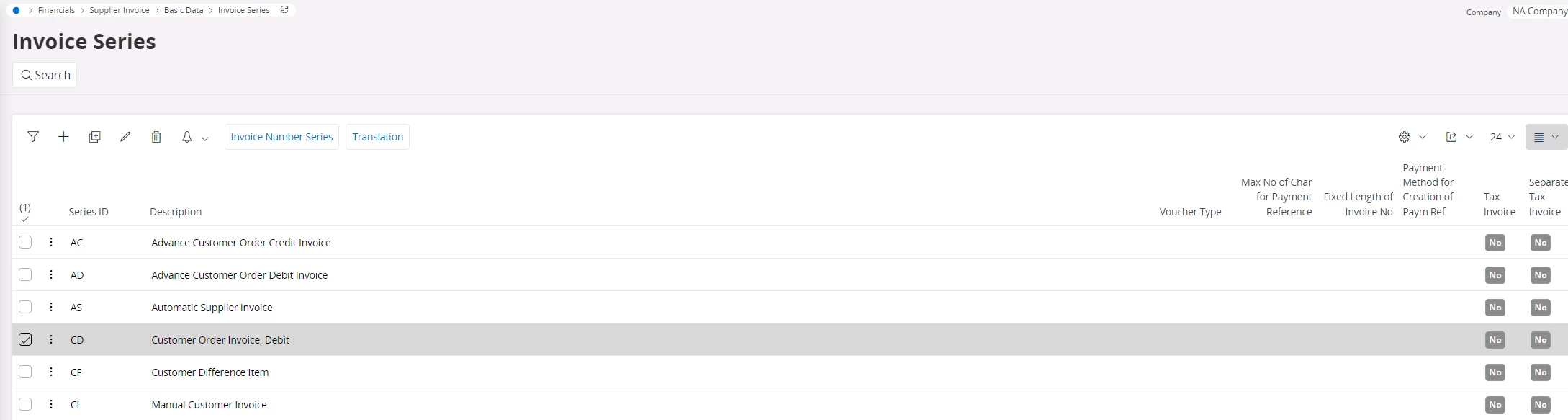
3. Click on the three dots and go to invoice number series widnow
4. Create a new line for 2026
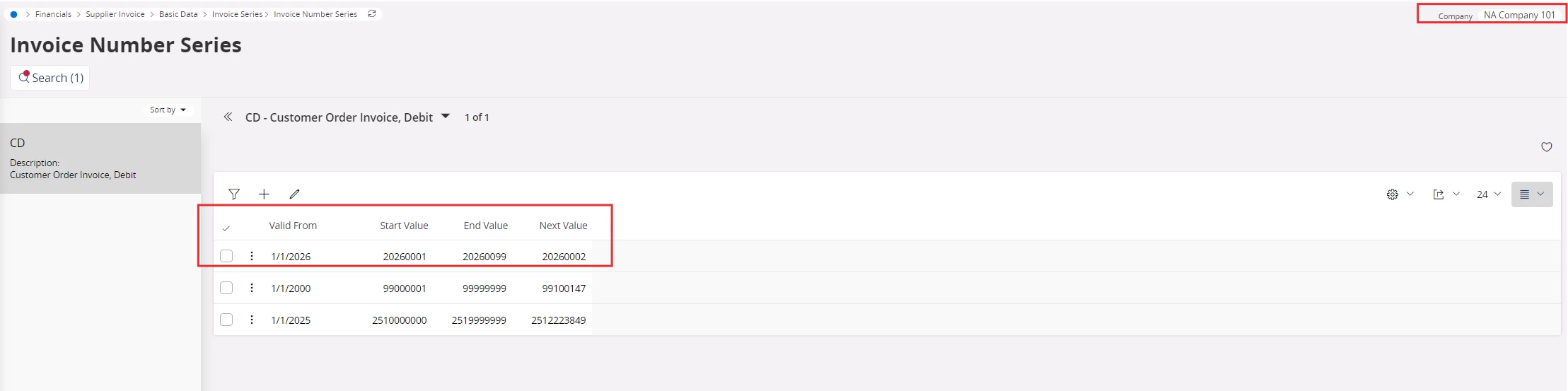
In addition verify that the Accounting Year is properly set up and open for 2026. Search for Accounting Year in IFS Cloud and confirm that the accounting year 2026 exists, its status is set to Open, and all required accounting periods are open. If the 2026 accounting year or its periods are not open, the system may continue to apply 2025 logic when generating invoice numbers.
Regards,
Nikila Dissanayake



Enter your E-mail address. We'll send you an e-mail with instructions to reset your password.