Question

What caused the error(PluginExecute Failed. Error uncPrintBinary)when printing Barcode(ZPL) using Script Plugin?

  • June 1, 2022
  • 4 replies
  • 391 views

Forum|alt.badge.img+2
  • Do Gooder (Customer)

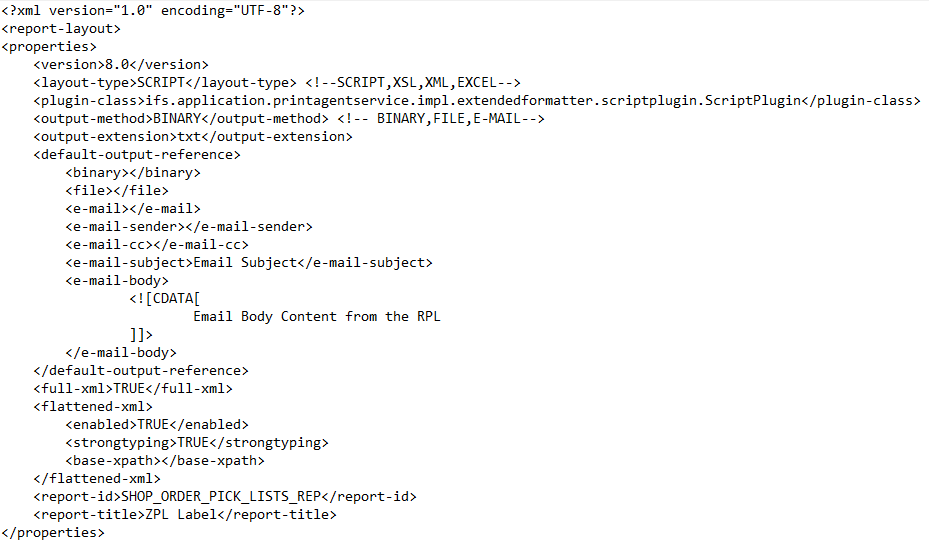
Our IFS revision is IFS9 UPD11; We are trying to print Barcode(ZPL) using Script Plugin,we created a RPL file, and imported the layout to the “Shop Order Pick List” report.

Att 1: .rpl Script
 

Att 2: ifs-printagent-config.xml
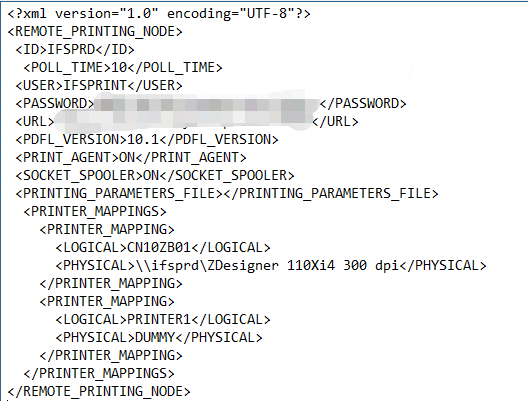
 

IFS Print Agent was enabled;  the mapped Zebra Printer can print the report which designed by Report Designer;

If we check the "Send E-mail to..." item in the report print dialog, then we can receive an email about the ZPL code in its attachment, The ZPL Code drawn correctly on the Labelary Online ZPL Viewer; but when I choose print the label on the Zebra printer, the system show a error message:

Att 3:  Error Message: “PluginExecute Failed. Error uncPrintBinary”

 

What caused this error? 

4 replies

Forum|alt.badge.img+5
  • Sidekick
  • November 22, 2022

Hi @adany ,


Did you able to solve this issue?


Forum|alt.badge.img+2
  • Do Gooder (Employee)
  • April 22, 2026

Hi ​@adany,

Did you able to solve the problem?


IFS Community
Sidekick (Employee)
Forum|alt.badge.img+9
  • Sidekick (Employee)
  • April 23, 2026

Hi ​@huzi11 

Responding on behalf of ​@adany , as the original reply was received via the Community mailbox.

The author has confirmed that the issue is now resolved and shared the following update:

“This problem has been solved. We can print the barcode by using a script plugin method now.”


@adany 

To make this answer helpful for other community members, could you please elaborate a bit more on the script plugin method used (for example, what was changed or configured differently)? This will help ensure the accepted solution is clear and reusable for others facing a similar issue.

Thanks for your help.

Grzegorz
IFS Community


IFS Community
Sidekick (Employee)
Forum|alt.badge.img+9
  • Sidekick (Employee)
  • April 23, 2026

Responding on behalf of ​@adany , as the original reply was received via the Community mailbox :)

“This was a case from a long time ago, and I can’t remember exactly how the issue was resolved.


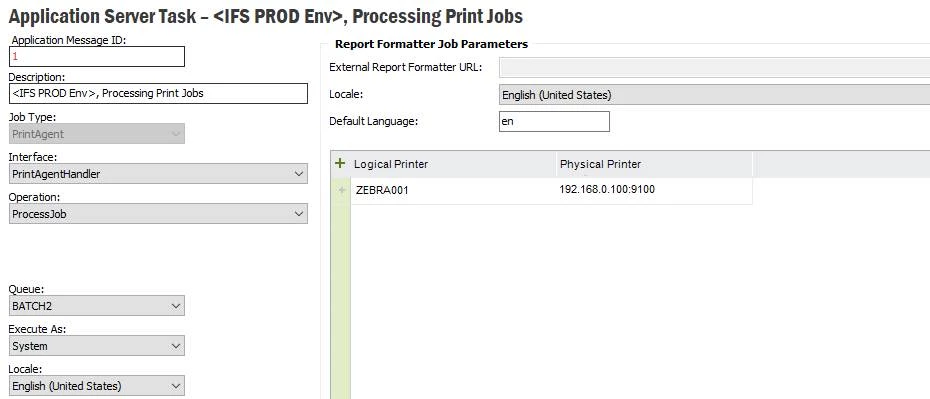
Perhaps the RPL script is not the problem, changing the Logical Printer​ settings to the IP address​ and print port​ of the Zebra printer.

For example:


@huzi11 please let us know if the suggestion provided solves the issue you have encounter.

Kind Regards,
Grzegorz