


When working with the Query Designer in IFS Aurena, you may encounter situations where a specific entity is not available for selection when creating queries. This is typically due to certain prerequisites not being met.
Below are the reasons:
1. Row-Level Security Not Implemented
Entities must have Row-Level Security (RLS) implemented to be visible in Query Designer. Row-Level Security ensures that users can only access and query data they are authorized to see. This is typically implemented in the underlying database view.
- If RLS is not implemented, the entity will not appear
- RLS is handled at the code level and is not configurable through the user interface
This restriction exists to ensure that users are only exposed to authorized data
2. Missing OBJKEY
For an entity and its underlying views to be available in Query Designer, it must contain an OBJKEY. The OBJKEY is required because it uniquely identifies each record. Query Designer uses the OBJKEY as a unique identifier to define queries.
How to verify:
- Navigate to the Entity page
- Search for the relevant entity
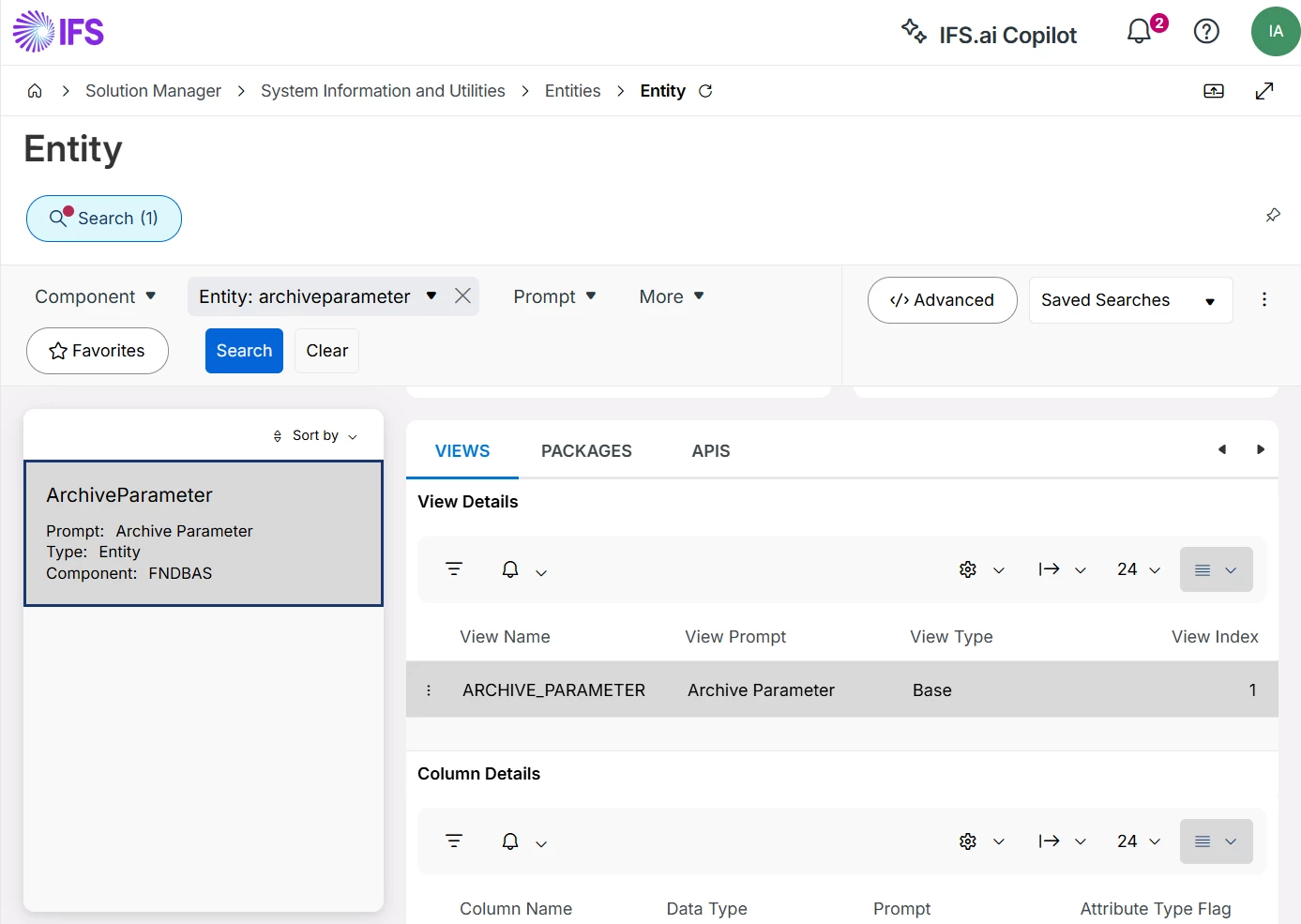
- Open Column Details
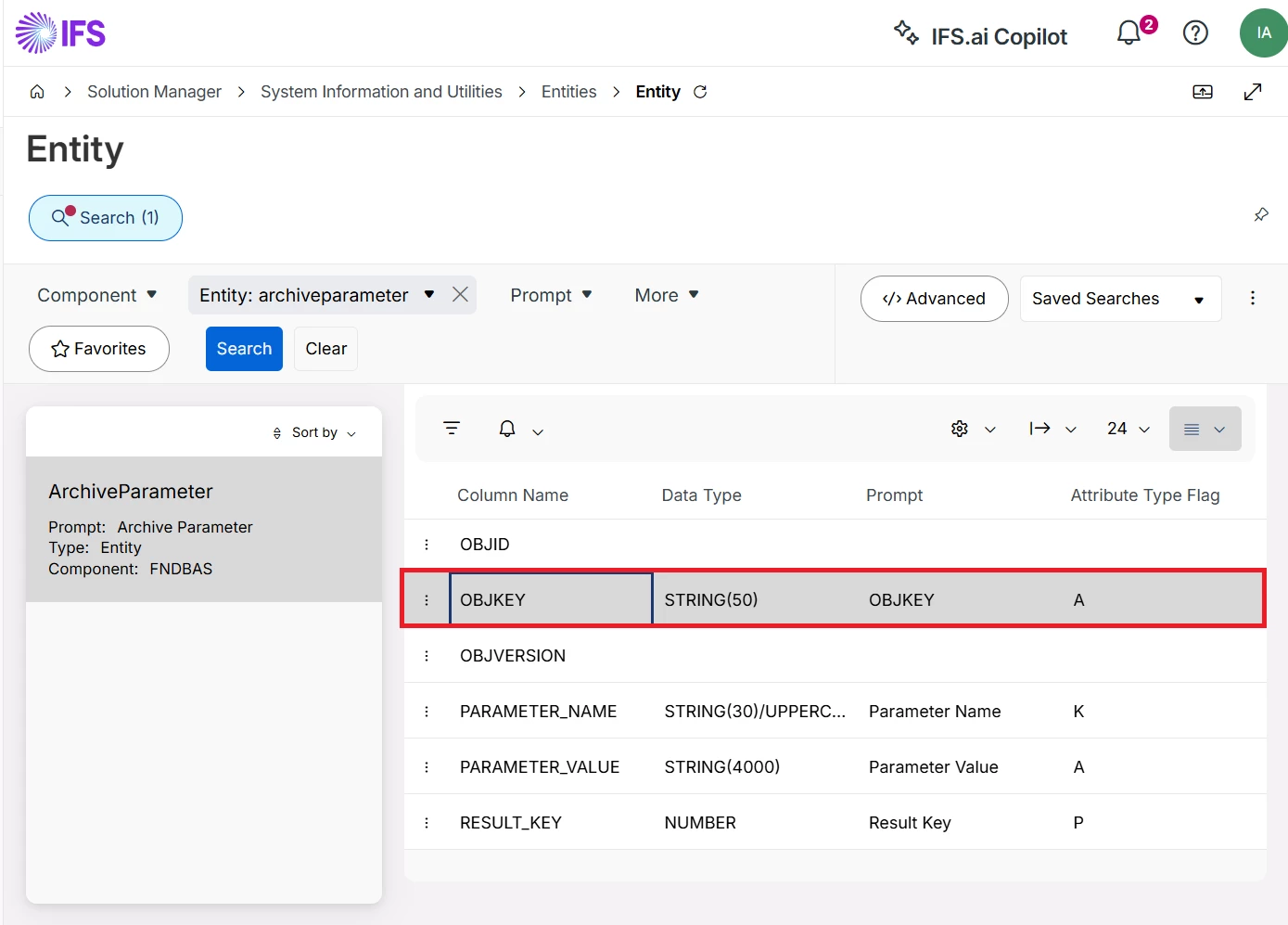
- Check whether OBJKEY is defined
If the OBJKEY is not present, the entity will not be exposed in Query Designer.
Summary
If an entity is not appearing in Query Designer, it is most likely due to one of the following:
- Row-Level Security has not been implemented
- The entity does not have an OBJKEY defined

