

Question

Unable to change Work Assignment status

  • May 29, 2025
  • 2 replies
  • 68 views

Wendy J
Do Gooder (Customer)
Forum|alt.badge.img+1

Hello Community, I hope you can help. I have a Work Task that can’t be changed to Reported or Finished status. The Work Assignment 1 is stuck at Work Started as a failed transactions was deleted following a re-initialisation of the device and data was lost. We can close the Work Task manually to show a Work Done status but it cannot be processed to Finished or Reported. The Assignment status can’t be changed as it says its on the device but it isn’t.
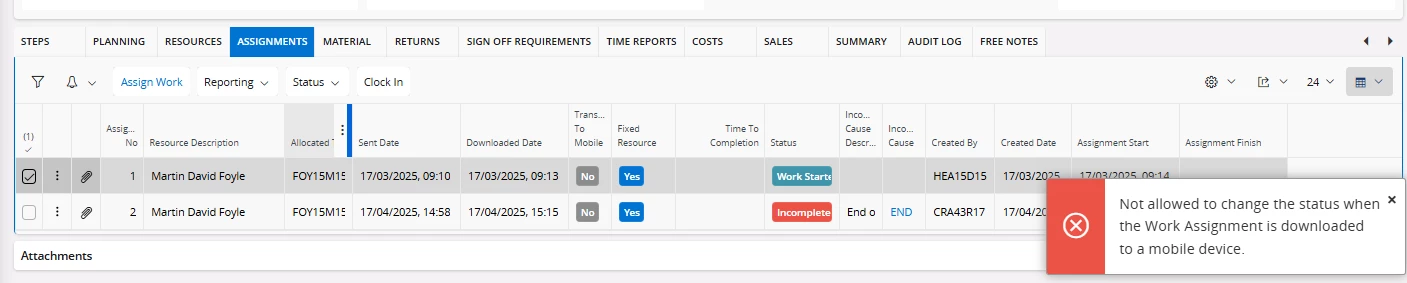
When I try to change the Work Task status to reported this error is returned.
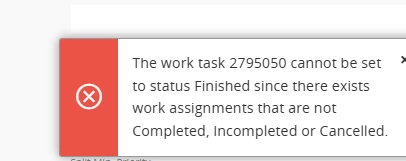
Any assistance is much appreciated.

Many thanks

Wendi

2 replies

Forum|alt.badge.img+4
  • Do Gooder (Partner)
  • September 1, 2025

I am facing the same issue, These assignments are also not available in Transferred task/Work Assignment page.

Did you managed to resolve this?


Forum|alt.badge.img+2

Hello Wendy & AccHarpr,


I am also facing the similar issue. Please see my post --here is the link.

Work Assignment stuck in Work Started Status | IFS Community.


Also, there is an ignored failed transaction for the work task stating that the Actual Start (Work Start) date on the work task is later than the Assignment Finish (Work Finish) date.


But, the dates on the work tasks are correct.


It looks like this is a bug in IFS.

Solution -1 :

Work Around is:


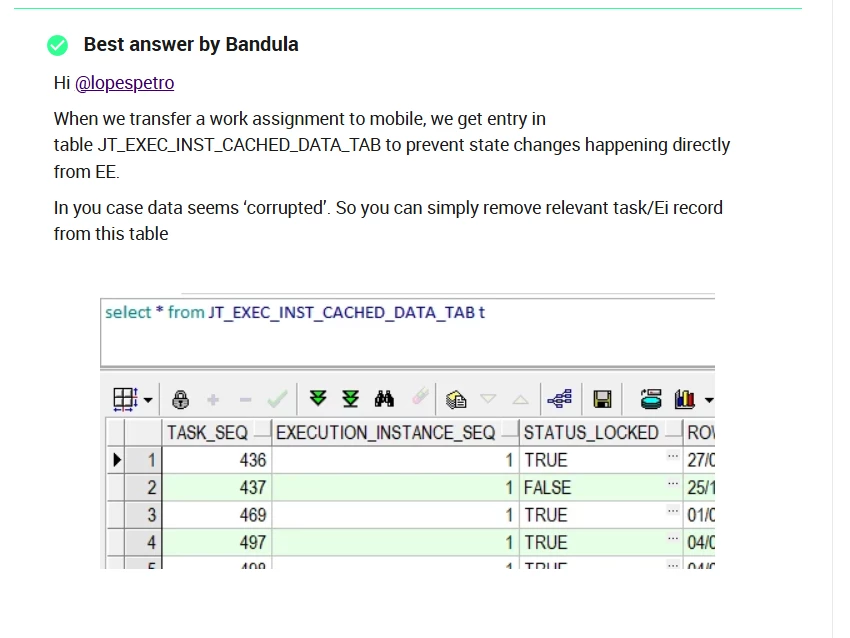
  1. Unlocking the work assignment (Status_Locked = 'FALSE').
  2. You can ask the technical team to create a simple Novacura flow where you can enter the work task number and assignment number. After entering the details, clicking OK should unlock the work task.

  3. Once that is done, manually updating the Work Task assignment status to COMPLETED in IFS.


Solution -2 :


I saw the similar error in this community post as well.


Here is the link: 

not allowed to change status when the work Assignment is downloaded to a mobile device | IFS Community

Please let me the workaround that you are using to close the work tasks.