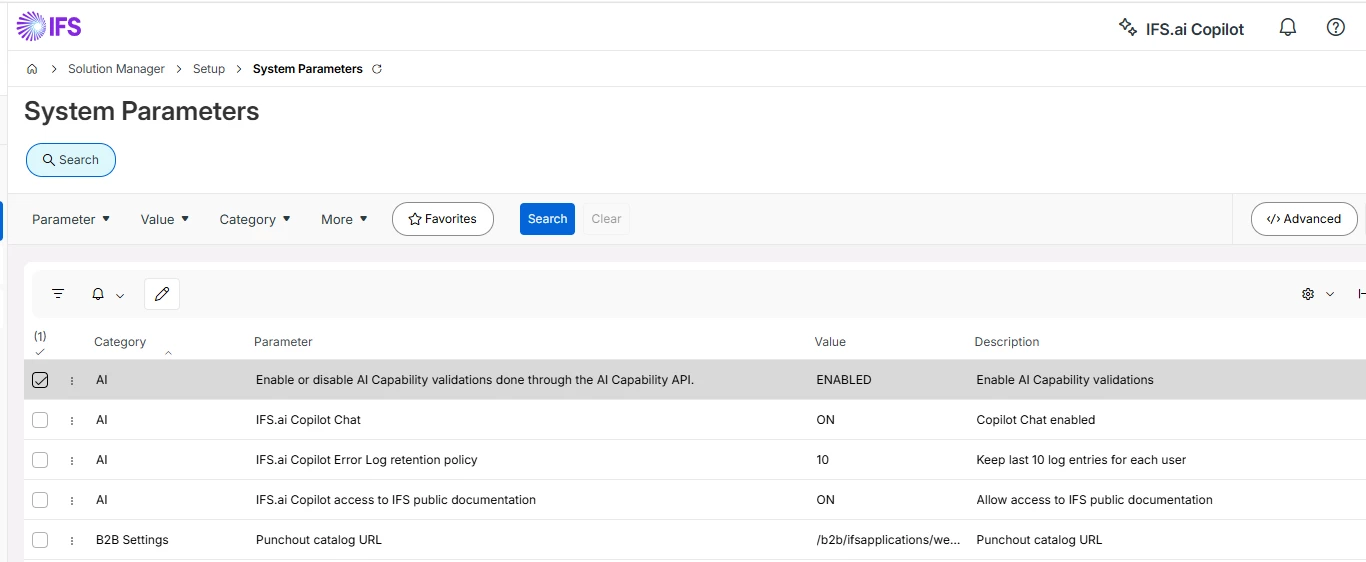
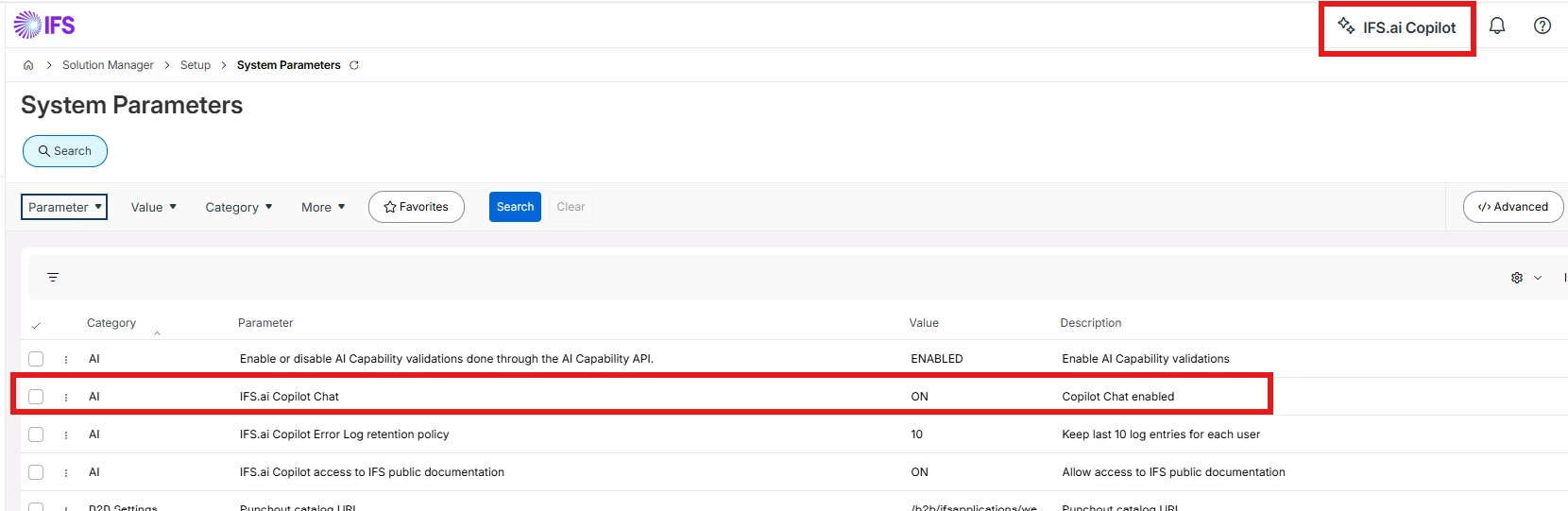
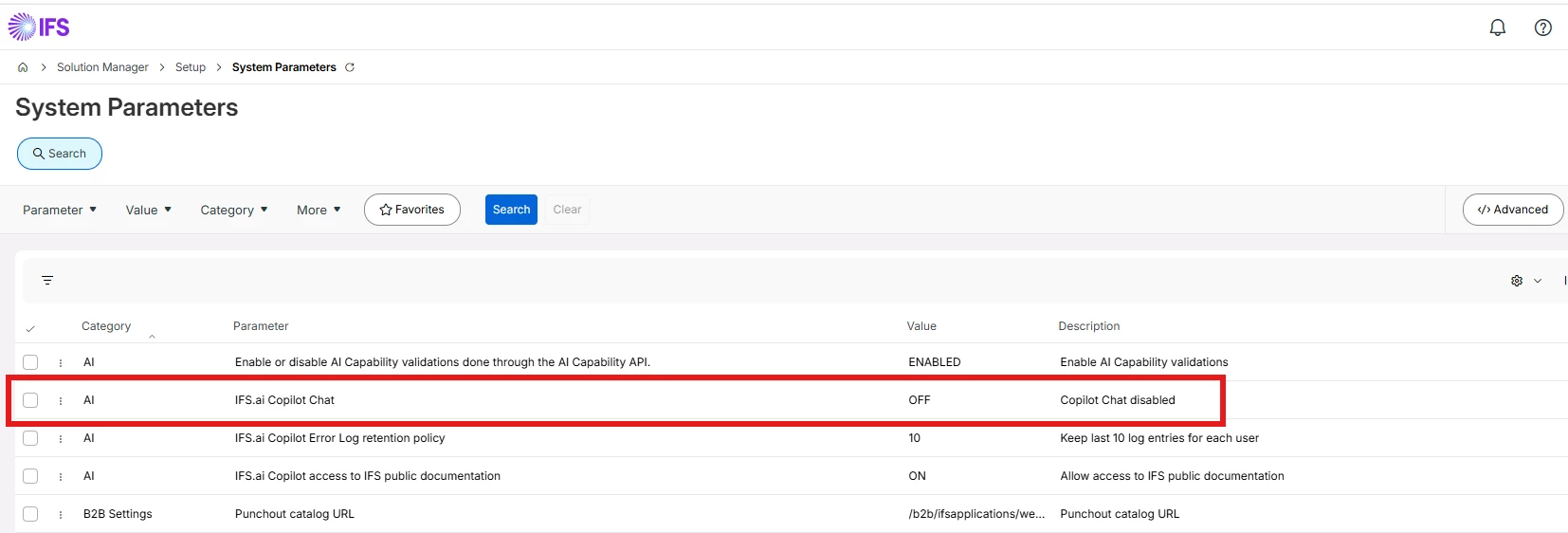
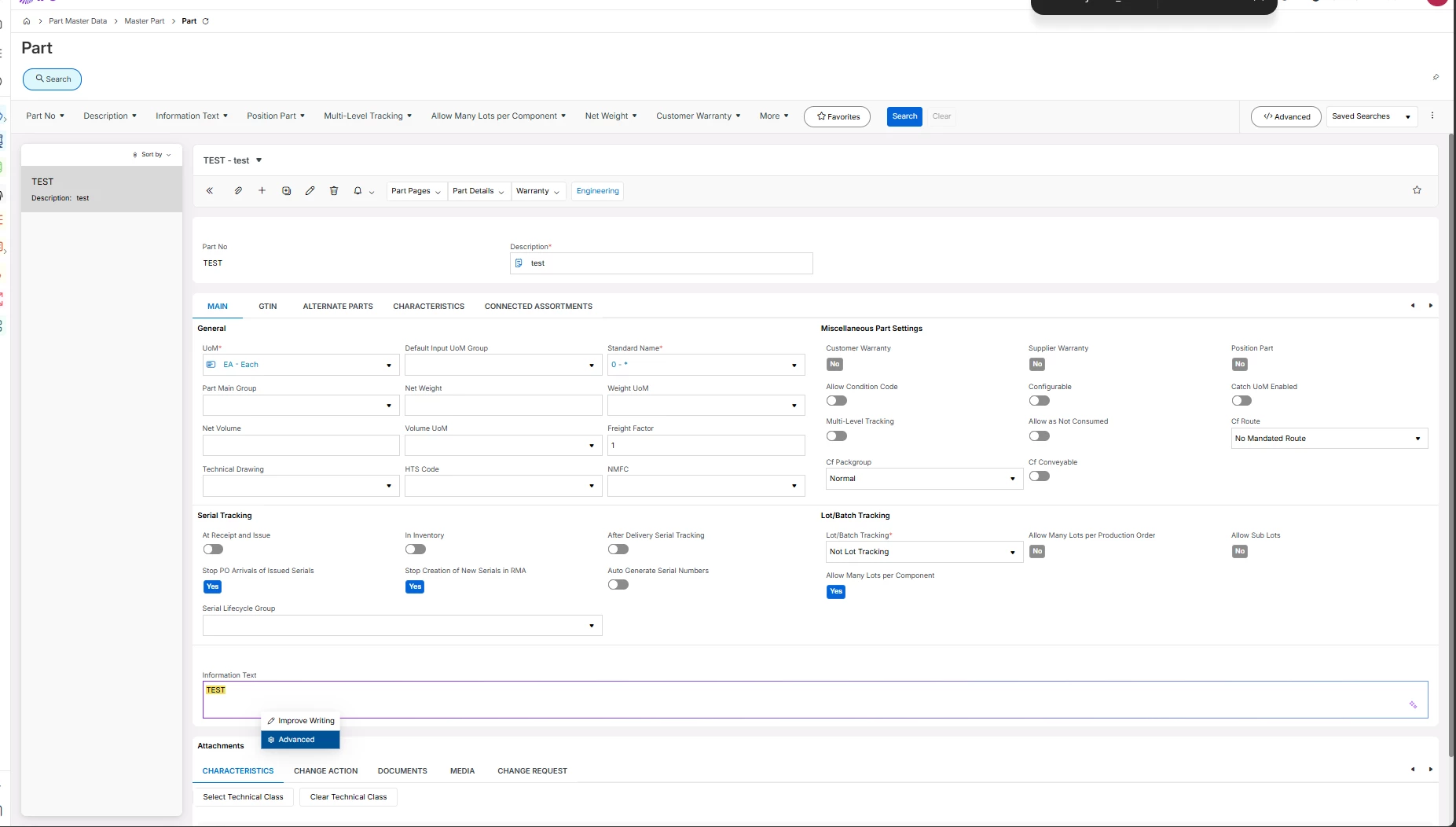
As AI-related buttons and features are introduced into the standard IFS user interface, organizations that have not licensed IFS Copilot need a centralized way to disable or hide these features.
Currently, the only alternative is to remove AI-related controls through page configurations. This approach creates several challenges:
- Administrative overhead to identify and remove AI controls across multiple pages.
- Ongoing maintenance whenever new AI features are introduced in future releases.
- Risk of inconsistent user experiences if some buttons are removed while others remain visible.
- Potential user confusion when AI features are visible but unavailable.
- Increased support and training effort to explain why certain buttons do not function.
Requested Enhancement:
Provide a tenant-wide or system-wide configuration setting that allows administrators to hide or disable all Copilot/AI-related buttons and menu options when the feature is not licensed or not intended for use.
Business Value:
- Reduces administrative effort.
- Delivers a cleaner and more consistent user experience.
- Prevents confusion caused by unavailable features.
- Simplifies upgrade management by automatically suppressing newly introduced AI controls.
- Aligns the application interface with the organization's licensed capabilities and feature adoption strategy.