Question

Sending an email with the invoice to the customer

  • May 13, 2026
  • 7 replies
  • 56 views

Forum|alt.badge.img+11

Hello.

We would like to send an email to a customer with the PDF file of their invoice as attached file.

What’s the best solution for that? 

I was thinking via rule report, is that the best way? Also, in that case, how can we do the sending?

Thanks

IFS 10 - upd 5

7 replies

Forum|alt.badge.img+4
  • Do Gooder (Customer)
  • May 14, 2026

Good morning,


I think you have 2 different options for this. The easiest would be to setup automatic emailing using reporting rules. A good example of this has already been discussed on the community here; Automatic emailing of Customer Invoice PDF | IFS Community


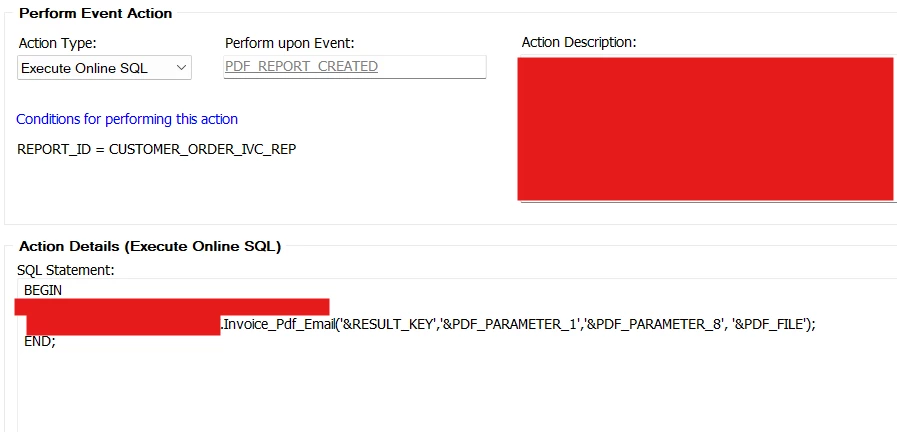
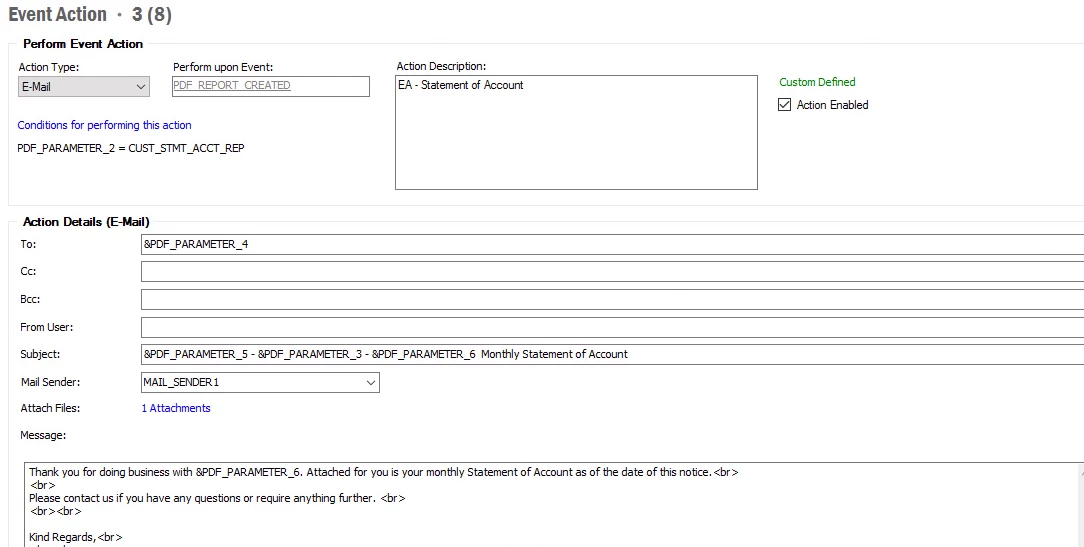
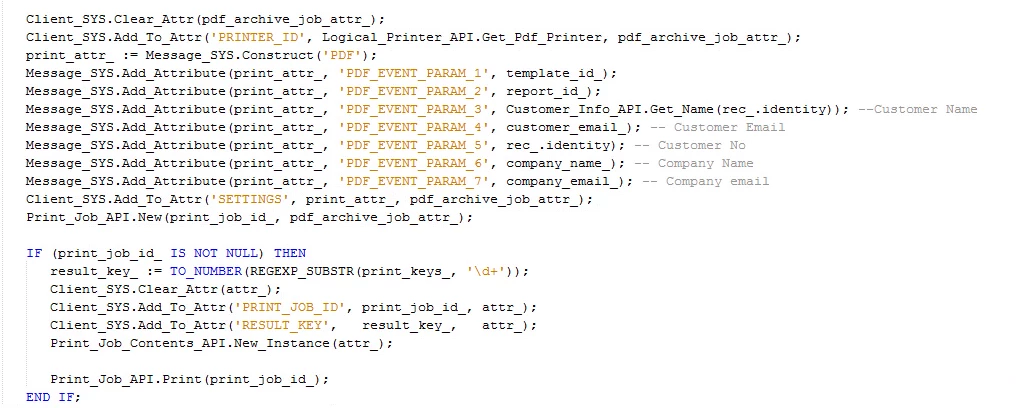
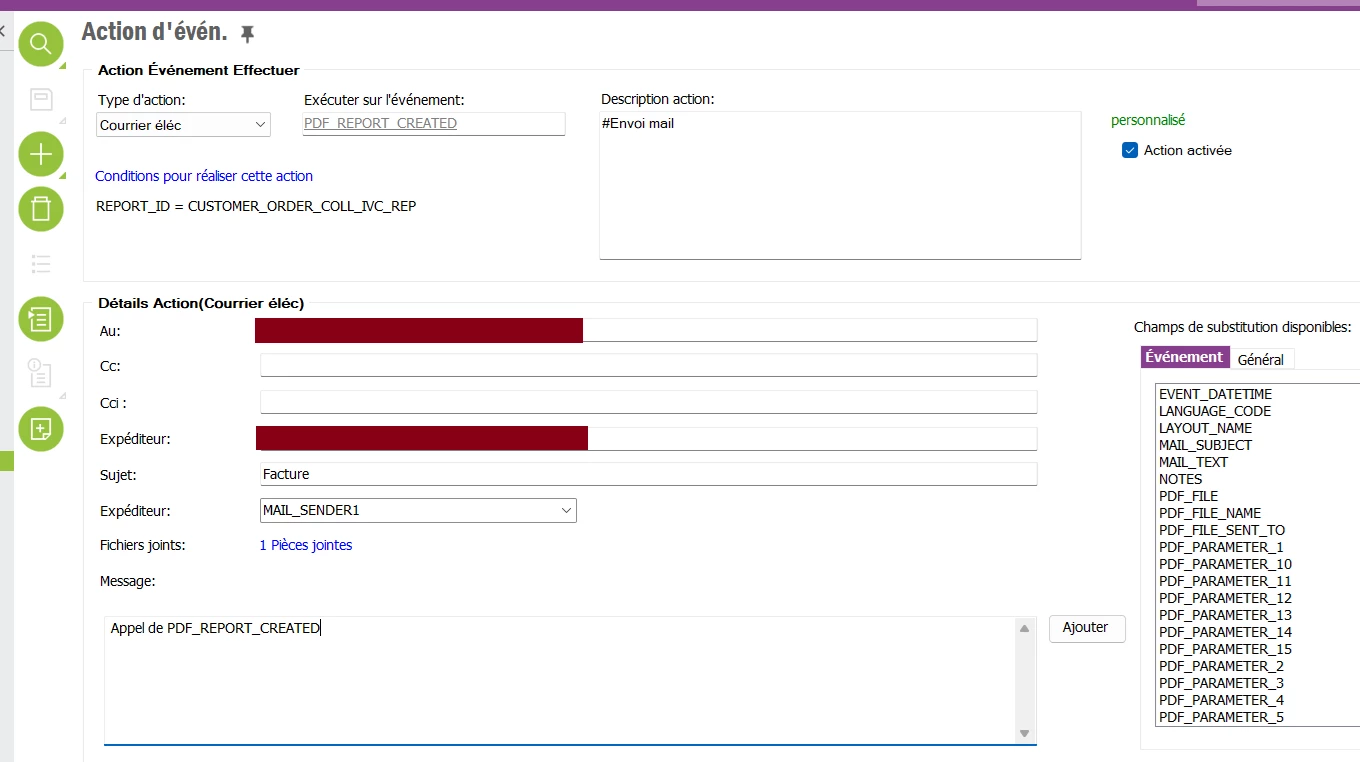
You can also use a custom event action to complete this. A little more complicated but also will work. Using this method you can use the event ‘PDF_REPORT_CREATED’ to call a custom package to populate with the PDF and required email information. Example below;

Thanks

R


Forum|alt.badge.img+11
  • Author
  • Hero (Customer)
  • May 18, 2026

Hello ​@TmRyk 

I got a feedback and I’m afraid that the context will be different, as the sending should be automatically done, so with no user action.

So, because of that, I don’t see how a report rule may help or even an event.

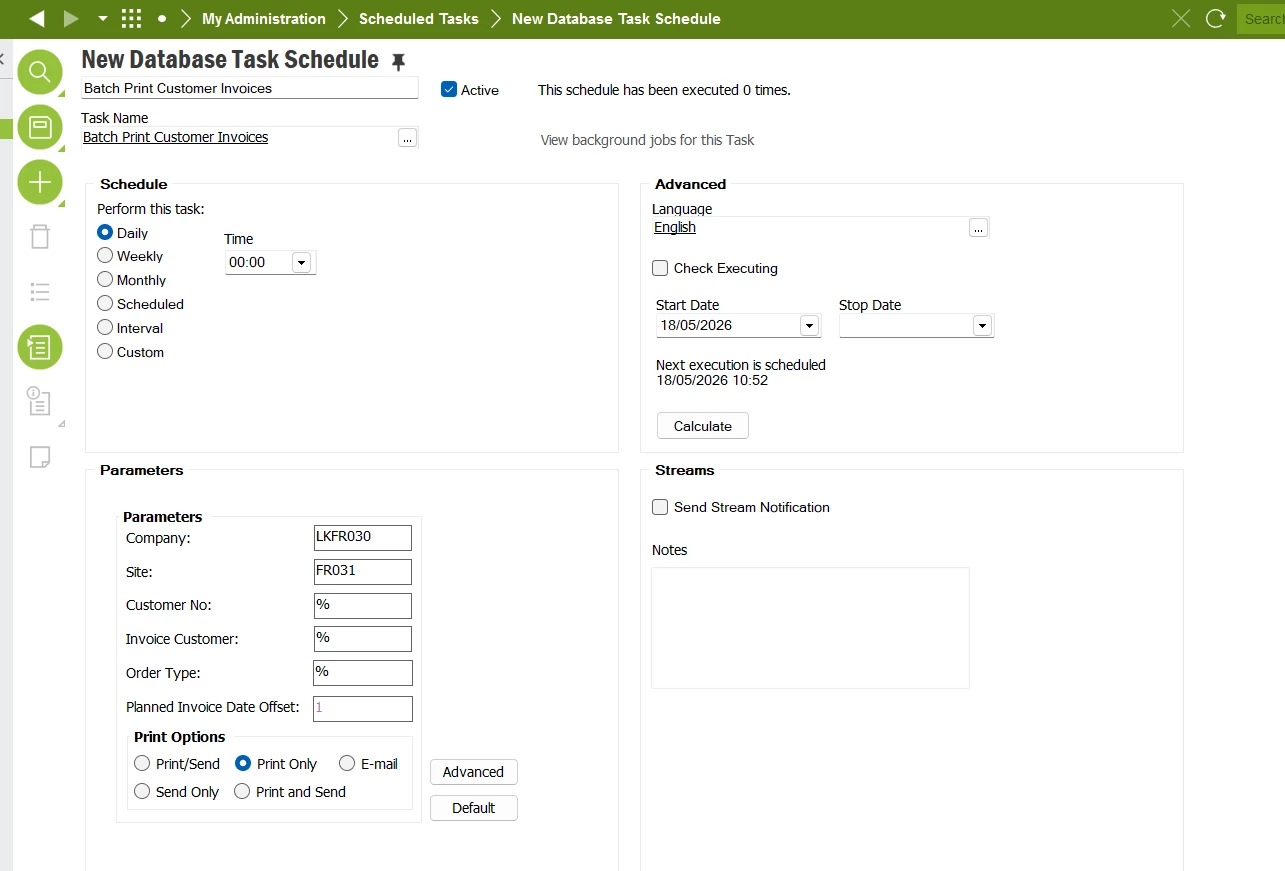
Is there a way to run a schedule task to generate the report on every invoice created the day before to then do the sending?


Forum|alt.badge.img+11
  • Author
  • Hero (Customer)
  • May 18, 2026

I will have a look on this 


Forum|alt.badge.img+11
  • Author
  • Hero (Customer)
  • May 18, 2026

I can run this schedule task but that makes no report archive.

Additionnaly, I made a report rule on CUSTOMER_ORDER_IVC_REP with 2 actions :

  1. Send email
  2. Route to connect (I would also need to export the invoice as a pdf file on the network)

but none of them worked


Forum|alt.badge.img+6
  • Sidekick (Partner)
  • May 18, 2026

Hi ​@romsar,

  1. You can create an event action for the PDF_REPORT_CREATED event.


  1. Then create a method in a utility file to generate the report (include the code snippet required to save it in the report archive)


  1. After that, create a database task to execute the above-mentioned method, along with a scheduled task to run the job automatically.

Forum|alt.badge.img+11
  • Author
  • Hero (Customer)
  • May 19, 2026

Hello ​@Nethmi98 

Thanks for your feedback but I’m not sure to understand your code.

On my side, I have found a code to generate an archive, I had to adapt it as the code I found was initially for a shop order. Despite it’s generating a new RESULT_KEY, it makes no report archive and I don’t know what’s wrong :

PROCEDURE PRINT_CUSTOMER_INVOICE(p_company VARCHAR2, p_invoice_id NUMBER, p_result_key OUT VARCHAR )

IS

   report_id_         VARCHAR2(100) := 'CUSTOMER_ORDER_IVC_REP'; -- Report ID

   report_attr_       VARCHAR2(2000);

   parameter_attr_    VARCHAR2(2000);

   distribution_list_ VARCHAR2(2000):= '';


   result_key_        NUMBER;

   printer_id_        VARCHAR2(100);


   print_job_attr_    VARCHAR2(2000);   

   job_contents_attr_ VARCHAR2(2000);

   print_job_id_      NUMBER;

   instance_attr_     VARCHAR2(32000);

   lang_code_         VARCHAR2(2);

   printer_id_list_ VARCHAR2(32000);

BEGIN

  ------------------------------------------------------

  -- (1) Create Archive instance

  ------------------------------------------------------


  -- Create the report attr

  CLIENT_SYS.Add_To_Attr('REPORT_ID', report_id_, report_attr_);


  -- Add report parameters

  CLIENT_SYS.Add_To_Attr('COMPANY', p_company , parameter_attr_);

  CLIENT_SYS.Add_To_Attr('INVOICE_ID', p_invoice_id , parameter_attr_);


  -- Create Archive instance.

  -- It will return the result key

  Archive_API.New_Instance(result_key_, report_attr_, parameter_attr_);


  ------------------------------------------------------

  -- (2) Create Print Job and contents

  ------------------------------------------------------

  -- Get the user default printer.

  printer_id_ := Printer_Connection_API.Get_Default_Printer(Fnd_Session_API.Get_Fnd_User, report_id_);

  Client_SYS.Add_To_Attr('PRINTER_ID', printer_id_, print_job_attr_);


  -- Create Print job  

  Print_Job_API.New(print_job_id_, print_job_attr_);


  Client_SYS.Add_To_Attr('RESULT_KEY', result_key_, job_contents_attr_);

  Client_SYS.Add_To_Attr('PRINT_JOB_ID',print_job_id_,job_contents_attr_);

  PRINT_JOB_CONTENTS_API.New_Instance(job_contents_attr_);


  ------------------------------------------------------

  -- (3) Print!

  ------------------------------------------------------  

  Print_Job_API.Print(print_job_id_);

  p_result_key:=to_char(result_key_);

END;


Forum|alt.badge.img+11
  • Author
  • Hero (Customer)
  • May 19, 2026

From what I understood, the real REPORT_ID is CUSTOMER_ORDER_COLL_IVC_REP

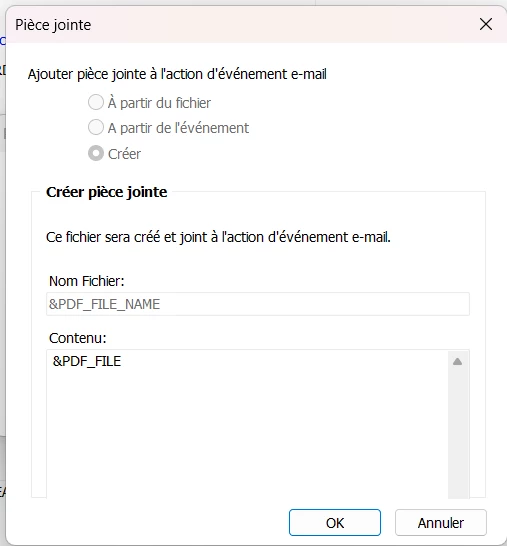
I don’t know but I managed to make my event run but I have a problem with the attached PDF file as it’s corrupted.


So far, I try to do the sending manually, so without using the scheduled task.

What’s wrong with my event action?