
Question

send email through workflow

  • June 23, 2026
  • 5 replies
  • 35 views

RakeshChangeshpur
Sidekick (Partner)
Forum|alt.badge.img+10

Hi Team,


I am using the send email functionality from the custom projection(using the command_sys.send email)

 in the workflow and the email thing works fine but the body text alignment is showing everything in the same line


Is there a way to control this alignement to include the spacing 


ex: 

Hi XXXX,


This is to inform regarding the new supplier creation. Please review the details below


supplier id: XXXX

created by: XXXXX


The email it triggers shows like this and looks odd when reading the email

Hi XXXX, This is to inform regarding the new supplier creation. Please review the details below supplier id: XXXX created by: XXXXX


any inputs would be appreciated


Regards,

Rakesh



5 replies

Marcel.Ausan
Ultimate Hero (Partner)
Forum|alt.badge.img+22
  • Ultimate Hero (Partner)
  • June 23, 2026

Hi ​@RakeshChangeshpur,


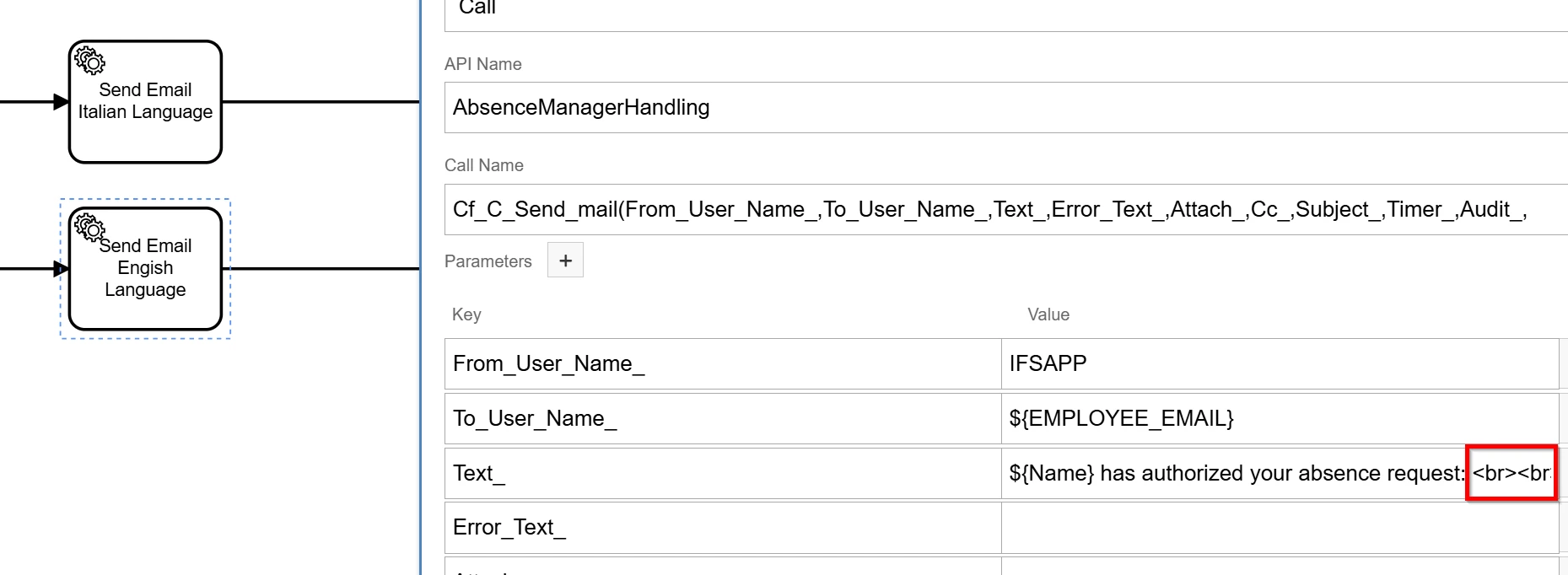
You could add html breaks <br> inside the variable containing the Email Body.

See below an example:


RakeshChangeshpur
Sidekick (Partner)
Forum|alt.badge.img+10

Hi ​@Marcel.Ausan - Did this work for you? it does print the <br> tag as it is and doesnt add a line in my workflow when used


RakeshChangeshpur
Sidekick (Partner)
Forum|alt.badge.img+10

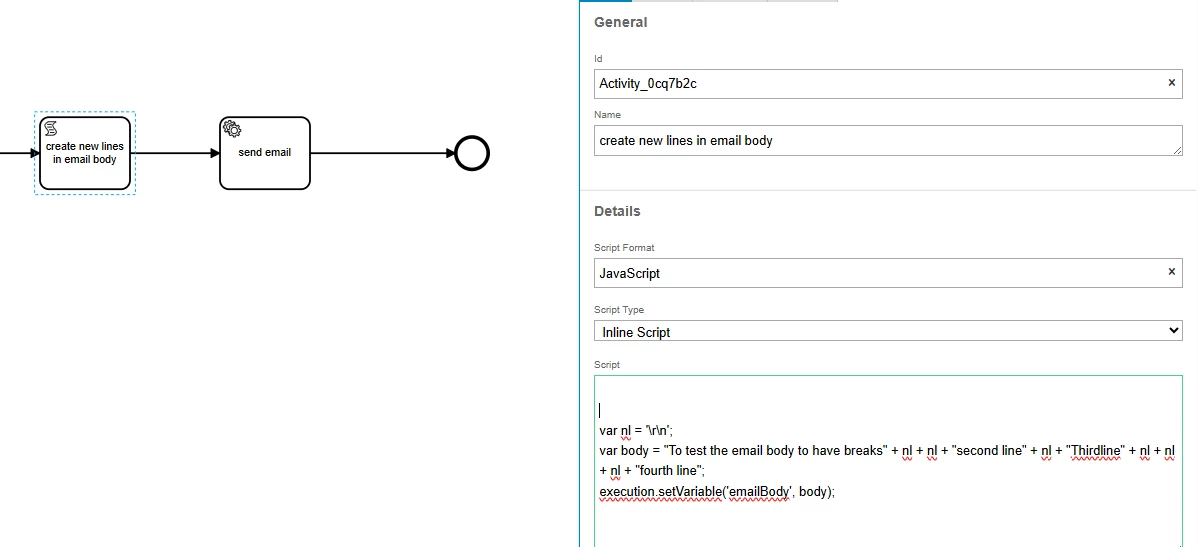
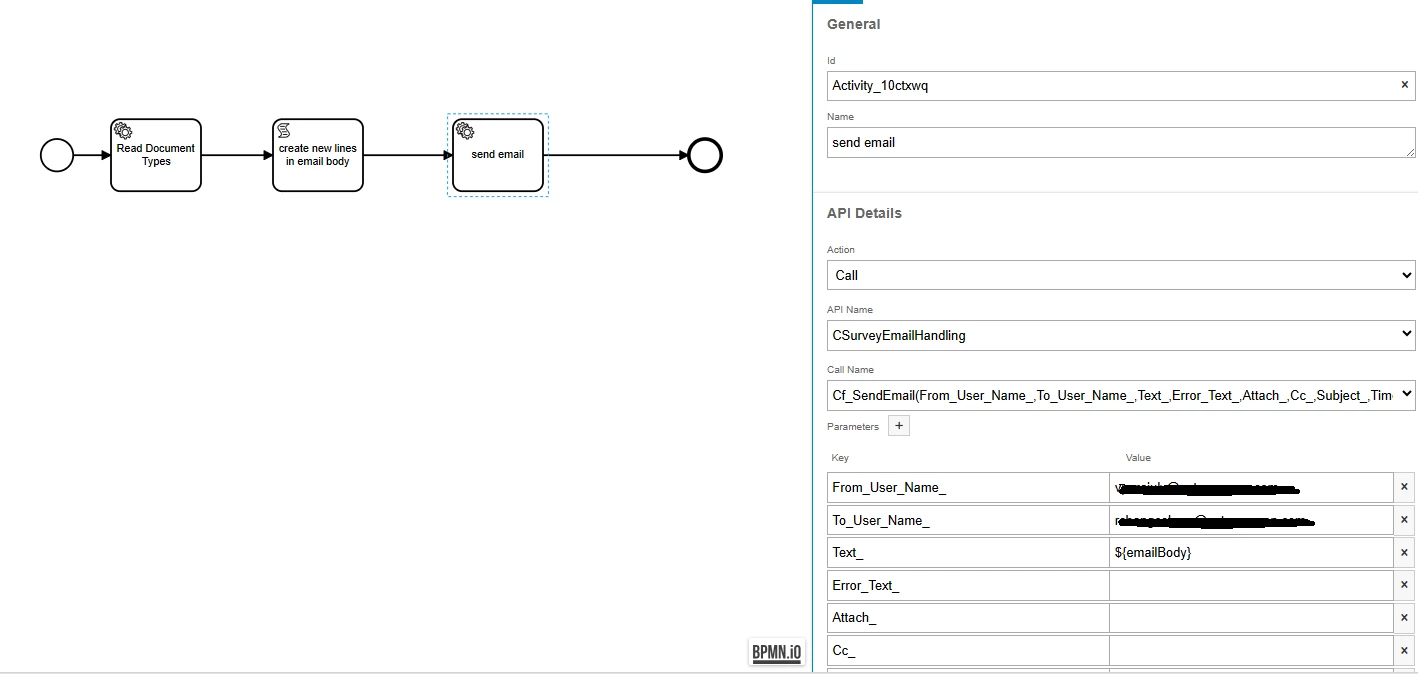
@Marcel.Ausan - this way it works fine 

Adding a script task before the send email
 
using the variable in the text_ parameter 


Marcel.Ausan
Ultimate Hero (Partner)
Forum|alt.badge.img+22
  • Ultimate Hero (Partner)
  • June 23, 2026

Hi ​@Marcel.Ausan - Did this work for you? it does print the <br> tag as it is and doesnt add a line in my workflow when used

Yes, for me <br> works fine. I’ve tried this in 25.2.6


RakeshChangeshpur
Sidekick (Partner)
Forum|alt.badge.img+10

Hi ​@Marcel.Ausan - Did this work for you? it does print the <br> tag as it is and doesnt add a line in my workflow when used

Yes, for me <br> works fine. I’ve tried this in 25.2.6

Thanks for the update ​@Marcel.Ausan  i am using 25.1.3 version and it didn’t work out for me so opted to use the script and get it done