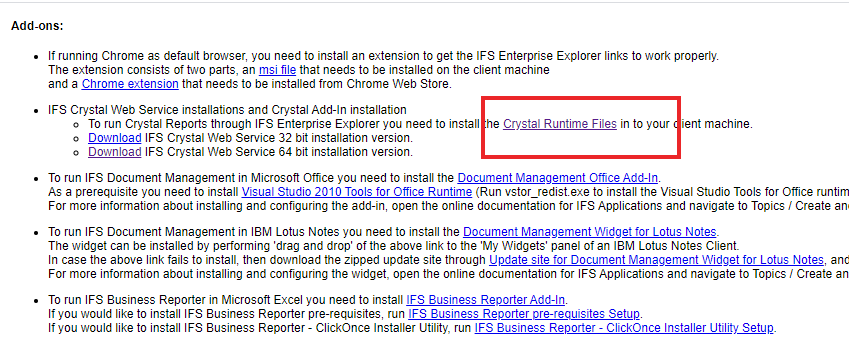
It seems I need to add permissions to my profile, what permissions do I have to add to install crystal runtime file?
thanks,
Narsi.
Best answer by Rusiru Dharmadasa
Hi,
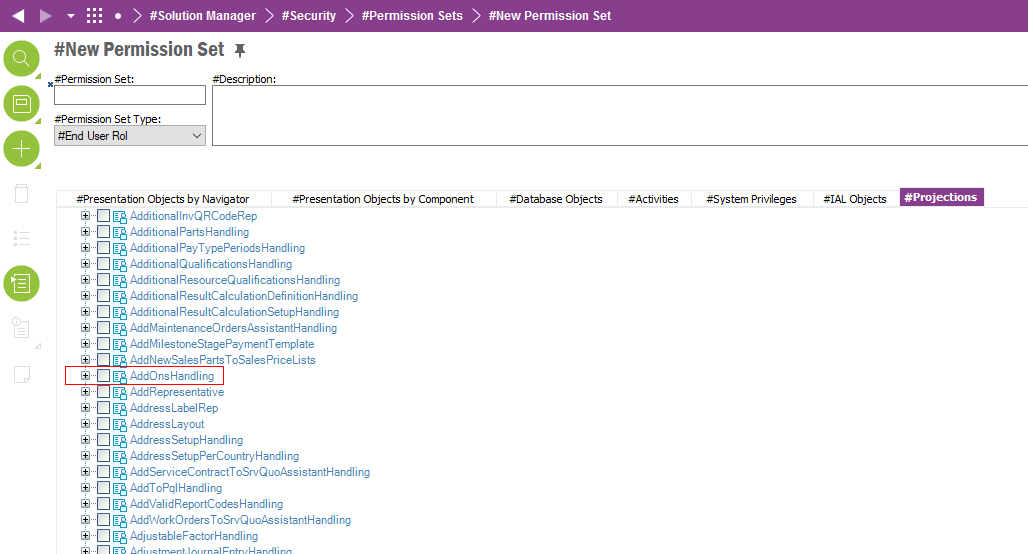
Currently it is required to grant “AddOnsHandling” projection to be able to download these addons.
There are ongoing discussion that this should be auto-granted to end users as crystal runtime files needs to be installed in each end user PCs. But for now you can grant this projection to one of your permission sets and get it download.
Currently it is required to grant “AddOnsHandling” projection to be able to download these addons.
There are ongoing discussion that this should be auto-granted to end users as crystal runtime files needs to be installed in each end user PCs. But for now you can grant this projection to one of your permission sets and get it download.