


Hi,
I'm looking for some clarification regarding the "First Page" and "Last Page" features that were available in IFS Report Designer.
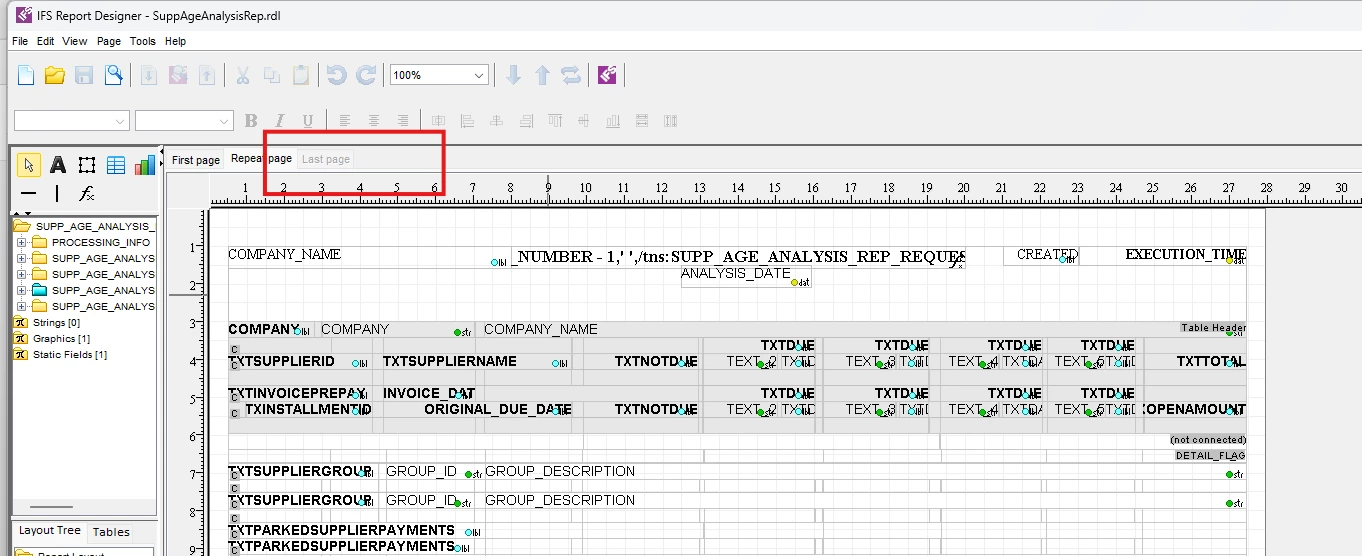
In Report Designer, it was possible to configure certain controls to appear only on the first page or only on the last page of a report, without relying solely on report bands. This was particularly useful for scenarios such as:
- Displaying a cover page or introductory information only on the first page.
- Displaying approval sections, signatures, declarations, or terms & conditions only on the last page.
I understand there are alternative approaches in IFS Report Studio, for example:
- Using the Report Header and Report Footer bands where appropriate.
- Using Report Rules to append an additional PDF (e.g., Terms & Conditions) after report generation.
However, my question is specifically about IFS Report Studio itself:
- Is there a built-in equivalent to the "First Page" and "Last Page" features available in Report Designer?
- Can controls or sections be configured to render only on the first page or only on the last page without relying on report bands or post-processing through Report Rules?
- If not, what is the recommended IFS best practice for implementing these requirements when dynamic content is involved?
We're particularly interested in scenarios where the content is dynamic (e.g., approval details, signatures, or customer-specific information), where appending a static PDF via Report Rules would not be suitable.
Thank you!