


Solved

Report printing window does not get the Date/Number formatting

  • May 19, 2026
  • 2 replies
  • 14 views

Forum|alt.badge.img+13

Hi,

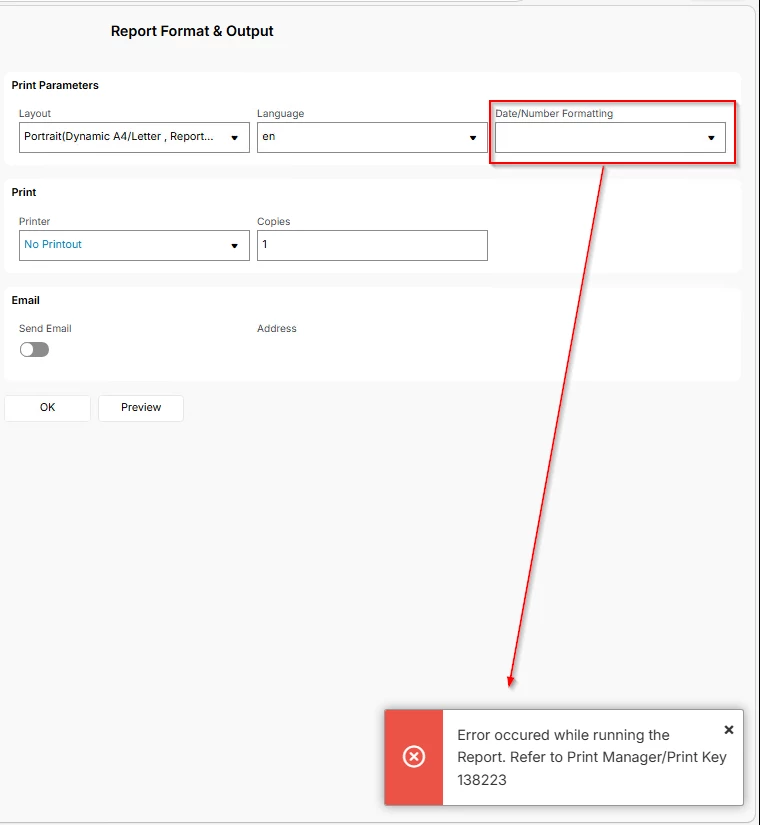
I have a customer with 25.2.4 and for customer invoices only date/number formatting is not picking up automatically when the report is ordered. Behaviour is same for the reports ordered from the customer invoice window as well as report archive.

I have already verified 

  1. User language is correctly set in the application
  2. Used languages en-US enabled by default
  3. Report Locales has the languages set
  4. Report Print Task Template has the default language set for both tasks
  5. And If I manually select any language and set it back to en date /number field is correctly updating and report can be previewed
 

Best answer by karale

Is this for a certain customer(s) or all of them? Any chance you have a Report Rule doing something in the background?


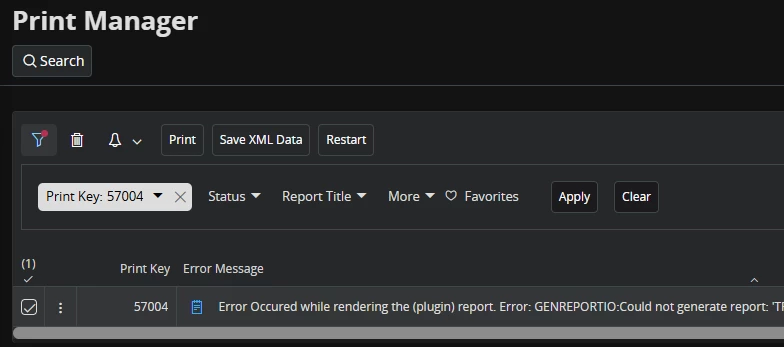
What does Print Manager say as the error message? Because for me, leaving that field blank does not cause an error.


2 replies

  • Answer
  • May 19, 2026

Is this for a certain customer(s) or all of them? Any chance you have a Report Rule doing something in the background?


What does Print Manager say as the error message? Because for me, leaving that field blank does not cause an error.


Forum|alt.badge.img+13
  • Author
  • Hero (Partner)
  • May 19, 2026

@karale 

Reporting rule is the culprit. Thanks a bunch
